n8n Workflow Stuck on One Bad Data Point? Fix It with Error Output Isolation

Change the n8n node's On Error to error output, so bad data no longer halts the entire batch.
The article focuses on a hidden yet high-frequency failure mode in n8n workflows: a lead with a malformed email triggers a bad request in the CRM node, causing the default fail-fast policy to stop the entire run, leaving all the good leads behind it unprocessed. The fix is to change the node setting On Error from the default "stop workflow" to "Continue Using Error Output," so when the node encounters an error, it routes the bad data to a separate error output, allowing the success and failure paths to advance in parallel. This change brings three benefits: availability, observability, and recoverability. The author further points out that any node making external calls for single items carries the same risk, and isolating the failing unit is a general design principle for batch flows.
Automation's worst nightmare isn't an error—it's one bad data point halting an entire batch. When a lead's email format is invalid, the CRM node returns a bad request, and n8n stops the entire run by default—all the perfectly good leads behind it never get their welcome emails.
The Problem: One Bad Data Point Drags Down the Whole Workflow
Imagine a typical lead-processing flow: read a batch of leads from a spreadsheet or form, write each one to the CRM, then trigger a welcome email. Most of the data is fine, but one email address is invalid.
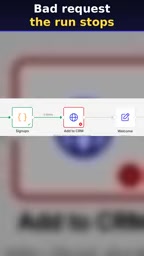
The CRM node throws a bad request, and n8n stops the run entirely per its default policy. This means the good leads behind it don't even get a chance to be processed.
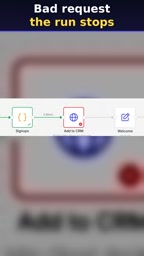
"Good leads never get their welcome emails"—this is one of the most insidious failure modes in production automation: it doesn't throw a fatal error, it just silently drops a bunch of tasks that should have succeeded.
About n8n: n8n is an open-source workflow automation tool that uses a visual, node-based orchestration approach, often compared to Zapier and Make. Its core execution model is "node by node, item by item": data flows between nodes as arrays, and each node processes every item in the array in sequence. This model introduces a critical characteristic—the default failure policy is "fail-fast", meaning that if any node throws an error while processing any item, the entire workflow instance stops immediately and unprocessed items are discarded. This differs from the batch-processing habit of "skip the bad item and continue," and it's the root cause of the failure mode described in this article. Once you understand this, it's clear: the problem isn't a bug in n8n, it's that the default policy amplifies a single item's failure into an interruption of the entire batch.
The Fix: Treat Errors as Just Another Output
There's an often-overlooked option in n8n's node settings: On Error. The default is to stop the workflow, but what we want is to change it to Continue Using Error Output—so that when the node errors out, it doesn't break the flow; instead, it sends the failing item down a separate error branch.
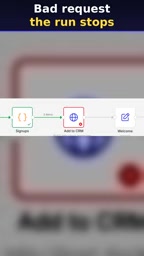
The essence of this setting is turning "an exception" from a flow-interrupt signal into a data stream that can be processed. After the node finishes processing the batch, it produces two outputs at once: a success output and an error output.
The Result After Execution
After changing the setting and re-running the step, the result is crystal clear: the two good leads flow out of the success output and continue down the normal path of CRM write and email trigger; the bad data with the invalid email gets sent alone into the error output.

The original "all-or-nothing" approach is split into two independent paths. Bad data no longer has the power to block the processing of good data.
About Error Output: In n8n, a node usually has only one output connection, but when On Error is set to Continue Using Error Output, the node gains an additional error output port at the bottom-left. Its mechanism: the node still processes input items one by one; successful items flow out of the main output, while failing items flow out of the error output carrying the original data, error message, and node execution info. So a single execution can produce two outputs simultaneously, and the two branches advance independently downstream. Note that the error output carries structured data rather than plain log text, so it can be filtered, transformed, written to a database, or used to trigger notifications by downstream nodes just like normal data—this is exactly how "turning exceptions into a processable data stream" works in practice.
Why This Pattern Is Worth Remembering
The robustness of an automation flow often depends not on how many normal cases it can handle, but on how it faces exceptions. Routing error outputs separately has three layers of benefits:
- Availability: Normal data is no longer dragged down by bad data, and the throughput of the whole batch is unaffected by individual exceptions.
- Observability: Error data flows to a single place instead of being scattered in logs, greatly reducing troubleshooting costs.
- Recoverability: The error branch can connect to an alert node, pushing bad data to a notification channel, so it can be manually corrected and re-submitted.
What to Connect to the Error Branch
The video's approach is straightforward: connect the error output to an alert node—log it, notify, then fix manually. This is the minimal viable solution. For more mature flows, the error branch can be further split—format errors get auto-cleaned and retried, while structural errors trigger manual alerts.
About Idempotency and Re-delivery: The step of "manual correction and re-submission" on the error branch carries an easily overlooked prerequisite—the re-submitted item must not produce duplicate side effects. If the failure occurs after the CRM write (e.g., the email send fails), simply re-running the whole lead could create duplicate records. A common practice is to attach a unique identifier (like a lead ID) to each item, perform an upsert or deduplication check before writing, and make the operation idempotent. You can also use n8n's node-level Retry On Fail with a wait interval to handle transient errors, treating "format errors" and "temporary failures" separately—the former needs human intervention, the latter is suited for automatic retry.
Where This Approach Applies
The On Error setting isn't just for CRM writes. Any node that makes an external call for a single item carries the same risk: email sending, API requests, database writes, file uploads. Whenever one item's failure could halt the entire batch, you should consider switching to error output.
In other words, this isn't an "n8n trick"—it's a general design principle for batch processing flows: isolate the failing unit so that the success path and failure path advance independently.
Next time your workflow grinds to a halt because of one dirty data point, don't rush to fix the data format first—go to the node settings and find that On Error option.
One-line Summary
Change the n8n node's On Error to error output, so bad data no longer halts the entire batch.
Paragraph Summary
The article focuses on a hidden yet high-frequency failure mode in n8n workflows: a lead with a malformed email triggers a bad request in the CRM node, causing the default fail-fast policy to stop the entire run, leaving all the good leads behind it unprocessed. The fix is to change the node setting On Error from the default "stop workflow" to "Continue Using Error Output," so when the node encounters an error, it routes the bad data to a separate error output, allowing the success and failure paths to advance in parallel. This change brings three benefits: availability (normal data is no longer dragged down), observability (errors are centralized and easy to find), and recoverability (after connecting alerts and manual fixes). The author further points out that any node making external calls for single items carries the same risk, and isolating the failing unit is a general design principle for batch flows.
Related articles

Chain of Thought Isn't Just for AI: How Humans Can Use CoT to Improve Thinking Quality
Chain of Thought isn't just a prompt trick for large models. Starting from a Hacker News discussion, this article analyzes why CoT works for human thinking too, breaks down actionable ways to transfer it, and highlights the key differences between human CoT and machine CoT.
Cloudflare Teams Up with OpenAI: Closi…
Cloudflare Teams Up with OpenAI: Closing the Loop from Vulnerability Discovery to Defense with AI
Cloudflare uses OpenAI Daybreak to investigate security vulnerabilities and generate reviewable remediation plans, while developers use Codex to boost coding efficiency and quality.

Orca Multi-Agent Orchestration in Practice: A Guide to Parallel Collaboration with Claude and Codex
Orca is Stable AI's free open-source agent workbench supporting 34 agents like Claude Code and Codex in parallel. Learn its Git worktree isolation, multi-model orchestration, and mobile management.