Nearfield: An Open-Source Solution That Turns Dual Studio Displays into Stereo Speakers

Open-source Mac app that turns dual Apple Studio Displays into a unified stereo speaker system.
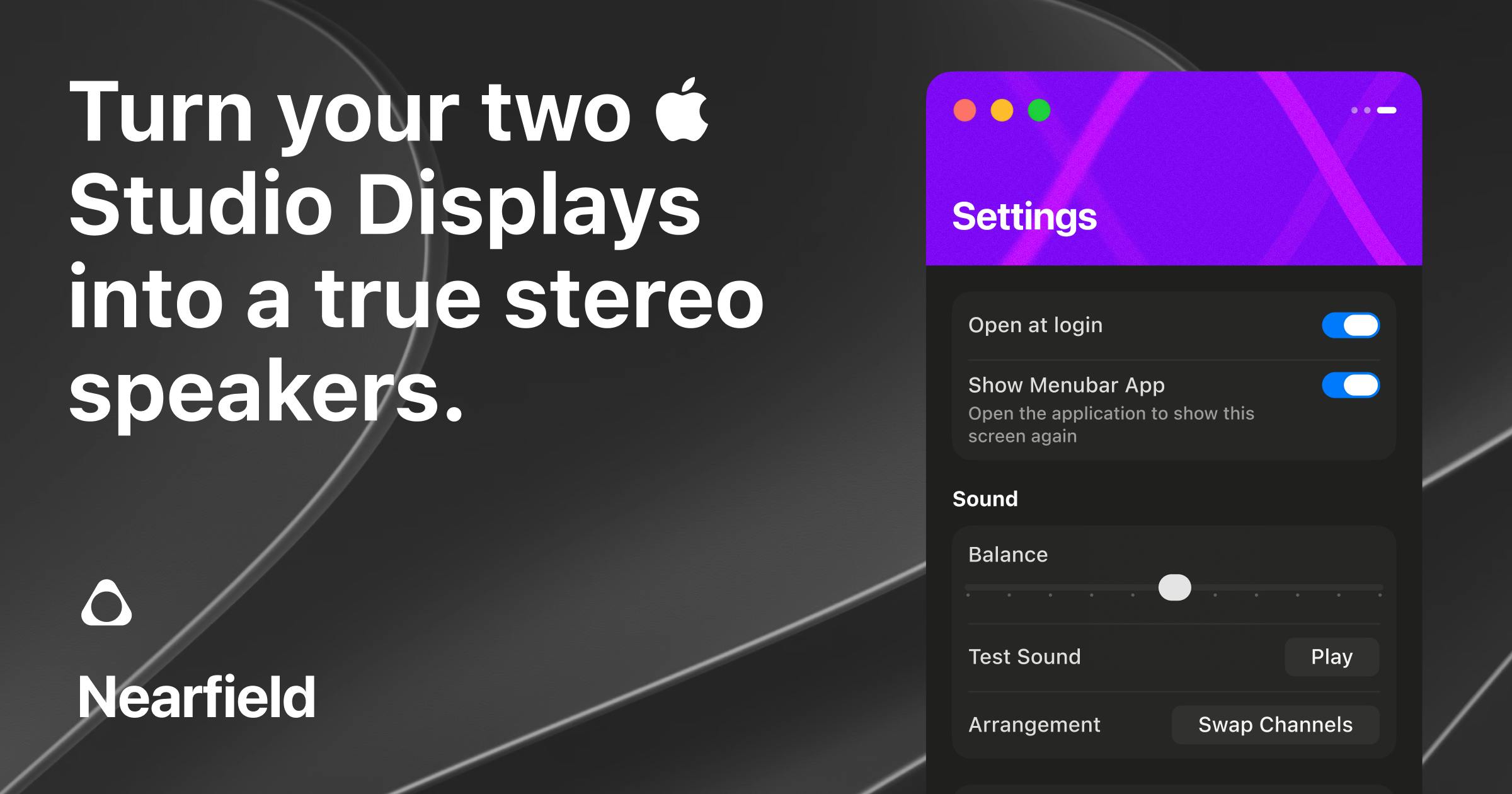
Nearfield is a free, open-source Mac application that merges two Apple Studio Displays' built-in speakers into a coordinated stereo output. It offers unified volume control, left/right channel swapping, balance adjustment, and app-level audio routing. Requiring Apple Silicon and macOS 14+, it targets professionals with dual-display setups who want to unlock their existing hardware's audio potential without buying separate speakers.
An Overlooked Hardware Potential
If you have two Apple Studio Displays sitting on your desk, you may have never realized that this setup actually contains a pair of high-quality speaker arrays. The Apple Studio Display features a built-in six-speaker system consisting of four force-cancelling woofers and two tweeters, supporting Spatial Audio and Dolby Atmos. This speaker array draws from the audio architecture of the MacBook Pro and iMac, offering a wide frequency response range with bass extension that ranks among the best in the display category. Each display also integrates an A13 Bionic chip dedicated to driving Computational Audio processing, including real-time equalization correction and sound field optimization. This means users actually own not just physical speakers, but a complete digital signal processing pipeline. However, macOS treats each one as an ordinary audio output device by default — when you connect two, the system doesn't automatically merge them into a true stereo pair, leaving these hardware capabilities far from fully utilized when used as separate output devices.
The open-source Mac app Nearfield was built to fill exactly this gap. Its core concept is simple and direct: combine the speakers of two Apple Studio Displays into a unified, volume-controllable stereo output, turning hardware that previously operated independently into a coordinated desktop audio system.
Core Features and Technical Principles
From a technical standpoint, Nearfield addresses a real pain point in macOS audio routing. The macOS Core Audio framework, through the Audio MIDI Setup application, allows users to create two types of multi-device configurations: Aggregate Devices and Multi-Output Devices. Aggregate Devices merge multiple audio interfaces into a single virtual device, primarily to increase available input/output channel count; Multi-Output Devices mirror the same audio stream to multiple outputs. However, both approaches have significant limitations: Aggregate Devices require manually specifying a clock source to avoid audio crackling from sample rate drift, and the system volume keys cannot uniformly control the volume of sub-devices within an aggregate; Multi-Output Devices can play simultaneously but don't support independent left/right channel assignment. These underlying limitations are precisely the core technical challenges that Nearfield needs to re-encapsulate and solve at the application layer — it wraps the tedious manual configuration and missing unified control capabilities into a native, user-friendly application.
Four Key Capabilities
According to the product introduction on Product Hunt, Nearfield offers the following key capabilities:
- Unified Volume Control: Merges the speakers of both displays into a single volume-adjustable stereo output, eliminating the hassle of adjusting each separately.
- Left/Right Channel Swap: Swap left and right channels at any time to accommodate different desk layouts.
- Channel Balance Adjustment: Fine-tune the left/right balance to optimize stereo imaging.
- App and Window-Based Audio Routing: A more advanced feature that lets you route audio from different apps or windows to different output paths for more granular audio management.
Combined, these features essentially "disguise" two Studio Displays as a pair of true nearfield monitors — which is exactly where the product name "Nearfield" comes from. In professional audio, "Nearfield Monitoring" is a standard studio configuration concept, referring to placing monitor speakers within 1-2 meters of the listener, typically on either side of the mixing console or workstation, forming an equilateral triangle with the listener's head. The core advantage of this placement is that the listener receives far more direct sound than room reflections, significantly reducing the impact of room acoustics on the listening experience. Classic nearfield monitors like the Yamaha NS-10 and Genelec 8000 series pursue neutral, accurate sound reproduction. While display speakers can't match professional monitors in frequency response and distortion specifications, the desktop close-range listening scenario does indeed fit the physical definition of nearfield monitoring.
Requirements and Target Audience
Nearfield's scope of applicability is quite clear, with several hard requirements:
- Apple Silicon: Intel Macs are not supported. This isn't simply a compatibility choice — it's closely tied to deep changes in the macOS audio architecture. Apple Silicon Macs introduced Unified Memory Architecture (UMA), resulting in fundamentally different audio processing latency characteristics compared to the Intel era. More critically, starting with macOS 12, Apple gradually restructured parts of the AudioServerPlugin and HAL (Hardware Abstraction Layer) interfaces, adding finer control capabilities for virtual audio devices. macOS 14 (Sonoma) further introduced enhanced audio capture APIs through ScreenCaptureKit, making app and window-level audio routing possible — this is precisely the underlying system capability that Nearfield's "app-based audio routing" feature depends on. Intel Macs are excluded due to their lack of complete support for these new frameworks.
- Two Studio Displays: This is the most fundamental prerequisite, and it makes this a relatively niche tool.
- macOS 14 or later: Requires newer system-level support to access the enhanced audio framework capabilities described above.
These requirements mean Nearfield targets a specific class of users: professional creators, developers, or desktop enthusiasts with dual Studio Display setups. For these users, rather than purchasing a separate set of desktop speakers that take up space, it makes more sense to activate the high-quality speakers already inside their two displays — this is where Nearfield delivers the most value: using software to unlock the potential of existing hardware.
Open Source and Free: Trust and Sustainability
It's worth emphasizing that Nearfield is a native, open-source Mac app, built by developer Vince Pataky, with source code available on GitHub. This is particularly rare among audio tools.
System-level audio tools on macOS typically require installing kernel extensions (kext) or System Extensions, and may even need users to grant sensitive permissions like Accessibility or Screen Recording. Historically, commercial audio routing tools such as Soundflower, Loopback (by Rogue Amoeba), and BlackHole have all raised user concerns about privacy and security due to permission requirements. The open-source model is especially valuable in this domain: users and security researchers can directly audit the code for improper data collection, network communication, or permission abuse.
Open source delivers value on several levels: First, tools involving system-level audio routing often require a high trust threshold, and open source allows users to audit the code and confirm it doesn't abuse permissions or collect data; Second, the community can participate in fixing compatibility issues and extending functionality; Finally, macOS security updates frequently cause compatibility issues at the audio driver level (such as the major change of removing kext support in the macOS Catalina era), and open-source projects allow the community to self-repair and compile when the developer's response isn't timely, ensuring continued tool availability. For such a niche but clearly needed scenario, the open-source model allows the product to be sustainably maintained without relying on commercial monetization.
On Product Hunt, Nearfield received 81 upvotes and is tagged under "Open Source, GitHub, Apple, Audio." While there aren't many comments, for the target user group, it solves a real and specific problem.
Who Should Pay Attention to Nearfield
Nearfield is not a mass-market product — its value is highly concentrated among users with a specific setup. If you fit the following criteria, it's worth trying:
- You already have or plan to set up two Apple Studio Displays on your desk;
- You want stereo sound but don't want to purchase additional desktop speakers;
- You have granular Mac audio routing needs, such as wanting different apps' audio to go to different outputs;
- You prefer open-source, free, privacy-respecting native tools.
For users with only one display, Nearfield isn't relevant yet; but it represents a product philosophy worth watching — in an era of hardware performance surplus, much value actually lies in the software layer that "makes existing devices work together." Nearfield uses a lightweight open-source solution to awaken the overlooked speakers inside two expensive displays into a complete stereo system. This kind of clever, high-leverage approach is exactly what makes it compelling.
Summary
Nearfield is a classic "pain-point-driven" tool: it doesn't aim to be comprehensive, but precisely solves the stereo output challenge for dual Studio Display users. Its native, open-source, free positioning, combined with practical features like unified volume control, channel swapping, and app-level audio routing, makes it remarkably solid in its niche. If you happen to be its target user, this app could deliver a zero-cost upgrade to your desktop audio experience.
Related articles

Getting Started in Machine Learning Research: Essential Paper Reading List and Research Internship Application Path
A complete path from zero to research internship for ML beginners, covering essential classic papers (AlexNet, ResNet, Transformer), paper reading methods, reproduction tips, and practical advice for research internship applications.

Claude Code Hands-On Tutorial: Complete Guide from Installation to Automated Development
Complete guide to Claude Code covering environment setup, permission configuration, Go Goals autonomous loops, Skills system, MCP protocol integration, and version control for automated development.

Gemini 3.7 Flash Release and GPT-5.6 Ultra-Fast Mode: AI Open Source Enters the Ecosystem Era
Google releases Gemini 3.7 Flash for coding and Agent optimization while OpenAI launches GPT-5.6 Ultra-Fast mode with 14x speed gains. AI open source shifts from open models to open ecosystems.