New Codex CLI Released: Fullscreen UI, Voice Programming, and Parallel Multi-Agent Tasks

OpenAI's new Codex CLI adds fullscreen UI, voice tasks, multi-agent management, and cross-device control for terminal developers.
OpenAI has released a major update to Codex CLI targeting developers who work primarily in the terminal. Key changes include a fullscreen UI with a fixed input bar, voice mode for dispatching multiple parallel tasks at once, a dedicated multi-agent management view with Git work tree forking for isolated experiments, cross-device remote control via mobile, terminal-native Mermaid and LaTeX rendering, and a usage analytics panel. The overall direction consolidates a previously fragmented AI coding experience into one coherent terminal workflow.
OpenAI has rolled out a major update for developers who live in the terminal — the all-new Codex CLI. The core philosophy behind this release is clear: make Codex faster, less intrusive, and capable of getting things built right in the environment developers know best. Throughout the official demo video, a delightfully tongue-in-cheek example runs as a throughline — a command-line tool purpose-built to "order burritos" — showcasing the real capabilities of this new toolchain.
Fullscreen Interface: An Immersive Terminal Experience
The most immediately noticeable change in the new Codex CLI is the fullscreen interactive interface. Compared to the plain, line-by-line scrolling output of the past, the new UI features a scrollable history panel alongside a persistent input box anchored at the bottom, so you can issue the next instruction at any time.
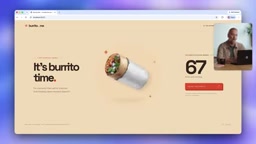
This layout addresses a long-standing pain point with command-line tools: when an AI agent produces large volumes of output, users constantly have to context-switch between scrolling and typing. The fixed input footer keeps the workflow rhythm fluid and gives the CLI — a tool that's supposed to feel lightweight — the kind of information organization you'd expect from a GUI.
Voice Mode: Delegate Tasks Without Touching the Keyboard
The feature the presenter described as "bonkers" is voice-driven task dispatching. Developers can speak directly to Codex and kick off multiple tasks in a single breath. In the demo, three jobs were launched simultaneously via voice: adding a new repeating burrito-pattern background to a website, checking CLI tests to cover price-change and order-confirmation logic, and generating a Mermaid flowchart describing the ordering flow.

Once you're done talking, you can mute and all three tasks start running in parallel across different projects. For developers who prefer to think out loud and dictate requirements, voice mode reduces the friction of turning ideas into instructions — especially handy when your hands aren't on the keyboard.
Multi-Agent Management: No More Hunting Through the Filesystem
With tasks now running in parallel, tracking multiple agents becomes a new challenge. Codex CLI introduces a dedicated agent management view: press the left arrow key to access it, and you can see all running tasks, filter and group them by status, search through them, and jump directly into any specific task.

This means developers no longer need to manually dig through the filesystem or open multiple terminal windows to locate their tasks. You can ask Codex to check the progress of other tasks, or send a follow-up instruction to any one of them.
Even more noteworthy is the fork capability — you can branch the current conversation into a new work tree: same context, but a completely independent code checkout. This provides a clean, isolated environment for "trying multiple implementation approaches to the same problem," preventing different experiments from contaminating each other.
The concepts of Fork and Work Tree come from Git's branch management philosophy. A Work Tree allows the same repository to have multiple directories checked out to different branches simultaneously, with each work tree having its own working directory while sharing a single commit history and object database. In the context of AI coding agents, "forking" a conversation into a new work tree means the agent can experiment with an implementation on a fully isolated copy of the code, without affecting the main branch or the file state of other parallel experiments. This is fundamentally the same as a developer manually creating a feature branch, but the CLI automates context copying and directory creation — eliminating the tedious manual
git worktree addstep. For scenarios where you want to compare "Approach A vs. Approach B," this isolation mechanism effectively prevents experimental changes from accidentally leaking into production code.
Remote Control: Take Over Your Terminal from Your Phone
The new version also bridges cross-device scenarios. Developers can enable remote control on their laptop, then select that specific machine from their phone to see a task list identical to what's in the terminal. Whether you're checking progress or answering a question the agent has raised while you're away from your desk, it can all be handled on mobile.
When you return to the terminal, it's immediately clear which tasks are done and which still need attention. This "take over from anywhere" design means long-running AI tasks no longer keep developers chained to their workstation.
More Details: Usage Analytics and Rich Text Rendering
Beyond the headline features, Codex CLI also introduces a Usage Analytics panel showing activity patterns, frequently used conversations, and commonly used plugins and skills.
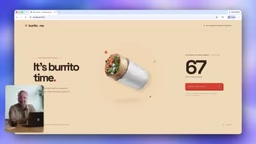
Rendering capabilities have been enhanced as well: Mermaid flowcharts can now be displayed directly in the terminal, and LaTeX math formulas are supported too — the demo even used this to render a mathematical "proof" of why burritos are unbeatable. These rich text rendering features mean terminal output is no longer confined to plain text; diagrams and equations can be viewed right in place.
Mermaid is a text-based diagram definition language. Developers describe node and connection relationships using concise, Markdown-like syntax, and the toolchain renders them as flowcharts, sequence diagrams, Gantt charts, and more. It's widely integrated into platforms like GitHub, Notion, and Obsidian, making it a de facto standard for describing system flows in technical documentation. LaTeX is the universal typesetting language in academia and engineering, particularly well-suited for mathematical formulas and symbolic derivations — traditionally only viewable in PDF documents or dedicated editors. Bringing rendering support for both formats into the terminal means AI-generated design documents, algorithm explanations, and interface relationship diagrams can be read in the same window as the code workflow, with no need to switch between a browser or other applications.
Final Thoughts
From the fullscreen interface, voice-driven orchestration, and multi-agent management, to cross-device remote control and rich text rendering, this Codex CLI update is consistently aimed at the same group of people: developers who are happy to spend the vast majority of their time in the terminal. OpenAI says it will continue improving the CLI and welcomes user feedback.
For engineers whose primary battlefield is the command line, this toolset consolidates an AI coding experience that was previously scattered across multiple terminals, folders, and devices into a single cohesive place — letting you stay focused on what you're actually building, even if that happens to be a command for ordering burritos.
Related articles

Felix Rieseberg Personal Homepage
Felix Rieseberg's personal homepage sparks attention on Hacker News. This article covers the Slack engineer's technical background, the rise and fall of nativefier, and the value of a developer homepage as a tech calling card.

@ai-sdk/vue 3.0.306 Patch Release Syncs with [email protected] Update
@ai-sdk/vue 3.0.306 released, synced with [email protected]. A routine patch release for the Vercel AI SDK ecosystem with no public API changes; the Vue adapter layer stays version-aligned with the core package.

Gemini 4 Argon API Launches: The Era of Million-Token Output Begins
Google launches Gemini 4 Argon with sparse MoE architecture, up to 1M output tokens, and a 68.90% Vals Index score, available across API, AI Studio, and the Gemini app.