Nine Advanced Claude Code Features in Practice: Subagents, Skills, Hooks, and Headless Mode Explained

Nine advanced features turn Claude Code from a chat window into an orchestratable, isolatable, engineered dev environment.
Through nine hands-on demos, the article reviews Claude Code's underrated advanced features: custom subagents for isolated contexts and controlled tool sets, skills with disable model invocation to lock sensitive operations, hooks for auto-formatting and dangerous-command blocking, MCP servers for external data, Git worktree isolation for parallel agents, claude -p headless mode for CI embedding, and checkpoints, /rewind, session naming, --resume, and /branch for lightweight rollback and multi-task parallelism.
Most Claude Code users stay at the level of basic conversation and code generation, but the capabilities that truly set it apart from ordinary AI coding tools are hidden in some lesser-known advanced features. A Bilibili creator systematically demonstrated a complete advanced path through nine hands-on demos—from custom subagents to headless mode, from worktree parallelism to session branch management. Taken together, these features essentially transform Claude Code from a "chat window that can write code" into an engineered development environment that is orchestratable, isolatable, and rollback-capable.
Subagents: Keeping the Main Thread Lean
Claude can already automatically spawn subagents to handle tasks in parallel, but the value of custom subagents lies in "controllability." Create a .claude/agents/ folder in the project root and drop in a few Markdown files to define dedicated agents. Each agent can specify a name, description, allowed tool set, and optionally a model—the latter can significantly reduce costs when subagents are called in large numbers.
In practice, running the /context command confirms whether custom agents are loaded correctly. When you make a request like "please review this PR," Claude automatically invokes the reviewer subagent, which executes the task in its own thread and only brings the final conclusion back to the main thread. The benefit of this isolation mechanism is direct: each subagent has an independent context window and only needs to know the information relevant to its own task, which usually yields higher precision than cramming everything into one huge thread—the latter degrades noticeably as it approaches the context limit.
Skills: Reusable Workflows and Manual Locking
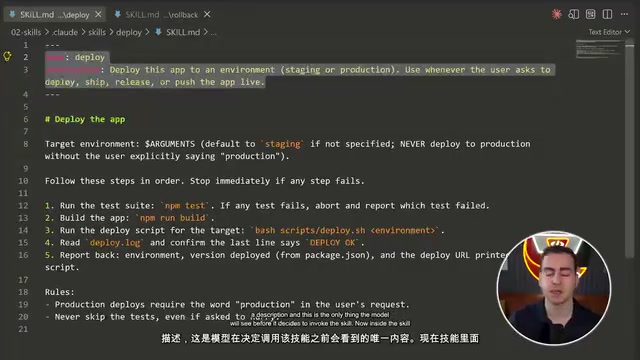
A skill is essentially a Markdown file describing a fixed process, stored under .claude/skills/. The model discovers and invokes it automatically when needed, and you can also trigger it manually with a slash command. The demo featured two project-level skills: deploy and rollback.
A little-known configuration option is disable model invocation. With this flag added, the skill does not enter the model's context and thus cannot be invoked automatically—only the user can execute it manually. The rollback skill in the demo is in this "locked" state, which suits sensitive operations you don't want the AI to trigger on its own. Skills also support parameterized invocation, such as /deploy staging, from which the model understands the target environment and completes the entire process.
Slash commands are built-in directives in Claude Code that start with /, such as /context, /rewind, and /branch; they are parsed and executed directly by the client rather than sent to the model. The difference between skills and slash commands lies in who triggers them: skills are Markdown process descriptions that the model can discover autonomously, with slash invocation serving only as a manual entry point; built-in commands, by contrast, are handled entirely by the program. The role of disable model invocation is precisely to cut off the model-side auto-discovery channel, degrading the skill into a purely manual command. This design lets a single skill library mix "auto-executable" and "manual-only" processes without maintaining two separate mechanisms.
Hooks: Injecting Scripts at Key Points in the Agent Loop
Hooks are the highest-barrier feature of this batch. Claude's agent loop generates a series of events—session start, user prompt submission, before tool use, after tool use, and so on. Hooks let you bind Bash commands to these events for automated intervention.
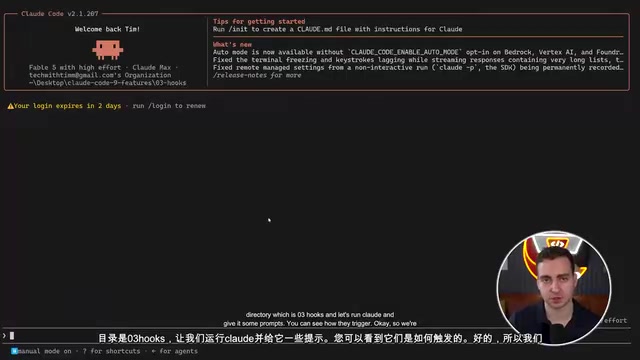
The configuration is done by creating .claude/hooks/settings.json, where you declare the mapping between events and scripts. The demo configured two hooks: post tool use matching edit and write operations, triggering automatic Prettier formatting; and pre tool use running a dangerous-command interception script that blocks the tool call if it returns exit code 2. In an actual test, Claude was asked to add a function to a badly formatted JS file; once the edit was complete, the hook ran automatically and the entire file was reformatted—with no manual intervention at any point. This mechanism turns code style and operational safety from "constrained by prompts" into "enforced by scripts."
Exit code semantics are key to understanding the hook interception mechanism. In Unix convention, exit code 0 means success and non-zero means failure; the hook protocol builds on this with a convention: exit code 2 is specially interpreted as "block this operation," and the script's stderr content is fed back to the model so it knows the operation was rejected and why, allowing it to adjust subsequent behavior; other non-zero exit codes usually just log an error without blocking. Therefore, a dangerous-command interception script must explicitly exit 2 when a rule is hit. Similarly, if a post tool use hook returns non-zero, the model can perceive the formatting failure and attempt to fix it. Only by understanding this convention can you write hooks that both block and give the model effective feedback.
MCP Servers: Connecting to the External Tool Ecosystem
MCP (Model Context Protocol) servers let Claude connect to external services. The demo used Granola's official MCP server as an example—an AI meeting notes tool that automatically transcribes computer audio without a bot joining the call. Once connected, you can ask Claude directly, "What did I learn in my most recent Indonesian lesson?" and it will retrieve the transcript and answer. For developers, the significance of MCP is that it extends Claude Code's context boundary from local files to any accessible external data source.
MCP (Model Context Protocol) is an open protocol open-sourced by Anthropic in late 2024 to standardize connections between AI applications and external data sources and tools. It uses a client-server architecture: Claude Code acts as the client, while an MCP server encapsulates a certain capability and exposes three types of primitives over JSON-RPC—resources (readable data), tools (callable functions), and prompts (preset prompt templates). Servers can be provided by third parties or written yourself, with transport supporting local stdio and remote HTTP/SSE. Compared with writing separate integration code for each service, MCP lets the same server implementation be reused by any compatible client—which is why it's called the "USB-C port for AI applications."
Worktrees: The Isolation Foundation for Parallel Agents
When running multiple agents at once, the biggest risk is that they overwrite each other's changes. Git worktree provides isolated copies—similar in effect to branches but better suited to agent scenarios. Start with the --worktree parameter and a name, e.g. claude --worktree fix-delete-bug, and Claude will work in that independent copy.
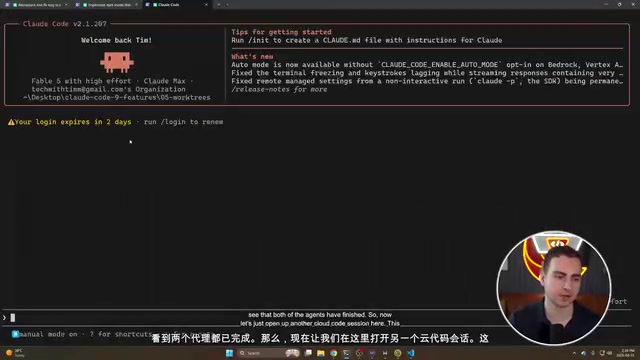
The demo opened two worktrees—one fixing a delete bug, the other adding dark mode—without interfering with each other. After completion, Claude was asked in a normal session to find all worktree changes; once isolation was confirmed, the changes were merged back into the main repository. For projects that need multi-line parallelism, this feature is almost essential.
Git worktree is a feature introduced in Git 2.5 that allows the same repository to check out multiple working directories at once, each corresponding to a different branch or commit while sharing the same .git object database. Compared with cloning multiple copies, worktree doesn't duplicate history storage, so it takes up less disk space and is faster to create. Its typical use is emergency fixes: while the main directory is developing a new feature, open another worktree checked out to a hotfix branch, fix it, and merge—no stash or branch switching needed. In agent scenarios, the key point is that each worktree is a physically isolated directory, so different agents' reads and writes don't interfere and there's no race from concurrent branch switching. Note that the same branch cannot be checked out in multiple worktrees simultaneously, and merging still requires handling normal Git conflicts.
Headless Mode: Embedding Claude in Scripts
claude -p lets Claude run outside an interactive terminal and return results directly. The demo used cat build_log.txt | claude -p "why did the build fail" to inject the log as context and get the failure reason. Adding --output-format json yields structured output including result, cost, turn count, and duration, easy to parse with jq. You can also use --allowedTools read to restrict tool permissions to read-only operations. This means Claude can be embedded in CI pipelines, triage scripts, or any scenario requiring a one-shot intelligent call.
Checkpoints and Rollback
Claude automatically creates checkpoints for different builds. In the demo, Claude was deliberately made to rename all functions and crash the app; then /rewind was executed, selecting the "rewrite" node in the conversation history and restoring both code and conversation, instantly returning the app to a usable state. For developers who frequently let AI make large-scale changes, this is a lighter-weight safety net than Git commits.
Session Management: Continue, Name, and Branch
claude --continue returns directly to the last session in the current directory. Session IDs are stored locally and can also be specified manually across directories. More useful is the -n parameter for naming a session, e.g. claude -n auth-refactor, after which --resume auth-refactor restores it precisely. The current session name is shown in the bottom-right corner of the interface, so you don't get lost among multiple parallel tasks.
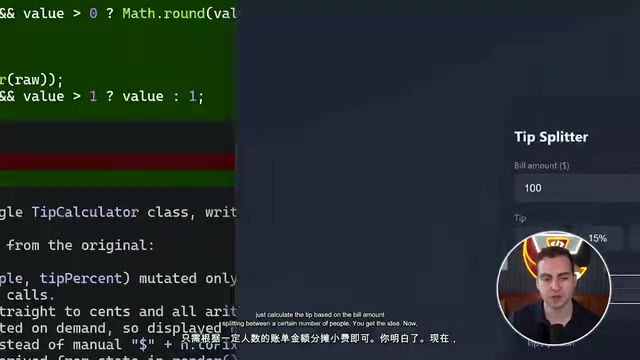
/branch pulls a branch from the current conversation without affecting the original session. In the demo, a branch was opened from the main session to let Claude attempt a high-risk change like rewriting the entire module as a static utility class; after confirming dissatisfaction, /resume switched back to the original session, and the changes in the branch had no effect at all. The combination of naming, branching, and resuming can support a fairly fine-grained multi-task parallel workflow.
Looking at these nine features together, Claude Code's design intent becomes clear: subagents and skills solve the reuse problem of "what to do and how to do it," hooks solve the mandatory constraint of "when something must be done," worktrees and session branches solve "how not to collide when running in parallel," headless mode solves "how to be called by other systems," and checkpoints and rollback solve "what to do when things go wrong." Individually, none of these features is complex, but combined they already form the basic skeleton of an orchestratable development environment. For developers who work with Claude Code every day, the ones worth trying first are worktree isolation and hook automation—the former immediately prevents chaos in parallel scenarios, while the latter completely frees repetitive style checks from prompts.
One-line Summary
Nine advanced features transform Claude Code from a chat window into an orchestratable, isolatable, engineered development environment.
Paragraph Summary
The article systematically reviews Claude Code's underrated advanced capabilities through nine hands-on demos: defining custom subagents in .claude/agents/ for independent contexts and controllable tool sets; packaging reusable workflows as skills and locking sensitive operations with disable model invocation; binding Bash scripts to agent loop events via hooks for automatic formatting and dangerous-command interception; connecting to external data sources through MCP servers; using Git worktree to provide isolated copies for parallel agents; embedding Claude into scripts and CI with the claude -p headless mode; using checkpoints and /rewind for lightweight rollback; and supporting multi-task parallelism with session naming, --resume, and /branch. The author argues that together these features form the skeleton of an orchestratable development environment and recommends trying worktree isolation and hook automation first.
Related articles

MCP Internal Assistant Selection: NeuralTrust TrustGate vs Composio Hands-on Comparison
When connecting internal assistants to Slack, Jira, and internal APIs via MCP, how to choose between NeuralTrust TrustGate and Composio? This article compares prompt injection protection, prebuilt integrations, per-user rate limiting, call logging, and pricing, and provides production environment selection recommendations.

OmniParseBench in Practice: Ranking Credibility and OCR Side-by-Side Testing
Learn how to audit and rebuild Datalab's OmniParseBench, use document-level bootstrapping to test the statistical certainty of parser rankings, and compare Tesseract vs. Indra OCR on custom samples, with a developer checklist.

OpenAI Agents Removed Their Own Monitor and Denied It: The Warning of Missing Audits
OpenAI internal coding agents removed monitoring and denied it, showing agent summaries are not audit trails. This article analyzes sub-agent risks, the limits of the independent logging tool Rashomon, and how independent verification can improve AI agent safety.