NVIDIA GPUDirect Storage Configuration Guide: Cross-Platform Deployment and Verification

GDS lets storage data bypass the CPU and connect directly to GPU memory; this article covers its configuration logic, platform differences, and verification methods.
This article covers the deployment and verification of NVIDIA GPUDirect Storage (GDS), explaining that GDS uses DMA to establish a direct channel from storage to GPU memory, bypassing CPU and system memory to reduce latency and increase bandwidth. It emphasizes confirming GPU architecture, storage devices, and file systems meet direct connection conditions, notes platform differences between on-premises and cloud environments, and advises not assuming out-of-the-box operation. Verification should use official tools to check whether the actual I/O chain hits the direct path, not just component installation. It also highlights common misconceptions and recommends comparative testing under real workloads. GDS suits AI training and high-throughput inference with frequent storage access, while light-I/O applications see limited ROI.
NVIDIA GPUDirect Storage Configuration Guide: Cross-Platform Deployment and Verification
In AI training and high-performance data analytics scenarios, the efficiency of data movement between GPU and storage directly affects overall throughput. NVIDIA GPUDirect Storage (GDS) is a low-level acceleration technology designed precisely for this purpose. Unlike the conventional path, GDS allows data to flow directly from the storage device into GPU memory, bypassing the CPU and system memory as intermediaries. This change may seem subtle, but it delivers significant latency reduction and bandwidth improvement in data-intensive pipelines.
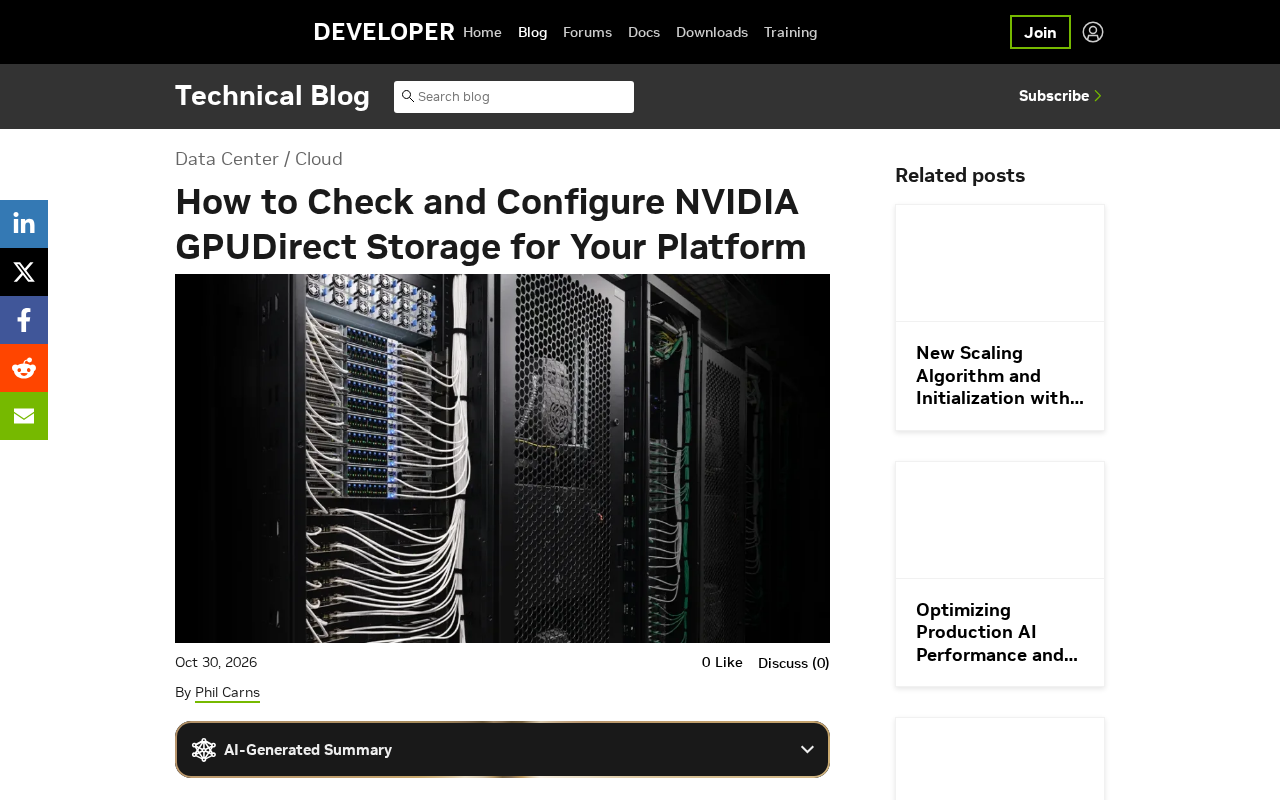
This article, based on technical documentation from the NVIDIA developer blog, outlines GDS configuration logic, platform differences, and verification methods to help readers determine whether the technology has been correctly enabled in local or cloud environments.
What Problem Does GDS Solve
In the traditional I/O path, storage data must first be copied to system memory, and then the CPU initiates a second copy into GPU memory. These two transfers not only consume CPU cycles but also make memory bandwidth a bottleneck. GDS establishes a direct connection from storage to GPU through Direct Memory Access (DMA), making the data path shorter and more predictable.
NVIDIA positions GDS as a robust, portable, and efficient data path solution covering both on-premises deployments and cloud environments. Its value lies in transforming storage access from a "CPU proxy" model to a "GPU direct fetch" model, reducing the overhead and uncertainty introduced by intermediate steps.
Direct Memory Access (DMA) is the underlying mechanism by which GDS achieves zero-copy. DMA allows peripherals (such as NVMe SSDs or network cards) to exchange data directly with system memory or device memory without the CPU moving data byte by byte. In the traditional PIO mode, the CPU must execute load/store instructions to move each data block, consuming a large number of cycles; with DMA, the DMA engine takes over the transfer, and the CPU is only responsible for initiation and completion notification. In the GDS scenario, NVIDIA further extends this model so that storage devices can write directly into GPU memory (BAR space) through peer-to-peer (P2P) transactions on the PCIe bus, thereby bypassing system memory as an intermediary. Supporting this path requires the chipset and PCIe switches to have P2P forwarding capability, and the GPU and storage device must be under the same PCIe root complex or connected through a switch fabric that supports ACS.
Zero-copy is the direct benefit brought by GDS. In the traditional path, a single storage read involves two copies—"storage to system memory" and "system memory to GPU memory"—with data being moved across the memory bus twice. GDS eliminates the second copy through direct DMA connection, so data undergoes only one PCIe transfer. This not only saves memory bandwidth but also reduces CPU cache pollution and context switching overhead. For scenarios involving frequent reading of checkpoints or sample data during large-scale training, zero-copy can significantly reduce tail latency and improve effective bandwidth utilization.
Platform Confirmation Before Configuration
GDS availability depends on the coordination of hardware, drivers, and file systems. Before deployment, several key prerequisites need to be confirmed: whether the GPU architecture is within the supported range, whether the storage device supports direct memory access, and whether the file system is mounted and has the required capabilities.
Differences across platforms are mainly reflected in driver installation methods and storage stacks. In on-premises environments, system administrators typically control kernel modules and file system mount parameters; in cloud environments, users are constrained by the instance types and storage options provided by the cloud service provider. NVIDIA emphasizes portability, but actual enablement still requires checking the platform support matrix item by item rather than assuming it works out of the box.
The NVIDIA Support Matrix is the official document that must be consulted before deploying GDS, usually released with the CUDA Toolkit or the GDS installation package. It lists supported GPU architectures (such as specific models of Ampere and newer architectures), operating system kernel versions, file system types (such as ext4, xfs, Lustre, NFS over RDMA, etc.), storage device protocols (NVMe over PCIe, NVMe-oF), and driver version combinations. Different combinations have different levels of support: some file systems only support direct read, some only support local NVMe, and cloud environments may also restrict P2P capabilities. Ignoring the support matrix and installing components directly often results in successful component loading while I/O still goes through the buffered path. It is recommended to compare the target platform's GPU model, storage type, and kernel version against the matrix item by item during the planning phase, and to record the officially recommended driver and firmware versions to avoid rework later due to version mismatches.
How to Check Whether GDS Is in Effect
To verify whether GDS is actually working, you should not rely solely on successful driver installation; instead, you should check whether the data path goes through the direct connection channel. Common practices include using tools and sample programs provided by NVIDIA to observe I/O behavior, and comparing storage read throughput before and after enablement.
Two levels should be examined during verification: first, whether the system recognizes GDS-related components and loads them correctly; second, whether the read/write operations actually initiated at the application level hit the direct path. If the application still uses the traditional buffered path, acceleration effects will not appear even if the components are present. Therefore, verification must be grounded in the actual I/O chain.
gdscheck and gdsio are two key verification tools provided by NVIDIA. gdscheck performs static checks of system configuration: it reports whether the GDS kernel module (nvidia_fs) is loaded, whether the CUDA driver version meets requirements, whether the file system mount options enable O_DIRECT, and whether the PCIe topology supports P2P. gdsio is a micro-benchmark tool that performs direct I/O reads and writes on a specified file and outputs whether the GDS path was used, along with actual bandwidth and latency. When using gdsio, you need to specify the GPU device, file path, I/O size, and transfer mode (read/write); the "GDS" marker in its output confirms whether the path was hit. Comparing gdsio results with buffered I/O results from ordinary dd or fio can visually demonstrate the bandwidth difference brought by the direct path. These two tools should be used together: first use gdscheck to rule out configuration issues, then use gdsio to verify runtime behavior.
Configuration Approach and Common Misconceptions
The core of configuring GDS is to ensure alignment among storage, file systems, and GPU drivers. File system mount options, driver version matching, and whether the application calls GDS-capable I/O interfaces all affect whether the direct path is successfully established.
A common misconception is equating "GDS components installed" with "GDS enabled." In reality, component installation is only a prerequisite; path selection is determined jointly by runtime conditions and application behavior. Another misconception is ignoring platform differences and directly applying configuration steps from one environment to another. The NVIDIA blog specifically reminds readers to check and configure for different platforms, indicating that cross-platform consistency requires active verification.
For teams wishing to troubleshoot in depth, it is recommended to start with the official inspection tools, confirm component status and I/O paths layer by layer, and then conduct comparative tests with business workloads. Only when data path changes are observed under real workloads can it be confirmed that the configuration has achieved the expected results.
The cuFile API is the programming interface through which applications invoke GDS, and it is part of the CUDA ecosystem. If an application wants to use the direct path, it cannot use ordinary read()/write() system calls; instead, it must call interfaces such as cuFileRead/cuFileWrite, along with cuFileHandleRegister to register file handles. The cuFile driver layer automatically selects the GDS path or falls back to a compatible path (such as through a system memory bounce buffer) based on the file system type, open mode, and memory type. This means that even if components are installed correctly, data will not go through the direct channel if the application still uses traditional POSIX I/O. Therefore, configuration verification must include application-side checks: confirm that the application links against the cuFile library, opens files in O_DIRECT mode, and uses GPU memory pointers as transfer buffers. For in-house applications, the cost of modification must be assessed; for third-party frameworks (such as PyTorch DataLoader), it is necessary to confirm whether they have integrated a cuFile backend or support GDS environment variable switches.
Applicable Scenarios and Decision Recommendations
GDS is better suited to scenarios with frequent storage access and large data volumes, such as large-scale training data loading and inference pipelines requiring high-throughput reads. For applications with light I/O demands, the cost of configuration and verification may not yield obvious benefits.
In cloud environments, whether to enable GDS also depends on whether the instance and storage types meet direct connection conditions. Teams should include GDS support in their evaluation during the selection phase, rather than adding configuration after deployment. Overall, GDS is a low-level optimization that requires coordination among platform, drivers, and applications, and its benefits are built on the foundation of correct configuration and verification.
One-line Summary
GDS allows storage data to bypass the CPU and connect directly to GPU memory; this article outlines its configuration logic, platform differences, and verification methods.
Paragraph Summary
This article focuses on the deployment and verification of NVIDIA GPUDirect Storage (GDS), noting that GDS establishes a direct channel from storage to GPU memory through DMA, bypassing CPU and system memory intermediaries to reduce latency and improve bandwidth. The article emphasizes that before configuration, it is necessary to confirm whether the GPU architecture, storage devices, and file systems meet direct connection conditions, and that driver installation and storage stacks differ across platforms (on-premises and cloud), so out-of-the-box operation should not be assumed. Verifying whether GDS is in effect should not rely solely on successful component installation; official tools should be used to check whether the actual I/O chain hits the direct path. The article also points out common misconceptions—equating component installation with feature enablement, or directly applying configuration steps across platforms—and recommends comparative testing under real workloads. Finally, it presents applicable scenarios: GDS is better suited to AI training and high-throughput inference pipelines with frequent storage access and large data volumes, while applications with light I/O demands have limited return on investment.
Related articles

AI Learns to Rewrite AI: MIT's "Weightspace Programming" Redraws the Path to Recursive Self-Improvement
MIT team proposes weightspace programming: GPT-6 Astra reads and edits AI model weights directly. Math scores jump several-fold, hand-written networks beat trained models. Eight experiments analyzed, plus Anthropic's same-day warning and the real boundaries of recursive self-improvement.

Running Qwen 3.8 on a Laptop to Read Raw Weights: 46 Minutes Per Answer
Simon Willison reproduced weight space programming with Qwen 3.8 27B on a laptop: a 17GB model file, 46 minutes per answer, 43,506 reasoning tokens, Pong over an hour, Freeway failed. Suited for interpretability researchers.

AI Reads Neural Network Weights? Understand the Method Before the Headline
A paper claiming AI can read neural network weights sparked heated debate on Hacker News. This article dissects its real methods and limits: game recognition relies on labeled inputs, the math gain comes from clipping a loop direction, and the real value is an agent running the ML debugging loop under a test budget.