Ollama Decision Models Local Deployment Tested: Faster Than GPT?

Ollama adds a decision model category — small, locally runnable, and nearly twice as fast as GPT for classification and scoring.
Ollama has added a "Decision Models" category to its model library, positioned as GPT's System 1 counterpart, designed for binary classification, multi-class classification, and scoring tasks that don't require complex reasoning. Models like TEF, Nimble, and Clef are small — the smallest version is only 811MB — and can run locally on consumer hardware, bypassing cloud API network latency. In tests of email classification, inquiry scoring, and image classification, TEF 1 (4B) took about half the time of GPT, and Clef also supports visual input with high accuracy. The author believes decision models trade general reasoning capability for speed and determinism, making them suitable for "take a look and judge" scenarios, while complex tasks still require general-purpose large models.
What Are Ollama Decision Models?
Ollama has added a new category called "Decision Models" to its model library, positioned to correspond to GPT's System 1 models — designed specifically for scenarios that don't require complex reasoning. Their task is simple: take a look, then decide "yes" or "no."
These models cover three typical patterns: binary classification (yes/no), multi-class classification (cat, dog, horse), and scoring (a continuous evaluation from worthless to excellent). Unlike general-purpose large models, decision models have predefined output structures, so responses are extremely fast and results are consistently formatted.
On the Ollama model page, alongside cloud, embedding, and vision, you can now see the decision category, with the TEF series and Nimble being among the more representative options.
The "System 1" vs. "System 2" analogy comes from psychologist Daniel Kahneman's book Thinking, Fast and Slow. System 1 refers to intuitive, automatic, nearly effortless rapid judgments in humans (such as instantly judging someone's emotion upon seeing their face); System 2 is slow, deliberative thinking that requires focus and reasoning (such as calculating 17×24). GPT's o1, DeepSeekAd-R1, and other "reasoning models" correspond to System 2, generating a chain of thought before answering, at the cost of high latency and token consumption; decision models correspond to System 1, directly mapping input to labels without explicit reasoning. The engineering implication of this distinction is: not all tasks require reasoning, and handing simple judgments to System 2 models is a waste of compute.
Why It's Worth Paying Attention To: Local Execution and Speed Advantages
The greatest value of decision models lies in "local execution." The models are small enough to run on consumer-grade hardware — the smallest TEF 0.8B version is only 811MB, and virtually any system can run it.
For users outside the United States, this is especially important. The video creator is based in Europe and often encounters latency issues when using cloud APIs, whereas local models completely bypass the network round-trip. According to tests in the video, running an entire set of classification tasks with TEF 0.8B takes only 0.23 seconds, while the same tasks with GPT take about 2.5 seconds.
More importantly, some decision models also support visual input. For example, the Clef series can process image data, which isn't always available in GPT's corresponding solutions.
Model parameter count and VRAM/RAM usage are roughly linear: at 4-bit quantization, every 1 billion parameters (1B) occupies about 0.5–0.7GB of memory. So TEF 0.8B's 811MB size means it can run on an ordinary laptop with 8GB of RAM, a Raspberry Pi 5 (8GB/16GB versions), or even some phones, with no dedicated GPU required. By comparison, a 7B model at 4-bit quantization needs about 4–5GB, and a 70B model needs over 40GB, requiring high-end graphics cards or multi-GPU parallelism. Moreover, local inference has no "per-token billing," making the marginal cost zero, which makes classifying massive volumes of emails, logs, and tickets one by one economically feasible.
Quick Start: Installation and Configuration
The setup process is quite straightforward. First, install Ollama itself — visit the official website to get the installation command and run it in the terminal for your corresponding system.
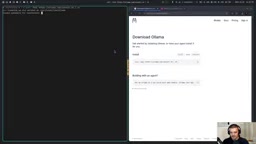
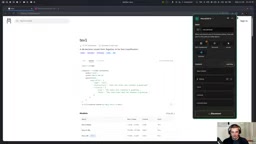
Then run ollama serve to start the service, and in another terminal run ollama pull <model-name> to pull the desired model. Each model's detail page provides ready-to-use Python example code that you can copy and run directly.
Note that 0.8B is the smallest version of TEF, and the default pull may be the 4B version, so you need to specify it manually. The first run has startup overhead, but from the second run onward, results are returned almost instantly.
Cross-Device Deployment: From Laptops to a 128GB Unified Memory Workstation
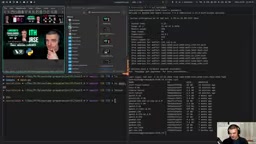
The author demonstrates another deployment approach: running models on a Dell Pro Max GB10 equipped with 128GB of shared memory, accessed over a local network connection.
Because they're on the same network, latency is almost negligible. The remote device has multiple models pre-installed, including TEF 1, TEF 0.8B, Nimble, and Clef Flash, which can be switched as needed. This architecture suits scenarios that need to share inference capability across multiple devices.
Unified Memory architecture is a feature of platforms like Apple Silicon and NVIDIA GB10 (Grace Blackwell): the CPU and GPU share the same physical memory, eliminating the need to copy data back and forth over PCIe. On traditional PCs, model weights must fit into the dedicated graphics card's VRAM; if VRAM is insufficient, you can only lower quantization or switch to a smaller model. Unified memory, by contrast, lets the vast majority of 128GB be directly addressable by the GPU, enabling multiple tens-of-GB models to be loaded on a single device. The Dell Pro Max GB10 is a workstation form factor designed precisely for such local AI workloads; combined with Ollama's OLLAMA_HOST=0.0.0.0 environment variable, it can open up LAN access, and other devices can call it via http://<IP>:11434.
Three Task Tests: Classification, Scoring, and Image Recognition
The author used three test directories to compare TEF, Nimble, and GPT.
Email classification task: Tagging emails as sponsorship, spam, fan mail, service inquiry, or recruitment. TEF 1 (4B) processed all samples in 1.273 seconds, while GPT needed 2.568 seconds — nearly a twofold difference. Nimble took about 1 second after warm-up, also faster than GPT.
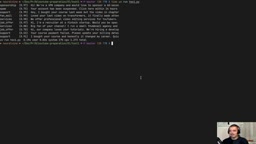
Sponsorship inquiry scoring task: Determining the value tier of inquiries. TEF 1 took 1.09 seconds, GPT about 2.58 seconds, and Nimble 1.336 seconds after warm-up.
Image classification task: Using the Clef model for multi-dimensional analysis of video thumbnails — whether faces are present, whether it's clickbait, and whether the topic is programming/AI/gaming/vlog. The author provided base64-encoded image data and sent it via HTTP POST requests. The results were quite accurate: aside from the GPT-4 thumbnail having no face, all others were correctly identified, and clickbait determinations largely matched intuition.
Behind the Performance: Boundaries and Limitations of Decision Models
The speed advantage is clear, but the author remains cautious about quality. He admits he hasn't used these models at scale and isn't sure whether GPT is still stronger in complex scenarios.
This actually involves a fundamental trade-off: decision models sacrifice general reasoning capability in exchange for speed and determinism. They suit tasks with fixed output formats and relatively simple judgment logic, but once a problem requires multi-step reasoning or contextual understanding, these models may fall short.
The key to choosing lies in recognizing the nature of the task. If it's just "take a look and give a judgment," a local decision model is the better choice; if it requires "think it over before answering," general-purpose large models remain irreplaceable.
The "warm-up" phenomenon is common in small-model inference: the first request needs to load model weights from disk into memory, compile the computation graph, and allocate the KV Cache, so it takes noticeably longer; subsequent requests reuse the already-loaded model and only need to perform forward computation. This is why Nimble in the article takes "about 1 second after warm-up" but may be slower on the first run. The usual engineering practice is: after the service starts, send an empty request or a short sample for preloading, to avoid exposing cold-start latency to the first real user. Ollama by default unloads the model after 5 minutes of idle time (adjustable via OLLAMA_KEEP_ALIVE); for high-frequency scenarios, it's recommended to set it to -1 or a longer duration.
Summary
Ollama has integrated decision models into a unified workflow, lowering the barrier to locally deploying such specialized models. For high-frequency, low-latency, fixed-format classification or scoring tasks, this is a solution that balances speed and privacy. As for whether it can truly replace cloud-based large models in terms of quality, more real-world scenarios are needed to verify.
One-line Summary
Ollama adds a decision model category — small, locally runnable, and nearly twice as fast as GPT for classification and scoring.
Paragraph Summary
Ollama has added a "Decision Models" category to its model library, positioned as GPT's System 1 counterpart, designed for binary classification, multi-class classification, and scoring tasks that don't require complex reasoning. Models like TEF, Nimble, and Clef are small — the smallest version is only 811MB — and can run locally on consumer hardware, bypassing cloud API network latency. In tests of email classification, inquiry scoring, and image classification, TEF 1 (4B) took about half the time of GPT, and Clef also supports visual input with high accuracy. The author believes decision models trade general reasoning capability for speed and determinism, making them suitable for "take a look and judge" scenarios, while complex tasks still require general-purpose large models; whether they can truly replace cloud solutions in quality remains to be verified.
Related articles

How Big Can Stars Really Get? The Physical Limits of the Largest Stars
Red supergiants are the largest stars by volume, with radii up to 2,000 times the Sun, engulfing the inner solar system. But there is no precise upper limit on stellar size—models predict up to 15,000 solar radii. The most massive blue stars are far smaller than red supergiants—biggest and heaviest are two different things.

Apple HomeView Smart Display Full Feature Breakdown: Wall-Mount or Desktop, $299
Apple launches HomeView, a $299 smart display with wall-mount and desktop options, 12MP camera for facial recognition, smart home control, music playback, and recipe step-by-step cooking. Full breakdown of watch faces, apps, privacy, and cooking integration.

Where Did the Promised New Studio Go? Craft Computing Answers After Five Years
Craft Computing's host responds to viewer questions: the new studio promised five years ago was shelved as construction costs soared from $30,000 to $75,000, and was replaced by a 168-square-foot garage conversion.