On-Device AI in Practice: Building an Offline Book Q&A App Without Spoilers
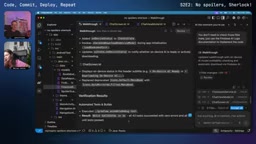
Google engineers live-document migrating a Sherlock Holmes Q&A app from cloud to on-device AI using Firebase AI Logic.
This article documents two Google engineers migrating a Sherlock Holmes book Q&A app from cloud to on-device AI inference using Firebase AI Logic's hybrid capability. They configured a "prefer on-device, fall back to cloud" strategy for offline use. The session honestly captured the limits of AI coding assistant Antigravity — strong Firebase knowledge but prone to unrequested changes — and logged real bugs: a NoSuchMethodError routing failure, a missing Firestore composite index causing full scans, and a data-source mix-up from querying the wrong Sherlock Holmes story. The key unresolved issue is that on-device model responses are far more verbose and less precise than cloud Gemini Flash.
In the second episode of Season 2 of Google's developer series Code, Commit, Deploy, Repeat, two engineers continue a cleverly designed project: building a book Q&A app that works offline. The core idea is simple — when you're halfway through a long novel and suddenly want to ask "who is this character?" or "was it raining at the crime scene?", the app should answer accurately without spoiling anything you haven't read yet. The highlight of this episode is transforming an app that relied on cloud-based Gemini into one that prioritizes on-device AI inference.
From Cloud to On-Device: Hybrid Inference with Firebase AI Logic
The project foundation was laid in the previous episode: using the public domain Sherlock Holmes stories (ideal for demos since they're copyright-free), chunking the content, storing it in Cloud Firestore, and enabling Q&A through a cloud model. This episode's primary goal is making the entire pipeline work offline.
The implementation relies on Firebase AI Logic's hybrid capability. To enable on-device inference, you need to add an on-device client dependency on top of the existing Firebase AI SDK. Developers can specify four inference modes when configuring the generative model:
- prefer on-device: prioritizes the on-device model even when a network connection is available
- only on-device: the feature only works when local AI is available
- prefer cloud / only cloud: corresponding cloud-first or cloud-only strategies
The episode goes with a "prefer on-device, fall back to cloud" strategy — only reverting to the cloud-based Gemini Flash model when the on-device model is unavailable or can't be downloaded. This makes sense for the use case: reading often happens in places with no connectivity, like subways or airplanes.
One notable engineering detail: on-device models don't come pre-installed on devices. The code needs to first check whether the current device supports on-device models and whether the model is already installed. If it's downloadable but not yet installed, Firebase Logic triggers the download. Older devices like some Pixel models may not have on-device AI capability at all — in that case, you'd use a Remote Config flag to hide the feature or explicitly inform users that "this feature requires on-device AI support."
On-Device AI inference means deploying and running model weights directly on the user's device (such as a smartphone) rather than sending requests to a remote server over a network. The key advantages are no network dependency, low response latency, and user data that never leaves the device. The trade-off is that mobile hardware's limited compute and memory means only much smaller models can be deployed compared to cloud, resulting in weaker inference quality and limited long-text handling. Google's infrastructure for on-device AI in the Android ecosystem is Google AI Edge (formerly MediaPipe/LiteRT). Firebase AI Logic's hybrid capability is a higher-level abstraction built on top of it, so developers don't need to manually manage model file downloads, quantization format compatibility, or other low-level details — they simply configure the inference mode via the SDK to switch flexibly between cloud and local.
Antigravity AI Coding Assistant: Real-World Performance
The entire episode was developed using Google's AI coding tool Antigravity alongside Android Studio. This live recording offers a rare look at how an AI coding assistant performs in real debugging scenarios — with both highlights and frustrations.
On the positive side, it demonstrated solid knowledge of Firebase (Firebase skills), and even when its built-in knowledge was outdated, it could supplement that knowledge by using Google Search grounding to read official docs and code examples. It proactively analyzed locally installed library dependencies, ran git diff to generate change walkthroughs, and even updated the UI and replaced outdated icons without being asked.
But the problems were equally apparent. The developers complained multiple times that it "had its own ideas": even after clicking "Always allow" every time, it would ask for confirmation again the next time; it made a bunch of unrequested UI changes; it took roundabout paths to read Android SDK source code when analyzing issues. Throughout the debugging session, the two engineers frequently had to manually set breakpoints, read stack traces, and step through code — the AI never pinpointed the root cause in one shot.
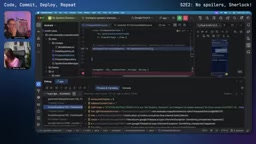
There's an interesting exchange about "Turbo mode." Martin suggested enabling it to let the AI run commands automatically with fewer confirmation prompts, but Marina flatly declined: "That's too scary for me. I like maintaining a certain level of control over code changes." This reflects the genuine attitude many developers have toward AI agent automation — there's a real trade-off between efficiency and control.
Debugging Layer by Layer: Real Pitfalls They Fell Into
The most instructive part of this episode is the series of bugs they encountered — nearly every one a classic trap in Android/Firebase development.
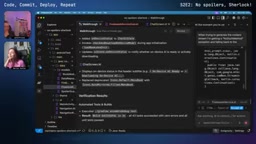
Bug #1: NoSuchMethodError. The app kept falling back to the default "zero spoilers" fallback message and never actually hitting the on-device model. After setting breakpoints, they found the exception was a no such method error related to generate content stream. The AI eventually refactored the logic, splitting it into getHybridModel and getCloudModel functions, and identified the root cause: a gap in the Firebase SDK's internal provider routing error handling — when an on-device exception propagated outward, it was caught by a generic outer error handler, which jumped straight to the offline fallback message, bypassing cloud inference entirely.
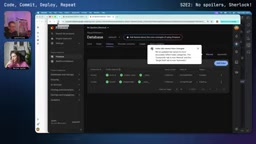
Bug #2: Missing Firestore Index. Queries were returning zero chunks (retrieved chunks of size zero). Debugging revealed that the composite query in Firestore required an index that hadn't been created. Martin offered a practical heads-up here: unlike some databases that fail outright when an index is missing, Firestore will still return results — but it may trigger a full collection scan. That's fine with small datasets but can lead to significant extra costs at scale. Fortunately, Firebase's error messages include a direct link to create the missing index, something viewer Luke specifically praised in the live chat.
Bug #3 (the most embarrassing one): They were looking at the wrong book. After all that debugging, the model kept failing to correctly answer whether there was mud at the crime scene. They finally opened the physical book on the desk to cross-reference — and realized they'd been querying a completely different Sherlock Holmes story that had no mud-related plot. Switching to A Study in Scarlet for the demo immediately resolved it. This mix-up is a reminder that AI app issues don't always lie in the model or the code — data source and context alignment matter just as much.
Connection issues too: USB connection to the physical device kept failing — turns out it was the cable's fault. Switching to Wi-Fi wireless debugging (pair device using Wi-Fi) solved it.
Firestore composite indexes deserve further explanation. Cloud Firestore is a NoSQL document database with a query model that differs from traditional relational databases: single-field queries are automatically indexed, but when a query includes multiple field filters or sorting conditions (a "composite query"), you must manually create a corresponding composite index in the Firebase console or config file in advance. Otherwise, the query either throws an error or triggers a full collection scan. A full collection scan doesn't affect correctness with small datasets, but Firestore charges per document read — so at scale, this generates significant additional cost, which is exactly why Martin flagged it. The friendly part is that when an index is missing, Firebase's error message includes a direct link to create that index in the console. Developers can click it to generate the index automatically without writing any index configuration by hand.
Unresolved Issues and On-Device Model Limitations
Even after getting the on-device inference pipeline working, the end of the episode honestly acknowledged several outstanding issues. The most prominent: on-device model response quality is noticeably worse than the cloud. When using the on-device model, it tends to dump entire chunks of context (several chapters' worth of content) all at once, which is extremely verbose. Cloud-based Gemini Flash, by contrast, gives concise and precise answers. They tried adding instructions to the prompt — "only answer the user's question, don't provide extra context" — but the effect was limited.
Marina frankly suspected it was a model version issue: "Gemini 3.8 Flash isn't doing as well as 3.6. I'm saying this and maybe I'm just frustrated." (Note: this reflects the developers' subjective impressions during the show.) They ultimately set the direction for next time: fully figure out why the on-device model sometimes fails to work correctly, and eliminate that "third-level fallback" — because dumping raw context directly at the user is a terrible experience.
On the UI side, there were real wins. By asking Antigravity to "redesign the interface with a more Material 3 style," the chat bubbles and book selection page both became much more polished, and source attribution was added. Remaining minor issues include: Markdown not rendering inside bubbles (requires a Markdown-capable library), an unnecessary "spoiler guard" banner, and a large blank area at the bottom when typing begins.
The episode also teased a new feature suggested by a colleague: chapter illustration generation — after reading a few chapters, have the AI generate an image representing that chapter's plot as a visual memory anchor, helping readers recall what happened and even inspiring them to keep reading.
The quality gap between on-device and cloud models comes down to parameter scale and quantization compression. Cloud-based Gemini Flash runs in Google data centers with potentially tens of billions of parameters and uses full or high-precision weights. On-device models that can be deployed to phones typically undergo aggressive quantization (e.g., INT4/INT8) and distillation, reducing parameter counts to perhaps a fraction of their cloud counterparts. This results in noticeably weaker instruction-following ability — manifesting exactly as observed in the episode: the model can't follow prompt instructions to give concise answers and instead tends to reproduce raw source context. This class of problem can't be fully addressed through prompt engineering alone. It requires a multi-pronged approach: model selection, RAG retrieval granularity (reducing the amount of context passed in), and post-processing truncation.
Key Takeaways for Developers
Setting aside Sherlock Holmes and the debugging tangents, this episode offers genuinely transferable lessons for developers building on-device AI apps:
- App Check is non-negotiable: Both hosts repeatedly emphasized that if you use Firebase Logic, you must enable App Check protection — new projects now require it by default.
- Prefer server-side prompt templates: For pure cloud apps, use server prompt templates to centrally manage models and prompts.
- Build graceful degradation into on-device AI: Device capability and model download status both need explicit checks, with Remote Config controlling feature visibility.
- AI coding assistants are accelerators, not replacements: In real debugging, humans still need to understand stack traces, set breakpoints, and identify root causes. AI excels at filling in knowledge gaps, generating boilerplate, and making bulk changes.
This is an ongoing project — code has been pushed, and on-device model tuning and image generation features are coming next episode. For developers looking to get started with on-device AI and Firebase, this kind of "pitfalls and all" live recording is far more valuable than a tutorial where everything goes smoothly.
Related articles

Claude Code in Practice: Building Your Own AI Coding Assistant from Scratch
A practical guide to Claude Code: environment setup, switching to domestic models, Git workflows, and its command system, to help developers build their own AI coding assistant.

Claude Sonnet 6 Suspected Leak: Anthropic's Internal Model Acceleration Is Astonishing
Anthropic suspected leak of Sonnet 6; Meter reports its AI R&D accelerated 1.9x; OpenAI releases GPT-6 Cyber, GPT-6.2 Astra may be coming; Google Gemini Omni 1.2 Flash tops video generation leaderboard; Meta stealth models and real-time avatars unveiled; despite market volatility, Google still invests $17 billion in data centers.

How Accurate Are Sci-Fi's Predictions About AI?
How accurate are sci-fi's predictions about AI? Drawing on a Hacker News discussion, this article analyzes sci-fi's foresight and blind spots in AI development, arguing its true value lies in inspiring thought rather than precise prediction.