OneDeploy: Open-Source App Deployment Without Per-Seat Pricing

OneDeploy deploys 105 open-source apps to a dedicated server in one click, priced by server, not headcount.
OneDeploy is an open-source app hosting service on Product Hunt that deploys 105 open-source apps to a dedicated server in one click, automatically provisioning a web address, TLS certificate, and nightly encrypted off-site backups within minutes. Its key selling point is pricing: billed by server hour with a monthly cap, independent of team size, avoiding the cost inflation of traditional per-seat SaaS. Users can manage domains, run updates, adjust specs, or migrate regions from a dashboard—an experience close to hosted platforms like Vercel, but with fully exclusive data, suited to teams with compliance or privacy requirements. However, users remain responsible for self-hosted security and updates, and whether long-term costs beat renting a cloud server directly—and whether app updates keep pace with upstream—still requires users' own judgment.
A New Option for Open-Source App Hosting: OneDeploy Makes Self-Hosting Easier
With SaaS subscriptions now the norm, per-seat pricing has become a hidden cost for many teams. OneDeploy, launched on Product Hunt, proposes a different approach: it deploys open-source apps to a dedicated server for you, with pricing tied only to the server—not to your headcount.
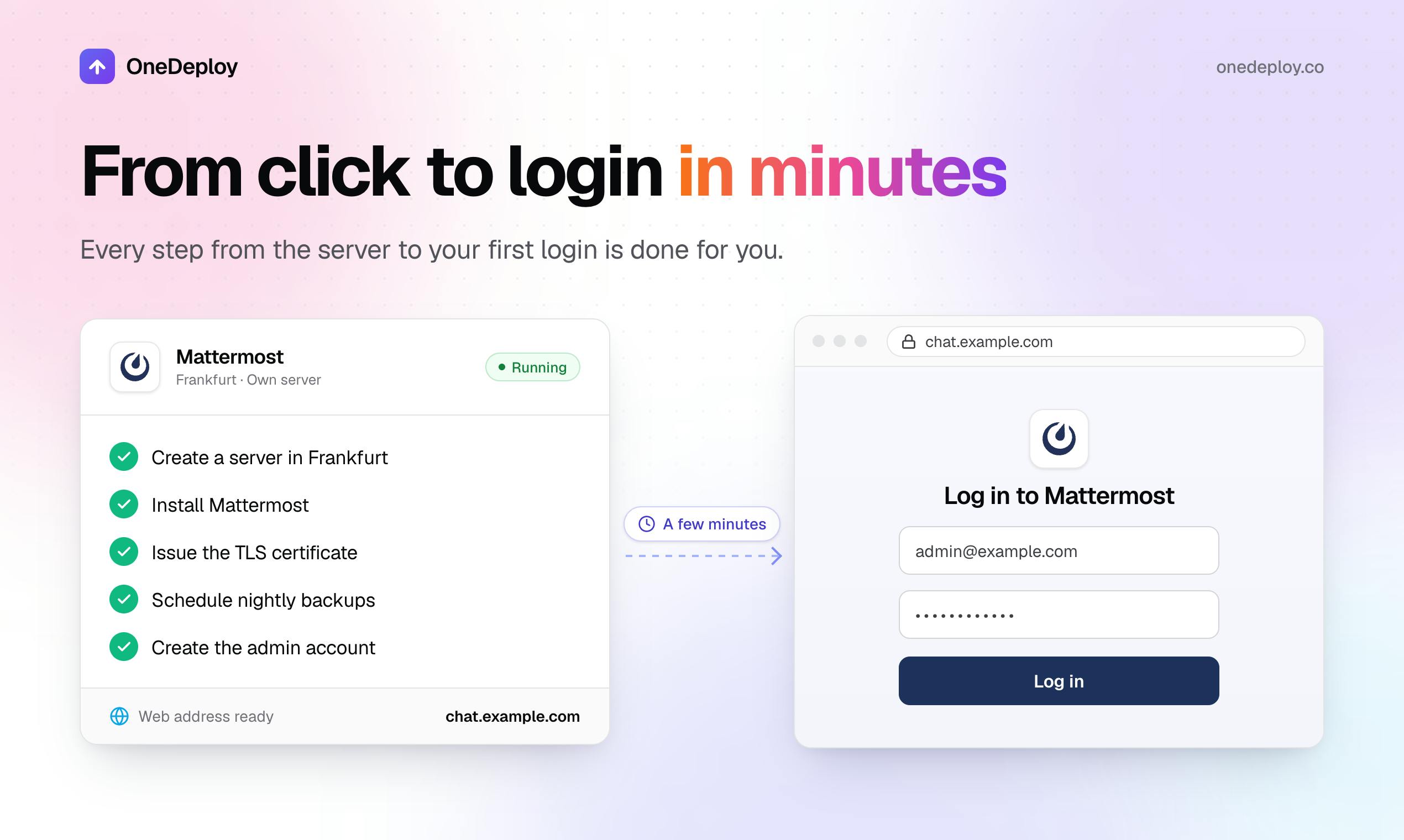
According to its Product Hunt page, OneDeploy currently offers 105 open-source apps. Users pick an app and a region to see an exact price. Minutes later, the app runs on a dedicated server with a web address, a TLS certificate, and encrypted off-site backups every night—a workflow that significantly lowers the technical barrier to self-hosting.
Pricing Logic: Pay for the Server, Not the Seats
OneDeploy's core selling point is a shift in the pricing model. Traditional SaaS tools typically charge in tiers based on user count, so costs rise linearly as teams grow. OneDeploy instead bills hourly with a monthly cap, and the cost depends entirely on the chosen server's specs and region. The company describes it as "pricing that follows the server, not your headcount."
This model is especially friendly to small and mid-sized teams and fast-growing organizations. Whether a team has 5 or 50 people, costs stay stable as long as the server configuration doesn't change. However, the page does not currently disclose specific price ranges; users must select an app and region to see a live quote.
Automated Operations: A One-Stop Experience from Deployment to Backup
OneDeploy automates many of the tedious parts of self-hosting. After deployment, users can add a custom domain, run updates, adjust server specs, or migrate regions from a dashboard. Encrypted off-site backups run nightly by default, reducing the risk of data loss. Automatic TLS certificate provisioning also eliminates the hassle of manually requesting and renewing certificates.
Together, these features let developers unfamiliar with server operations launch an open-source app in minutes. Some users in the Product Hunt comments noted that this "pick-and-deploy" experience feels close to hosted platforms like Vercel, but with data fully under your own control.
TLS certificates are a fundamental mechanism for securing network communications. TLS (Transport Layer Security) negotiates a session key using asymmetric encryption, then transmits data with symmetric encryption, ensuring that communication between client and server cannot be eavesdropped on or tampered with. The "lock" icon in a browser's address bar indicates that the current connection uses a valid TLS certificate. Certificates are issued by trusted certificate authorities (CAs) to verify server identity, and they include an expiration date after which they must be renewed. In traditional self-hosting, users must manually request certificates (for example, via Let's Encrypt), configure the web server, and set up automatic renewal—any misstep can make the site unreachable or trigger security warnings. OneDeploy automates this process, meaning users gain HTTPS capability without dealing with certificate chains, CSRs, or ACME protocol details—a key part of how it lowers the self-hosting barrier.
Balancing Data Sovereignty and the Open-Source Ecosystem
The core appeal of self-hosting is data sovereignty. OneDeploy emphasizes that the server "belongs only to you," meaning app data is not co-mingled with other tenants. This matters especially for teams with compliance requirements or sensitivity to data privacy. At the same time, the platform supports 105 open-source apps spanning productivity, developer tools, and other categories, letting users enjoy the flexibility of open-source software without sacrificing convenience.
However, self-hosting also means users remain responsible for server security and app updates—even though OneDeploy provides automation tools, ultimate control and responsibility go hand in hand.
Market Positioning and Potential Challenges
OneDeploy targets the gap between self-hosting and managed services. It is neither fully managed like a traditional PaaS nor as complex as purely manual deployment. On Product Hunt, 79 upvotes and 4 comments indicate some attention, though discussion volume remains modest.
Potential challenges include: will users pay a premium for "simplified self-hosting"? And can updates and maintenance for 105 apps keep pace with upstream open-source projects? In addition, while hourly billing is flexible, whether long-term costs beat renting a cloud server directly is something users must weigh for themselves.
Overall, OneDeploy offers a noteworthy option for teams tired of per-seat pricing. Its value lies not in technical innovation but in packaging the complexity of self-hosting into an experience close to SaaS while preserving data control.
Hourly billing with a monthly cap is a pricing method between pure pay-as-you-go and flat monthly subscriptions. Users accumulate charges based on the actual hours the server runs, but the monthly total never exceeds a preset ceiling. This model suits scenarios with fluctuating load: pay hourly for short-term testing or temporary scaling to avoid wasting a monthly subscription, while long-term stable operation is protected by the cap, making costs predictable. Compared with the common cloud-provider model of "per-second billing with no cap," the cap reduces the risk of bill spikes, though it may also mean a slightly higher unit price. When evaluating OneDeploy's long-term cost, users should compare it with the monthly fee of directly renting a cloud server with equivalent specs (such as a 2 vCPU, 4GB memory instance) and factor in the labor costs saved by automated operations.
Related articles

Never Elected, Yet Ruled New York for 30 Years: The Ultimate Case Study in the Mechanics of Power
Robert Caro's biographies reveal how unelected Robert Moses ruled New York for 30 years through legal drafting and public authorities, and how Lyndon Johnson built leverage as a "powerless" Senate Majority Leader. Unpacking the underlying logic of accumulating and sustaining power.

The CPython 3.10 Recursion Trap and Synthetic Recovery in TokenGuard, an LLM Circuit Breaker
TokenGuard's author recounts a recursion crash caused by OrderedDict.pop in CPython 3.10 and introduces v0.3.0's Loop Nudge synthetic recovery, inline DLP scanning, and other new LLM agent circuit-breaker capabilities.

Training a Snake AI on Raw Board Input: Simple Design Beats Complex Feature Engineering
Developer trains a Snake agent with C++17 and PPO using only fixed-board one-hot input, averaging 267/297 with 21% board-filling games. Experiments show gamma matters more than feature engineering, simple input beats complex design, plus lessons on failure replay and value calibration.