Open-Source Agent Directly Edits Word/PDF/Excel: A Deep Dive into SurfSense's Design

The open-source desktop app SurfSense lets Agents search sources and directly generate and edit real office documents.
SurfSense is an Apache-2.0 open-source desktop app positioned as "NotebookLM with an Agent." It goes beyond chat: the Agent searches user-specified sources, cites them, and directly produces real Word, PDF, PPT, Excel, and web files, and can edit existing documents as new copies—Word changes come with tracked changes and comments, and originals are never written to. Architecturally it uses dual engines (opencode and Claude Code), deliberately disables shell and code execution for security, and its core design is "documents as scripts": scripts run in a separate process, versions are retained, and page previews are sent back for the Agent to self-check and fix. Agent mode requires a model with tool calling and at least 32K context. The maintainer is publicly seeking feedback on two questions: the scripting pattern and approval granularity.
A New Way to Use Open-Source Agents: No Chat, Just Editable Files
Most AI assistants stop at conversation, but SurfSense takes a more hardcore path: give it a task, and it searches your documents, produces real Word, PDF, PPT, and Excel files, and can even directly edit existing files. The project is licensed under Apache-2.0, supports Windows, macOS, and Linux, and its maintainer actively solicited feedback on Reddit.
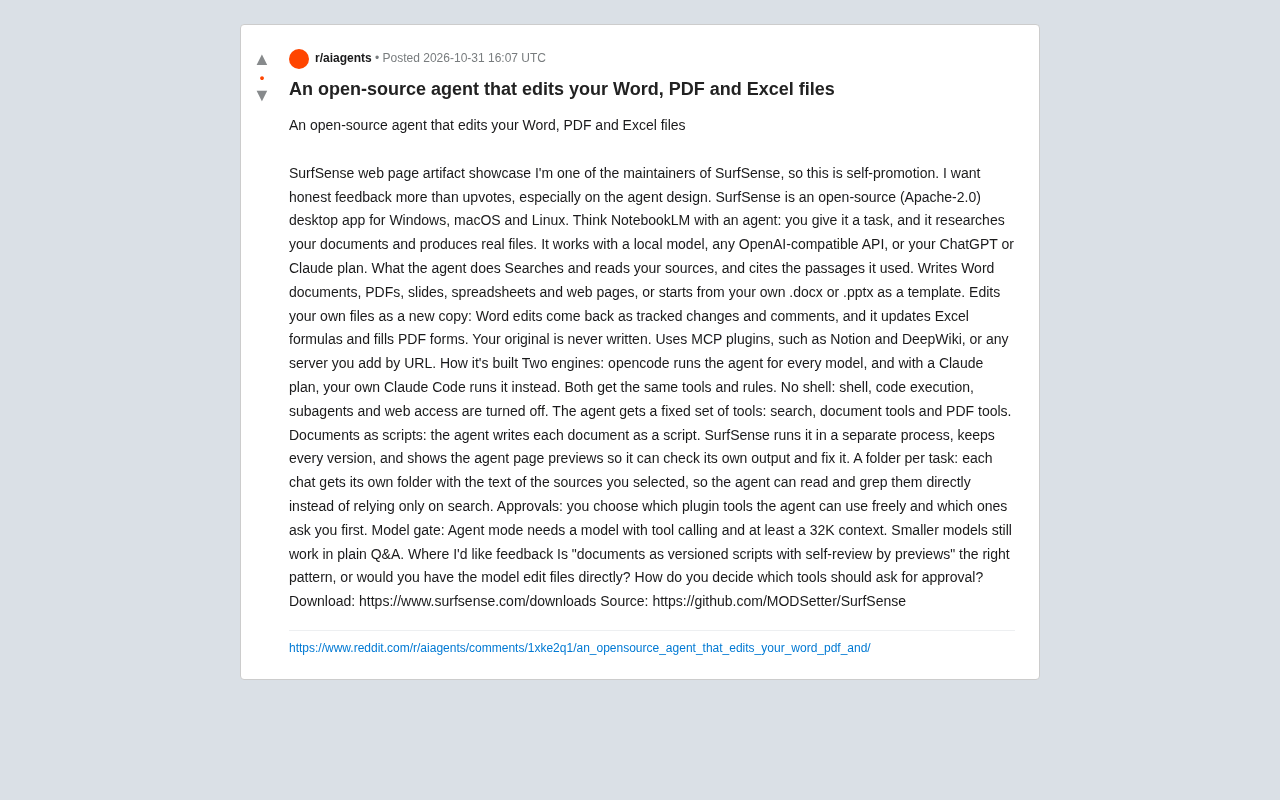
According to the maintainer, SurfSense is positioned as "NotebookLM with an Agent": you can choose a local model, any OpenAI-compatible API, or simply reuse your ChatGPT/Claude subscription.
Core Agent Capabilities: Search, Cite, Write Files, Edit Files
A Closed Loop from Research to Draft
The Agent first searches and reads the sources you specify, and annotates which passages it cited in the output. It then directly generates Word documents, PDFs, slides, spreadsheets, or web pages, and can also start from a .docx or .pptx template you upload.
Edit Existing Files Without Overwriting the Originals
A more practical capability is editing your own files: Word edits come back as "tracked changes + comments," Excel updates formulas, and PDFs can have forms filled in. All changes are delivered as new copies—the original file is never written to. This design is critical for office scenarios that require an audit trail.
Connect External Tools via MCP
The Agent supports MCP plugins, such as Notion, DeepWiki, or any server you add via URL. This lets it cross the boundary of local files and call external knowledge sources.
MCP (Model Context Protocol) is an open protocol proposed by Anthropic in November 2024 to standardize how LLM applications connect to external data sources and tools. It uses a client-server architecture: the host application (such as SurfSense) acts as the client, connecting to MCP servers that provide specific capabilities, which in turn expose three types of primitives—resources, tools, and prompt templates. Compared with traditional function calling, MCP's key value lies in interoperability—the same MCP server can be reused by any compatible client, so developers don't need to write separate integration code for each application. The protocol is based on JSON-RPC 2.0 transport and supports both local stdio and remote HTTP/SSE connections; adding a server via URL is a typical use of the latter.
Architecture Breakdown: Two Engines, No Shell, Documents as Scripts
Dual Engines, Same Rules
SurfSense uses opencode to drive all model-powered Agents; if you use a Claude plan, your own Claude Code takes over execution. Both paths share the same set of tools and rules.
opencode is an open-source terminal AI coding Agent that has emerged in recent years, emphasizing a "model-agnostic" Agent runtime: it encapsulates tool calling, file operations, session management, and other capabilities behind a unified interface, and can switch to any model that supports tool calling underneath. Claude Code is Anthropic's official Agentic coding tool, deeply tied to Claude models and reusing the user's subscription quota. The significance of SurfSense letting the two coexist is decoupling: the Agent's behavioral rules (available toolset, approval policy, document processing flow) are defined at the application layer, while the execution engine can be flexibly swapped based on the user's existing model subscription, avoiding vendor lock-in and reducing users' extra API costs.
Shell and Code Execution Deliberately Disabled
For security reasons, shell, code execution, sub-agents, and web access are all disabled. The Agent can only use a fixed toolset: search, document tools, and PDF tools. This is a trade-off of capability for controllability.
"Documents as Scripts" and the Self-Check Loop
This is the project's most discussion-worthy design: the Agent writes each document as a script, SurfSense runs it in a separate process, keeps every version, and sends page previews back to the Agent so it can inspect its own output and fix it.
Version management here means SurfSense keeps an independent snapshot of every version of the document script generated by the Agent, rather than relying on external tools like Git. This design makes every Agent modification traceable and rollback-able, and combined with page previews it forms a "generate—render—observe—fix" loop—essentially a self-refinement mechanism driven by visual feedback. By contrast, when a model directly edits a binary document (such as .docx), it cannot "see" the resulting layout, making errors hard to self-check. The cost of scripting is the need to maintain a document-generation DSL and its runtime, and the fidelity of complex formatting depends on the DSL's expressive power.
A Separate Folder per Task
Each conversation has its own folder containing the text of the sources you selected; the Agent can read and grep it directly rather than relying solely on the search interface.
Approval and Model Requirements
You can specify which plugin tools can be used freely and which require a prompt first. Agent mode requires a model that supports tool calling and has at least 32K context; smaller models can still be used for regular Q&A.
Tool calling (function calling) requires the model to output structured function names and arguments beyond generating text, and to continue reasoning after understanding tool results. This usually requires a model specifically instruction-tuned for it; smaller models often don't support it or perform unreliably. The 32K context threshold relates to how the Agent works: retrieved source text, multi-turn tool-call history, document scripts, and page-preview feedback all consume the context window; too small a window causes the Agent to "forget" earlier information or fail to hold the full source set. SurfSense's separation of Agent mode from regular Q&A mode is therefore a pragmatic response to differences in model capability.
Two Open Questions from the Maintainer
In the post, the maintainer explicitly asks for honest feedback on the Agent design, with two core questions:
- Is "documents as versioned scripts plus preview self-checking" the right pattern, or should the model edit files directly?
- How should it decide which tools require approval?
These two questions touch the core tension in Agent engineering: direct file editing is closer to human workflows, but the combination of scripting + versioning + previews provides rollback-ability and verifiability; approval granularity that is too coarse interrupts the flow, while too fine makes it meaningless. SurfSense's current choice leans toward controllability and auditability.
Who It's For and How to Get Started
If you need AI to produce deliverables in office documents rather than staying in a chat window, this project is worth a try. Download it at surfsense.com/downloads, and the source code is in the MODSetter/SurfSense repository on GitHub.
FAQ
Which file formats does SurfSense support? Word, PDF, slides, spreadsheets, and web pages; it can also generate from .docx or .pptx templates.
Will it overwrite my original files? No. All edits are returned as new copies, and Word changes include tracked changes and comments.
Do I have to use a cloud model? No. It supports local models, OpenAI-compatible APIs, or ChatGPT/Claude subscription plans.
One-line Summary
The open-source desktop app SurfSense lets Agents search sources and directly generate and edit real office documents.
Paragraph Summary
SurfSense is an Apache-2.0 open-source desktop app positioned as "NotebookLM with an Agent." It goes beyond chat: the Agent searches user-specified sources, cites them, and directly produces real Word, PDF, PPT, Excel, and web files, and can edit existing documents as new copies—Word changes come with tracked changes and comments, and originals are never written to. Architecturally it uses dual engines (opencode and Claude Code), deliberately disables shell and code execution for security, and its core design is "documents as scripts": scripts run in a separate process, versions are retained, and page previews are sent back for the Agent to self-check and fix. Agent mode requires a model with tool calling and at least 32K context. The maintainer is publicly seeking feedback on two questions: the scripting pattern and approval granularity.
Related articles

VERS: Editing Activation Explanations to Halve Reasoning Model Tokens
VERS guides reasoning models by editing activation explanations, cutting 45.8% of tokens on GSM8K with only a 0.82 pp accuracy drop and transferring to larger models, but losing accuracy on competition problems.

Finding Errors Is Not Enough: Selective Model Escalation for Entity-Targeted Sentiment Analysis
This study explores selective model escalation for entity-targeted sentiment analysis, comparing data collection ordering, uncertainty-driven re-examination, and model routing—finding that minority-class priority only helps at very small data volumes, the oracle upper bound far exceeds actual gains, and escalation must be tailored to each dataset.
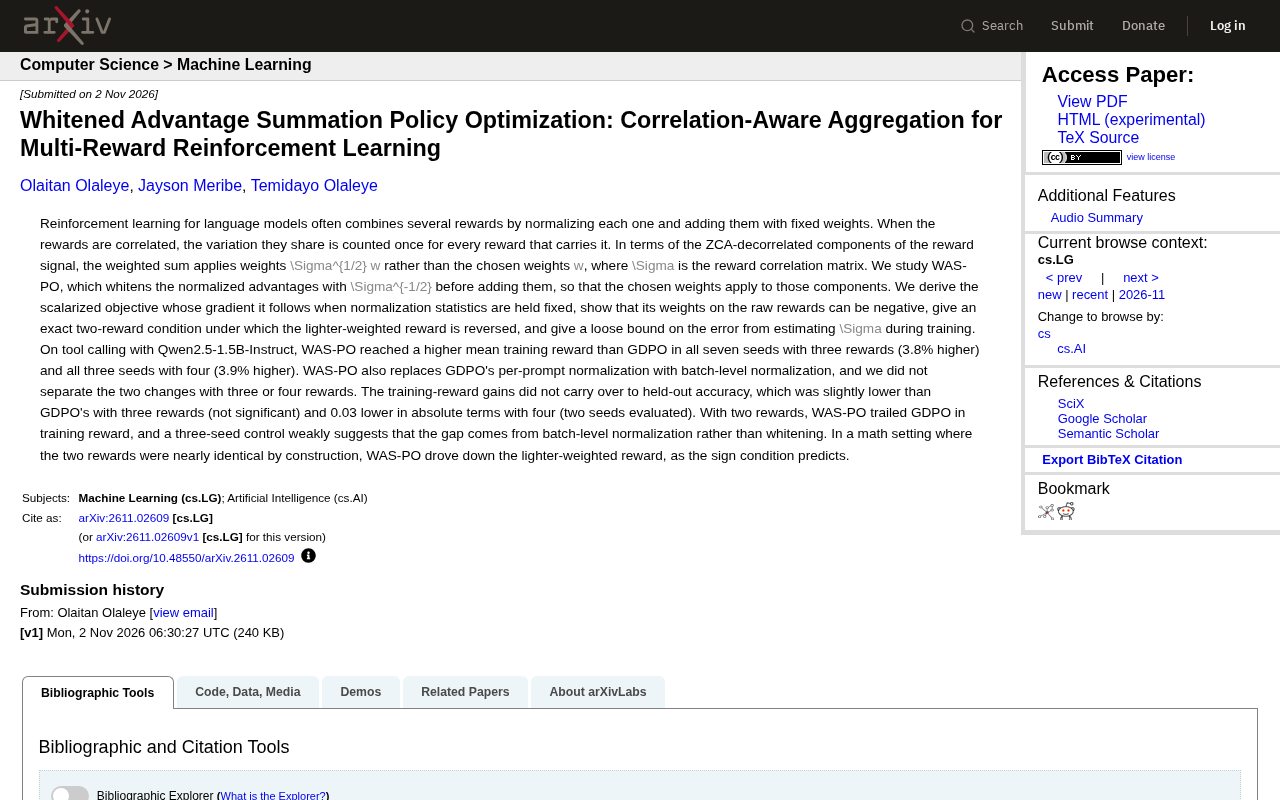
WAS-PO: Using Whitened Advantages to Solve the Correlation Trap in Multi-Reward Reinforcement Learning
WAS-PO paper proposes whitening advantages to correct correlation bias in multi-reward RL: when rewards are correlated, naive weighted summation effectively applies Σ^{1/2}w instead of w. Experiments show training reward improves steadily, but held-out accuracy does not improve in sync, and under two rewards it actually falls behind.