OpenAI DevDay 2026: How ChatGPT Work Is Reshaping Everyday Workflows

OpenAI shows how ChatGPT Work, Space, and Dots hand off tedious tasks to AI so people can focus on creative work.
At DevDay 2026, OpenAI's developer experience team used three real internal user stories to demonstrate ChatGPT Work's core value: delegating time-consuming tasks like social monitoring, competitive research, and knowledge base maintenance to AI, freeing people to focus on judgment and creativity. Two new products — ChatGPT Space (a shared workspace for human-agent collaboration) and Dots (persistent cloud-based personal agents with a unified identity) — package agentic AI into a form accessible to everyday knowledge workers. The talk's deeper message is a philosophical shift: moving from doing everything yourself to designing and overseeing workflows, and spending your limited attention where it truly matters.
From Chaotic Mornings to Task Delegation: OpenAI's Work Experiment
At DevDay 2026, Nick and Danielle from OpenAI's developer experience team opened their talk with a simple live poll: when you open your laptop in the morning, are things organized — or does it feel like a jack-in-the-box exploding in your face? Unsurprisingly, the vast majority raised their hands for the latter.
The scenario they described is universally familiar — checking email, chasing Slack threads, scanning a few dashboards, and by the time you actually decide what to work on, half the morning is gone. The real work hasn't even started. OpenAI is trying to answer one question with its products: how can ChatGPT actually change that?
To explore this, the team interviewed three of the company's most active internal ChatGPT work users — from social operations, competitive research, and human resources — three very different roles that all share a similar pattern: handing off tasks to AI that would have seemed impossible just a few months ago.
ChatGPT Work: From Thinking Partner to Executing Teammate
The talk clearly positioned OpenAI's products: ChatGPT is a thinking partner, Codex is a coding agent, and the newly launched ChatGPT Work (internally called "chat") is defined as "the smart teammate that helps you get things done."
The core logic is simple — you tell it what outcome you want, provide the necessary context, and it executes. The example given: hand it the DevDay agenda and it can build a website that recommends which sessions to attend based on what you're working on. More importantly, chat can handle ongoing tasks, not just one-off exchanges.
This reflects a deeper philosophical shift in how work gets done: when you can delegate more routine tasks, you can redirect your attention to what actually excites you. The speakers repeatedly posed questions worth asking yourself — where are you the bottleneck? If chat took over one of your responsibilities, what would you finally have time to do?
This product positioning maps to two distinct AI application paradigms. In "thinking partner" mode, AI is a reactive tool — the user initiates a conversation, receives suggestions, and the AI is no longer involved once the exchange ends. The "executing teammate" mode involves Agentic AI — systems that can autonomously plan subtasks, call external tools (such as browsers, APIs, or file systems), and continue pursuing a long-term goal without requiring the user to confirm each step. This aligns with the broadly discussed AI Agent architecture: agents with a closed-loop capability to perceive their environment, formulate action plans, execute them, and observe results. ChatGPT Work's Dots and Space are attempts to productize this capability — allowing ordinary knowledge workers to "hire" a continuously running, memory-equipped digital assistant that works across channels, no coding required.
Three "Champion" Users and How They Actually Work
Dani: Handing Off Launch Monitoring to a Dot
Dani manages social operations for the OpenAI developer community. Her job involves shepherding product launches, gathering community feedback, and keeping leadership — including CEO Sam Altman — informed. She admits that monitoring launches and syncing information alone could eat up an entire day.
Her approach: use ChatGPT to aggregate performance data and developer comments from launch posts, then organize everything into a ChatGPT site as a live report. And the tedious job of keeping that data fresh? She handed it to her Dot — which reads social feeds just like Dani would, automatically pulling in posts and engagement metrics into a content table.
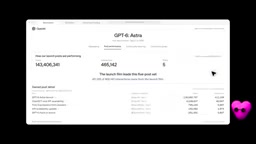
Beyond that, her Dot monitors a sprawling set of Slack channels and proactively pings her when something urgent comes up. The time she gets back from endless scrolling lets Dani focus on what she actually loves: engaging with the developer community and amplifying their work.
Adrian: Packaging His Research Method as a Plugin
Adrian leads competitive research with a two-person team, fielding questions from sales, product, GTM, and strategy. Every question can turn into days of research — and the reality of a small team is that deciding what to research also means deciding what to ignore.
His solution is genuinely instructive: he packaged his entire research methodology into a plugin, letting it replicate his own working style — investigating, finding patterns, then turning around to challenge those conclusions. To understand why a competitor's revenue was growing rapidly, he had his Dot cross-reference earnings calls, newsletters, and podcasts. To surface real reasons deals were lost — the kind that don't show up in CRM summaries — he had it comb through 90 days of sales call recordings.
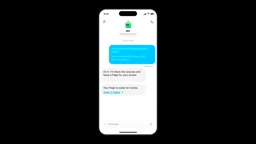
He also built a Compete Corner site that organizes research findings around the questions colleagues most frequently ask, so they can look things up and verify sources on their own. His Dot automatically pulls competitive questions from Slack, researches them using his plugin, and surfaces the findings in his space for review. Even while commuting, if he spots a competitor announcement, he just forwards it to his Dot — and by the time he gets to his desk, the page is already marked "pending review."
That freedom opened the door to entirely new projects — like building Model Galaxy, an interactive tool for visualizing performance, cost, and latency across frontier models on any benchmark.
Adrian's approach of "packaging his research method as a plugin" is fundamentally a combination of prompt engineering and workflow automation. A plugin or custom instruction is a pre-defined behavioral specification — it tells the AI what framework to use when analyzing a problem, which types of sources to prioritize, and what format to use for outputs. This mirrors the logic of "reusable templates" in software development: making tacit personal knowledge explicit and parameterizable so it can be repeatedly invoked. The value here is that it transforms individual expertise from a linear "serve one person at a time" model into a parallel, scalable knowledge service. KC's knowledge base coaching site in the talk follows the same logic — the expert is no longer the sole gateway to information, but the architect of the knowledge structure. This shift has profound implications for how knowledge-intensive teams organize themselves.
KC: Making Expertise Accessible Without Going Through the Expert
Chief People Officer KC's team studies how organizations are adapting to AI, and they've accumulated a wealth of meeting notes, papers, and articles. They've consolidated this into a shared knowledge base and built a coaching site for leaders on top of it (powered by GPT Live), helping managers determine which work to hand off to AI and how their teams should change how they collaborate.
Keeping the knowledge base current depends on team members summarizing their explorations on shared pages and writing instructions for how new research should be organized, so that when an Agent works on the page, it follows a consistent style. KC posed a question to the audience: what are you an expert in? How could more people benefit from your expertise without having to come to you every time?
Two New Products: Space and Dots
The second half of the talk revealed the two new products that power these scenarios.
ChatGPT Space is the core medium for collaboration. In Adrian's case, chat brings research findings into his space, where he and his teammates can work on the same page simultaneously — he questions a conclusion, a teammate can comment and add sources, each using their own private chat to dig deeper, while edits to the page are shared.
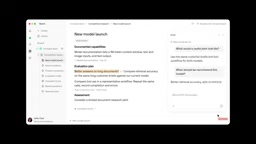
Much like an agents.md file in a code repository, page instructions define the working norms an Agent should follow on a specific page. The speakers noted that Space goes beyond pages — it will eventually support storing files, creating slides and spreadsheets, and more. The recommended way to get started: begin with a long conversation, let it turn the content into a page, then continue refining it with an Agent.
Dots are personal agents that live in the cloud. Each has its own cloud computer and browser — just like Dani's Dot, which automatically collects posts and maintains a content table. Dots can also be added to Slack channels, where they can choose to be a "fly on the wall" or an active participant.
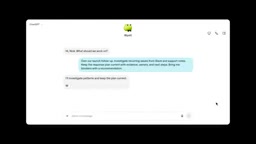
The most interesting aspect of Dots is their "consistent identity" — whether you reach out via text, phone, or Slack, it's always the same entity with the same context, and it's always online. The setup process is intentionally lightweight: give it a name, add some personality, assign it a responsibility, and tell it where to find you. You don't need to figure everything out upfront — it learns your working style through collaboration.
The talk's mention of page instructions being "like agents.md in a code repository" points to a practice gaining traction in the software engineering community: placing files like agents.md or CLAUDE.md in the root of a code repository to give AI coding agents project-level context and behavioral guidelines — covering code style, prohibited operations, testing requirements, and so on. These files act as an "onboarding guide for an AI joining the project." Space's page instructions extend this idea to knowledge collaboration: defining the analytical frameworks, citation formats, or update cadences an Agent should follow on a specific page, ensuring that multiple Agents working in the same space produce consistent outputs. This also means that writing clear Agent instructions is becoming a new skill knowledge workers need to develop.
The Real Question: What Will You Hand Off — and What Will You Finally Pick Up?
Speaker Nick shared his own story: he started at OpenAI doing technical onboarding, and only after automating much of that work with ChatGPT was he able to transition to the developer experience team — and eventually take the stage at DevDay. He admitted it felt "a bit strange" — proactively changing work he'd already mastered, to make room for work he actually wanted to do and found exciting.
That's the core message the entire talk was building toward: attention is currency, and you get to decide where to spend it. Space and Dots are worth paying attention to as tools, but the more important questions are the ones at the end — what will you hand off? And what will you finally be able to take on?
For developers and knowledge workers, this represents a shift from "doing it yourself" to "designing and overseeing workflows." AI handles the gathering and verification; humans focus on judgment, decision-making, and the creative work they actually love.
Related articles

Chain of Thought Isn't Just for AI: How Humans Can Use CoT to Improve Thinking Quality
Chain of Thought isn't just a prompt trick for large models. Starting from a Hacker News discussion, this article analyzes why CoT works for human thinking too, breaks down actionable ways to transfer it, and highlights the key differences between human CoT and machine CoT.
Cloudflare Teams Up with OpenAI: Closi…
Cloudflare Teams Up with OpenAI: Closing the Loop from Vulnerability Discovery to Defense with AI
Cloudflare uses OpenAI Daybreak to investigate security vulnerabilities and generate reviewable remediation plans, while developers use Codex to boost coding efficiency and quality.

Orca Multi-Agent Orchestration in Practice: A Guide to Parallel Collaboration with Claude and Codex
Orca is Stable AI's free open-source agent workbench supporting 34 agents like Claude Code and Codex in parallel. Learn its Git worktree isolation, multi-model orchestration, and mobile management.