OpenAI Launches GPT-6: Generative UI Reshapes the AI Interaction Experience

OpenAI's GPT-6 turns ChatGPT from a chat window into an on-demand interactive tool-building platform.
OpenAI has rolled out GPT-6 and its Intelligent UI interface to all ChatGPT users in what's considered the platform's biggest update since launch. The centerpiece is Generative UI: instead of just returning text, the AI now builds interactive components — calculators, filterable cards, to-do lists, dashboards — directly in the chat window. GPT-6 also brings stronger long-form reasoning, higher factual accuracy, and a faster "think-and-answer" streaming response. The release is driven by growing plain-text homogeneity among AI competitors, plus falling compute costs and completed safety alignment evaluations. Paid users have full access; free users are being gradually onboarded via a lightweight version called GPT-6 (Luna).
OpenAI has rolled out its next-generation model, GPT-6, along with a brand-new Intelligent UI interface, to all ChatGPT users. According to analysis from AI channels on Bilibili, this update is considered the most significant overhaul to ChatGPT's underlying model and interaction paradigm since the platform launched — it doesn't just make the model more capable, it fundamentally changes how humans and AI communicate.
From Chat Window to Interactive Software Interface
The way we've used AI has been relatively fixed: type something into an input box, and the AI responds with a wall of text or a table. The Intelligent UI that ships with GPT-6 breaks this pattern. Based on your question, the AI now generates interactive, actionable components directly inside the conversation window.
For example, ask it to help you crunch some numbers, and instead of just giving you the answer, it pops up a small calculator you can tap and adjust. Doing a product comparison? It renders filterable cards you can view side by side. In short, the chat window is no longer just a chat window — it's become a software interface that adapts to whatever you need.
Underpinning all of this is OpenAI's full-scale rollout of Generative UI (Gen UI). While the industry at large still centers on plain text, images, or code previews in sidebars, OpenAI has integrated interactive components directly into the native chat stream. For everyday users with no coding knowledge, the barrier to entry has never been lower.
What is Generative UI? Generative UI refers to user interface components dynamically generated by an AI model at runtime, rather than loaded from pre-designed static pages. In traditional software, UI is hand-coded by engineers and baked into the codebase. Generative UI lets the model decide in real time — based on the current conversation context — what to render: a form, a slider, a data table, even a mini-game. The concept was pioneered by developer tools like the Vercel AI SDK, with the core idea being to "stream" UI components just like text tokens. By embedding this natively into ChatGPT's chat flow, OpenAI means that ordinary users can enjoy dynamic, interactive experiences without any third-party tools or programming knowledge. This is a fundamental departure from the industry norm of deploying Gen UI only at the developer level.
GPT-6 Model Foundation: Stronger Reasoning and Thinking While Answering
Beyond the interaction overhaul, the GPT-6 model series brings meaningful capability improvements. The new model reportedly handles long-form text better, with improved accuracy in logical reasoning, computer operation, and automated task execution.
One notable detail is the refined response mechanism. GPT-6 can "think and answer simultaneously," making overall response speeds faster and reducing those frustrating waits for output to start appearing.
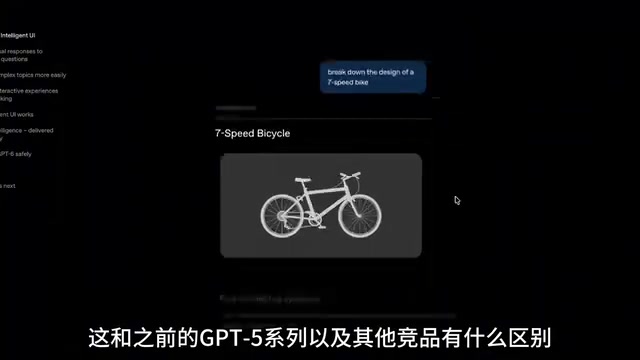
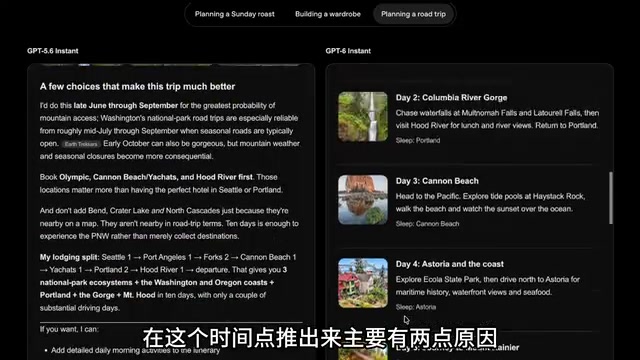
Compared to the GPT-5 series, the key difference lies in interaction philosophy: the previous AI would write out an answer for you to read through; now it builds the tool and puts it right in front of you. GPT-6 is also more factually accurate on complex logical tasks, with noticeably fewer instances of confidently stating incorrect information.
Why Now?
Analysis from the channel points to two main reasons behind the timing of this release.
Breaking Through the Plain-Text Homogeneity Problem
The major AI players are converging in terms of plain-text response quality, making it increasingly hard to stand out. OpenAI needs to re-establish differentiation at the user experience layer through an entirely new software interaction paradigm. Generative UI is precisely that differentiating card.
Falling Compute Costs and Completed Safety Alignment
As backend compute clusters have expanded and model inference costs have dropped, a mass rollout has become economically viable. At the same time, the new model has gone through multiple rounds of safety evaluations and anti-deception testing before meeting the conditions for a global-scale release. These two factors together made the full rollout possible.
What is Safety Alignment? Safety alignment refers to training techniques that bring a model's behavior in line with human values and safety expectations. Common approaches include Reinforcement Learning from Human Feedback (RLHF), Constitutional AI, and Red Teaming. The "anti-deception testing" mentioned here is part of alignment evaluation, specifically checking whether the model might actively mislead users or conceal uncertainty in its responses. The larger and more capable a model, the higher the potential alignment risk — which is why before a global rollout to hundreds of millions of users, OpenAI typically conducts multiple rounds of internal safety assessments and limited public tests to confirm the model meets standards across known risk dimensions. This also explains why there is often a gap of several months between a capability breakthrough and a public release.
What This Means for Everyday Users
For most users, the most immediate change is not having to master complex prompt engineering.
Want to plan your day? The AI generates an interactive to-do list you can check off. Doing data analysis? It produces charts and dashboards you can interact with directly. Want to play a quick game or split a bill with friends? It can build a small tool for you on the spot.

On the rollout schedule, paid subscribers have already received broad access to GPT-6 and the Intelligent UI features. Free users are seeing a gradual rollout of a lightweight, high-speed version called GPT-6 (Luna) along with basic interactive features, with most free users expected to gain access in the near term.
Closing Thoughts
AI is evolving from "a helpful assistant you can chat with" into "a super-platform that can build custom tools for you on demand." The full-scale arrival of Generative UI may mark an inflection point in the human-computer interaction paradigm: the answer is no longer the destination — a usable, interactive tool is. Whether this interaction model can truly become the industry standard still needs to be validated across more real-world use cases.
(This article is based on analysis from Bilibili AI channels. Some feature details and rollout timelines should be verified against official OpenAI communications.)
Related articles

How Big Can Stars Really Get? The Physical Limits of the Largest Stars
Red supergiants are the largest stars by volume, with radii up to 2,000 times the Sun, engulfing the inner solar system. But there is no precise upper limit on stellar size—models predict up to 15,000 solar radii. The most massive blue stars are far smaller than red supergiants—biggest and heaviest are two different things.

Apple HomeView Smart Display Full Feature Breakdown: Wall-Mount or Desktop, $299
Apple launches HomeView, a $299 smart display with wall-mount and desktop options, 12MP camera for facial recognition, smart home control, music playback, and recipe step-by-step cooking. Full breakdown of watch faces, apps, privacy, and cooking integration.

Where Did the Promised New Studio Go? Craft Computing Answers After Five Years
Craft Computing's host responds to viewer questions: the new studio promised five years ago was shelved as construction costs soared from $30,000 to $75,000, and was replaced by a 168-square-foot garage conversion.