OpenCode 2 Free AI Coding Agent: Build Apps with Zero Credit Card, Step by Step

OpenCode 2 is an open-source terminal AI coding agent with 9 free models and no signup required.
OpenCode 2 is an open-source AI coding agent that runs in the terminal, released in October 2025. Its key feature is pluggable models, usable without login, API key, or credit card. Mac/Linux install with one official script command; Windows uses Node.js and a global npm install, then reopen the terminal and verify with opencode --version. Type /models to pick a Free-labeled model—the demo shows 9, including Big Pickle, Space Bunny, Longcat, Step 5 Preview, and Nvidia Nemotron. Describe your needs in natural language, and the agent writes code, creates files, and asks permission before executing. Three main pitfalls: rate limits on free models, some models use prompts for training (choose zero-retention models for private projects), and the free list changes over time. To pick a model, test three on the same task and keep the best.
What Is OpenCode 2? The Open-Source AI Coding Agent in Your Terminal
OpenCode is an open-source AI coding agent that runs in the terminal, positioned similarly to Claude Code, but its key difference is pluggable models—you can connect almost any model, including a set of zero-cost free models. According to project developer Dax in a video, OpenCode is one of the most widely used coding agents today and is fully open source.
In October 2025, OpenCode 2 was officially released, which means many older tutorials on YouTube are now obsolete. Creator Raman emphasizes that every command he demonstrates was tested on OpenCode 2. For developers who want to try AI coding at zero cost, this is a worthwhile entry point: no login, no API key, no credit card required.
What is a "coding agent"? It is fundamentally different from traditional code completion tools (like early Copilot plugins). Code completion only offers line- or function-level suggestions as you type, and the human always makes the decisions; a coding agent, by contrast, is an independent process that can autonomously plan multi-step tasks, proactively read and write files, and execute terminal commands. Give it a goal (for example, "build a to-do list app"), and it breaks the task into steps, creates files, runs tests, and iteratively fixes errors until the task is complete. This also explains why OpenCode asks for user permission before performing sensitive operations—the agent has real file-system and command-execution privileges, which is a completely different risk model from tools that can only "suggest."
What does "pluggable models" mean? Most commercial coding agents bundle the model with the product, leaving users no choice of underlying inference engine. OpenCode abstracts the model layer into a replaceable component, connecting to different vendors' APIs or local models through a unified Provider interface. This design brings two immediate benefits: first, cost control—you can switch between free models and powerful paid models at any time; second, avoiding lock-in—when a model is discontinued or raises prices, your workflow is unaffected. For developers, this means "agent" and "model" are two independent variables that can be optimized separately.
Installing on Three Platforms: Mac, Linux, and Windows
Mac and Linux: One Command Does It
On Mac, open Terminal; on Linux, do the same. Copy the official install command, paste it, and press Enter—download and configuration complete in under a minute. After installation, you must close and reopen the terminal so the system recognizes the new opencode command. To verify, type opencode --version; a version number starting with 2 means success. If you get command not found, just restart the terminal once more.
Windows: Go the Node.js Route
The easiest way on Windows is via Node.js: go to nodejs.org, download the LTS version, and install with default settings—this also brings in npm. Then open PowerShell and run npm install -g @opencode/cli, where -g means global install, making it callable from any folder. Reopen PowerShell and type opencode --version to verify. Mac/Linux users who already have Node.js can also use this npm command instead.
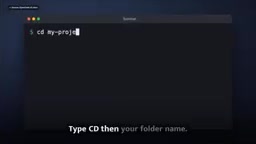
What does an npm global install (-g) actually do? npm is the package manager bundled with Node.js. npm install -g @opencode/cli downloads the package to the system's global node_modules directory and creates an executable entry in Node's bin directory (a .cmd batch file on Windows, a symbolic link on macOS/Linux). This bin directory is already in the system PATH by default, so typing opencode in any folder finds it.
This also explains why you must reopen the terminal after installation: PATH is read once at terminal startup, so already-open windows won't see the newly added directory. Likewise, if opencode --version reports command not found, it's usually not an install failure but rather that the current shell's PATH hasn't refreshed, or npm's global bin directory isn't in PATH (use npm bin -g to see the exact path and add it manually). Understanding this saves a lot of troubleshooting time on "I installed it but the command isn't found."
Finding and Using Free Models
cd into your project folder and type opencode to launch; an Ask Anything input box appears. The whole process requires no registration, no credit card, and no API key—it works out of the box.
Type /models in the dialog box and press Enter to bring up the Select Model list. Under the OpenCode group at the top, entries marked Free on the right are the free models. In the video demo you can see 9 free models: Big Pickle, Space Bunny, Cat Jam, Longcat 2.5 Preview, Step 5 Preview, Mimo v2.6 Flash, Muse Spark 1.3, plus 2 Nemotron models from Nvidia. Use the arrow keys to select one and press Enter; the current model name appears at the bottom of the chat box.
Using it is refreshingly simple: describe what you need in natural language, e.g. "build a simple to-do list app in HTML," and the model writes code, creates files, and shows every change. Before modifying files or running commands, OpenCode asks for your permission—you can read what it plans to do before approving, preventing unconfirmed actions. Common commands include /new to start a new session, /models to switch models mid-session, and Ctrl P to view all available commands.
Three Pitfalls to Watch Out For
Pitfall 1: Treating "Free" as "Unlimited"
Free models have rate limits. If you hit rate limit exceeded, don't panic—just open /models and switch to another free model. That's exactly why having 9 options is valuable.
Pitfall 2: Pasting Sensitive Information
This is the highest-risk one. According to the video, Big Pickle, Mimo, Muse Spark, and the Nemotron series may use your prompts to improve their models, so never paste passwords, API keys, or client-confidential code. If your project involves private data, OpenCode marks Space Bunny, Longcat, and Step 5 Preview as zero retention—no data is stored—making them suitable for work projects. Raman reminds viewers to check OpenCode's official documentation regularly, as this list changes.

"Zero retention" and "used to improve the model" are two different data-handling policies. The former means the provider does not store prompts and outputs after the request is processed, nor use them for training; the latter means your conversations may enter the training corpus or be reviewed by humans for model iteration. For individual developers, the difference may be acceptable; but for scenarios involving client code, internal system architecture, or unreleased products, sending content through a channel that is "used to improve the model" can constitute a compliance risk—or even violate confidentiality clauses with enterprise clients.
It's worth noting that data-handling policies are not set in stone, and vendors typically don't notify every user individually when terms change. That's why treating "check the official documentation regularly" as a routine check is more reliable than memorizing any particular list. For privacy-sensitive projects, the safer approach is to connect a locally running model so data never leaves your machine—this is precisely the real value of a pluggable-model architecture.
Pitfall 3: Assuming Free Will Last Forever
Most free models are limited-time tests from vendors; new models get added, old ones get removed. It's a good idea to run /models once a week to check for changes. Note that this "limited-time free" model means the 9 models listed here may change at any time—always rely on what your terminal actually shows.
How to Choose a Model? Don't Trust Any Leaderboard
Raman's advice is pragmatic: don't trust any recommendation list, including his own. Give the same task to three free models, run each one, and keep the one that fits your project best. That's exactly what he does every day. For teams seeking stable output, this is more effective than chasing the "strongest model" label—because free models' availability and quality are constantly changing, and hands-on testing is the only reliable basis.
Getting Started: Summary
The whole workflow boils down to four steps: install OpenCode 2 → type /models → pick a free model → start building in natural language. Zero credit card, zero registration, zero API key is the most direct appeal of this setup, while rate limits, data-retention policies, and model availability are the boundary conditions you must understand upfront. Treat it as a low-barrier AI coding sandbox: run the same task with three models first, then decide whether to bring a paid model into your main workflow—that's the safer path.
(This article is based on a video tutorial from the YouTube channel RamanAI, hosted by Raman, and cites OpenCode project developer Dax's description of the project.)
Related articles

Software Factory in Practice: Building an Evaluable Self-Evolving Development Pipeline with Codex and Claude Code
Deconstructing a Codex and Claude Code software factory: control/data plane separation, foreman prompts for consistency, automatic triggers, and data-driven evaluation.

WorkBuddy Full Guide: How an AI Coworker Takes Over Workplace Automation
What is WorkBuddy? This article analyzes the core capabilities of this full-scenario AI agent: autonomous execution with deliverable results, local file processing, multi-agent parallelism, and workplace automation workflows, helping you judge its essential difference from ordinary AI chat tools.

The Truth About AI Agents: A Hundred Lines of Code + an LLM, Deconstructing the Agent's Underlying Logic
AI agents aren't a new AI species—just a language model plus tools, a loop, and a goal. Here's the underlying logic: how 100 lines of Python hit a 75% fix rate, why the harness beats the model, and Gartner's "agent washing."