OpenCode Beginner's Guide: Complete Walkthrough from Installation to Real-World Use

A step-by-step OpenCode guide from installation to real-world AI-assisted development.
OpenCode is a highly configurable command-line AI coding tool that goes beyond typical IDE plugins, offering deep control over models, rules, Agents, and toolchains. This tutorial walks through desktop and WSL installation, core configuration (models, rules files, and Agent types), custom commands and tools, MCP service integration, and Agent SQL reuse — all tied together with a practical example. It's structured for developers who want to systematically embed AI into their development workflow.
What Is OpenCode
OpenCode is an AI-powered coding tool that has been generating increasing buzz in developer communities. Unlike typical IDE plugins, it leans toward AI-assisted development in command-line environments, with a strong emphasis on highly configurable models, rules, Agents, and toolchains. For engineers who want to deeply embed AI capabilities into their everyday development workflow, OpenCode offers a relatively complete framework to do just that.
This tutorial follows a "beginner → hands-on → advanced" progression to systematically cover OpenCode's core concepts: from basic ideas and installation, through common commands, the configuration system, custom commands and tools, and Agent mechanics, all the way to a complete development workflow demonstrated through a real-world example. Even if you're brand new to command-line AI tools, you can work through this path step by step.
Two Installation Methods: Desktop and WSL
Installation is the first hurdle many beginners hit. OpenCode offers two mainstream installation paths to suit different preferences.
The first is the desktop installation — a straightforward process suited for users who want to try it out quickly without dealing with environment setup. Just download the installer for your platform and follow the prompts.
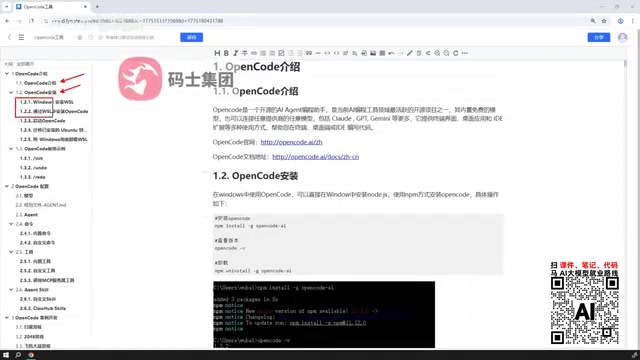
The second approach is aimed at Windows users: install WSL (Windows Subsystem for Linux) first, set up a Linux virtual environment within it, and then install OpenCode on top of that. It sounds like an extra step, but it's actually the officially recommended path.
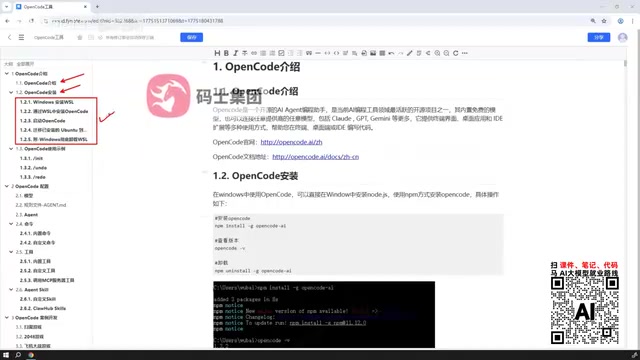
The reason the official team recommends WSL comes down to compatibility. Command-line AI tools work much better in Unix-like environments — toolchains, scripts, and MCP services all run more stably on Linux, and the setup more closely mirrors real server deployment scenarios. For developers planning to use OpenCode seriously over the long term, the upfront investment in WSL configuration will save plenty of compatibility headaches down the road.
Common Commands and Basic Usage
Once installed, getting comfortable with common commands is the key step into practical use. OpenCode uses a set of commands to drive AI-assisted tasks like code generation, modification, and analysis. The tutorial starts from the most basic usage examples to help users understand the input/output logic of each command and establish a "prompt → execute → feedback" working rhythm.
The goal at this stage isn't to memorize every command — it's to understand OpenCode's interaction model: you describe what you need, and it delivers results informed by context and configuration. Once you're comfortable with the basics, expanding into more complex features becomes much smoother.
Core Configuration: Models, Rules, and Agents
OpenCode's real flexibility lives in its configuration system, and this is the dividing line between "using it" and "using it well." Configuration breaks down into three main areas.
Model Configuration
Model configuration determines which large language model OpenCode calls under the hood. Different models vary in coding capability, response speed, and cost. Choosing and switching models thoughtfully is an important lever for balancing quality against expense.
Rules File Configuration
Rules files constrain AI behavior — things like code style, project conventions, and prohibited operations. By defining rules, you can keep OpenCode's output consistent across team collaboration or specific projects, reducing the cost of repeated corrections.
The design philosophy behind rules files comes from engineering around the inherent randomness of large language models. Because model output carries a degree of non-determinism, the same prompt can produce stylistically inconsistent code across different contexts — which raises code review costs in team settings. Rules files address this by injecting project-level conventions (naming standards, comment language, disallowed dependencies, error-handling patterns, etc.) at the system prompt level, hardening "soft constraints" into "firm configuration" so that AI output stays consistent with the team's existing codebase. Functionally, this is similar to static analysis tools like ESLint or Prettier — but it acts at the generation stage rather than the validation stage, reducing the need for manual corrections at the source.
Agent Classification
OpenCode ships with several built-in Agent types, each carrying different responsibilities. Understanding how these Agents divide labor helps you assign the right role to the right task in complex workflows.
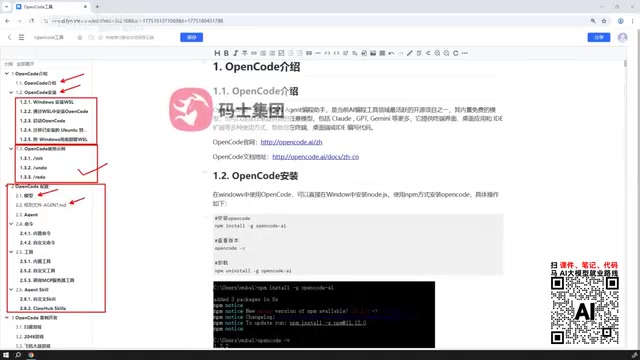
In the context of AI coding tools, an Agent refers to a task-execution unit with a degree of autonomous decision-making. Unlike a single-turn Q&A interaction, an Agent can plan its own steps toward a goal, invoke tools, process intermediate results, and iterate across multiple cycles until the objective is met or human intervention is needed. OpenCode's built-in Agents are typically divided by responsibility — for example, a code Agent for generation tasks, a tool Agent for interacting with external systems, and an orchestration Agent for coordinating multiple sub-tasks. Understanding the boundaries of each Agent type helps you break down complex development goals sensibly, rather than overloading a single Agent in ways that degrade performance or cause runaway execution.
Custom Commands, Tools, and MCP Services
When built-in capabilities aren't enough, OpenCode's extension mechanisms come into play. The tutorial covers how to define custom commands and custom tools so that AI can invoke capabilities you've built yourself.
Going further, OpenCode supports connecting to tools published by external MCP (Model Context Protocol) services. This means you can plug external systems, APIs, or existing toolchains into OpenCode, dramatically expanding its applicable scope. This open tool ecosystem is a key differentiator from closed AI assistants.
MCP (Model Context Protocol) is an open protocol introduced by Anthropic in late 2024, designed to give large language models a standardized "tool-calling" interface specification. The core idea is to wrap external systems (databases, APIs, filesystems, etc.) as uniformly formatted servers, which models then call through the protocol — breaking through the limitations of their knowledge cutoff dates and inherent capability boundaries. By analogy, MCP is to AI tools what USB is to hardware peripherals: as long as you follow the standard, any tool can be plugged in. A large number of community developers have already published ready-made MCP services covering scenarios like GitHub, databases, search engines, and local files. OpenCode's MCP support means this entire community ecosystem can be reused directly, with no need to reinvent the wheel.
Custom and Reusable Agent SQL
OpenCode's support for Agent SQL is a feature worth noting for power users. It lets you define your own SQL-related Agents, or take existing SQL Agents from the community and use them in OpenCode out of the box.
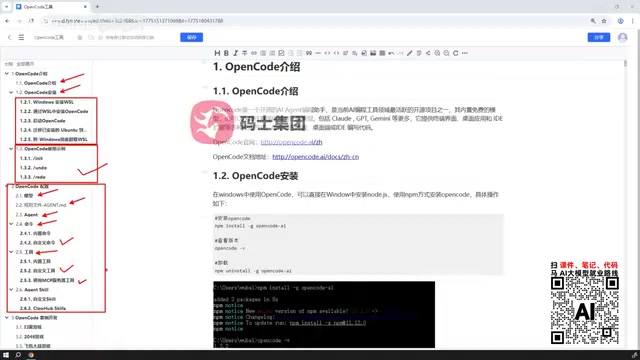
This "custom + reuse" combination lowers the barrier to building data-focused AI capabilities. For development scenarios involving frequent database interaction, reusing mature community solutions saves significant setup time.
Real-World Example Walkthrough
The tutorial wraps up with a simple development case study that ties together everything covered — installation, commands, configuration, tools, and Agents — to demonstrate a complete end-to-end development workflow. Through hands-on practice, users can see firsthand how OpenCode operates in a real project, rather than staying at the conceptual level.
Overall, this tutorial breaks down OpenCode's learning curve into manageable steps: start with the desktop version for a quick taste, then set up a more robust environment with WSL, and progressively dive deeper into configuration and extension capabilities. For developers who want to genuinely integrate AI into their programming workflow, this is a clear and practical path to getting started.
Related articles

WorkBuddy Full Guide: How an AI Coworker Takes Over Workplace Automation
What is WorkBuddy? This article analyzes the core capabilities of this full-scenario AI agent: autonomous execution with deliverable results, local file processing, multi-agent parallelism, and workplace automation workflows, helping you judge its essential difference from ordinary AI chat tools.

The Truth About AI Agents: A Hundred Lines of Code + an LLM, Deconstructing the Agent's Underlying Logic
AI agents aren't a new AI species—just a language model plus tools, a loop, and a goal. Here's the underlying logic: how 100 lines of Python hit a 75% fix rate, why the harness beats the model, and Gartner's "agent washing."

AI Agent Deployment: Three Things Developers Should Do
AI Agent deployment doesn't require rushing into multi-agent systems. This article outlines an actionable deployment path and engineering acceptance thresholds for developers, covering human baselines, bounded single-agent scope, and a controlled code-modification loop.