OpenCode + TIA Portal MCP in Practice: AI Automatically Parses PLC Project Architecture

Use OpenCode + TIA Portal MCP to let AI auto-analyze PLC project architecture in minutes.
This article demonstrates how to combine OpenCode with the Siemens TIA Portal MCP server to let AI automatically analyze PLC project architecture, hardware configuration, and cross-references. By connecting AI to the TIA Portal project via MCP, engineers can quickly understand unfamiliar projects, drill into individual function blocks, and generate detailed HTML reports — compressing days of manual analysis into minutes.
An AI Efficiency Revolution for Industrial Automation Engineers
Taking over an unfamiliar Siemens TIA Portal project is often a headache — complex program blocks nested layer upon layer, cross-references tangled like a spider's web. Engineers frequently spend hours or even days opening program blocks one by one just to understand the overall architecture. Now, with the combination of OpenCode and the Siemens TIA Portal MCP server, this process can be compressed to just a few minutes.
TIA Portal (Totally Integrated Automation Portal) is Siemens' fully integrated automation engineering platform, combining PLC programming (STEP 7), HMI configuration (WinCC), drive configuration (SINAMICS Startdrive), and other engineering tools into a unified interface. It supports programming for the entire S7-1200 to S7-1500 PLC series, with multiple programming languages including LAD (Ladder Diagram), FBD (Function Block Diagram), SCL (Structured Control Language), STL (Statement List), and Graph (Sequential Function Chart). TIA Portal project files contain complete program block hierarchies, hardware topologies, network configurations, and cross-reference databases — a massive amount of information, which is precisely why manual analysis is so time-consuming.
This article is based on a hands-on demonstration by a Bilibili content creator, showing how to use OpenCode to connect to a TIA Portal project and have AI automatically analyze a sample program based on Siemens' official AF (Automation Framework) architecture. This solution not only quickly maps out the program framework and hardware configuration but can also drill down into individual function blocks to generate HTML analysis reports — extremely valuable for engineers who are just getting started on a project.
What Are MCP Servers and OpenCode?
MCP: The Bridge Between AI and Industrial Software
MCP (Model Context Protocol) is a protocol that enables standardized interaction between large language models and external tools and software. Officially released by Anthropic in late 2024, it was designed to address the lack of a unified interaction standard between LLMs and external data sources or tools. Before MCP, integrating each AI application with external systems required custom development, resulting in massive duplication of effort. MCP adopts a client-server architecture, defining standardized message formats and communication workflows so that any MCP-compatible AI client can access a specific software's internal data through an MCP server.
The TIA Portal MCP server provided by Siemens is an important implementation within this ecosystem for the industrial automation domain. It's essentially a middleware layer that exposes program blocks, hardware configurations, cross-references, and other information from TIA Portal projects to AI, enabling AI to "read" and "understand" PLC projects just like a human engineer.
OpenCode: A Gateway to Free LLMs
OpenCode is the client tool used in this demonstration. One of its key highlights is its built-in free large language models, allowing users to experience AI analysis capabilities without additional costs. The installation process is also quite straightforward: after downloading and installing OpenCode, select a free model, then copy the MCP installation file path to the AI and simply say "Help me install this MCP server." The AI will automatically complete the configuration based on the file.
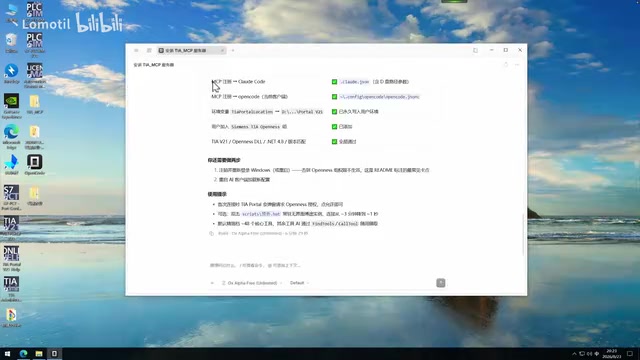
Interestingly, after MCP server installation is complete, you typically need to restart the system — log back into Windows and restart OpenCode — for the changes to take effect.
Connecting to a TIA Portal Project and Automatic Architecture Analysis
Establishing the Connection to a TIA Portal Project
Once the MCP server installation is complete, open Siemens' official AF architecture sample program, switch to the project view, copy the project path, and tell the AI: "Help me test the connection to this project." The Agent will then call tools within MCP to connect to TIA Portal. An access confirmation window will pop up on the TIA Portal side — click "Confirm All," and the AI successfully connects to the project.
Understanding an Entire PLC Project with a Single Command
Once connected, simply tell the Agent: "Help me analyze the program architecture, program framework, and hardware configuration of this project." The AI will then automatically perform a series of operations:
- Retrieve project information and check compilation status
- Read core program logic and CPU hardware details
- Identify hardware models
- Read FB Unit, EM device scheduling, and other modules
After analysis, the AI concludes that the sample program is built on the OMAC state machine model, using a three-tier architecture of Unit → EM (Equipment Module) → CM (Control Module), with extensive use of various official Siemens libraries.
It's worth expanding on the design philosophy behind the AF architecture. AF (Automation Framework) is a standardized automation programming framework developed by Siemens based on the ISA-88 and OMAC PackML standards. It divides device control logic into three tiers: the Unit layer handles machine-level or production-line-level state management and coordination; the EM (Equipment Module) layer handles control logic for individual process equipment; and the CM (Control Module) layer handles the lowest-level sensor/actuator interactions. This layered design follows object-oriented programming principles, making program modules highly reusable — a hallmark of AF framework standardization.
OMAC (Organization for Machine Automation and Control) is an end-user-driven industry organization whose PackML (Packaging Machine Language) standard has become the de facto standard in the packaging industry and broader manufacturing. The OMAC state machine defines a universal machine operating state model that includes 17 standard states — such as Stopped, Starting, Execute, Completing, Complete, Resetting, and others — along with their transition conditions. The advantage of adopting the OMAC state machine is that different vendors and equipment can communicate and coordinate using a unified "state language," significantly reducing system integration complexity and making it easier for MES/SCADA systems to provide unified monitoring.
Deep-Diving into Individual Function Blocks
Hands-On Analysis of an Analog Input Library
Once the macro-level architecture is clear, the real value lies in the ability to drill down layer by layer. In the demonstration, the content creator selected an analog input library, copied its library name, and asked the AI: "Help me analyze this program in detail, generate an HTML analysis report, and include its call instances and role within the entire project."
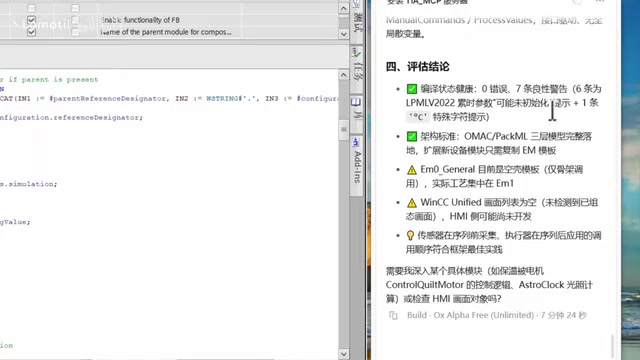
The AI then read the source code and retrieved cross-reference information. Cross-referencing is a core feature in PLC development environments — it records every location where each variable, program block, and data block is used (read, written, or called) throughout the entire project. For large industrial projects, a PLC program may contain hundreds of program blocks and thousands of variables, making it virtually impossible to manually trace where a particular variable is used. The MCP server's ability to expose cross-reference data to AI is its key advantage over simple code analysis.
The analysis results showed that the analog input module was called 4 times throughout the project, corresponding to 4 multi-instances — used for a temperature sensor, a humidity sensor, a wind speed sensor, and a solar irradiance sensor, all concentrated within a single EM FB block responsible for control.
This highlights the core advantage of the MCP approach over traditional AI: if you simply copy and paste source code into a general-purpose AI, it cannot understand the program block's actual role and call relationships based on the entire project context. Through the MCP connection, the AI can access complete cross-references and clearly identify the module's position within the project.
HTML Reports: Structured Analysis Output
The HTML analysis report ultimately generated by the AI was quite thorough, fully consistent with what an engineer would see when manually inspecting in TIA Portal:
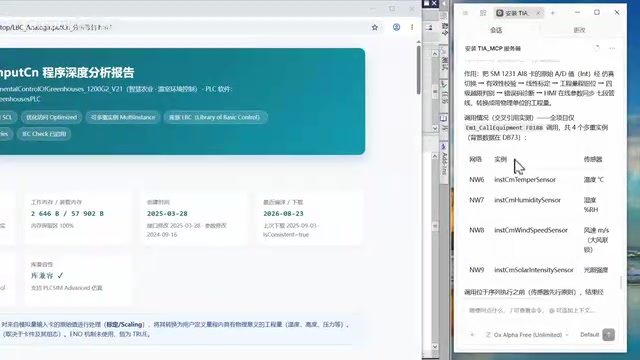
- Basic Information: FB number, block attributes, and more — all listed
- Project Positioning: Clearly identifies the module as a low-level component that directly interacts with analog sensors
- Data Flow Path: Hardware layer (4 sensors) → CM layer → EM layer → Process logic → HMI interface → VCC Unified touch panel
- Interface Definitions: All inputs, outputs, and static variables translated and organized
- Internal Processing Flow: Input acquisition, reset management, etc.
- Algorithm Analysis: Analog signals use 4-20mA mapped to 0-27648, with validity windows (two-level upper and lower limit checks)
- State Enumeration and collaboration mechanisms within the AF framework
Regarding analog signal processing, some engineering background is worth adding here. The 4-20mA current signal is one of the most commonly used analog transmission standards in industrial automation, offering better noise immunity and longer transmission distances compared to voltage signals. The design choice of using 4mA as the zero point (rather than 0mA) allows the system to distinguish between "measurement value is zero" and "line break" — an important consideration for industrial safety design. In Siemens PLCs, the 4-20mA signal is mapped to an integer range of 0-27648 after A/D conversion (corresponding to 14-bit resolution), and engineers must linearly convert this raw value into actual physical quantities (such as temperature, pressure, flow, etc.) within the program. The "two-level upper and lower limits" mentioned in the report refers to a signal over-range alarm mechanism: typically, four thresholds are set — High-High (HH), High (H), Low (L), and Low-Low (LL) — corresponding to warning and emergency alarms used to protect equipment and process safety.
Flexibly Tackling Unfamiliar Projects
Analyze Whatever You Don't Understand
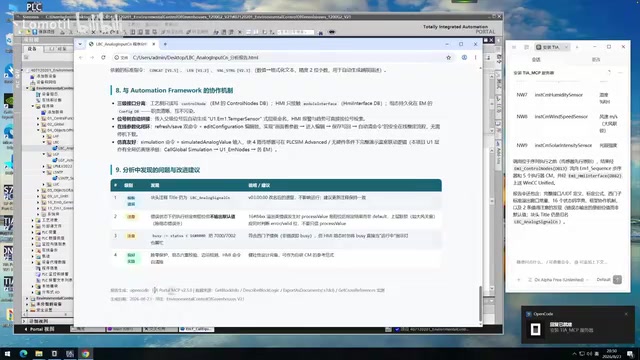
The essence of this workflow is on-demand analysis. In the demonstration, the content creator wasn't familiar with the specific contents of a Unit-level program block, but simply copied the block name and said: "Analyze this program block according to the same requirements as before." The AI quickly generated a Unit analysis report covering interface definitions, network data flow, dependent libraries, and 5 UDTs (User-Defined Data Types).
UDT is an important concept in Siemens PLC programming, similar to a struct in high-level programming languages. Engineers can encapsulate multiple related variables (such as a motor's speed, current, temperature, operating status, fault code, etc.) into a UDT, enabling standardization and reuse of data structures. In the AF framework, UDTs are extensively used to define standardized interface data structures — for example, interaction data between the EM layer and Unit layer, HMI panel data, and so on. Proper use of UDTs can significantly improve program readability and maintainability while ensuring consistent data formats across similar equipment.
Use Cases and Practical Value
This AI-assisted analysis approach is best suited for the following scenarios:
- Taking over an unfamiliar project: No need to open program blocks one by one — AI can provide an initial overview of the overall structure
- Untangling complex call relationships: Cross-references for all blocks can be automatically generated
- Quickly locating key modules: Drill down from macro-level architecture to specific logic
As the content creator noted, the operation itself is "pretty simple" — the key is whether your prompts are sufficiently detailed. Give clear, specific instructions, and the AI can deliver the analysis you need.
Conclusion
The combination of OpenCode and the TIA Portal MCP server demonstrates a pragmatic direction for deep AI integration into industrial automation workflows. It doesn't replace engineers' professional judgment — instead, it dramatically accelerates the most time-consuming parts: reading code and understanding architecture. For the industrial automation industry, the value of tools like this lies in lowering the barrier to understanding complex projects, freeing engineers to focus their energy on the decisions and optimizations that truly require human experience.
As the MCP ecosystem matures, we may see deeper integration between more industrial software and AI in the future — from PLC programming to SCADA configuration, AI assistance will become a standard tool in every engineer's toolkit.
Related articles

DeepSeek Harness: A Beginner's Installation and Testing Guide
A DeepSeek Harness tutorial for test engineers: set up Node.js, launch with one NPX command, configure official and third-party models, and explore web search, file I/O, and trace-view agent observability.
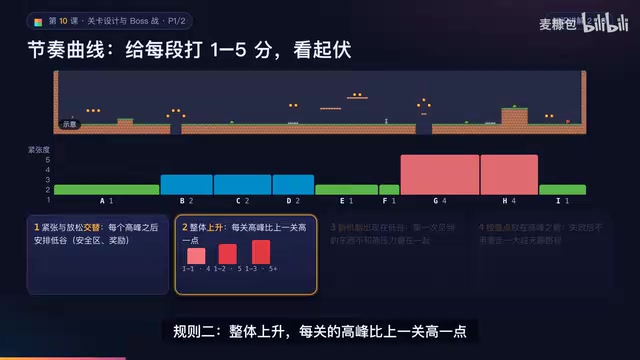
AI Game Development in Practice: Designing Levels with the Four-Step Method and Pacing Curves
AI game development lesson 10: design levels with the four-step method (teach, practice, combine, test) and a 1-5 pacing curve, plus sightline guidance and safety zones—implement Animatable Body 2D moving platforms and generate ASCII sketches for 1-2 Underground Cavern and 1-3 Guard Hall.

AI Game Development in Practice: Two-Phase Boss State Machines and Death Heatmap Tuning
AI game development lesson 10: implement a two-phase Boss with a state machine, guarantee fairness with color signals and a 0.4-second warning floor, locate difficulty cliffs with a death heatmap, and apply lightest-to-heaviest fixes one at a time, with an acceptance checklist and common pitfalls.