OpenCode Tutorial: A Complete Guide from Installation and Configuration to Hands-On Practice

A complete guide to OpenCode covering installation, configuration, Agents, MCP extensions, and hands-on practice.
This article provides a comprehensive guide to OpenCode, an open-architecture AI programming assistant. It covers two installation methods (desktop and WSL-based), model and rule file configuration, Agent classification and orchestration, custom commands and tools, MCP service integration, and Agent SQL capabilities. With practical examples and a progressive learning path, it helps developers go from beginner to proficient.
What Is OpenCode
With the explosive growth of AI-assisted programming tools, the way developers work is undergoing a profound transformation. Since 2023, AI-assisted programming tools have rapidly evolved from experimental products to essential productivity tools. Commercial tools like GitHub Copilot were the first to open up the market, followed by the emergence of Cursor, Windsurf, Cline, and others, forming a diverse ecosystem ranging from IDE plugins to standalone terminal tools. However, commercial tools often come with issues such as model lock-in, opaque pricing, and limited extensibility — creating differentiation opportunities for tools that emphasize open architecture. It's against this backdrop that OpenCode, with its open architecture and flexible configuration capabilities, has been gaining traction among an increasing number of developers. Based on a systematic tutorial series from a Bilibili content creator, this article walks you through the complete journey of OpenCode — from installation and configuration to hands-on development.
In simple terms, OpenCode is an AI programming assistant designed for terminal and development environments. It not only supports integration with various large language models but also offers advanced capabilities such as custom commands, custom tools, MCP service integration, and Agent orchestration. Compared to some closed commercial tools, OpenCode places greater emphasis on configurability and extensibility, making it ideal for developers who pursue personalized workflows.
For beginners, the core value of OpenCode lies in embedding the power of AI large language models into everyday coding workflows, making tasks like code generation, debugging, and refactoring more efficient — while preserving full control through open interfaces.
Two Installation Methods for OpenCode Explained
Installing OpenCode is the first step to getting started. Here we focus on two mainstream approaches, each suited for different levels of users.
Desktop Installation: The Simplest Way to Get Started
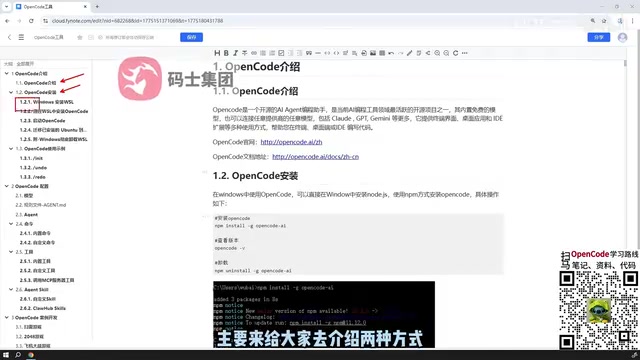
The first method is direct desktop installation, which is the most beginner-friendly approach. Users don't need complex environment setup — simply use the desktop installer to quickly complete deployment and start experiencing OpenCode's basic features within minutes. This approach significantly lowers the barrier to entry and is especially suitable for developers who want to quickly evaluate whether the tool meets their needs.
WSL-Based Installation: The Officially Recommended Approach
The second method involves installing WSL (Windows Subsystem for Linux) on a Windows system, building a virtual Linux environment through WSL, and then installing OpenCode on top of it. This is also the officially recommended approach.
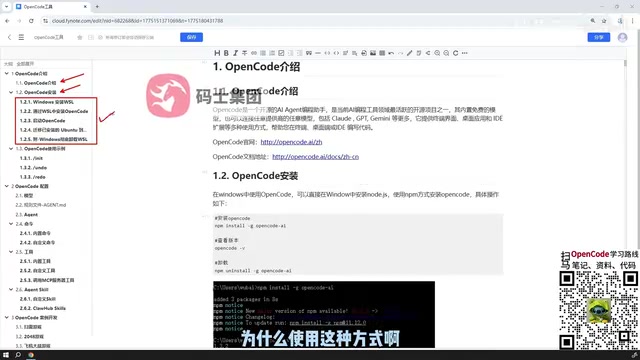
Why does the official team recommend this seemingly more complex approach? The core reason comes down to compatibility and stability. WSL is a compatibility layer technology introduced by Microsoft starting with Windows 10, allowing users to natively run Linux binary executables on Windows. WSL has gone through two major versions: WSL 1 translates Linux system calls into Windows NT kernel calls through a translation layer; WSL 2 introduces a real Linux kernel running in a lightweight virtual machine, providing complete system call compatibility and significant file system performance improvements. For AI programming tools, the advantages of WSL 2 are particularly notable — many toolchains (such as certain native modules in Node.js, some scientific computing libraries in Python, and various CLI tools) install and run more smoothly in a Linux environment, and subtle differences like path separators, case sensitivity, and symbolic links won't cause unexpected issues.
Through WSL, you get a near-native Linux experience, avoiding potential path, permission, or dependency conflict issues in the Windows environment. For users who want to fully leverage all of OpenCode's features, the WSL approach may require a few extra configuration steps, but it delivers a more reliable long-term experience.
Core Configuration of OpenCode: Models, Rules, and Agents
After installation, the true power of OpenCode is revealed through its configuration capabilities. The configuration can be broken down into several key dimensions.
Model Configuration and Rule Files
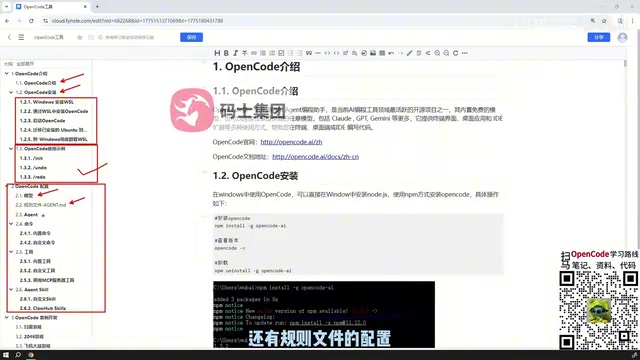
First is model configuration. OpenCode supports integration with different large language models, allowing users to flexibly switch between underlying models based on task requirements and cost budgets. This openness ensures that OpenCode isn't locked into any single vendor's ecosystem.
From a technical perspective, OpenCode implements a model-agnostic abstraction layer. Current mainstream large language models differ significantly in their capability focus: OpenAI's GPT-4o delivers balanced performance in general reasoning and code generation; Anthropic's Claude series has unique advantages in long-context understanding and code refactoring tasks; Google's Gemini leads in multimodal understanding; and open-source models like DeepSeekAd Coder and Qwen Coder are more attractive for cost control and private deployment. Multi-model support allows developers to choose the most suitable model for specific tasks — for example, using a model with strong reasoning capabilities for complex architecture design, and a cost-effective model for everyday code completion — achieving the optimal balance between effectiveness and cost.
Second is rule file configuration. Rule files are essentially constraints and guidelines for AI behavior — by defining rules, developers can make the AI better adhere to project conventions, coding styles, and specific business logic, resulting in output that better matches expectations. For example, you can use rule files to require the AI to always use specific naming conventions when generating code, follow the team's error handling patterns, or add extra security checks when dealing with sensitive operations.
Classification of OpenCode Agents
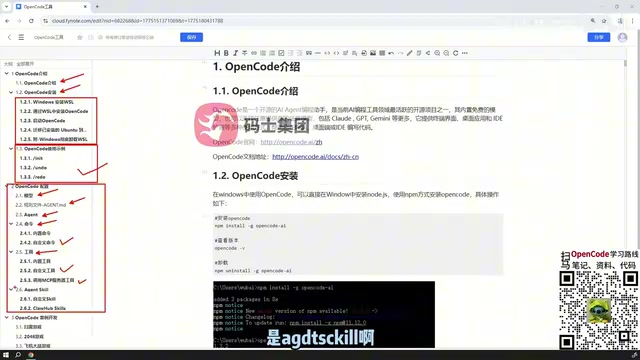
The Agents within OpenCode are divided into several different types, each responsible for different duties. Understanding the Agent classification is key to mastering OpenCode's advanced usage — it determines how the tool decomposes tasks and how Agents collaborate to accomplish complex development goals.
Agents (intelligent agents) are one of the core paradigms in current AI application development. Unlike the simple "ask-and-answer" pattern, Agents possess capabilities for autonomous planning, tool invocation, and multi-step reasoning. In a programming scenario, an Agent might need to first understand the user's requirement description, then analyze the existing codebase structure, formulate a modification plan, progressively write and modify code, and finally verify whether the results meet expectations. This series of steps constitutes a complete Agent workflow. The division of different Agent types in OpenCode is essentially a specialized division of labor for tasks at different granularities — similar to the role distribution of architects, development engineers, and test engineers in a software team, where each Agent focuses on the aspects it excels at, collaborating to complete complex tasks.
Properly configuring and utilizing different types of Agents can transform OpenCode from a simple code generator into a programming collaborator capable of autonomous planning and step-by-step execution.
Custom Commands, Tools, and MCP Extensions
OpenCode's extensibility is primarily reflected at the command and tool levels.
Custom Commands and Custom Tools
At the command level, users can create custom commands to encapsulate frequently used operations into reusable instructions, improving daily work efficiency. For example, you could encapsulate the sequence of "generate unit tests → run tests → check coverage" into a single command, triggering the entire workflow with one click. At the tool level, OpenCode supports custom tools, allowing developers to extend the AI's capability boundaries according to their needs — whether it's connecting to internal APIs, executing specific code analysis tasks, or integrating third-party services, all can be achieved through custom tools.
MCP Service Integration
Going further, OpenCode also supports calling tools published by external MCP (Model Context Protocol) services. MCP is a standardized protocol proposed and open-sourced by Anthropic in late 2024, designed to address interoperability issues between AI models and external tools and data sources. Before MCP, every AI tool needed to write dedicated integration code for each external service, creating M×N integration complexity. MCP reduces this complexity to M+N by defining a unified communication protocol — tool providers only need to publish services according to the MCP standard, and AI clients only need to support the MCP protocol to access all compatible tools.
The MCP protocol defines three core primitives: Resources (providing context data to the model), Tools (enabling the model to perform specific actions), and Prompts (predefined interaction patterns/prompt templates). By connecting to MCP services, OpenCode effectively taps into a rapidly growing tool ecosystem. The community already has hundreds of MCP services covering scenarios like database queries, API calls, file management, and browser automation, greatly expanding the range of applications.
OpenCode's Agent SQL Capabilities
One of OpenCode's highlights is its support for Agent SQL. Users can not only customize SQL-related Agents but also directly reference ready-made SQL Agents available on the web, integrating them into OpenCode's workflow out of the box.
The value of this capability needs to be understood in the context of modern software development. Statistics show that backend developers spend an average of 30%-40% of their working time writing and debugging database-related code. While traditional ORM frameworks simplify basic CRUD operations, developers still need a deep understanding of SQL syntax and database characteristics when dealing with complex queries, performance optimization, and data migration. SQL Agents significantly lower the barrier for this type of work by converting natural language into precise SQL statements and performing context-aware reasoning based on database schema information.
More importantly, OpenCode's support for referencing community-built SQL Agents means that optimized Agents for different databases like MySQL, PostgreSQL, and SQLite can be reused — developers don't need to retrain or configure dedicated Agents for each database. This "standing on the shoulders of giants" reuse mechanism further reduces development costs, enabling developers to quickly build automated workflows for data querying and analysis.
Hands-On Examples and Learning Recommendations
The final section of the tutorial focuses on practical development case demonstrations, helping learners connect all the previously covered knowledge points through concrete project development and truly put their learning into practice.
Overall, the learning path for OpenCode can be summarized as: Install and get started → Configure models and rules → Master Agent classification → Learn commands, tools, and MCP extensions → Achieve mastery through Agent SQL and hands-on cases. This progressive structure caters to beginners' onboarding needs while providing ample space for advanced users to explore in depth.
For developers who want to try OpenCode, the recommendation is to start with the desktop installation for a quick experience, then switch to the officially recommended WSL environment once you're familiar with the basic features, gradually diving deeper into configuration and extensibility. It's worth noting that the AI programming tools space is in a period of rapid iteration — the tools themselves update frequently, so staying informed about new version features is also an important part of continuously improving efficiency. The value of AI programming tools ultimately depends on how deeply the user understands the tool. Only by truly mastering its configuration and extension mechanisms can OpenCode become an efficient programming partner.
Related articles

Chain of Thought Isn't Just for AI: How Humans Can Use CoT to Improve Thinking Quality
Chain of Thought isn't just a prompt trick for large models. Starting from a Hacker News discussion, this article analyzes why CoT works for human thinking too, breaks down actionable ways to transfer it, and highlights the key differences between human CoT and machine CoT.
Cloudflare Teams Up with OpenAI: Closi…
Cloudflare Teams Up with OpenAI: Closing the Loop from Vulnerability Discovery to Defense with AI
Cloudflare uses OpenAI Daybreak to investigate security vulnerabilities and generate reviewable remediation plans, while developers use Codex to boost coding efficiency and quality.

Orca Multi-Agent Orchestration in Practice: A Guide to Parallel Collaboration with Claude and Codex
Orca is Stable AI's free open-source agent workbench supporting 34 agents like Claude Code and Codex in parallel. Learn its Git worktree isolation, multi-model orchestration, and mobile management.