OpenHands Deployment Guide: Free Open-Source AI Agent as an Alternative to Commercial AI Office Tools

OpenHands offers local AI agent deployment with no time limits, low cost, and root-level permissions as a commercial alternative.
This article covers hands-on testing and deployment of OpenHands, an open-source AI agent framework. Compared to commercial AI office tools with time restrictions and high fees, OpenHands supports self-hosting with your own API Key, and paired with low-cost models like DeepSeek, significantly reduces usage costs. One-click scripts are available for both Windows and Linux. The official cloud sandbox offers 4-core 16GB specs with root access, outperforming commercial rivals in flexibility. Output quality depends heavily on prompt clarity, but unlimited iteration is supported. Overall, it's a practical low-cost AI automation alternative for technically capable users.
From "Copy-Pasting Code" to "AI as the Brain"
As AI-assisted programming becomes increasingly mainstream, more developers and everyday users are turning to AI agents to complete real tasks — rather than sticking to simple Q&A-style conversations. Recently, a Bilibili content creator shared hands-on testing and a deployment tutorial for the open-source project OpenHands, positioning it as "an open-source alternative to commercial AI office products" and sparking discussion around locally deployed AI agents.
OpenHands (formerly OpenDevin) has been open-source since 2024. It's an AI Agent framework capable of autonomously executing programming tasks, manipulating the file system, and calling external tools. Compared to commercial products, its biggest appeal is: no rolling time limits — just bring your own API Key. The creator noted that while commercial AI office tools are widely known, they're expensive and come with frustrating usage restrictions like "7-day rolling windows" and "daily usage caps," making for a less-than-ideal experience.
OpenHands Cost: Why It's Cheaper Than Commercial Alternatives
Based on the creator's hands-on feedback, he had consumed over "500 million tokens" within just a few days — yet the total cost remained surprisingly low. His explanation: the project's prompt engineering is well-optimized, leading to higher task success rates and better token efficiency per task.

A word of perspective here — high token volume doesn't necessarily mean high cost. The key factor is the pricing of the model being used. The creator mentioned primarily using DeepSeekAd and similar domestic Chinese models during testing, which have extremely low API pricing and are the main driver of cost savings. He also noted that for those seeking completely free usage, NVIDIA's public API gateway offers a free tier — but it's "not great to use," with trade-offs in stability and speed, making it better suited for experimentation than production use.
For users without their own computers or servers, the creator offered some tongue-in-cheek suggestions, such as running a standalone system from a bootable drive. These are mainly for reference — in practice, deploying on your own device or a cloud server is the recommended approach.
OpenHands One-Click Deployment on Windows
The deployment process is the heart of this tutorial. On Windows, the creator's setup includes two runtime tools and two dependency scripts:
- Install dependencies first: Double-click the dependency script to configure the environment
- Launch the service: Run the startup script, enter
1for foreground mode or2for background mode - Access the interface: Once both frontend and backend are running, open a browser and navigate to
127.0.0.1:8000(loopback address + port 8000)
From there, you can start issuing commands directly. The creator demonstrated scenarios including system operations and simple task execution, emphasizing that since it runs locally, you have full freedom to control your own machine — a genuine flexibility advantage over cloud-based sandbox products.

He also acknowledged that performance depends on local hardware specs and real-time API load. During testing, high API call volume led to slower responses — a common reality when using shared API services.
Cloud Sandbox vs. Local Deployment: A Side-by-Side Comparison
In addition to local deployment, OpenHands also offers an official online version (cloud sandbox) that supports using your own API Key to complete tasks in a cloud environment. The creator compared the two options.

According to his research, the official cloud sandbox is configured with 4 cores and 16 GB of RAM — noticeably more than competing commercial tools — though it runs on shared virtual hosting, so resources aren't dedicated. The settings panel thoughtfully includes a Chinese-language interface, lowering the barrier for Chinese-speaking users. The interface also supports viewing and downloading AI-generated files (such as webpage code) online, with real-time rich-text preview.
On output quality, the creator remained objective. He demonstrated asking the AI to build a simple webpage — the resulting UI was fairly rough — but he stressed that "this isn't a problem with the tool, it's a problem with unclear instructions," and pointed out that you can iterate with the AI as many times as needed until you're satisfied, with solid context memory performance. This is an important reminder: the quality of an Agent's output is heavily dependent on the clarity of your prompts.
Permission Freedom: OpenHands' Key Advantage for Power Users
The creator highlighted one particularly notable difference — permissions.

His testing revealed that the OpenHands official sandbox actually grants root-level access, while commercial sandbox environments offer none at all. For users who want deep automation capabilities, root access means far greater flexibility and a wider range of possible operations. Of course, this cuts both ways from a security standpoint — in a high-privilege environment, always exercise caution when running unknown code to avoid accidental damage or security risks.
Linux Deployment and Final Thoughts
On the Linux side, the creator also provides a one-click installation script, tested to support approximately 90% of x86_64 Linux servers and Linux desktops. The workflow is straightforward: navigate to the directory, run the script, select 1 to reinstall the environment or 2 to launch directly, then access the service via your public IP and port. Built-in commands for checking status and stopping the service make day-to-day management convenient.
One interesting detail: the self-hosted service opens normally in a mobile browser, while the official cloud sandbox doesn't — a difference likely related to browser compatibility.
Overall, OpenHands offers a viable open-source alternative for users frustrated by the costs and limitations of commercial AI office tools. Its strengths lie in no time limits, controllable costs, permission freedom, and the ability to deploy locally. The trade-offs are that it requires some deployment know-how, your own API Key, and attention to prompt quality. For technically inclined users who don't mind getting their hands dirty, it's absolutely worth trying. The creator also teased upcoming content on a "desktop assistant agent" capable of autonomously controlling a computer — a more advanced use case well worth following.
Related articles
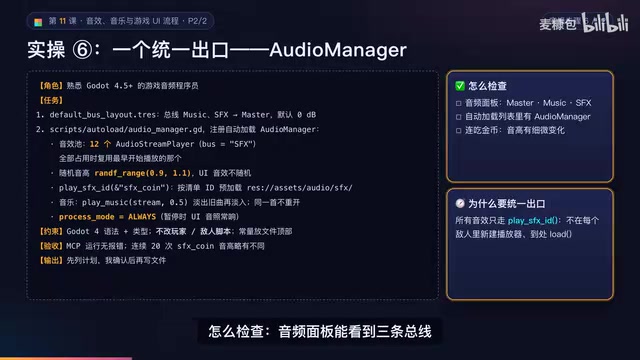
AI Game Development in Practice: Audio Buses and Building the Full UI Flow
AI game dev lesson 11 part 2: Godot's audio trio, audio buses and dB conversion, AudioManager's player pool and random pitch, autoload boundaries, the full UI flow from title to clear, fault-tolerant JSON saves, and pixel font anti-aliasing and integer-size rules.
AI Game Dev Acceptance Lesson: Using GUT Tests and Agent Self-Checks to Make Bugs Impossible to Hide
Lesson 12 of AI game development: use GUT automated tests, Agent self-check loops, browser smoke acceptance, and external playtesting to turn "AI says done" into verifiable evidence.

DoorDash Reveals Only Hundreds of Orders from AI Agents, Open Collaboration Seen as Key
DoorDash reveals only hundreds of orders from AI agents and says it is open to working with third-party agent developers. This article analyzes the early state of agentic commerce, platform openness, and transaction trust bottlenecks.