OpenWhispr Hands-On Review: The Open-Source Global Voice Input Tool That Makes Typing Optional

OpenWhispr is a free, open-source global voice dictation tool with AI rewriting — but Wayland support is a serious weak point.
OpenWhispr is an open-source, cross-platform system-level voice dictation tool that can be invoked globally in any text input context. It offers two modes: Super V for direct speech-to-text with LLM-powered cleanup, and Super Shift V for voice-commanded AI editing of selected text. It supports OpenAI, Anthropic, Gemini, and local models via Ollama. Two major drawbacks stand out: MCP and external API integration is locked behind a paid subscription, and assistant mode with hotkeys barely works on Wayland without extensive manual patching. Thanks to the MIT license, users can fork and extend it freely.
For people who deal with heavy text workloads every day, a keyboard isn't always the most efficient input method. YouTube tech creator NeuralNine recently showcased an open-source, system-level voice dictation tool called OpenWhispr. Its goal is straightforward: nearly every text input scenario — except writing code — can be handled by voice. This article, based on his hands-on walkthrough, breaks down the tool's real capabilities, how to configure it, and the pitfalls you'll inevitably encounter.
What Is OpenWhispr
OpenWhispr is a free, open-source, cross-platform (Mac, Windows, Linux) system-level voice dictation tool. Its core selling point is being "system-wide" — it's not confined to a single app. You can invoke it anywhere text input is possible: browsers, spreadsheets, Obsidian notes, LinkedIn drafts, you name it.
The creator is upfront about why this kind of tool matters to him personally: "Sometimes I think faster than I can type, and sometimes I just don't want to deal with formatting myself." For example, when you receive an email and already have the key points of a reply in your head but don't want to type every word out, voice dictation becomes a serious productivity booster.
Once running, the tool lives in the system tray. Click the icon to open the control panel. The entire interaction revolves around two hotkeys, keeping the workflow impressively lightweight.
Two Core Modes: Dictation and AI Assistant
OpenWhispr's functionality splits into two tracks, each mapped to its own hotkey.
Pure Dictation Mode (Super V)
Press Super V to start recording, then press it again and your speech gets converted to text and automatically pasted at the current cursor position. The creator demonstrated this in Pastebin and spreadsheets — recognition accuracy depends on the speech-to-text model you connect.
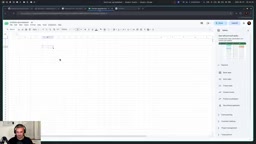
What's worth noting is that it doesn't just mechanically transcribe raw audio. When the creator brainstormed video topic ideas in Obsidian by speaking aloud, the tool automatically organized the content into a bulleted list and cleaned up filler phrases like the repeated "one thing would be." This shows that a large language model is doing intelligent cleanup behind the scenes — not just raw transcription.
AI Assistant Mode (Super Shift V)
This is the more advanced capability. Select an existing block of text, then use Super Shift V to give a voice command. The tool uses the selected content as context, makes the requested changes, and pastes it back. The creator demonstrated two examples: converting a passage entirely to uppercase, and rewriting a Python if-else block into match-case syntax.
In other words, assistant mode isn't "write what I say" — it's "understand my instruction and transform existing content." This gives it genuine editing power for rewriting, refactoring, and reformatting.
OpenWhispr's underlying architecture separates speech recognition and language model processing into two independent pipelines. This is precisely why it can deliver two completely different experiences — raw transcription and intelligent editing — simultaneously. The speech-to-text layer converts audio signals into text, while the LLM layer handles semantic understanding and content transformation on top of that. The two can be connected to different services or local models independently, with no coupling between them.
Installation and Model Configuration
OpenWhispr supports installation across all major platforms. Linux users can choose from a Debian .deb package, a Fedora RPM, a generic tar.gz, or an AppImage. Arch Linux users can install openwhispr-bin via the AUR.
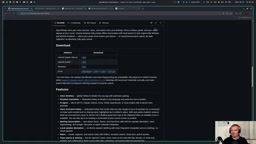
First launch walks you through an onboarding flow, the core of which is connecting your models. The tool requires two types:
- Language model (for assistant features): Supports OpenAI, Anthropic, Google Gemini, and OpenRouter, as well as custom model endpoints. This means you can run Ollama locally and power the intelligent features entirely with a local model.
- Speech-to-text model: The creator connected OpenAI, but self-hosted endpoints are supported too — just provide a server URL and model name.
The creator himself went with a Bring Your Own Key approach, choosing OpenAI for convenience, routing both transcription and assistant requests through OpenAI's models. The onboarding flow also lets you configure hotkeys and set up additional features like translation and meeting transcription — the latter can transcribe both your speech and the other party's during a call, which is genuinely useful for those who need it.
Ollama is a tool for running open-source LLMs locally, supporting models like Llama, Mistral, and Qwen, and exposing an OpenAI-compatible HTTP API. This means you can point OpenWhispr's custom model endpoint at a local Ollama instance and drive assistant features completely offline at zero API cost — while also preventing voice data from being uploaded to third-party servers, which matters in privacy-sensitive contexts. OpenRouter, by contrast, is an aggregated AI gateway that lets users switch between models from different providers through a unified interface, suited for power users who want flexible control over cost and model selection.
Two Major Weaknesses: Wayland Compatibility and the Paywall
While the creator's overall verdict is positive, he doesn't shy away from pointing out two glaring shortcomings.
Advanced Integration Is Locked Behind a Paywall
The free tier can't easily connect to MCP servers or external APIs. In practice, this means if you want the assistant to answer questions requiring real-time data — like "What's the weather in Vienna today?" — the free version can't do it. You'd need to upgrade to a paid cloud subscription.
The creator partially understands this: the tool uses the MIT license, so the team monetizing through cloud subscriptions is a perfectly reasonable business model. But he also points out that, precisely because of the MIT license, users are free to fork the source code and add MCP or API integration back in themselves — either by writing it manually or with the help of an AI.
MCP (Model Context Protocol) is an open protocol led by Anthropic that enables LLMs to call external tools and data sources in a standardized way — think search engines, calendars, file systems, or custom APIs. With an MCP server connected, an AI assistant can actively fetch real-time information rather than being limited to knowledge from before its training cutoff. By restricting this capability to the paid tier, OpenWhispr is effectively turning "tool calling" into a key commercial differentiator. The MIT License is one of the most permissive open-source licenses, allowing anyone to freely use, modify, and distribute the code — including for commercial purposes — without needing to open-source their modifications. This means forking the project and adding MCP support yourself is entirely legal, and the technical barrier is relatively manageable.
Wayland Support Is Pretty Terrible
This is the pain point the creator keeps coming back to. In Wayland environments — such as those using Hyprland — basic dictation works fine out of the box, but assistant mode and hotkeys barely function. He had to do extensive manual patching with AI assistance, including fixing a missing D-Bus method just to get assistant mode working.
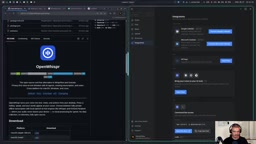
Even after all that, issues remain — the status indicator border is hard to remove, and the overall experience is "very buggy." He recommends that users running Wayland compositors like Hyprland consider using a community fork rather than the official release.
Wayland is the next-generation graphics system for the Linux desktop ecosystem, replacing the legacy X11 display protocol and now the default on major distros like Fedora and Ubuntu. Compared to X11, Wayland's security model is significantly stricter — applications cannot arbitrarily listen to keyboard events from other windows or directly manipulate the clipboard. These are precisely the capabilities that global hotkeys and auto-paste features depend on. As a result, tools built on X11-era interfaces often need to migrate to Wayland-specific protocols (like zwlr_data_control or xdg-desktop-portal) when porting, or they'll run into exactly the problems described here: broken hotkeys and non-functional assistant mode. D-Bus is the standard inter-process communication bus on Linux systems; OpenWhispr uses it to coordinate window focus and clipboard writes, so a missing D-Bus method means the entire call chain breaks under Wayland. Hyprland is a wlroots-based Wayland compositor known for being highly customizable, whose user base generally has a high tolerance for low-level tinkering — but that also makes them more likely to fall into compatibility traps like this one.
Is It Worth Using?
The creator's conclusion is telling: this category of tool is extremely valuable, he genuinely likes OpenWhispr, but its compatibility and out-of-the-box customizability both have obvious shortcomings.
The real value lies in its open-source nature. You can easily clone the repo, build it yourself, and extend it as needed. The creator even laid out three possible paths forward: switch to an equally capable alternative with native Wayland support; fork this project, use AI to fix the Wayland issues and add the customizations he wants; or just build his own from scratch — because the core functionality isn't that complex: focus a window, copy selected text, write to the clipboard, and execute paste.
For general users — especially on Mac and Windows — the out-of-the-box experience should be considerably smoother. Linux + Wayland users, on the other hand, should be prepared to do some tinkering. Regardless, an open-source, bring-your-own-model, globally invocable voice input solution is worth trying for anyone who works with text heavily.
Related articles
AI Agent Terminology Too Confusing? One Interactive Concept Map to Untangle 40+ Core Terms
Confused by AI Agent terms like MCP, harness, orchestration, and skills? AI Concept Atlas is an interactive map visualizing 40+ concepts and their relationships, with cited sources.
Meta's Broken Promise: Community Demands to Know Where the Muse Spark Weights Are
Meta promised to open-source Muse Spark model weights over a month ago, but still hasn't delivered. The community questions how this squares with Zuckerberg's "can't delay even a month" stance.
Running Qwen3 27B Locally on a Single RTX 5090: What Can It Actually Do?
A developer runs Qwen3 27B locally on a single RTX 5090 via the Row-Bot Agent framework, generating an 8-scene, 105-second interactive animation from one prompt — including real-time math, fractals, and physics.