Opus 5.5 Playbook: Optimizing Claude Code for Long Tasks and Knowing Its Limits

Three actionable tips for Opus 5.5 long tasks: define finish lines, cut filler prompts, and hardcode stop rules.
claude.dev published a practical playbook for running Opus 5.5 on long tasks in Claude Code, centered on three recommendations: define clear acceptance criteria (a "finish line"), remove outdated motivational phrases like "think hard," and hardcode stop rules in CLAUDE.md. All three point to the same principle — reducing the model's uncertainty space. Over 130 Hacker News comments corroborate the real pain points: accumulated errors compound over steps, completion judgments skew too optimistic or conservative, and context window pressure causes early constraints to be "forgotten." The playbook's value is in making abstract guidance concrete and actionable, though its limits are equally clear — these are empirical workarounds, not fundamental fixes.
Opus 5.5's performance in Claude Code has become a hot topic in the developer community. claude.dev has put together a practical playbook whose core idea is to make the model more reliable on long-running tasks by trimming prompts, clarifying goals, and setting stop rules. Meanwhile, over 130 comments on Hacker News reveal the other side of the story — where exactly these long tasks tend to go wrong.
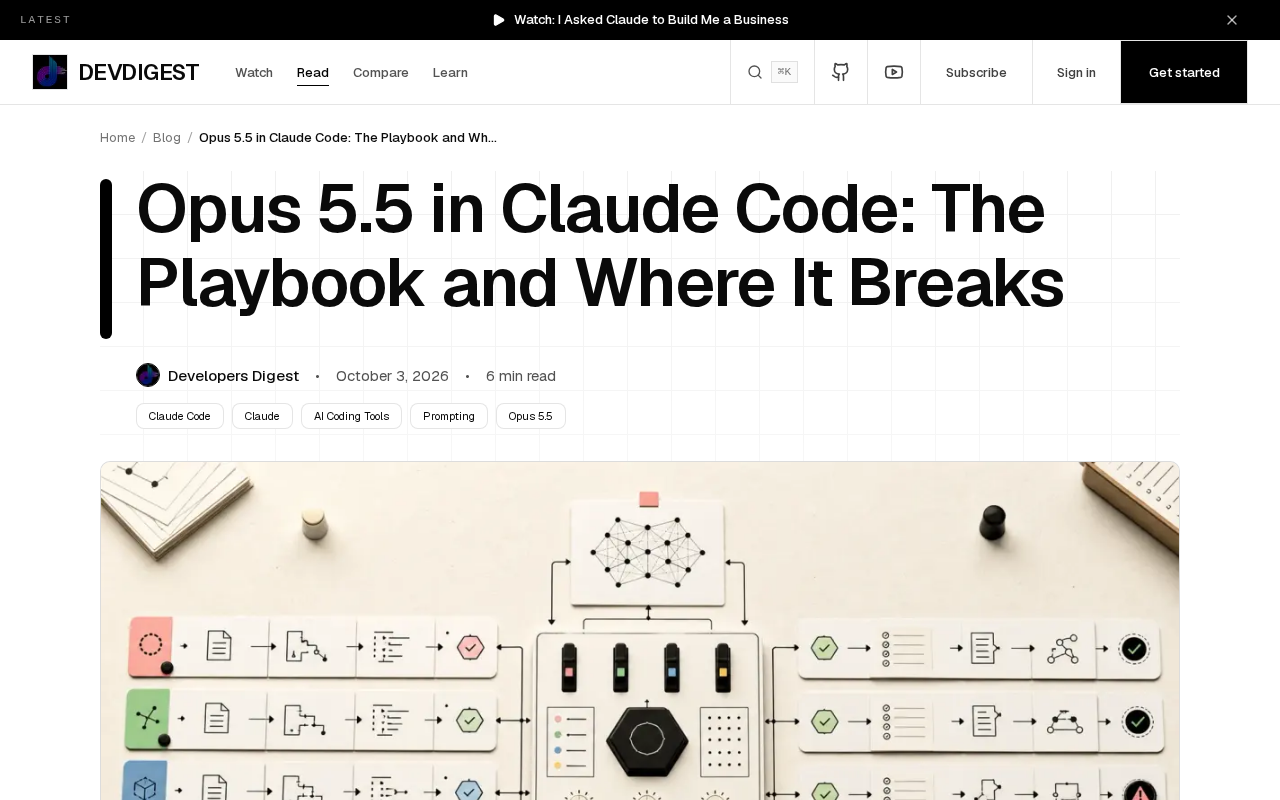
Three Core Recommendations from the Playbook
This isn't a generic list of usage tips. It's a targeted tuning guide based on Opus 5.5's specific behavior in the Claude Code environment. Each of the three recommendations addresses a distinct category of common problems.
Name the Finish Line
The first recommendation is to clearly define what task completion looks like. When executing multi-step tasks, the most common failure mode is the model not knowing when to stop. Without explicit acceptance criteria, Opus 5.5 may keep iterating, over-engineer solutions, or continue modifying code even after the task is already done.
Providing a clear "finish line" — something like "the task is complete when all tests pass and feature X is functional" — can significantly reduce wasted effort. This essentially front-loads human judgment, giving the model a self-verifiable target.
Remove Prompts Like "think hard"
The second recommendation is somewhat counterintuitive: delete motivational phrases like "think hard" from your prompts. As model reasoning capabilities have improved, these once-useful "encouragement" prompts can actually interfere with the model's default behavior — causing it to overthink simple tasks and waste tokens.
For this generation of models like Opus 5.5, the playbook finds that cleaner, more direct instructions tend to work better. Redundant emphasis not only fails to improve output quality, it can pull the model's attention away from the task itself.
Put Stop Rules in CLAUDE.md
The third recommendation is to hardcode stop rules into the CLAUDE.md configuration file. CLAUDE.md is the key file Claude Code reads to load project context, so writing rules like "when to stop and ask the user for help" into it effectively sets guardrails for the model.
This addresses a tricky problem in long tasks: when the model hits an obstacle it can't resolve on its own, it should stop rather than keep trying. Explicit stop rules prevent the model from getting stuck in meaningless loops and reduce the risk of runaway execution.
CLAUDE.md is a special Markdown file in Claude Code projects, typically placed in the project root directory. Claude Code automatically reads this file at session startup and injects its contents as system-level context into every interaction. This means content written to CLAUDE.md functions as a "persistent system prompt" — you don't need to repeat it manually, and the model will reference these rules throughout the entire project lifecycle. Development teams can use it to declare code style constraints, project structure notes, prohibited operations, and the stop rules discussed in this article. Compared to attaching instructions ad hoc in individual conversations, CLAUDE.md's advantages are consistency and maintainability: rules can be version-controlled and shared across the team as a unified set of constraints.
Where Long Tasks Go Wrong
The playbook offers an idealized operational path, but the 130+ comments on Hacker News paint a more realistic picture. Community discussion focuses on failure modes in "long run" scenarios.
The core challenge of long tasks lies in context management and accumulated error. When a task spans dozens or even hundreds of steps, small early deviations compound over time, eventually pushing the result far from the intended target. The model may "forget" constraints set early on, or repeatedly modify parts of the code that are already finished.
Another common problem is the model being overly optimistic or overly conservative in judging "completion." The former causes tasks to be declared done before they actually are; the latter manifests as the over-iteration mentioned earlier. The playbook's emphasis on finish lines and stop rules is a direct response to both of these failure modes.
The physical limits of the context window are one of the root causes of long-task failures. Every large language model has a maximum token limit. When the accumulated conversation history, code snippets, and intermediate results from a long task approach that limit, the model starts to "forget" earlier content — this isn't a metaphor, it's the actual degradation of the attention mechanism on very long sequences. While Opus 5.5 has a relatively large context window, in programming tasks spanning dozens of steps, the code files themselves can consume a significant portion of tokens, compressing the space available for task instructions and reasoning chains. This is precisely why hardcoding key rules in CLAUDE.md (rather than relying on conversation history to carry them forward) is the more reliable approach — it ensures constraints are always in a "visible" position within the context.
The Value and Limits of This Methodology
Based on community feedback, the value of this playbook lies in translating the abstract question of "how to use an AI coding assistant well" into concrete, actionable configuration steps. Define the goal, trim the prompts, hardcode the rules — all three point toward a single principle: reduce the space of uncertainty for the model.
But the limitations are equally clear. These recommendations are fundamentally empirical workarounds, dependent on the user's deep understanding of the task and ongoing observation of model behavior. For developers unfamiliar with how the model tends to behave, copying the playbook wholesale may not reproduce the same results. The stability problems in long tasks ultimately reflect the boundaries of the model's own capabilities — prompt engineering can mitigate them, but not cure them.
For teams currently using Claude Code, this playbook is worth treating as a starting point. Writing stop rules into CLAUDE.md, defining clear acceptance criteria — these practices have low overhead and clear upside, making them practical levers for improving long-task reliability. For more complex failure scenarios, continued exploration based on your own project context will be necessary.
Related articles

DeepCell: One-Click AI Generation of Documents, Spreadsheets, and Slides
DeepCell tops Product Hunt with one-click generation of documents, spreadsheets, and slides, using the .deepcell format for linked updates, designed for System 2 tasks like modeling and sales reviews.

Doneas: 15-Minute Daily Accountability Calls That Keep Indie Developers From Procrastinating
Doneas is a daily accountability tool for indie developers: plan tasks on Monday, join a 15-minute call with five builders each day, and log deliveries on a public progress page. This article analyzes its core mechanics, effectiveness, and potential issues around retention and matching.

Fastlane 2.0: Fully Automated AI Ad Campaigns, From Creative to Optimization
Fastlane 2.0 is an AI ad automation tool: enter your website and it learns your brand, generates video and image ads, and runs and optimizes them on Meta, TikTok, Instagram, and YouTube.