Outlook Google Calendar Sync for Mac: A Local Solution That Requires No IT Approval
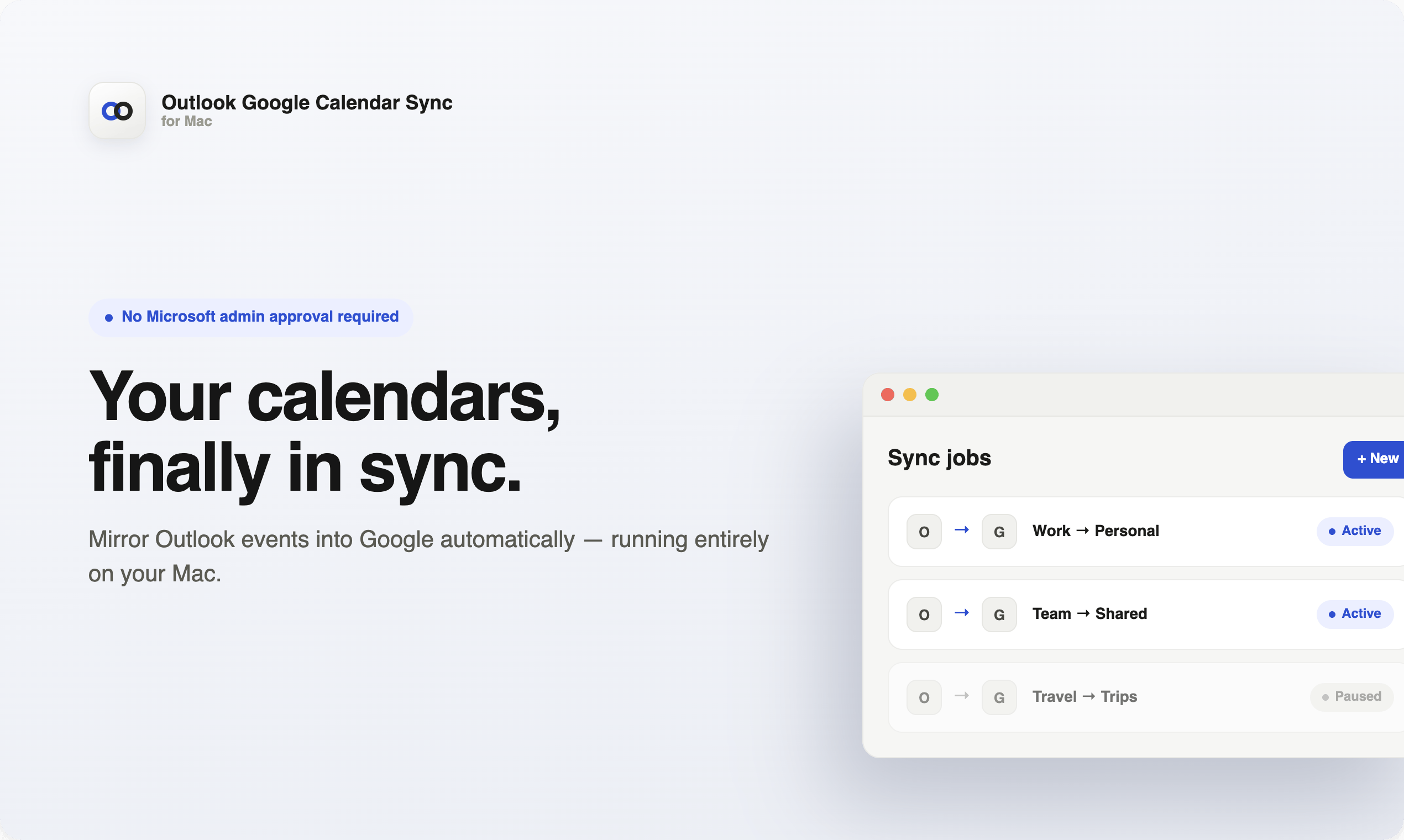
A local Mac tool that syncs Outlook calendars to Google Calendar without needing IT admin approval.
Outlook Google Calendar Sync for Mac is a locally-run tool that mirrors Outlook calendar events to Google Calendar without requiring Microsoft admin approval. By processing data entirely on the user's Mac rather than through cloud servers, it ensures strong privacy protection. Key features include support for multiple sync jobs, smart duplicate invite prevention, and silent background operation — making it ideal for remote workers and cross-platform professionals in restrictive enterprise environments.
For professionals juggling both Outlook and Google Calendar, the disconnect between two calendar systems has long been a productivity killer. Outlook Google Calendar Sync for Mac was built to solve exactly this pain point — it seamlessly mirrors Outlook calendar events to Google Calendar, all without requiring Microsoft admin approval. Created by Blake Connally, the product launched on Product Hunt and earned 73 upvotes, landing at #17 on that day's leaderboard.
The "Silo Effect" of Enterprise Calendars: Understanding the Core Pain Point
In many enterprise environments, Outlook is the officially designated calendar tool, yet a large number of individual users and freelancers prefer the Google Calendar ecosystem. The problem is that cross-platform calendar syncing is often constrained by corporate IT policies — many third-party sync tools require Microsoft admins to open up API permissions or install enterprise-grade plugins, which is nearly impossible in practice.
To understand the technical root of this dilemma, you need to know how Microsoft's API permission system works. Currently, third-party apps access Outlook calendar data primarily through the Microsoft Graph API, Microsoft's unified RESTful API interface covering mail, calendar, files, and the full suite of Microsoft 365 services. However, Graph API permissions fall into two categories: Delegated Permissions and Application Permissions. For operations like calendar reading, even under the delegated permission model, enterprise tenant admins can set "admin consent" policies through Azure Active Directory (now renamed Microsoft Entra ID), requiring all third-party apps to receive explicit IT admin approval before users can authorize them. This means that even if a calendar sync tool only needs the most basic read-only calendar permissions, in organizations with strict policies, individual users cannot complete the OAuth 2.0 authorization flow on their own — the authorization button redirects straight to a "Please contact your administrator" page. For large enterprises, IT departments face a flood of third-party app approval requests daily, and many niche tools end up shelved indefinitely.
This is precisely where the tool differentiates itself: it completely bypasses the Microsoft admin approval process. Based on its technical implementation, the tool likely doesn't call the Microsoft Graph API directly. Instead, it probably reads data from the local Outlook client on Mac (such as Outlook for Mac's locally cached calendar database files, or leverages macOS's native Calendar/EventKit framework to access Outlook events already synced to the system calendar). This approach operates entirely at the local device level, without touching the enterprise tenant's cloud API permission controls. Users don't need to request any permissions from IT — they can bridge Outlook to Google Calendar right on their personal Mac. For users in tightly controlled enterprise environments who still want a unified view of their schedule in Google Calendar, this is extremely appealing.
Local-First Architecture: Privacy and Security, Guaranteed
The most noteworthy technical design of this tool is that it runs locally on your Mac. Unlike cloud-based sync services, it doesn't upload your schedule data to third-party servers — instead, it processes all sync logic directly on your local machine.
This architectural choice aligns with the Local-first philosophy that has been gaining traction in the software industry. Local-first was systematically articulated by the Ink & Switch research lab in their 2019 paper of the same name. The core argument is that the primary copy of user data should be stored on local devices, with the cloud serving only as an optional channel for sync and backup. Compared to the traditional SaaS model (where data is entirely hosted on the provider's cloud servers), local-first applications give users full ownership and control over their data. Even if the service provider shuts down, user data doesn't disappear with it. In the specific context of calendar syncing, traditional cloud-based solutions (such as certain sync middleware services) require users to grant both Outlook and Google calendar permissions to a third-party platform, whose servers continuously pull, store, and forward your schedule data. A locally-run architecture shortens the entire data flow path to: local Outlook data → local sync engine → Google Calendar API, with no third-party server relay in between.
Additionally, macOS itself provides extra security layers for local applications. Since macOS Catalina, Apple has significantly strengthened its Sandboxing and TCC (Transparency, Consent, and Control) permission mechanisms. Apps must obtain explicit user authorization to access sensitive data like calendars, contacts, and the file system, and these authorizations can be revoked at any time in System Preferences. If the tool is distributed through the Mac App Store or has undergone Apple Notarization, it must also meet Apple's code signing and security review requirements, further reducing the possibility of malicious behavior.
This design delivers two direct benefits:
Greater Control Over Calendar Data Privacy
Calendar data often contains sensitive information — meeting topics, attendees, locations, and even trade secrets. Local processing means your schedule details don't pass through additional intermediary servers, reducing the risk of data leaks and third-party retention. In an era of increasingly strict data compliance (such as the EU's GDPR with its rigorous constraints on personal data processing), local processing inherently reduces data transit points and simplifies the compliance chain.
No Ongoing Dependency on External Cloud Services
Running locally also means the sync logic isn't affected by the continued existence of any SaaS platform — as long as the tool runs on your Mac, syncing continues. It works silently in the background without frequently interrupting users. This also avoids the common "service degradation" issue with cloud sync services — when a middleware platform experiences downtime or gets acquired and shut down, your calendar sync won't suddenly break.
Feature Highlights: Multi-Job Syncing and Duplicate Invite Prevention
Beyond the core Outlook-to-Google sync capability, the tool offers several features designed for real-world use cases:
-
Multiple calendar sync jobs: Users can configure multiple sync jobs — for example, mapping a work Outlook calendar and a personal Outlook calendar to different Google calendars — to manage multiple identities and accounts. This is especially practical for freelance consultants serving multiple clients or managers holding roles across multiple organizations.
-
Smart duplicate invite avoidance: One of the most common issues in calendar syncing is the sync process repeatedly sending invitation notifications to attendees. This tool explicitly addresses this problem, ensuring that mirroring Outlook events to Google doesn't accidentally trigger a flood of redundant invites — avoiding both social awkwardness and inbox bombing.
To understand why the duplicate invite problem is so tricky, you need to know about the underlying calendar event protocol. Both Outlook and Google Calendar follow the iCalendar standard (RFC 5545). In this standard, every calendar event has a globally unique UID (Unique Identifier) field and a SEQUENCE field to track the event's modification version number. When a calendar system detects what it considers a "new" event being written, if that event contains attendees (the ATTENDEE field), the system automatically sends meeting invitation notifications via email in iTIP (iCalendar Transport-Independent Interoperability Protocol) format. The problem is: when you sync an Outlook event to Google Calendar, if the sync tool writes it as a "new event" (generating a new UID or failing to preserve the original UID), Google Calendar treats it as an entirely new meeting and automatically sends invitation emails to all attendees. Worse, every sync update (such as a minor time adjustment) can trigger another round of notifications. The tool's "smart duplicate invite avoidance" mechanism likely works by leaving the attendee field empty or marking events as "mirror-only/read-only" when creating them on the Google Calendar side, while maintaining an internal UID mapping table to track already-synced events — thereby preventing Google's automatic notification mechanism from firing.
These details show that the product was designed with real workflow pain points in mind, rather than just implementing basic data transfer.
Product Positioning: A Focused, Elegant Tool for Remote Work
From a positioning perspective, Outlook Google Calendar Sync for Mac falls under the Calendar and Remote Work categories, precisely targeting remote workers and cross-platform professionals.
In the calendar sync niche, the market already offers multiple solutions, each with its own limitations. Reclaim.ai and Clockwise are among the better-known smart calendar tools, but their core selling points are AI-driven schedule optimization and time-block management — calendar sync is only a secondary feature, and both are cloud-based SaaS models that require granting full calendar data access to a third-party platform. Tools like SyncThemCalendars offer cross-platform calendar sync but similarly rely on cloud-based relay. Some users have also tried implementing native sync via the CalDAV protocol — CalDAV is an open calendar access protocol based on WebDAV, and Google Calendar natively supports CalDAV. However, Microsoft 365's Outlook has very limited CalDAV support (Microsoft pushes its own Exchange ActiveSync and Graph API), making this route fraught with practical obstacles. By contrast, Outlook Google Calendar Sync for Mac differentiates itself through: local execution, no admin approval required, and a focus on one-way mirroring — it sacrifices "do-everything" functionality in exchange for zero-barrier deployment and strong privacy guarantees.
It doesn't aspire to be a comprehensive calendar management platform. Instead, it focuses on one clear, high-frequency scenario: one-way mirroring from Outlook to Google Calendar. This "do one thing exceptionally well" product philosophy often earns target users' trust more easily in the utility software space. The Unix philosophy of "Do one thing and do it well" is well embodied here — for utility products, restraint in feature scope often builds more user trust than feature bloat, because users know the tool won't become bloated or stray from its core value in future versions.
It's worth noting that based on available information, the tool primarily supports one-way sync from Outlook to Google. Whether it supports bidirectional sync, as well as Windows or mobile platform support, hasn't been fully clarified in the official description — interested users should visit the official website for more details. The one-way sync design choice has its own merits: bidirectional sync requires handling complex conflict resolution logic — when the same event is modified on both ends simultaneously, the system needs to decide which version "wins." This is a classic challenge in distributed systems, and poor handling can lead to data loss or event duplication. One-way mirroring completely sidesteps this problem, maintaining system simplicity and reliability.
Conclusion: A Cross-Platform Calendar Sync Solution Worth Trying
For Mac users who have long been frustrated by the disconnect between Outlook and Google Calendar, this tool offers a solution that requires no IT approval, runs locally, and is privacy-friendly. It addresses a real productivity pain point in a lightweight, silent, and focused manner. While its user base is still small, its clear positioning and attention to detailed use cases make it a worthwhile efficiency tool for cross-platform professionals.
As remote work continues to deepen and hybrid work becomes the norm, interoperability issues between cross-platform tools will only become more prominent. Tools like Outlook Google Calendar Sync for Mac — focused on a single high-frequency pain point with a local-first architecture that safeguards privacy — represent a product trend worth watching. Rather than pursuing platform ambitions, they serve as the "glue layer," helping users rebuild a seamless work experience across fragmented tool ecosystems.
Related articles

Chain of Thought Isn't Just for AI: How Humans Can Use CoT to Improve Thinking Quality
Chain of Thought isn't just a prompt trick for large models. Starting from a Hacker News discussion, this article analyzes why CoT works for human thinking too, breaks down actionable ways to transfer it, and highlights the key differences between human CoT and machine CoT.
Cloudflare Teams Up with OpenAI: Closi…
Cloudflare Teams Up with OpenAI: Closing the Loop from Vulnerability Discovery to Defense with AI
Cloudflare uses OpenAI Daybreak to investigate security vulnerabilities and generate reviewable remediation plans, while developers use Codex to boost coding efficiency and quality.

Orca Multi-Agent Orchestration in Practice: A Guide to Parallel Collaboration with Claude and Codex
Orca is Stable AI's free open-source agent workbench supporting 34 agents like Claude Code and Codex in parallel. Learn its Git worktree isolation, multi-model orchestration, and mobile management.