Perplexity Computer Adds Chrome Control: AI Agents Can Now Operate the Browser Directly

Perplexity Computer uses a Chrome extension to let AI agents operate users' local browsers to perform tasks.
Perplexity announced that its Perplexity Computer can control users' Google Chrome browsers from Mac and Windows desktop apps. After installing a companion extension and completing one-time authorization, users can use natural language instructions to have the agent perform browsing tasks in the local browser. This marks Perplexity's extension from a "Q&A assistant" to a "task executor": the desktop app serves as the control end and the Chrome extension as the execution end, reusing users' existing browser environments and login states to lower migration costs. The article also notes that the company has not yet disclosed the supported task types, permission scope, or sensitive-operation confirmation mechanisms. Users trying it should pay attention to permission and security boundaries, and it is recommended to first observe agent behavior using an isolated browser profile.
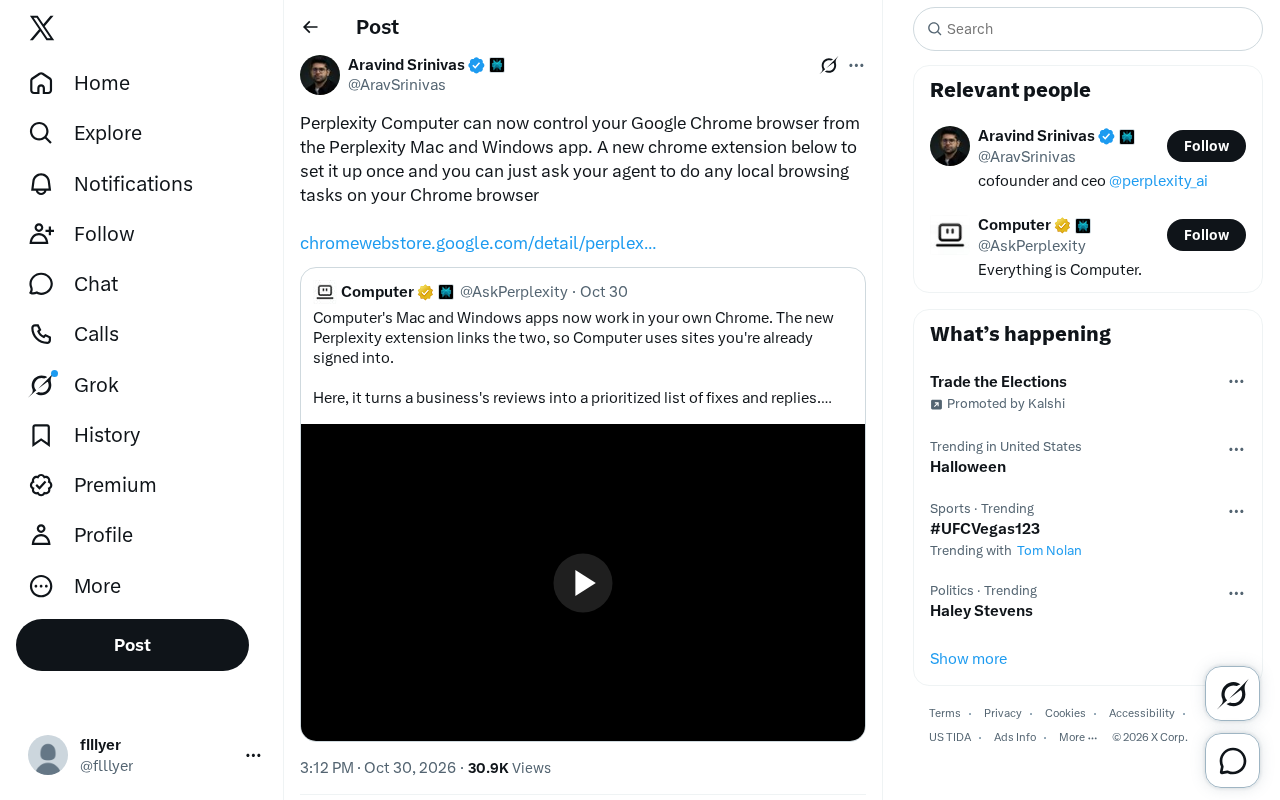
Perplexity is pushing AI agents from "Q&A assistants" toward "task executors." The company announced on X that Perplexity Computer can now control a user's Google Chrome browser from Perplexity's Mac and Windows desktop apps. Users only need to install a new Chrome extension for a one-time setup, after which they can have the agent carry out various local browsing tasks directly in Chrome.
From answering questions to acting on your behalf
In the past, Perplexity's core experience was "you ask, it answers": users type a question into the search box, and the model returns a synthesized answer with source links. The key shift in this update is at the execution layer—the agent no longer stays confined to the chat window but gains actual operational access to the local browser.
According to Perplexity's post on X, users need to install a companion extension in Chrome and complete a one-time authorization setup. After that, users can issue instructions in natural language within Perplexity's desktop app, and the agent will complete the corresponding local browsing tasks in their Chrome browser. This means the cross-application workflow is compressed into a single sentence: the user describes the goal, and the agent handles execution in the browser.
One detail worth noting: this capability relies on the Perplexity desktop app on Mac and Windows, not the pure web version. The desktop app serves as the "control end," and the Chrome extension as the "execution end," together forming a local agent pathway.
How the desktop app and Chrome extension work together
Architecturally, this integration takes a relatively lightweight approach: it doesn't modify the browser engine or require users to migrate to a dedicated browser. Instead, it connects existing Chrome to Perplexity's agent system through an extension.
The practical significance of this design is lowering migration costs. Chrome is the main entry point for users' daily browsing, logging into various accounts, and handling work tasks. If the agent can reuse the user's existing browser environment and login state, it can directly face real browsing scenarios rather than starting from scratch in a blank sandbox. The official emphasis on "set it up once" points to the same idea—minimizing the barrier to entry so that subsequent use becomes purely conversational instructions.
However, the officially disclosed information is fairly brief. It does not yet specify which types of browsing tasks the extension supports, how permission scope is defined, or whether there is a confirmation step when the agent performs sensitive operations. These details will directly affect the feature's practical usability and security boundaries.
A Chrome extension is a lightweight program built on the Chromium browser extension API. It declares its required permissions (such as reading page content, injecting scripts, listening to tab events, etc.) through a manifest file and runs in a sandboxed extension process within the browser. Unlike automation frameworks such as Playwright or Puppeteer, which drive the browser through an external process, extensions reside directly inside the user's browser and naturally inherit the user's cookies, login state, and installed plugins, so there is no need to handle authentication separately. The trade-off is that the extension's capabilities are constrained by the set of permissions granted by the browser, and it must follow the Chrome Web Store's review and update mechanisms. This is one reason Perplexity chose an extension rather than a standalone browser: it gains an operational entry point to existing browser sessions with minimal intrusion.
The potential of local browsing task automation
"Local browsing tasks" is a very broad term. Judging from the capability positioning, it may involve various operations in the browser such as information lookup, navigating between pages, form filling, and content extraction. For users who repeatedly move information between multiple web pages, the value of this kind of automation is not the speedup of a single operation but the ability to hand a chain of tedious actions to the agent to complete continuously.
This is also a microcosm of the current AI agent competition: as model capabilities gradually converge, differentiation shifts to "whether it can actually get things done." The browser, as the core interface for most people's digital work, naturally becomes the primary battleground for agent deployment. Perplexity's choice to start from the desktop and connect to Chrome via an extension embeds agent capabilities into existing workflows without changing users' established habits.
The balance between convenience and permissions
Letting an AI agent control a real browser inevitably raises permission and security concerns. Users' Chrome often contains sensitive content such as email, documents, social accounts, and payment information. When an agent gains browser operational capability, it also comes into contact with these environments.
So far, the official messaging only emphasizes the convenience of "one-time setup" and does not detail mechanisms such as granular permission control, operation logs, or interception of sensitive operations. For users planning to try it, a safer approach is to first enable the extension in a browser profile isolated from personal accounts, observe the agent's actual behavior patterns, and then decide whether to extend it to the primary browsing environment. This kind of cautious trial strategy is usually necessary in the early stages of agent-type tools.
"Permission granularity" refers to how finely the scope of operations an agent is allowed to perform can be subdivided—for example, only reading the current page, being able to click links, being able to fill out forms, or being able to initiate payments or download files. The finer the granularity, the more users can grant the minimum necessary permissions by task type, reducing the risk of errors and unauthorized actions. Common companion mechanisms include operation confirmation (requiring manual click confirmation for irreversible actions such as submitting forms or deleting data), operation logs (recording each step the agent takes for retrospective auditing), and session-level authorization that can be revoked at any time. Currently, there is no unified security standard for browser agents in the industry. Organizations such as OWASP have begun discussing the risk of "Excessive Agency," where an agent is granted more permissions than needed to complete a task. For users, an isolated browser profile can effectively limit the accounts and data the agent can access, making it a relatively practical mitigation measure at the current stage.
Agentic browsing is becoming standard
This Perplexity update is not an isolated event but a step in the broader trend of AI products moving from "generating content" to "executing tasks." When agents can operate browsers, the distance between them and users' daily digital lives shrinks further—users no longer need to copy and paste information to the AI but can let the AI enter the interface where the information lives.
For Perplexity, this integration also fills in the execution layer of its product matrix: search provides information, Computer provides reasoning and planning, and Chrome control provides concrete actions. Connected together, Perplexity's use cases will expand from "looking things up" to "getting things done." Whether this direction succeeds depends on how well the extension performs in real tasks and whether the permission design can make users comfortable handing over browser control.
The feature is now available to set up through the official extension. Interested users can follow the official instructions to complete configuration and try it out themselves.
"Agentic Browsing" refers to a mode in which an AI agent completes multi-step web operations on behalf of the user. Unlike the fixed workflows of traditional crawlers or RPA scripts, it relies on the model's understanding of page semantics to dynamically decide the next action. Representative advances in this direction include OpenAI's Operator, Anthropic's Computer Use, Google's Project Mariner, and open-source projects such as Browser Use. The common technical challenges are that web page structures are highly heterogeneous and change frequently, so agents need to reliably locate elements, handle pop-ups and CAPTCHAs, maintain context over long tasks, and have recovery capabilities when errors occur. Therefore, the core metrics for evaluating such products are often not single-step accuracy but end-to-end task completion rate and frequency of human takeover.
One-line Summary
Perplexity Computer uses a Chrome extension to let AI agents operate users' local browsers to perform tasks.
Paragraph Summary
Perplexity announced that its Perplexity Computer can control users' Google Chrome browsers from Mac and Windows desktop apps. After installing a companion extension and completing one-time authorization, users can use natural language instructions to have the agent perform browsing tasks in the local browser. This marks Perplexity's extension from a "Q&A assistant" to a "task executor": the desktop app serves as the control end and the Chrome extension as the execution end, reusing users' existing browser environments and login states to lower migration costs. The article also notes that the company has not yet disclosed the supported task types, permission scope, or sensitive-operation confirmation mechanisms. Users trying it should pay attention to permission and security boundaries, and it is recommended to first observe agent behavior using an isolated browser profile.
Related articles

AI Tools Quietly Altering Settings: Postman Silently Installs Plugin, Codex Sharing Option Auto-Resets
AI Daily reports: Postman silently installs a Mac plugin and self-approves startup hooks, logged as auto-existing upgrade; Hacker News developers say Codex data-sharing opt-out flips back. Plus Simon Willison's raw float weight experiment with QEN 3.8-27B.

AI Learns to Rewrite AI: MIT's "Weightspace Programming" Redraws the Path to Recursive Self-Improvement
MIT team proposes weightspace programming: GPT-6 Astra reads and edits AI model weights directly. Math scores jump several-fold, hand-written networks beat trained models. Eight experiments analyzed, plus Anthropic's same-day warning and the real boundaries of recursive self-improvement.

Running Qwen 3.8 on a Laptop to Read Raw Weights: 46 Minutes Per Answer
Simon Willison reproduced weight space programming with Qwen 3.8 27B on a laptop: a 17GB model file, 46 minutes per answer, 43,506 reasoning tokens, Pong over an hour, Freeway failed. Suited for interpretability researchers.