PhraseVault 3.0: Cross-Platform Text Expansion Tool Adds PIN Encryption for Sensitive Snippets
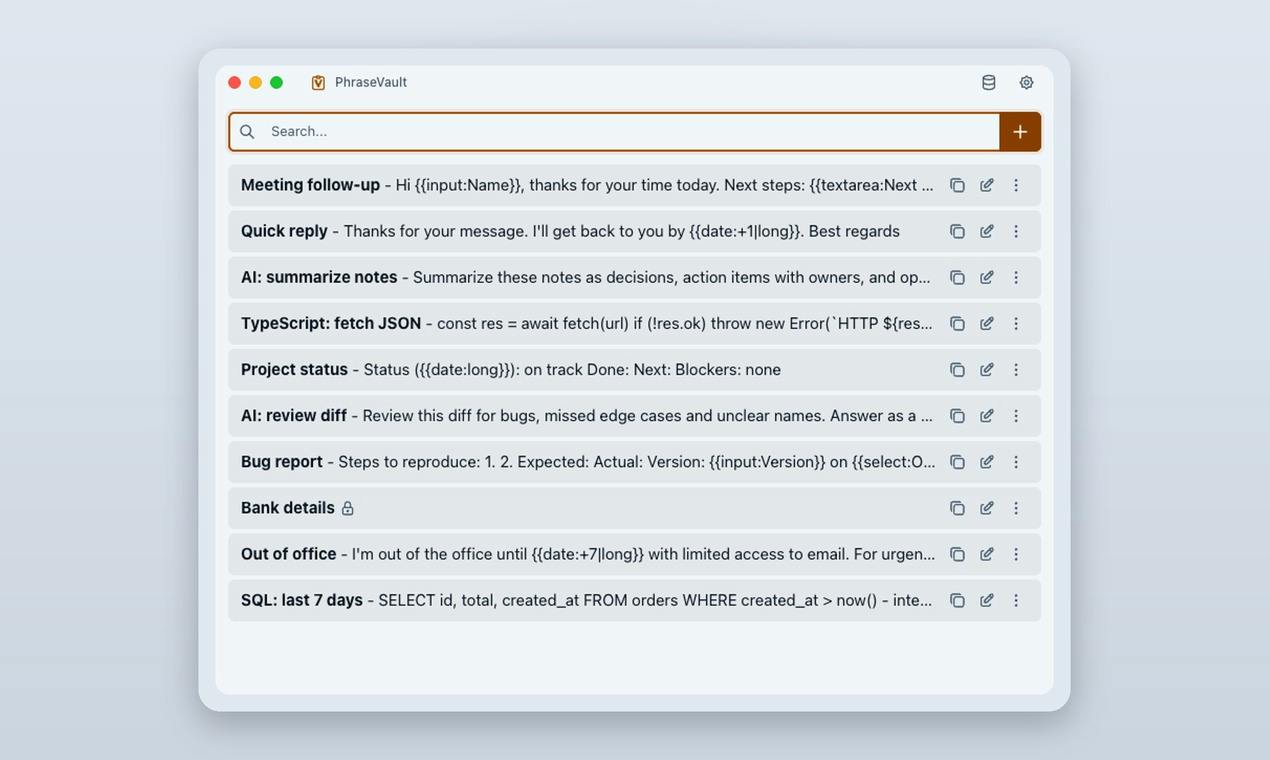
PhraseVault 3.0 adds cross-platform support, PIN encryption, and source-available transparency to stand out in the text expansion space.
PhraseVault 3.0 is a text expansion tool aimed at developers and knowledge workers, with three standout updates: a unified cross-platform snippet library for Windows and macOS, PIN-locking for individual sensitive phrases, and a source-available code transparency policy. The PIN feature uses a tiered protection approach — everyday snippets expand instantly while high-sensitivity content requires verification. Source-available addresses the inherent privacy concerns around tools that monitor keyboard input. A 20% launch discount is automatically applied at phrasevault.app, no coupon needed.
In day-to-day work, repeatedly typing the same text — whether email templates, code snippets, or customer service scripts — eats up a surprising amount of time. Text expansion tools exist precisely to solve this problem. PhraseVault 3.0, recently launched on Product Hunt, brings a noteworthy set of updates: cross-platform snippet expansion, plus a relatively rare security feature — PIN-locking for sensitive snippets.
Core Capabilities of PhraseVault 3.0
PhraseVault is a text expansion tool that lets users save frequently used phrases, templates, or code snippets in advance, then expand them into full content in any application using a short trigger word. The headline feature of version 3.0 is cross-platform support, covering both Windows and macOS. For developers and knowledge workers who switch between multiple devices and operating systems, this consistent experience significantly reduces the learning curve and migration overhead.
Based on its Product Hunt category tags, PhraseVault is listed under Mac, Productivity, and Developer Tools — a clear positioning aimed at efficiency-focused professionals, especially developers. On launch day it received 66 upvotes and ranked 16th, reflecting moderate traction.
Text expansion tools typically work by hooking into system-level keyboard input (Keyboard Hook) or accessibility APIs: the app monitors user input in the background, and when it detects a preset trigger word (such as ;email), it automatically deletes the trigger and replaces it with the full preset text. This mechanism allows it to work seamlessly across browsers, IDEs, email clients, and any other application without requiring those apps to do anything special. Comparable tools on the market include TextExpander, Espanso (open source), and the built-in text substitution feature on macOS. Espanso, known for being cross-platform and fully open source, is PhraseVault's most direct competitor.
PIN Locking: An Extra Layer of Protection for Sensitive Snippets
The most differentiating feature in this update is the ability to lock a sensitive phrase with a PIN code, one at a time. Most text expansion tools store and expand all snippets in plain text — which becomes a risk when those snippets contain passwords, API keys, or private information that could be glimpsed or accidentally triggered.
PhraseVault's approach lets users apply PIN protection to individual sensitive snippets, requiring verification before expansion, while everyday snippets remain instantly accessible. This "tiered protection" design strikes a pragmatic balance between convenience and security. It's worth noting that the feature currently locks only one phrase at a time, meaning it's still in a relatively basic stage — best suited for protecting a single high-sensitivity piece of information.
Source-Available: Transparency as a Trust Signal
For a tool that handles sensitive user text, security and privacy are unavoidable concerns. PhraseVault adopts a source-available model — users can inspect and verify the code implementation.
This matters. Text expansion tools inherently monitor keyboard input or access the clipboard, giving users reasonable cause to wonder whether their data is being uploaded or their snippets logged. Source-available allows technically minded users to audit the app's behavior and confirm how sensitive data is handled. It's worth clarifying that "source-available" is not the same as fully open source — the former typically allows code inspection but may restrict modification or redistribution rights. That said, code transparency alone is a positive signal for building user trust.
The distinction between "source-available" and "open source" is frequently blurred in practice and worth clarifying. Open source typically follows OSI-approved licenses (such as MIT or GPL), explicitly granting users the right to freely use, modify, and distribute the code. Source-available simply means the code can be viewed — the author may use a custom license that prohibits commercial use, forking, or redistribution, making it proprietary software with added transparency. For users concerned about long-term sustainability, understanding this distinction helps assess whether a tool could be taken over by the community if the developer stops maintaining it, or whether self-compiling and deploying is legally viable.
Pricing and Who It's For
To coincide with this launch, PhraseVault 3.0 is offering a 20% discount on its website at phrasevault.app, applied automatically — no coupon code needed. For anyone currently evaluating text expansion solutions, this is a good window to take a closer look.
Overall, PhraseVault is a strong fit for the following users:
- Customer service reps, salespeople, and administrative staff who frequently type repetitive content;
- Cross-platform users who switch between Windows and macOS and want a unified snippet library;
- Developers who care about privacy and want to audit a tool's code;
- Users who need to protect a single sensitive piece of information (such as a temporary key or private template).
Summary
PhraseVault 3.0 isn't a groundbreaking reinvention, but in the mature text expansion space, it makes targeted improvements across three dimensions: cross-platform consistency, PIN encryption, and code transparency. The combination of PIN locking and source-available code in particular directly addresses the longstanding privacy concerns that surround productivity tools. For users who care about both efficiency and data security, it's worth adding to the shortlist — though the current limitation of locking only one snippet at a time suggests there's still room to grow.
Related articles

AI Agent Fundamentals: The Three Core Components — Brain, Memory, and Tools
A beginner's guide to AI Agents: covering the three core components (brain, memory, tools), four stages of LLM deployment, and why Agents matter for real business use cases.

Boycotting Software That Doesn't Support Linux: One Developer's Philosophy of Choice
A Linux-only developer shares his philosophy of boycotting non-Linux software — without sacrificing productivity — and explains how coding agents like Claude Code are closing the gap with commercial tools.
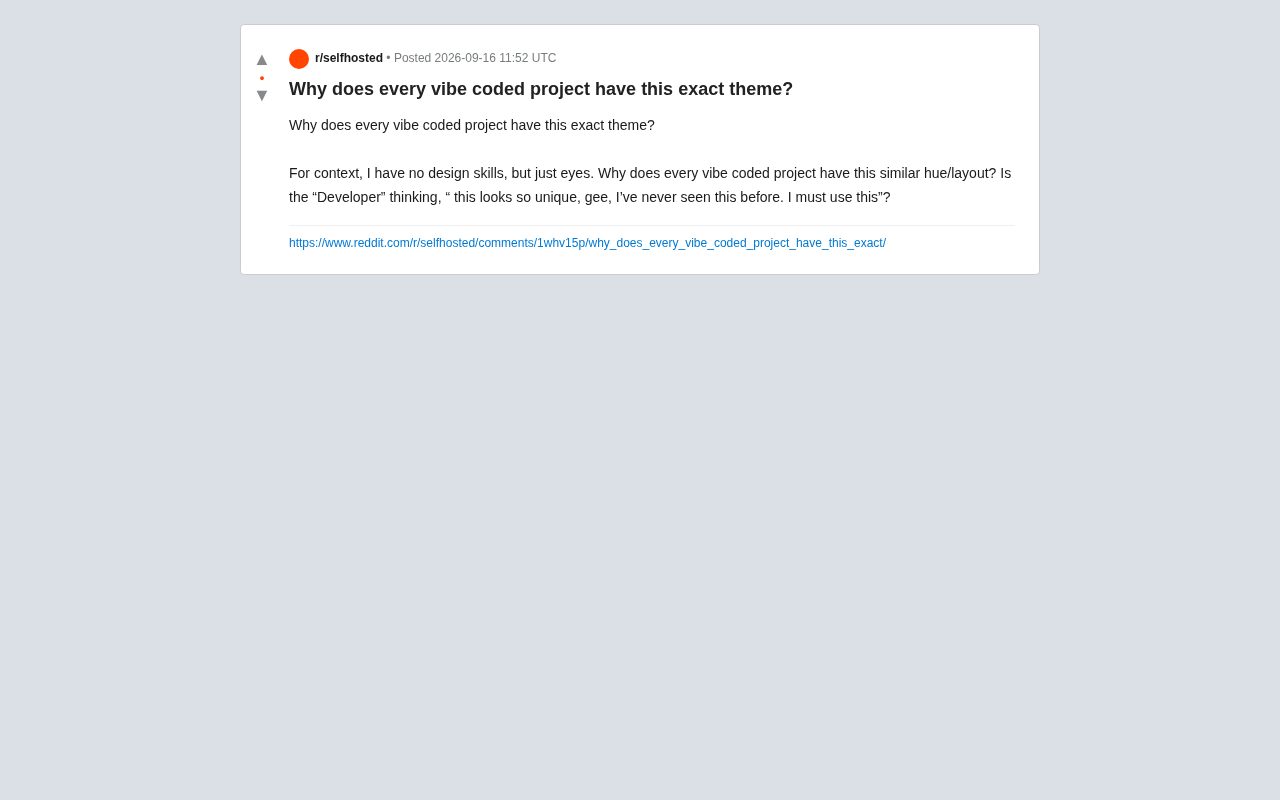
Why Do All AI-Generated Projects Look the Same? The Aesthetic Homogenization Problem in Vibe Coding
Why do vibe coding projects all use purple gradients and dark glassmorphism? We break down the technical roots of AI aesthetic homogenization and how to escape it.