Project Builder: How an AI Project Generation Tool Achieves Fine-Grained Configuration Control
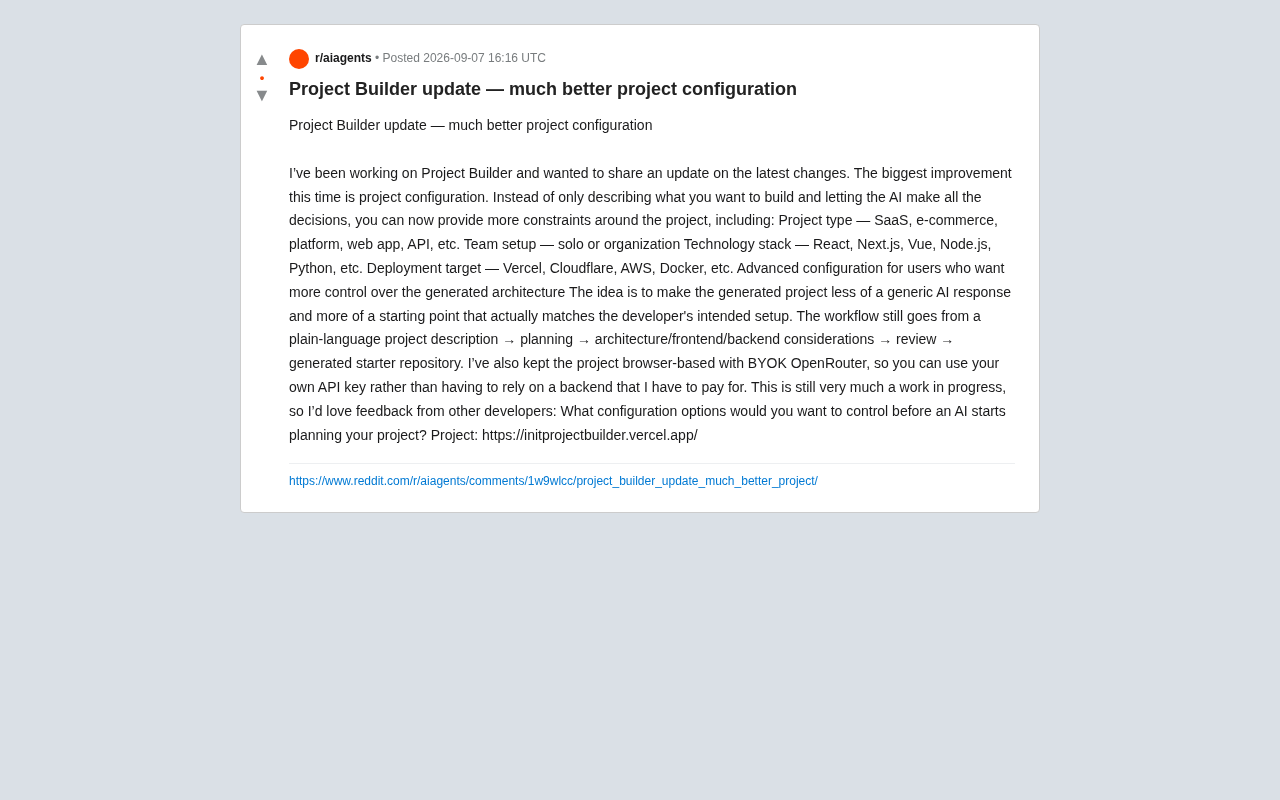
Project Builder lets developers set multi-dimensional constraints for AI-generated project scaffolding.
Project Builder is a browser-based AI project generation tool that supports BYOK mode via OpenRouter, enabling fine-grained configuration control over project type, technology stack, and deployment targets. Its semi-automated workflow combines AI-generated architecture with human review checkpoints, making it suitable for prototype validation, learning, and team standardization.
What Is Project Builder: An AI-Powered Project Generation Tool
An AI project generation tool called Project Builder recently released a major update, with core improvements focused on fine-grained control over project configuration. Unlike the traditional AI approach of "one-click generation with full automation," this update allows developers to set multi-dimensional constraints before project generation, ensuring the resulting project architecture aligns with actual requirements rather than generic templates.
The tool runs entirely in the browser and supports BYOK (Bring Your Own Key) mode to connect with OpenRouter, allowing developers to use their own API keys without relying on third-party paid backend services. BYOK is an architectural pattern that has gained traction in the AI tools space in recent years. Its core philosophy is to let users manage and provide their own LLM API keys, rather than having the tool vendor proxy all API calls. OpenRouter is the key infrastructure enabling this pattern — it's an AI model routing and aggregation platform that unifies APIs from dozens of model providers including OpenAI, Anthropic, Google, Meta, and others under a single standardized interface. With just one OpenRouter key, developers can switch between different models on demand (such as GPT-4o, Claude 3.5 Sonnet, Llama 3, etc.) while enjoying unified billing and request formats. This architecture eliminates the need for tool vendors to maintain expensive backend inference services, while giving users the freedom to choose models and full cost transparency.
The generation workflow from project description to final code repository includes: natural language description → requirements planning → architecture design (frontend/backend separation evaluation) → manual review → code generation.
Core Configuration Dimensions Explained
Project Type Definition
The new version supports explicit project type selection, including SaaS services, e-commerce platforms, social platforms, web applications, RESTful APIs, and more. This configuration directly influences the generated architecture — for example, an e-commerce project will automatically account for modules like shopping carts and payment integration, while an API project focuses on interface design and documentation generation.
Technology Stack Constraints
Developers can preset their technology stack preferences. Frontend options include mainstream frameworks like React, Next.js, and Vue, while backend options cover languages such as Node.js and Python. This prevents AI from arbitrarily selecting unfamiliar technology stacks — especially valuable for teams that need to maintain existing technical ecosystems, ensuring generated code stays consistent with current projects.
Deployment Target Adaptation
The tool offers deployment target options including Vercel, Cloudflare, AWS, and Docker. Different deployment platforms have specific requirements for project structure, and these differences run much deeper than they appear on the surface. Serverless computing is a mainstream cloud execution model where developers only need to write business function code, while the cloud platform automatically handles server configuration, scaling, and operations. However, implementation specifications vary significantly across platforms: Vercel requires API routes to be placed in a specific /api directory, with each file exporting a default function as an independent endpoint, subject to execution time and bundle size limits; Cloudflare Workers runs on the V8 engine rather than the Node.js runtime, lacking support for some native Node.js modules and requiring compatible APIs; AWS Lambda has its own event handler function signatures and cold start characteristics. Docker deployment follows an entirely different path, requiring a Dockerfile to define the container image build process, port mapping, and environment variables. This means the same application logic can result in vastly different project structures, configuration files, and coding patterns under different deployment targets. Presetting the deployment target ensures the generated project structure directly meets production requirements, eliminating this layer of adaptation cost.
Advanced Configuration Options: Meeting Deep Customization Needs
For developers who need deeper control, the tool provides an advanced configuration entry point. While the official documentation hasn't detailed the specific options, based on the description of "more architectural control," these likely include database selection (SQL/NoSQL), authentication schemes (OAuth/JWT), state management strategies, and other foundational architecture decisions.
This layered configuration design balances ease of use with professional depth: beginners can use default settings to get started quickly, while experienced developers can precisely define technical details through advanced options.
Semi-Automated Workflow: Combining AI Generation with Human Review
Compared to earlier versions' "black box generation," the current workflow introduces multiple points of human intervention. During the architecture design phase, the system displays key decisions such as frontend/backend separation strategies and data flow designs for developer review. Frontend/backend separation is one of the core architectural decisions in modern web development. In the traditional server-side rendering (SSR) model, the backend handles both business logic and page rendering, with frontend and backend code tightly coupled. A separated architecture fully decouples the user interface (typically a SPA — Single Page Application) from the backend API service, with the two communicating via RESTful API or GraphQL. This decision directly impacts the project's technology choices, deployment approach, team division of labor, and performance characteristics. For example, a simple blog system may not need a separated architecture, making Next.js's full-stack approach more efficient; but a SaaS platform that needs to support both web and mobile clients benefits from separation by allowing multiple clients to share the same API. The fact that Project Builder automatically evaluates this decision during the architecture design phase demonstrates that its generation logic possesses genuine engineering judgment rather than simple template filling.
This semi-automated model better reflects real-world development scenarios — AI handles rapid generation of reasonable solutions, while humans make final decisions based on business-specific requirements.
The project is still in active iteration, and the developer community can influence future feature direction by providing feedback. Based on Reddit discussions, some users are hoping for additions like CI/CD pipeline configuration and environment variable management — DevOps-related options. CI/CD (Continuous Integration/Continuous Deployment) is a standard practice in modern software engineering: continuous integration means developers frequently merge code into the main branch, with each merge triggering automated builds and tests; continuous deployment automatically releases code to production after tests pass. A typical CI/CD pipeline includes stages like code linting, unit testing, integration testing, build packaging, and deployment, usually orchestrated by tools like GitHub Actions, GitLab CI, or Jenkins. The community's expectations here reflect a deeper need: a truly production-ready project isn't just runnable code — it also requires automated quality assurance and deployment pipelines. Environment variable management is equally critical — sensitive information like database connection strings and API keys need to be securely managed through .env files and platform-level environment variable mechanisms, rather than being hardcoded in source code.
Technical Implementation Analysis
Security and Cost Advantages of BYOK Architecture
The client-side direct connection to OpenRouter offers two major advantages: first, it avoids passing API call costs from intermediate servers to users; second, it protects sensitive information like project descriptions from passing through third-party servers. For enterprise users, this architecture also facilitates integration with privately deployed LLM services.
Pros and Cons of Browser-Based Execution
Running the entire workflow in the browser means no local environment installation is needed, lowering the barrier to entry. However, it also limits certain advanced features that require file system operations — for example, automatically initializing a Git repository or installing dependencies still requires manual action from the developer.
Use Cases and Recommendations
This tool is particularly well-suited for the following scenarios:
- Prototype Validation: Quickly generate MVP project structures for technical feasibility verification. MVP (Minimum Viable Product) is a core concept in lean startup methodology, systematically described by Eric Ries in The Lean Startup. The core idea is to build a product version capable of validating key assumptions with minimal development cost, using real user feedback to guide subsequent iterations and avoiding heavy investment in unvalidated requirements. In the technical domain, MVP typically means choosing the fastest technical approach (rather than the most perfect one), implementing core functional flows, and skipping edge case handling. AI project generation tools are naturally suited for this scenario — they can generate a project skeleton with basic architecture and core modules in minutes, allowing developers to simply fill in business logic on top of it, dramatically shortening the time from idea to demonstrable prototype.
- Learning Templates: Generate best-practice code for specific technology stacks, helping developers understand framework usage
- Project Migration: Generate target architecture references when migrating existing projects from one technology stack to another
- Team Collaboration: Standardize team project initialization conventions, preventing fragmented code organization approaches
The current version does not yet mention code quality assurance mechanisms (such as automated test generation or code review rules), which may be a direction for future iterations. A comprehensive project generation tool should not only produce runnable code but also ensure code maintainability and security.
The project is currently hosted at https://initprojectbuilder.vercel.app/, where developers can try it directly and provide improvement suggestions.
Related articles

Coinbase Engineer: How to Determine Whether an AI Agent Can Operate Unattended
Coinbase engineer Evan Kormos shares an engineering method for judging whether an AI agent can run unattended: model processes with DAG/DCG, replace output comparison with statistical evaluation, and hand over control in three phases—supervision, sampling, and exception handling.

WorkBuddy Beginner's Guide: How AI Agents Automate Office Tasks
WorkBuddy tutorial: learn how this desktop AI agent workbench automates files, organizes data, and generates documents, compared with LLMs and Codex, plus a beginner path and cost analysis.

Doubao Work in Practice: Three Modes That Let AI Actually Get Work Done
Doubao Work practical tutorial: from chat mode to Work Mode Lite and Pro, explaining the logic for choosing among three modes with real office task demonstrations. Even complete beginners can learn to use an AI agent to handle local files, organize materials, and generate documents.