PyGPT: Open-Source Desktop AI Assistant with All-in-One Integration of GPT, Claude, Ollama, and More
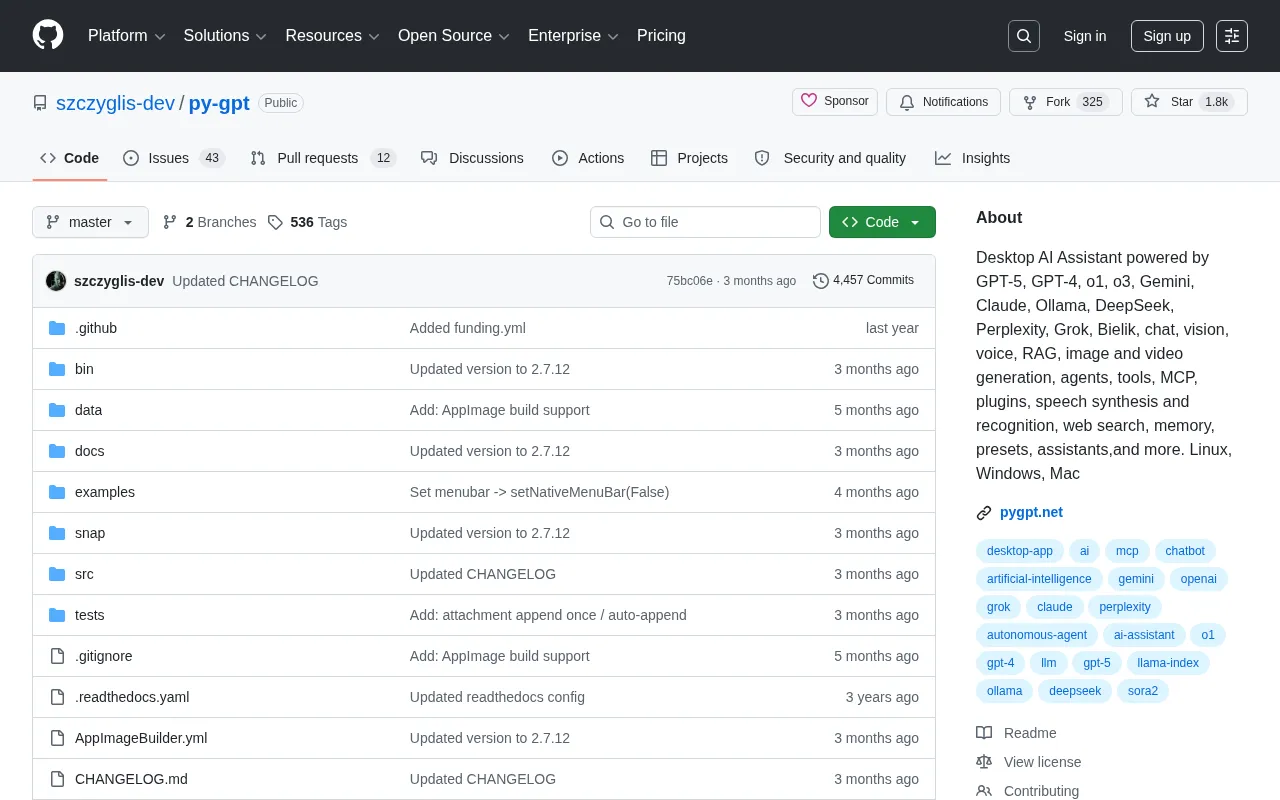
PyGPT is an open-source multi-model desktop AI workstation integrating major LLMs and multimodal capabilities.
PyGPT is a Python-based open-source desktop AI assistant with a model-agnostic architecture that unifies 10+ AI providers including OpenAI, Claude, Gemini, and Ollama local models. Beyond text, image, voice, and video multimodal interaction, it features built-in RAG knowledge management, autonomous agents, MCP protocol toolchains, and a plugin system — ideal for developers, content creators, and enterprises to dispatch different models for different tasks from a single desktop platform.
What Is PyGPT: An Open-Source Multi-Model Desktop AI Workstation
PyGPT is an open-source desktop AI assistant built with Python by developer szczyglis-dev. It has already earned 1,775 stars and 326 forks on GitHub — numbers that reflect a genuine demand for unified multi-model management.
Most AI clients on the market are locked to a single model — the official ChatGPT client only works with OpenAI's models, and Claude Desktop only works with Anthropic's. PyGPT takes a completely different approach: it aims to be an all-in-one AI workstation, bringing together mainstream large language models, multimodal capabilities, agent frameworks, and various toolchains into a single desktop interface.
This design is based on a "Model-Agnostic" architecture — an increasingly important trend in AI tool design. The core idea is to decouple the model invocation layer from the application logic layer, using a unified API abstraction layer to interface with different providers' model APIs. This design borrows the "Adapter Pattern" from software engineering, where each model provider's API differences are encapsulated in independent adapters, so the upper application layer doesn't need to worry about low-level communication details. This is the same core approach used by popular frameworks like LangChain and LiteLLM. For users, switching models is as simple as changing channels, without needing to learn each platform's unique workflow.
It currently supports Linux, Windows, and Mac — install and go.
Supported AI Models: Full Coverage of Commercial and Open-Source Options
Commercial Model Lineup
PyGPT covers an impressively wide range of commercial models:
- OpenAI Series: GPT-4, GPT-5 (forward-looking support), and reasoning models o1 and o3
- Google Gemini: Well-suited for multimodal tasks
- Anthropic Claude: Excels at long-form writing and code analysis
- xAI Grok: Strong real-time information retrieval capabilities
- Perplexity: Search-augmented conversations
It's worth elaborating on OpenAI's o1 and o3 series. These "Reasoning Models" are fundamentally different from traditional GPT models. Traditional large language models generate answers token by token in an autoregressive manner, while reasoning models perform an internal "Chain-of-Thought" reasoning process before outputting the final answer — similar to how humans draft rough work before writing the final answer on an exam. The o3 model performs exceptionally well on benchmarks like math competitions, coding contests, and scientific reasoning, approaching PhD-level expertise on some tasks. The trade-off is higher inference latency and greater token consumption, making these models ideal for complex tasks requiring deep logical reasoning rather than simple everyday conversation. PyGPT offers these models alongside general-purpose ones, letting users choose flexibly based on task complexity.
Open-Source Models and Local Deployment
For users concerned about data privacy or cost control, PyGPT integrates Ollama support. This means you can run open-source models like Llama and Mistral on your own machine, with data never leaving your local environment.
Ollama is an open-source tool specifically designed for running large language models locally. It wraps model downloading, quantization, and inference into a Docker-like streamlined experience — a single command pulls and runs a model. Under the hood, it's based on llama.cpp, a high-performance inference engine rewritten in C/C++ that supports both CPU inference and GPU acceleration, capable of smoothly running 7-billion or even 13-billion parameter models on consumer hardware. Quantization technology (such as 4-bit quantization in the GGUF format) is the key enabler — it compresses model weights from 32-bit floating point to 4-bit integers, shrinking model size by roughly 8x and dramatically reducing VRAM requirements, with accuracy loss within acceptable bounds. For enterprise users, local deployment means all data processing happens on their own hardware, never passing through any third-party servers, fundamentally eliminating data leak risks.
The addition of DeepSeekAd provides a cost-effective option for developers in China. The project even supports the Polish language model Bielik, demonstrating the developer's commitment to a multilingual ecosystem.
This "Model-Agnostic" architecture delivers tangible benefits: use o3 for complex mathematical reasoning, Claude for 10,000-word essays, and a local Ollama model for sensitive internal company data — different models for different tasks, dispatched on demand.
Core Features in Detail: Far More Than Just Chat
Multimodal Interaction: Text, Images, Voice, and Video
PyGPT's interaction capabilities go well beyond a traditional chat box:
- Vision: Drag and drop images directly for AI analysis
- Voice Conversations: Built-in text-to-speech (TTS) and automatic speech recognition (ASR), hands-free operation
- Image and Video Generation: Complete creative workflows right on your desktop without switching to other tools
RAG Knowledge Management: Let AI Answer Based on Your Documents
Retrieval-Augmented Generation (RAG) is a key technology in enterprise AI applications today. PyGPT includes a complete built-in RAG system. Here's the general workflow:
- Import local documents, PDFs, and knowledge bases into the system
- The system automatically builds a vector index
- During conversations, the AI retrieves relevant document fragments as context
- Generated answers are grounded in evidence, significantly improving accuracy
From a technical perspective, RAG addresses two core pain points of large language models: knowledge cutoff dates and hallucinations. The complete technical pipeline has three stages: First, the "Indexing Stage," where the system splits documents into fixed-length text chunks (typically 300-500 tokens), then converts each chunk into high-dimensional vectors using embedding models (such as OpenAI's text-embedding-3 or open-source BGE models), storing them in a vector database (like ChromaDB or FAISS). Second, the "Retrieval Stage," where when a user asks a question, the query is likewise converted into a vector, and the most relevant text chunks are found in the vector store using algorithms like cosine similarity. Finally, the "Generation Stage," where the retrieved text chunks are injected as context into the large model's prompt, and the model generates answers based on this real document content. This mechanism makes AI answers verifiable, dramatically reducing instances of "confidently making things up."
Combined with the built-in Memory feature, the AI assistant can maintain contextual coherence across multiple conversation turns, avoiding the "forgetting what was said earlier" problem.
Agents and Automation Toolchains
PyGPT's Agents mode allows AI to autonomously plan and execute multi-step tasks, rather than merely answering questions passively.
AI agents represent a paradigm shift from "passive Q&A" to "active execution." Traditional chat mode involves single or multi-turn conversations where users ask and models answer. In agent mode, the AI receives a high-level goal, then autonomously decomposes the task, plans execution steps, invokes tools, evaluates intermediate results, and adjusts strategy when necessary. The core technologies behind this include: Function Calling, which lets the model trigger external tool execution; the ReAct (Reasoning + Acting) framework, which alternates between reasoning and action; and memory mechanisms that maintain state coherence during long tasks. For example, a "code review" agent might automatically read code files, analyze potential bugs, consult relevant documentation, and generate fix suggestions — all without the user issuing step-by-step instructions.
Through the MCP (Model Context Protocol), PyGPT can interact with external tools and services in a standardized way. MCP is an open standard protocol introduced by Anthropic in late 2024, designed to establish unified specifications for interactions between AI models and external tools and data sources. Before MCP, every AI application that needed to interface with external tools (such as databases, calendars, code repositories) required custom integration code, creating a massive "M×N" integration problem — M AI applications connecting to N tools required M×N adapters. MCP simplifies this to "M+N" by defining a standardized client-server communication protocol — each AI application only needs to implement one MCP client, and each tool only needs to implement one MCP server. The protocol has already gained support from major players including OpenAI and Google, and is becoming the de facto standard for AI tool ecosystems. PyGPT's MCP support means users can connect to the large number of existing MCP servers in the community, rapidly extending the AI assistant's capabilities.
Add to this a rich plugin system and Presets mechanism, and users can quickly configure work environments for different scenarios — for example, setting up a "code review" preset and a "paper writing" preset, switching with a single click.
The Web Search feature addresses the perennial problem of outdated model knowledge, giving the AI assistant access to real-time information.
Technical Architecture: Why Python and Plugin-Based Design
PyGPT is built with Python, a natural advantage in the AI domain. Python has become the go-to language for AI not just because of its clean syntax, but because of its unmatched library ecosystem. Both PyTorch and TensorFlow treat Python as their first-class language; Hugging Face's Transformers library provides plug-and-play access to tens of thousands of pretrained models; frameworks like LangChain and LlamaIndex dramatically simplify RAG and agent development; and scientific computing libraries like NumPy and Pandas form the data processing infrastructure. For a project like PyGPT, Python means integrating a new model might only require a few dozen lines of code — import the corresponding SDK, write an adapter, and register it with the model manager. Additionally, Python's cross-platform capabilities (via packaging tools like PyInstaller or Nuitka) make it convenient to distribute the same codebase to Linux, Windows, and Mac.
The project uses a plugin-based architecture, which benefits both sides:
- For users: Enable features on demand — unused plugins don't load, keeping things lightweight
- For developers: Community contributors can develop plugins independently without modifying the core codebase
From a design philosophy standpoint, PyGPT takes the "Swiss Army knife" approach. In an era where AI models iterate every three months, this approach is especially practical — when a new model launches, just update the configuration and you're good to go, no tool switching or data migration needed.
PyGPT vs Competitors: How It Differs from ChatGPT Desktop and Open WebUI
| Comparison | PyGPT | ChatGPT Official Client | Open WebUI |
|---|---|---|---|
| Supported Models | 10+ providers | OpenAI only | Primarily Ollama |
| Local Model Support | ✅ Ollama integration | ❌ | ✅ |
| RAG Features | ✅ Built-in | ❌ | ✅ |
| System-Level Integration | ✅ File access, audio devices | Limited | ❌ Browser limitations |
| Agent Mode | ✅ | ✅ | Partial support |
| Deployment | Desktop app | Desktop app | Web app |
In short, PyGPT's core advantages lie in model diversity and desktop-level system integration. As a native desktop application, it offers smoother file access and audio device integration compared to web-based solutions. Open WebUI, as a browser-based application, is constrained by the browser sandbox and cannot directly access the local file system or hardware devices, while PyGPT as a native desktop program can directly call operating system APIs for deeper system integration.
Who Should Use PyGPT: Four Typical User Profiles
- Developers and Researchers: Need to frequently compare how GPT-4, Claude, Gemini, and other models perform on the same task — PyGPT eliminates the hassle of constantly switching tools
- Content Creators: Consolidate text, image, video, and other multimodal creative needs into a single tool
- Enterprise Users: Build internal knowledge base Q&A systems with RAG, combined with Ollama local deployment to keep data secure
- AI Enthusiasts: Want to explore all kinds of AI capabilities on one platform — PyGPT is currently one of the most comprehensive open-source options
Conclusion: The Future Direction of Desktop AI Assistants
PyGPT represents a clear trend in desktop AI assistants: moving away from single-vendor lock-in toward building open, extensible AI capability aggregation platforms.
As the AI model ecosystem continues to flourish — with powerful new models launching every few months — the value of this "unified entry point" will only grow. The community endorsement of 1,775 stars already demonstrates real and strong market demand for this type of tool.
If you're tired of switching between multiple AI clients, or need a desktop tool that supports local models and RAG, PyGPT is worth your time. The project is fully open-source and available on GitHub.
Related articles
 Product Reviews
The Programmer's Desk Setup Guide: Building a Workspace That Feels Like Home
Discover how programmers build productive, comfortable workspaces. From multi-monitor setups to ergonomic design, explore the desk philosophy that drives focus and flow.
 Product Reviews
Qoder vs Cursor Real-World Comparison: Which $20/Month AI IDE Is Better?
Hands-on comparison of Qoder vs Cursor AI IDEs: Agent autonomy, human interaction count, and architecture decisions. Qoder needed only 2 interactions vs Cursor's 8.
 Product Reviews
Cursor Cloud Agent Demo: Eliminating Bottlenecks Across the Entire Software Development Lifecycle
Deep analysis of Cursor's Cloud Agent demo showing how cloud VMs, automated test artifacts, and a full-chain control plane systematically eliminate human bottlenecks across the software development lifecycle.