Pyrefly: Meta's Open-Source Python Static Type Checker Built in Rust

Meta's Rust-powered Pyrefly is a unified Python static type checker that's up to 15x faster than MyPy.
Python's dynamic typing means type errors often only surface at runtime, and built-in type hints don't enforce anything without a static type checker. The dominant tool MyPy is slow and inconsistent between editor and CI. Meta solved this for Instagram's tens-of-millions-of-lines codebase by rewriting their OCaml-based Pyre checker in Rust as Pyrefly: one engine for IDE, terminal, and CI; up to 15x faster than MyPy on PyTorch and 5x faster on NumPy. It's free, open source, supports one-command migration from MyPy, and can be integrated into AI agent workflows.
Why Python Code Always Crashes at Runtime
Anyone who has written Python has run into this: a piece of code looks perfectly fine, no red squiggly lines in the editor, the program even runs smoothly up to a certain point — and then suddenly crashes. The root cause is that Python is a dynamically typed language — variable types are determined at runtime and can change at any point during execution.
This design makes Python faster and more flexible to write, and friendlier for beginners since you don't have to worry about complex type declarations. But the trade-off is significant: a huge number of type errors only surface when you actually run the code, and sometimes they slip all the way into production, causing serious problems.
A classic example: a shopping cart checkout script where the cart contains string values (when they should all be floats). When execution reaches the step that multiplies a string by a float, it throws TypeError: can't multiply sequence by non-int of type float. Another bug occurs when a discount function receives an invalid argument and returns None, causing a 1 - None error. These are hazards that are completely invisible before running the code — you can only catch them by executing it repeatedly.
Why Type Hints Alone Aren't Enough
Many people say: just add type hints, right? It's true that in production-grade codebases you'll often see annotated functions — parameters typed as str, int, float, bool, return values typed as list, dict, custom data classes, and so on. These annotations power editor autocomplete and help developers write more consistent code.
But here's the problem: Python's built-in type hints don't enforce anything. You can write a function with every type annotation completely wrong — wrong parameter types, wrong return type — and it will run without a hitch. Python simply doesn't care. In other words, writing type hints alone does not guarantee catching errors before runtime.
To actually get value out of type hints, you need a static type checker.
What a Static Type Checker Actually Does
A static type checker is a program that reads your code without running it. It tracks the flow of every value through your program, cross-references your type hints, and flags every place where the types don't line up.
If you've worked with C++, Java, or Rust, this is exactly what the compiler does automatically before building your program. But because Python is dynamically typed, there's no compilation step, so type checking has to be installed and used as a separate tool.
For years, the default choice in the Python ecosystem has been MyPy. It works, but it has two major drawbacks:
- Slow: On large codebases, a single type check can take several minutes.
- Editor and CI inconsistency: The checker running in your editor is often a different tool than the one running in your CI pipeline, which means your editor says everything is fine while the pipeline reports errors you've never seen before.
The core technology behind static type checkers is data flow analysis and type inference. Rather than just validating type declarations line by line, they trace variable assignments and how values are passed throughout the program's lifecycle. For example, when a function's return value is passed into another function, the checker can infer the type of intermediate variables even without explicit annotations. Modern type checkers also support type narrowing: when code contains a conditional like if x is not None, the checker understands that within that branch, x has already had None excluded from its type. Beyond MyPy and Pyrefly, common static type checkers in the Python ecosystem include Microsoft's Pyright (the underlying engine behind VS Code's Pylance) and Google's pytype, each with different trade-offs in performance, strictness, and support for third-party library stub files.
Why Meta Rewrote Pyrefly
Meta ran into both of these problems at a scale most people will never encounter. Take Instagram — one of the largest Python codebases in the world, with tens of millions of lines of Python code. Checking that codebase with existing tools was simply too slow to run on every change. Engineers were also constantly seeing one set of errors in their editor and a completely different set in CI.
So Meta took an older type checker called Pyre, originally written in OCaml, and rewrote it in Rust, dramatically increasing its speed, then deployed it directly against Instagram's real codebase. That tool is Pyrefly.
Its most critical feature: the editor, terminal, and CI all use the same engine, so the three can never contradict each other. It's free, open source, and extremely fast — the VS Code extension has been downloaded around 81 million times. Both Instagram and PyTorch use it today.

How to Install and Use Pyrefly
There are a few ways to install it. If you use the UV package manager, uv add pyrefly adds it to your project in one line. You can also just run pip install pyrefly. If you're in VS Code or a fork like Cursor, simply search for the Pyrefly extension and install it. It's recommended to do both — you get instant in-editor feedback as well as the ability to run checks from the terminal.
Once installed, open a buggy script and the IDE extension immediately highlights all type mismatches, showing exactly what types are conflicting so you can fix them before ever running the code. It can also infer types for functions and insert them automatically with a double-click.
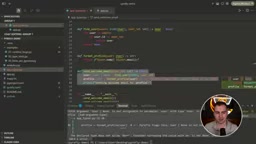
Once you annotate price as float and cart as list[dict[str, float]], the bad cart error gets flagged immediately: argument type is not assignable to the corresponding parameter. You're not limited to checking in the editor either — running uv run pyrefly check scans the entire project and lists all errors, which you can use in CI, Git pre-commit hooks, or run manually.
Migrating from MyPy
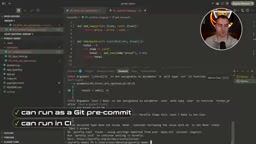
If your project already has a mypy.ini, Pyrefly provides a single command that automatically migrates it — it detects the existing config and generates an equivalent pyrefly.toml. During migration, it asks whether to suppress currently existing errors, so you can enable checking only for new code while temporarily ignoring legacy issues.
One thing to note: if your project has no configuration file at all, Pyrefly runs in basic mode, checking only the most serious type problems. For more aggressive checking, you'll need to add a config file. So on first use, make sure to generate one.
Type Hints Are Still a Prerequisite
An important reminder: for a static checker to be useful, you still need to add types to your code. In the video demo, a script with type mismatches but no type annotations at all runs through Pyrefly showing "0 errors." Only when parameters and return values are properly annotated — for example, passing user: User | None to a function that expects User — does it report an error. To fix it, you'd use if user is not None for type narrowing, after which the checker confirms the type is safe.
Type narrowing is the key mechanism by which static checkers understand conditional logic. When a variable is declared as a union type (e.g., User | None), after entering an if user is not None: branch, the checker automatically narrows that variable's type to User, allowing subsequent code to access User's attributes without error. Beyond is not None checks, common narrowing patterns include isinstance() guards, assert statements, and equality comparisons against literal types. This mechanism lets the type system accurately describe real-world scenarios like "a function sometimes returns a valid value, sometimes returns nothing," without forcing every call site to handle the widest possible type.
Speed Benchmark: Pyrefly vs. MyPy
The video ran comparison tests against three popular libraries — NumPy, PyTorch, and scikit-learn:
- scikit-learn: MyPy took about 6.3 seconds; Pyrefly finished almost instantly (about 1 second) — roughly 6× faster.
- PyTorch: MyPy took 54.92 seconds; Pyrefly finished in just 3.7 seconds (outputting about 21,000 errors) — roughly 15× faster, with most of that time spent printing results to the terminal.
- NumPy: MyPy took 1 minute 49 seconds; Pyrefly finished in just 20 seconds (about 28,600 errors).
The gap widens dramatically as codebase size grows — which is exactly the improvement that matters most to Meta at hyperscale.
Putting Pyrefly to Work in AI Agents
If you're using AI agents to write Python code, you can integrate Pyrefly into the agent's work loop. The official documentation explains how: add a CLI skill along with an agents.md file that instructs the model to run a check after every change. In practice, you can just drop the link to the official documentation page to the model and ask it to "add a Pyrefly agent skill and require in agents.md that this skill is used after every change" — it will automatically generate both skill.md and agents.md.
If that approach doesn't work, you can also use CLI hooks — write custom hooks in tools like Claude Code or Cursor that automatically run a check after specific changes.
Conclusion
For developers writing production-grade Python, there's almost no reason not to use Pyrefly: it's free, open source, several to many times faster than MyPy, and uses a unified engine across IDE, terminal, and CI so results never contradict each other. Paired with proper type annotations, it catches a huge number of hidden type bugs before your code ever runs, significantly improving maintainability. Installation is as simple as pip install pyrefly or installing an editor extension.
Related articles

Multica Collaboration Board: Bringing AI Coding Agents into Your Team
Multica is an open-source human-AI collaboration board that lets AI coding agents claim Issues, report progress, and be reviewed like colleagues. Here's a detailed look at its four core objects, Stage orchestration, ReviewGate, 26 Agent CLI integrations, and deployment.

Get Started with Trinity in 40 Minutes: A Practical Guide to Building 4 Collaborative AI Agents
Based on a 40-minute Bilibili workshop, this guide explains how to use the open-source tool Trinity to build 4 collaborative AI agents, covering instance deployment, template creation, permission configuration, cross-framework migration, and open-source vs. enterprise edition choices.

AI Agent Full-Stack Development Course: LangChain + LangGraph + MCP in Practice
A practical breakdown of the Bilibili AI Agent full-stack course: Vue project demos explain the perceive-decide-act loop, plus LangChain, LangGraph, MCP, and LLM selection.