Python + AI Full-Stack Development: A Seven-Step Roadmap from Syntax to Deployment
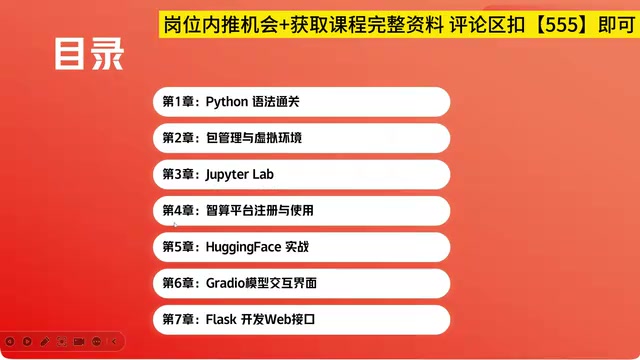
A seven-step Python roadmap connecting environment management, LLM usage, and web deployment into one complete AI workflow.
This article introduces a seven-step, Python-centered hands-on course designed for developers transitioning into AI. The roadmap progresses logically from language fundamentals to environment management, cloud compute, pre-trained model usage, and final delivery via web interfaces. Key modules include virtual environments, Jupyter Lab, cloud platforms, Hugging Face, Gradio, and Flask. The core argument: rather than diving straight into algorithmic details, developers should first connect the entire AI workflow end-to-end to build a global understanding — then go deep. The course provides the skeleton; real engineering skill comes from sustained project practice.
Why Developers Need a Clear AI Development Roadmap
The explosion of large language models has made more and more developers realize that mastering a programming language alone is no longer enough. The truly competitive skill is being able to put models to work and deploy them in production. This Python-focused hands-on course lays out a fairly complete progression path — from language fundamentals to project practice, all the way to the deployment stage where you serve your models to the outside world, covering the core workflow of the AI ecosystem.
The course breaks the entire learning journey into seven modules that build logically on one another. Its value lies not in any single isolated concept, but in connecting scattered tools into a concrete, actionable workflow — which is precisely what most beginners are missing.
Building the Foundation: Python Syntax and Environment Management
The first three steps focus on foundational skills. Step one gets you up to speed on Python syntax, answering the question of whether you can write the code. Step two covers Python package management and virtual environments — something beginners often overlook, but in real development, dependency conflicts and environment chaos are among the most time-consuming pitfalls. Developing the habit of using virtual environments early can save enormous amounts of debugging time.
Step three introduces Jupyter Lab, which the course describes as a "killer tool in the Python world." For data exploration, model debugging, and interactive programming, Jupyter Lab's write-and-run-immediately nature genuinely boosts efficiency — and it's a tool that's nearly impossible to avoid in AI development.
Clearing the Hardware Hurdle: The Value of Cloud Compute Platforms
Step four is one of the most pragmatic parts of the entire roadmap — learning to use cloud compute platforms. The course points out that online compute platforms eliminate environment discrepancies across different machines while also allowing computers without high-end GPUs to run all kinds of large models.
This is especially important for individual learners. Large models often demand more VRAM and compute than a typical laptop can provide, and cloud compute platforms level that hardware playing field. Not only does this solve the "can't run it" problem, it also addresses the perennial headache of inconsistent environments in team collaboration — everyone works against the same remote setup.
Standing on the Shoulders of Giants: Hands-On with Hugging Face
Step five dives into hands-on Hugging Face practice. The course describes it as "the GitHub of the large model world" — a community where a huge number of companies and individual developers upload and share pre-trained models.

For developers, the significance of Hugging Face is that you don't have to build everything from scratch. Whether it's text generation, image recognition, or speech processing, you can find ready-made models in the community to call directly or fine-tune. Learning to search, load, and use models within this ecosystem is a critical step toward actually shipping AI capabilities in real projects.

Hugging Face's flagship product is its transformers library, which wraps hundreds of mainstream model architectures — including BERT, GPT, LLaMA, and more — behind a unified Python API. Developers can complete model downloads, tokenizer initialization, and inference calls in just a few lines of code. Beyond the model repository, Hugging Face also provides Datasets (public dataset hosting) and Spaces (online demo hosting), forming a complete ecosystem that spans data, models, and showcasing. The pipeline interface is the fastest entry point for newcomers — simply specify a task type (such as text-generation or image-classification) and the framework automatically matches an appropriate model and preprocessing logic, dramatically lowering the barrier to working with large models for the first time.
Making Models Usable: UI and API Development
Once a model is running, you still need to make it accessible to others. The final two steps of the roadmap address exactly that. Step six uses Gradio to build an interactive interface for the large model, allowing non-technical users to experience the model's output directly through a web page. Step seven uses Flask to develop a web API for the model, enabling it to serve external requests.

Gradio and Flask represent two distinct delivery approaches: the former leans toward rapid demos and prototype validation — a few lines of code is all it takes to spin up an interactive page — while the latter leans toward engineering integration, wrapping the model as a standard API for other systems to call. Together, they cover the full spectrum from "something people can interact with" to "something systems can consume."
Gradio's core advantage lies in its deep integration with machine learning workflows: it can automatically infer UI components from a function's input and output types — for example, passing an image path automatically renders a file upload widget, while returning text automatically displays a text box, with no manual HTML/CSS required. Flask, on the other hand, is a lightweight WSGI web framework that doesn't bundle heavy components like ORMs or form validation; instead, it uses the @app.route decorator to map Python functions directly to HTTP endpoints, making it ideal for quickly wrapping model inference functions into RESTful APIs. A typical division of labor is: use Gradio during development to validate results and demo to stakeholders, then use Flask (or the higher-performance FastAPI) in production to provide stable, production-grade endpoints for frontends or other microservices.
A Learning Path Worth Following
Viewed as a whole, the seven steps outline a complete closed loop: master the language → manage the environment → leverage compute → call models → package and deliver. As the course puts it, once you've worked through this entire flow, you've "run through all the core stages of the AI ecosystem" — the remaining details can be picked up as you go.
This approach of "establish a global picture first, then dive into details" is well worth adopting. For developers looking to transition into AI, rather than diving headfirst into algorithmic details, it's more effective to first connect the entire workflow end-to-end and build an intuitive sense of the full AI development landscape — after which deeper specialization becomes far more purposeful.
One caveat: the course is primarily about building the skeleton. Real-world proficiency still requires substantial project practice to develop. Knowing how to use the tools is just the starting point — learning to select, optimize, and deploy them based on actual business requirements is the capability that takes long-term, hands-on experience to build.
Related articles
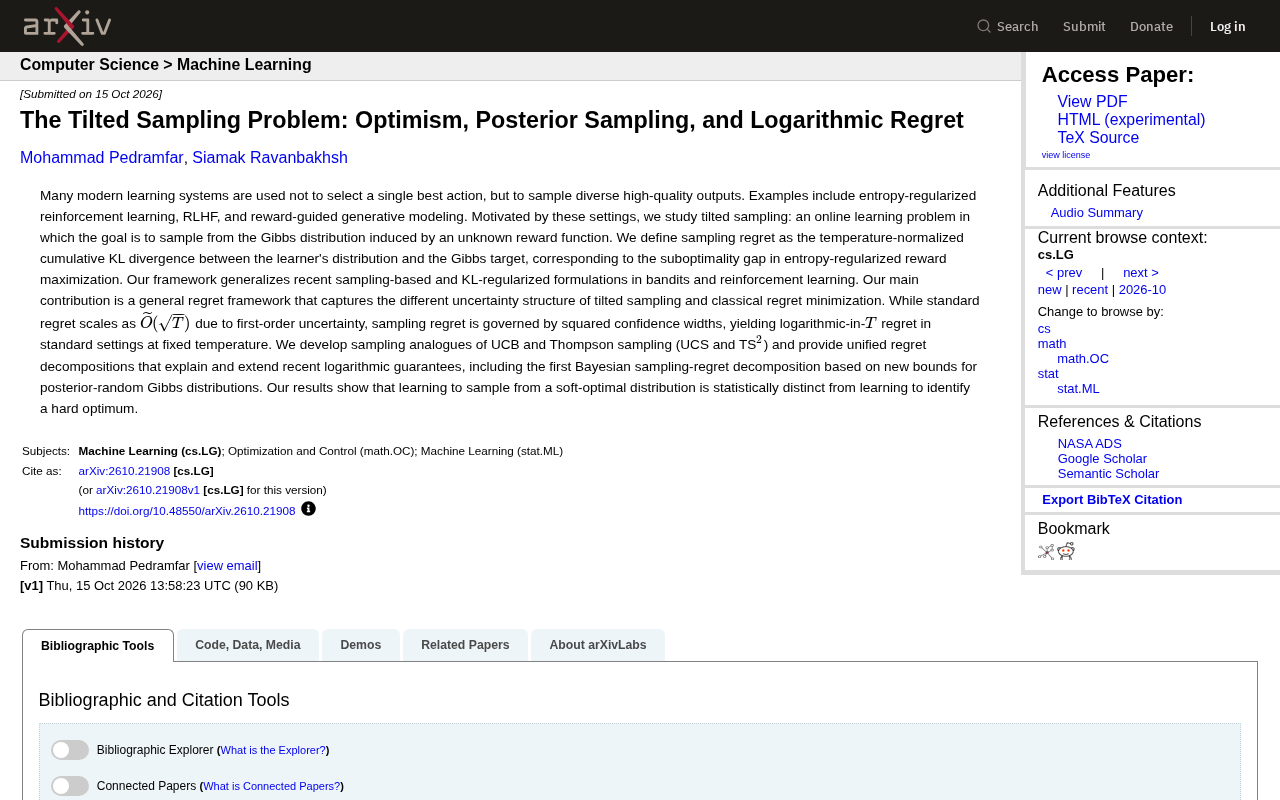
The Tilted Sampling Problem: Optimistic and Posterior Sampling Achieve Logarithmic Regret
Tilted sampling reveals that when the learning goal shifts from identifying optimal actions to sampling from Gibbs distributions, regret is dominated by squared confidence width, yielding logarithmic instead of √T regret. UCS and TS² algorithms plus Bayesian decomposition offer new theoretical tools for RLHF and entropy-regularized RL.

Solvable Topic Model Reveals Why In-Context Learning Emerges Before Specialisation
A solvable topic model learning theory explains why in-context learning precedes specialisation: in-context predictors are available early, specialised predictors require training tokens exceeding the data-generating parameter count, and Transformer experiments reproduce both emergence scales and the crossover without fitting any parameters.

Why Do Shallow Neural Networks Learn Sine Components First? A Framework Based on Orthogonal Polynomial Dynamics Offers a New Explanation
Why do neural networks learn low-frequency sine components first? This article interprets a new study that uses an orthogonal polynomial dynamics framework to explain spectral bias, analyzing how the graded structure of the dynamics matrix H unifies learning preferences under activation functions such as sigmoid and ReLU.