Python PayPal Payment Integration in Practice: One-Time Payments and Subscriptions

PayPal Python Server SDK enables one-time payments with two endpoints and webhook-driven subscriptions, with core logic hand-written.
This article covers practical PayPal Python Server SDK usage through two projects: one-time payments need only create-order and capture-order endpoints with frontend JS SDK, while subscriptions are backend-driven via REST-created plans and asynchronous webhook events. Webhook signatures must be verified to prevent forgery. The author stresses hand-writing core payment logic while leaving UI to AI.
Title
Python PayPal Payment Integration in Practice: One-Time Payments and Subscriptions
Meta Description
Learn Python PayPal integration through two complete projects: one-time payments in a Flask store and a webhook-driven SaaS subscription solution, including order creation, capture, signature verification, and local ngrok debugging.
Article Content
PayPal's Python Server SDK has brought payment integration from what used to be a "discouraging" level of difficulty down to something quite friendly. This crash course covers two complete projects for one-time payments and subscriptions, both built on the same core logic: create an order (or subscription), the user confirms, and the server captures (or waits for a webhook). The former suits e-commerce, the latter suits SaaS. Framework choice is almost irrelevant—the demo uses Flask, but Django, FastAPI, or even plain requests can reuse the same code.
Why the PayPal Python SDK Deserves Renewed Attention
The video's author admits that when he tried integrating PayPal a few years ago, he gave up because the process was too convoluted, but the current Server SDK has been greatly simplified. The SDK is framework-agnostic; Flask is merely the demo vehicle. All Flask-related code in the video (database, login/registration, template rendering) was copy-pasted directly, and only the PayPal parts were actually hand-written and explained line by line.
This sends a clear signal: the barrier to the payment logic itself has been lowered, and developers can focus more of their energy on the business layer. The author provides the complete code in a GitHub repository so you can skip the framework boilerplate and learn the payment parts directly.
Project One: A Store Implementation of One-Time Payments
The Backend Needs Only Two Endpoints
The entire PayPal backend integration boils down to two API endpoints. The first is /api/orders (POST), responsible for creating an order: call paypal.orders.create_order, passing in an OrderRequest where intent is set to CheckoutPaymentIntent.CAPTURE (direct charge rather than authorization only), and purchase_units declares the amount and currency. The function returns the order ID to the frontend.
The second endpoint is /api/orders/<order_id>/capture (POST), responsible for capturing the order. Call paypal.orders.capture_order, passing the order ID and prefer: return=representation to get the full order object. Check whether the returned status is COMPLETED; if so, mark the order as paid in the local database and clear the shopping cart.
result = paypal.orders.capture_order({
    "id": order_id,
    "prefer": "return=representation"
})
captured = result.body
if captured.status == "COMPLETED":
    # Update database, mark as paid
The author particularly emphasizes: apart from these two functions, everything else is Flask boilerplate. This means that when migrating to Django or FastAPI, only the route definitions and session management need rewriting; the PayPal calls themselves remain unchanged.
prefer: return=representation is an HTTP header directive in the PayPal REST API that controls the level of detail in the response body. By default, write operations such as capturing an order return only minimal confirmation information (such as the order ID and status summary). With this header added, PayPal returns the complete order object, including purchase units, amounts, payer information, and transaction details. This is very useful for scenarios that need to record a complete transaction snapshot in the local database, avoiding a second query request after capture. In the Python SDK, this header is passed through a parameter dictionary, and the SDK converts it into the corresponding HTTP header.
The Frontend Uses the JavaScript SDK to Connect the Payment Flow
The one-time payment scenario requires frontend cooperation, because the user completing the payment in the PayPal popup happens in the browser. The page includes PayPal JS SDK v6, initialized via window.paypal.createInstance, passing the client ID injected from the backend config (note: the client ID is not sensitive; only the secret is, so it can be exposed to the frontend).
The key flow is: check whether findEligibleMethods supports PayPal, then create a createPayPalOneTimePaymentSession, and in the onApprove callback send a request to the backend capture endpoint. When the user clicks the button, an addEventListener triggers a POST request to create the order, and once the order ID is obtained, the payment session starts.
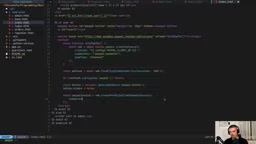
findEligibleMethods is a client-side capability detection method provided by PayPal JS SDK v6. It takes an object containing payment types (such as paypal, card) and returns the list of payment methods available under the current browser environment and user account status. Calling this method before creating a payment session avoids showing unusable buttons in unsupported environments, thereby improving user experience and reducing errors. For example, certain regions or browsers may not support specific funding sources, and early detection lets developers dynamically adjust the interface. The method is asynchronous and is typically used together with createInstance initialization.
Project Two: SaaS Subscriptions and Webhook-Driven
The Subscription Scenario No Longer Depends on Frontend Callbacks
Unlike one-time payments, the subscription scenario is entirely backend-driven. After the user clicks subscribe, the backend calls paypal.subscriptions.create_subscription, passing in a CreateSubscriptionRequest that includes the plan_id and application_context (brand name, success/cancel redirect URLs). Then it iterates through the returned links, finds the one where rel == "approve", and redirects the user there.
After the user completes the subscription on PayPal, PayPal notifies the server via webhook. This is the core difference in the subscription scenario: no frontend needs to wait for a callback; the server asynchronously receives events and reacts.
Create the Product and Plan First
PayPal needs to know the subscription plan exists. The SDK does not cover product creation, so this is done manually with the REST API: first obtain an access token (/v1/oauth2/token), then POST to /v1/catalogs/products to create a product, and finally use the SDK's create_billing_plan to create the plan. The video creates two plans, basic ($9.99/month) and pro ($29.99/month), and writes the plan_id to the .env file.
What's interesting in the plan definition are auto_bill_outstanding=True and payment_failure_threshold=3—automatic billing, allowing three failures before triggering a cancellation event.
Webhook Security Verification Cannot Be Omitted
The webhook endpoint must be public, which means anyone can send requests to it. Without verifying the source, a malicious user could forge a "subscription successful" event to get paid features for free. The approach in the video is: call PayPal's /v1/notifications/verify-webhook-signature API, passing the transmission-related fields and the webhook_id, and only process the event when verification_status == "SUCCESS" is returned.
The author's exact words: "You could theoretically skip this verification, but that would be very foolish."
/v1/notifications/verify-webhook-signature is a standalone verification endpoint provided by PayPal to confirm that a webhook request actually comes from PayPal rather than a third-party forgery. Verification requires passing the transmission_id, transmission_time, cert_url, auth_algo, and transmission_sig obtained from the request headers, as well as the raw request body (webhook_event) and the webhook_id configured in the PayPal dashboard by the developer. PayPal verifies the signature using its certificate chain and returns a verification_status field. Events should only be processed when SUCCESS is returned. This verification is a synchronous HTTP call that adds a small amount of latency, but it is a necessary cost for preventing financial fraud.
Event-Driven State Management
The webhook handler dispatches logic based on event_type:
BILLING.SUBSCRIPTION.ACTIVATED: Extract the plan_id from the resource, match it to basic or pro, and update the user's tier and subscription_idBILLING.SUBSCRIPTION.CANCELLED/EXPIRED: Downgrade the user to freePAYMENT.SALE.COMPLETED: Renewal succeeded, ensure the status is active
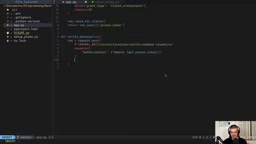
All events are written to the local webhook_events table for troubleshooting. The author demonstrates the complete loop: subscribe to pro → access premium features → cancel the subscription in the dashboard → webhook receives the cancellation event → the user is downgraded to free → the premium page is blocked again.
BILLING.SUBSCRIPTION.ACTIVATED, BILLING.SUBSCRIPTION.CANCELLED, and PAYMENT.SALE.COMPLETED are the core webhook event types in the PayPal subscription lifecycle. ACTIVATED is triggered after the user completes subscription authorization, indicating the subscription is officially active; CANCELLED is triggered when the user actively cancels or when the system reaches the payment failure threshold; EXPIRED is triggered when the subscription period naturally ends. PAYMENT.SALE.COMPLETED is triggered on every successful charge and can be used for renewal confirmation and revenue records. The resource object in the event contains key fields such as the subscription ID, plan ID, and amount, and the handler should update local state accordingly. Note that events may be delivered repeatedly, so the handling logic must be idempotent.
Practical Details of Local Development and Debugging
Webhooks need a publicly reachable URL, and the video uses ngrok to map a local port to the public internet. Note two pitfalls here: first, the free ngrok URL changes on every restart, so you need to update both BASE_URL in .env and the webhook URL in the PayPal developer dashboard; second, ngrok must map the port the application actually runs on (5000 in the video), not the default 80.
During debugging, the author made two typical mistakes: writing paypal.orders as paypal.order, and writing request.post instead of requests.post (confusing Flask's request object with the requests library). He also specifically mentions that PayPal automatically retries webhooks when it receives an error response, so after fixing the code the events will be resent, and you don't need to subscribe again.
Payment Logic Is Worth Hand-Writing; UI Can Be Left to AI
At the end of the video, the author redesigns the interfaces of both projects with Codex, with noticeably improved results. But he draws a clear boundary: payment-related code must be hand-written and understood, because it is the core logic involving the flow of funds; interface beautification and style adjustments can safely be left to AI. This trade-off is worth considering for any developer integrating payments.
Key Takeaways
- The PayPal Python Server SDK simplifies one-time payments into two function calls: "create order + capture order", and is framework-agnostic
- The subscription scenario relies on asynchronous webhook notifications, and request signatures must be verified to prevent forged events
- Subscription plans require creating a product via the REST API first, then creating a billing plan with the SDK
- The frontend JS SDK is only needed in the one-time payment scenario; the subscription flow is completed by backend redirects
- Core payment logic should be hand-written and understood; the UI layer can be accelerated with AI assistance
One-line Summary
PayPal Python Server SDK implements one-time payments with two endpoints, while subscriptions are webhook-driven; the core logic must be hand-written and understood.
Paragraph Summary
This article introduces practical usage of the PayPal Python Server SDK, covering one-time payments and subscriptions through two projects. One-time payment backend needs only two endpoints—create order and capture order—and the frontend uses the JS SDK to connect the payment flow, framework-agnostic and portable to Django or FastAPI. The subscription scenario is entirely backend-driven: first create products and plans via the REST API, and after user authorization, PayPal asynchronously notifies activation, cancellation, and renewal events via webhook. Webhook signatures must be verified to prevent forgery. When exposing endpoints locally with ngrok, watch out for URL changes and port mapping. The author emphasizes that core payment logic should be hand-written and understood, while UI beautification can be left to AI.
Related articles

Chain of Thought Isn't Just for AI: How Humans Can Use CoT to Improve Thinking Quality
Chain of Thought isn't just a prompt trick for large models. Starting from a Hacker News discussion, this article analyzes why CoT works for human thinking too, breaks down actionable ways to transfer it, and highlights the key differences between human CoT and machine CoT.
Cloudflare Teams Up with OpenAI: Closi…
Cloudflare Teams Up with OpenAI: Closing the Loop from Vulnerability Discovery to Defense with AI
Cloudflare uses OpenAI Daybreak to investigate security vulnerabilities and generate reviewable remediation plans, while developers use Codex to boost coding efficiency and quality.

Orca Multi-Agent Orchestration in Practice: A Guide to Parallel Collaboration with Claude and Codex
Orca is Stable AI's free open-source agent workbench supporting 34 agents like Claude Code and Codex in parallel. Learn its Git worktree isolation, multi-model orchestration, and mobile management.