Quick Study: A One-Sentence Prompt for Claude Opus 5.5 to Generate a Simulated Brush Painting Tool

A single prompt lets a large model simulate brushes on canvas in the browser and repaint a photo in seconds.
Quick Study, released by Simon Willison, is a purely browser-side tool: after uploading a photo, it "repaints" it in seconds using canvas and simulated brushes. The entire tool is driven by a minimal one-sentence prompt asking Claude Opus 5.5 High to build an artifact, with sampling, brush, and color strategies all left to the model. The article argues its value isn't the filter itself but that it demonstrates the capability boundary of single-prompt interactive visual tool generation, and frames it as a continuation of the earlier P5.js watercolor experiment. Fully front-end execution brings privacy and deployment advantages, but the few-second performance budget also means it's better suited for creative prototyping and style exploration than production-grade image processing.
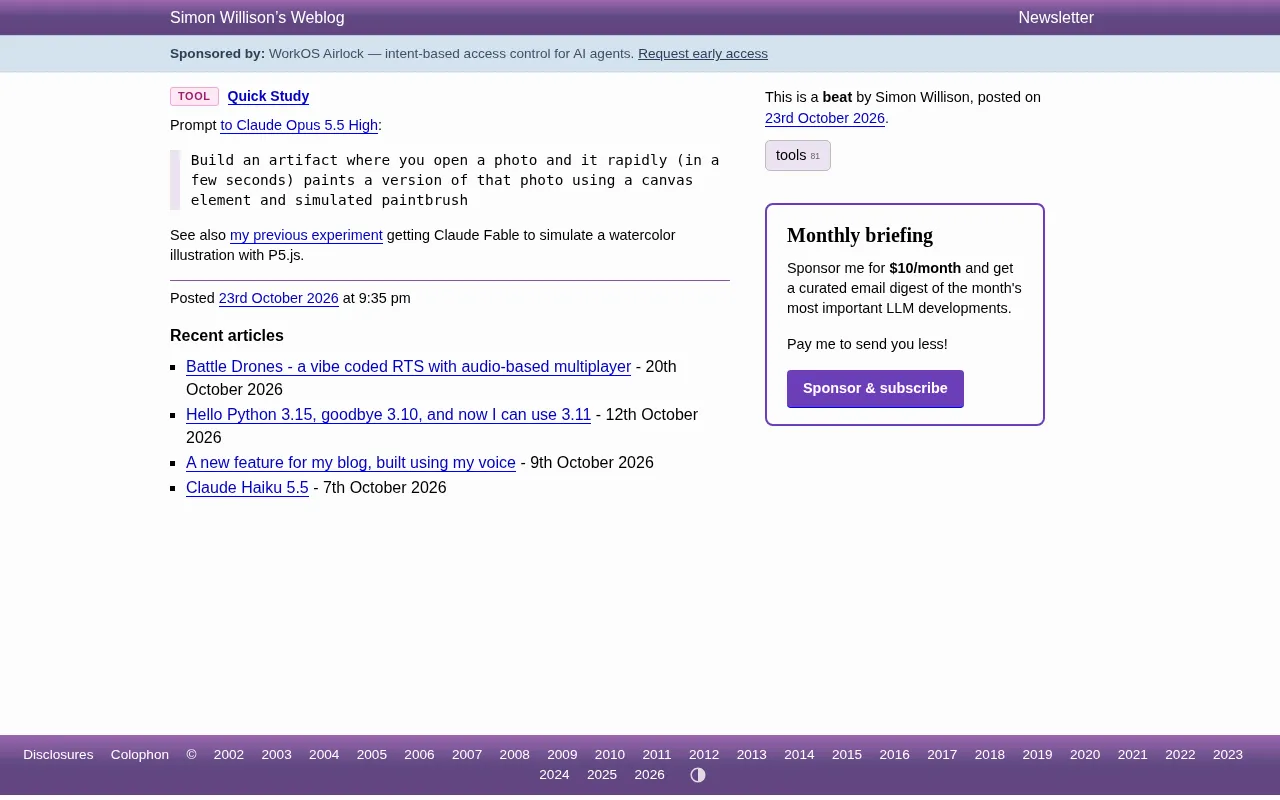
Simon Willison recently released a browser-based tool called Quick Study: upload a photo, and within seconds it "repaints" the photo using canvas and simulated brushes. The entire tool's core prompt is just one sentence—asking Claude Opus 5.5 High to build an artifact that, when opened with a photo, quickly renders a version of it on a canvas using simulated paintbrushes.
The point here isn't "yet another image filter"—it's that it demonstrates the capability boundary of current large models in completing an interactive visual tool within a single prompt. Willison previously used Claude Fable with P5.js to simulate watercolor illustration; this time, he's built the "brushstroke feel" directly into the browser side.
Engineering Trade-offs Behind a One-Sentence Prompt
Willison's prompt is very short: open a photo, within seconds, use a canvas element and simulated brushes to quickly paint a version of that photo. No algorithm specified, no brush count specified, no color strategy specified—all of that is left to the model to decide on its own.
This "minimal prompt + model autonomous completion" pattern is precisely a reflection of the maturity of today's AI coding toolchain. The model needs to understand several things at once: the canvas drawing API, how to sample the image, how to simulate brush stroke and lift-off, and how to make the whole process complete within a few seconds rather than freezing the browser. The "rapidly (in a few seconds)" constraint in the prompt is key—it writes the performance budget into the requirements, forcing the model to choose lightweight sampling and drawing strategies rather than pixel-by-pixel reproduction.
From a product perspective, this is a typical "single-file artifact" form: no backend needed, no build process, open and use. Such tools are becoming a practical benchmark for evaluating a model's code generation capability.
Canvas drawing API is the 2D bitmap rendering interface provided by HTML5. Developers use CanvasRenderingContext2D to call methods like drawImage, beginPath, quadraticCurveTo, and stroke to draw shapes stroke by stroke. Its key characteristic is immediate mode: each stroke is directly rasterized to the pixel buffer, with no retained vector object tree, making it suitable for drawing approaches like "stacking many small strokes." Precisely because of this, the drawing strategy must manage sampling density and stroke count itself—the more strokes and the finer they are, the higher the visual fidelity, but CPU overhead also rises linearly. For Quick Study to complete drawing within a few seconds, the model must balance the two, for example by reducing the sampling grid density, using coarser brushes, or only increasing stroke placement in image edges and high-contrast regions.
Artifact is an output form in conversational AI products like Claude: the model directly generates a piece of independently runnable HTML/JS/CSS code within the conversation, which the platform renders as an interactive page in a sandboxed iframe and can be distributed via a share link. It doesn't require users to configure a local environment, install dependencies, or set up a backend, so it's often used as a prototyping vehicle for "a finished product from a single prompt." For evaluating model code capability, an artifact is a testbed close to real-world usage scenarios: the model must not only write syntactically correct code but also ensure it actually runs in the browser sandbox, has interactivity, and doesn't throw errors. Quick Study is a typical product of this form.
From Watercolor to Brushes: A Continuous Technical Experiment
Quick Study is not an isolated work. Willison explicitly mentions in the article that this is a continuation of his earlier experiment using Claude Fable to have P5.js simulate watercolor illustration. Both experiments share the same idea: abstracting the visual characteristics of traditional media (watercolor diffusion, brushstroke texture) into programmable drawing rules, then handing them to the model to implement.
The difference lies in the difficulty of media simulation. Watercolor effects rely more on color diffusion and transparency stacking, whereas "simulated brushes" must handle stroke direction, brush width variation, stroke density, and how to cover the entire image with a limited number of strokes within a few seconds. The latter has higher requirements for drawing order and sampling density, and is also more prone to engineering problems like "running out of time halfway through."
According to Willison's sharing, this tool is an artifact produced directly via Claude's share link, meaning the chain from prompt to runnable finished product has been compressed into a single conversation.
P5.js is a JavaScript creative coding library based on the Processing philosophy, providing a setup/draw loop, drawing primitives, color and noise functions, and other abstractions. It's often used for generative art, data visualization, and interactive installations. Compared to the bare canvas API, P5.js internalizes the "redraw every frame" animation model and a large number of math/noise tools, making it well-suited for simulating effects like watercolor diffusion that require randomness and continuous evolution—you can use Perlin noise to control color diffusion and stack low-opacity layers to create a wet feel. This also explains why the watercolor experiment chose P5.js, while brush simulation pursuing "one stroke, done" returns to lower-level canvas for direct stroke control.
Why This Kind of Tool Is Worth Noticing
Products that turn photos into painting styles aren't new—there are plenty of filter apps on the market. Quick Study's differentiator is its implementation path: it doesn't permute and combine preset filter parameters; instead, the model writes the drawing logic on the spot based on a natural language description.
This means the cost of adjusting style is greatly reduced—to change to pencil sketch, thick oil painting, or marker, in theory you only need to change the medium description in the prompt, without rewriting the rendering pipeline. For developers building creative tools, educational demos, or prototype validation, this "prompt as implementation" path can significantly shorten the distance from idea to interactive demo.
Another notable point is where it runs. The tool runs entirely on browser canvas, and images are not uploaded to a server—a practical advantage for privacy-sensitive scenarios, and it also reduces deployment and operations costs.
Limitations and Applicable Boundaries
Artifacts generated from a single prompt like this have an obvious ceiling. The constraint of completing within a few seconds determines that it can only do approximate expression, with limited detail fidelity; how "convincing" the brush simulation is depends heavily on the model's improvisational choice of drawing strategy, and results may vary considerably across different images.
It's better suited as a creative prototyping and style exploration tool rather than a production-grade image processing solution. If you need fine control over a specific style or consistent batch output, you still need to solidify this drawing logic into parameterized code rather than relying on the model to regenerate it each time.
Still, as a public experiment record, Quick Study provides a clear sample: a prompt with clear constraints plus a sufficiently capable model can produce a usable interactive visual tool. The boundaries of this path are still being constantly probed.
Related articles
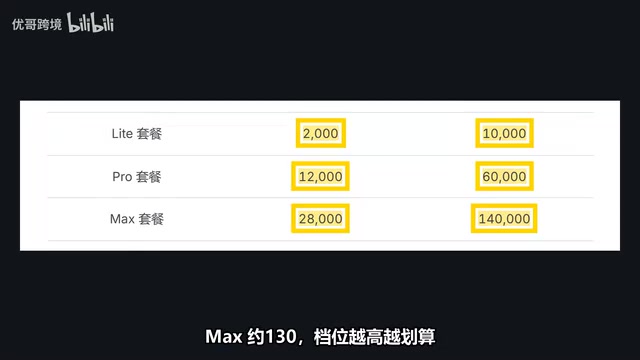
Domestic AI Coding Plans Compared: How to Choose Between Zhipu, Kimi, and MiniMax
Compare Zhipu GLM Coding Plan, Kimi Code, and MiniMax M-Plan on pricing, points/quota rules, and model changes, plus scenario-based selection advice.

JetBrains Open-Sources AI IDE ThinkRail: Multi-Workspace Parallelism and Spec-Driven Development
ThinkRail is an open-source agentic IDE from the JetBrains Innovation Hub built on Pi, featuring multi-workspace parallelism, Git worktree isolation, spec-driven development, and diff review. Completely free under Apache 2.0.

Higgsfield: How AI Video Is Moving from the 1-Minute to the 10-Minute Era
Higgsfield shares AI video breakthroughs from 1 minute to over 10 minutes, covering Astra's text rendering, external tool use for 3D modeling, voice-to-movie, and productivity gains for small creative teams.