REA Goes Viral on GitHub: Letting AI Reverse-Engineer Any App Feature

Open-source tool REA lets AI agents reverse-engineer app features with evidence in minutes—plus safety and compliance warnings.
The article introduces REA, a viral open-source MCP server that gives 20+ AI coding agents like Cloud Code and Cursor reverse-engineering capabilities, letting AI dig into target apps, present line-level evidence, and replicate features. It covers the five-step install, a ten-minute Excalidraw hands-on test, practical use cases, four key boundaries and risks, trojan warnings from fake accounts, and the need for cross-verification of single-source data.
An open-source tool called REA has taken GitHub by storm. According to a YouTube tech channel, this repository—created in April and dormant for months—has racked up nearly 290,000 stars in the past two weeks. What it does sounds like science fiction: you point at any app and say, "How is this feature implemented? Show me the evidence, then help me build the same thing," and within ten minutes the AI reverse-engineers the core mechanism and reproduces working code.
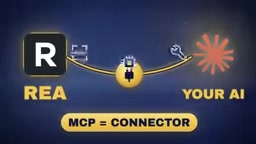
What REA Actually Is: An X-Ray Machine for AI
REA is essentially an MCP server—a connector that expands the toolbox of AI coding agents. It is compatible with more than 20 AI coding agents, including Cloud Code, Codex, Cursor, and Gemini CLI. The workflow is straightforward: a user asks the AI a question about some feature, the AI uses REA's tools to dig into the target application's internals, REA returns evidence-backed analysis results—down to the specific file and line—and the AI then explains it in plain language or directly generates a similar feature for the user.
One common misconception needs to be cleared up: REA itself doesn't think. The thinking is done by the AI you connect it to. REA is merely the AI's eyes and tools, like the X-ray machine in a doctor's hands. According to the video's analysis, this design turns work that previously only veteran reverse-engineering experts could do into something ordinary developers—or even non-programmers—can handle.
MCP (Model Context Protocol) is an open protocol proposed by Anthropic to establish standardized communication between AI models/agents and external tools and data sources. You can think of MCP as the "USB interface spec" of the AI world: the AI agent is the host, and MCP servers are peripherals plugged into it, providing specific capabilities like search, database access, or code analysis. An MCP server itself does no reasoning—it only declares which tools it offers and what parameters each tool takes, and the AI decides during conversation when to invoke them and how to interpret the results. That's why the same REA can be reused by different agents like Cloud Code, Cursor, and Gemini CLI—the protocol layer decouples "tool capabilities" from "the brain using the tools." It also explains why installing REA only requires registering a connection entry locally, with no separate adaptation needed for each AI client.
The Spread Logic Behind the Star Curve
After launching in April, the project spent a "dead period" from August to early October with only 94 stars. Then on October 4 the stars suddenly took off, and within days it shot to the top of GitHub's trending list. On October 8 it gained over 10,000 stars in a single day, reached 26,000 on October 10, and soared to 52,000 on October 12. Its Discord community now has over 24,000 people sharing experiment results every day.
The tipping point was the persuasiveness of the demo cases: how the brick-breaking sound in the 1996 classic game DX-Ball switches between the left and right audio channels was fully reverse-engineered from inside the game; the internal path of copy-paste in a large app like Notion was shown down to the file and line number; and the mechanism by which an Android login app generates a 6-digit verification code every 30 seconds was also found in the installation files and turned into a small demo.
Five-Step Installation: Node.js Is the Barrier
Step one: you need Node.js installed on your computer—download the latest LTS version from the official website. Older versions can't run REA; this is a pitfall the video's author personally hit. Step two: prepare an AI coding agent, such as Cloud Code. Note that REA is free, but Cloud Code requires a paid subscription.
Step three: during installation, REA displays a full list of changes, explaining what it will modify on your computer. In the author's case, there were only two: establishing the connection between Cloud Code and REA, and adding a Skill (an instruction file for running REA). Read this carefully and confirm before agreeing. Step four: restart Cloud Code so it loads REA. Step five: ask the AI a question. REA's official materials provide a ready-made phrasing: how does this feature work, show me the evidence, then help me build the same thing.

A practical tip: don't ask the AI to replicate an entire app at once. Focus on one feature at a time, because REA performs best on a single feature.
Hands-On Test: Replicating Excalidraw's Hand-Drawn Effect in Ten Minutes
The video's author chose Excalidraw for the hands-on test—a free online whiteboard whose hand-drawn style lines are its signature. Another reason for choosing it is that it's open source, with publicly available code, making it easy to verify whether the analysis results are genuine.
Since REA doesn't open web pages itself, the author launched Chrome in debug mode and opened Excalidraw.com so REA could "see" that tab. The analysis revealed four secrets: every line is actually drawn twice, with the second pass slightly offset to simulate the repeated strokes of hand drawing; circles are never closed, leaving a small extra tail at the end; each shape has a fixed random number so that jittery lines remain stable when zooming or scrolling; and Excalidraw also has a built-in "sloppiness" setting with three levels—architect, artist, and cartoonist. Every conclusion came with evidence pointing to the corresponding code location in real files, and the author opened and verified each one—all correct.
About 8 minutes and 45 seconds after the prompt, Claude wrote the page; at the 10-minute mark, the complete answer along with the evidence files was in the author's hands—more than half of that time was just waiting for the author to click "Allow." Comparing the two pages at the same position and with the same shapes, they looked almost identical visually; the differences were that Excalidraw's boxes have rounded corners while the replica's are sharp, and the background tones differed slightly.
The key point: Claude did not copy Excalidraw's code. Instead, it understood how that visual effect was produced and rewrote a page based on its own understanding. The video's author specifically noted that the AI voluntarily admitted this—it didn't hide it.
"Launching Chrome in debug mode" means opening the browser with launch parameters such as --remote-debugging-port, at which point Chrome exposes a local debugging port that allows external programs to read the page DOM, network requests, console logs, and even execute scripts via the Chrome DevTools Protocol (CDP). REA uses this channel to "see" the Excalidraw in the current tab, thereby analyzing its runtime behavior and loaded code. Note that once the debugging port is exposed, other programs on the same machine can also use it to read browsing content, so such debugging sessions should be used in a controlled environment and closed when done—don't keep it enabled long-term on a browser instance you use for daily browsing or logging into sensitive accounts.
What Ordinary People Can Do With It
The video offers three practical scenarios. First, when you admire a feature in some app, first understand how it works internally, then implement it your own way—knowing the principles lets you do it better. Second, security self-checks: if you've ever hardcoded API keys or passwords into your own app, tools like REA mean anyone can dig them out, so it's worth running a check on your projects. Third, learning programming: pick an open-source project and have the AI explain what happens internally when a button is pressed—answers come from real code, not textbooks. REA's official website also provides a small sample note so you can run your first test risk-free.
Four Boundaries and Risks You Must Know
Understanding a feature is one thing; copying code, design, names, or logos is another. The video reminds viewers that code is protected by copyright, and many apps' terms explicitly prohibit reverse engineering; if you make a highly similar knockoff app and publish it to an app store, it will be taken down. There's only one compliant path: understand the principles, then build your own thing.
REA's GitHub page itself states that results may be incomplete or wrong, so evidence given by the AI should be verified item by item—don't accept it blindly. Analysis runs on your local computer, but results are transmitted to the AI vendor's servers, so don't use it with client-confidential files. In addition, most features work on Windows, but some advanced features are currently fully supported only on Mac and Linux.
The legal boundaries of reverse engineering are not one-size-fits-all: in many jurisdictions, observing software behavior for interoperability, security research, or learning purposes is different in nature from directly copying protected code or stripping technical measures; and "no reverse engineering" clauses in software license agreements (EULAs) are contractual constraints—breach of contract and infringement are two separate liability regimes. For ordinary users, the more realistic criterion is the output: if the final product is implemented from scratch and only borrows ideas and interaction logic, the risk is lower; if the result contains code snippets, assets, interface designs, or trademarks from the original project, it may touch copyright and trademark rights. Commercial use and distribution will significantly raise compliance requirements, and professional legal advice should be sought when necessary.
Security Alerts That Come With Viral Spread
Fake versions appeared immediately after REA went viral. Someone created a fake GitHub account called "REA Tools" that looked extremely similar to REA's official site, fully copying the REA page and bundling a Windows executable file. After checking, a user found that Microsoft Defender had flagged the file as a trojan—a virus disguised as legitimate software to sneak onto computers. Before it was reported and taken down, the file had been downloaded 172 times.
There are three key protections: REA has no EXE installer at all—it can only be installed via the official command; verify the owner username on GitHub (the one given in the video is mor-luto); and stick to the one and only official website, rea.tools—stay away from everything else.
Multi-Source Cross-Checking and Independent Judgment
Currently, the public source of information about REA is mainly this YouTube video. Figures such as 290,000 stars and 52,000 new stars in a single day all come from the video's narration, with no second independent source to corroborate them, so readers should treat them as single-source information. The hands-on test in the video is backed by screenshots and evidence files, giving it relatively high credibility; but the timing and spread mechanism of the star explosion will require independent reports from other tech communities for cross-verification.
Looking at the bigger picture, REA's value isn't in the fact that "AI can reverse-engineer" itself, but in how it packages a high-barrier skill into a conversational tool. This is both a leap in development efficiency and a stress test of intellectual property and security boundaries. For non-programmers, it opens a window into understanding how software works; for businesses and developers, it's a reminder: the secrets hidden in code are fewer than most people think.
One-line Summary
Open-source tool REA, in the form of an MCP server, lets AI agents reverse-engineer app features with evidence and replicate them in ten minutes—along with security and compliance warnings.
Paragraph Summary
The article introduces an open-source tool called REA, which as an MCP server provides reverse-engineering capabilities to more than 20 AI coding agents including Cloud Code and Cursor, letting AI dig into a target app's internals, present evidence down to file and line number, and replicate features. The project was created in April and stayed dormant for a long time before stars surged starting in October, reportedly nearing 290,000 in two weeks. The author details the five-step installation process, a ten-minute hands-on test targeting Excalidraw's hand-drawn effect, and practical scenarios like learning and security self-checks. The article also emphasizes four boundaries: code and design cannot be copied outright, analysis results need verification, sensitive files should not be used, and platform support varies; it also warns about the risk of trojans spread by fake accounts. Finally, it notes that the relevant data currently comes from a single video source and requires cross-verification.
Related articles

Chain of Thought Isn't Just for AI: How Humans Can Use CoT to Improve Thinking Quality
Chain of Thought isn't just a prompt trick for large models. Starting from a Hacker News discussion, this article analyzes why CoT works for human thinking too, breaks down actionable ways to transfer it, and highlights the key differences between human CoT and machine CoT.
Cloudflare Teams Up with OpenAI: Closi…
Cloudflare Teams Up with OpenAI: Closing the Loop from Vulnerability Discovery to Defense with AI
Cloudflare uses OpenAI Daybreak to investigate security vulnerabilities and generate reviewable remediation plans, while developers use Codex to boost coding efficiency and quality.

Orca Multi-Agent Orchestration in Practice: A Guide to Parallel Collaboration with Claude and Codex
Orca is Stable AI's free open-source agent workbench supporting 34 agents like Claude Code and Codex in parallel. Learn its Git worktree isolation, multi-model orchestration, and mobile management.