React 19 + TypeScript in Practice: From Kanban Projects to Source Code Deep Dives

A 91-lesson React course connecting React 19 features, kanban project practice, Fiber internals, and React 18 source code in one structured path.
This 91-lesson React course addresses fragmented learning by structuring the path as: core APIs → React 19 + TypeScript patterns → kanban project → Fiber/concurrent rendering → interview questions → React 18 source code. A Feishu-style kanban is the central hands-on project, tackling drag-and-drop state sync; after completing it, learners revisit hooks rules and Fiber architecture with practical intuition already in place. The course uses output-first learning for interview prep and focuses on the scheduler-reconciler relationship for source code study.
React is one of the dominant frontend frameworks, yet fragmented learning paths remain a persistent pain point for developers looking to level up. You can read through plenty of basic API docs and still struggle to connect the dots when it's time to build a real project or sit down for a technical interview. This 91-lesson React course rethinks the learning sequence — starting with React 19 and TypeScript in practical use, moving through a real project, and then unpacking interview questions and React 18 source code — all aimed at weaving isolated knowledge points into one coherent thread. This article breaks down the course's learning path design, as a reference for developers who want a systematic path to mastery.
From Core APIs to React 19's New Patterns
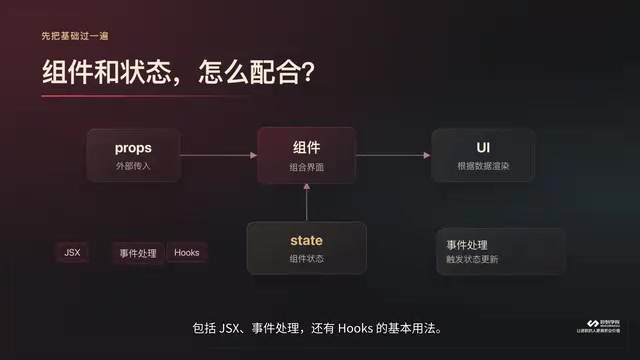
The course begins with a technical foundations section: component authoring, props and state coordination, JSX, event handling, and essential hooks usage. These are non-negotiable building blocks. Getting comfortable here means you won't get tripped up by syntax once you're deep inside a project.
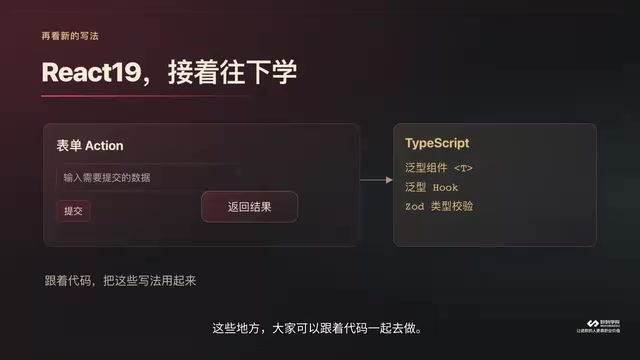
With the fundamentals in place, the course moves into React 19's new features. Particular emphasis is placed on the form action pattern and async state handling — React 19's direction for improving data submission and state management compared to earlier versions. Pairing these with TypeScript to write generic components and type-validated interfaces gives components much stronger type safety when reused. This section strongly encourages coding along rather than just watching, because the nuances of new patterns only become clear when you actually type them out.
Why TypeScript Before the Project?
Generic components and type validation might seem like extra overhead, but in real-world projects, the type system surfaces a large number of potential bugs at write time. Mastering this approach before entering project development leads to better-designed component interfaces — and code that more closely resembles enterprise-grade standards.
A Feishu-Style Kanban Project: State Management in the Real World
After the theory, the course moves into a Feishu-inspired kanban project. The workflow goes: scaffold the project, integrate state management, then build out the UI.
The most valuable part of this project is a concrete engineering problem: when a card is dragged from one group to another, how should the data on the page update? Drag-and-drop interaction itself isn't the hard part — the challenge is keeping the underlying state in sync with the UI after the drag completes. The course walks through this data flow end-to-end, combining drag logic with state management.
This kind of problem is exactly where many beginners get stuck in real projects — the UI moves but the data doesn't follow, or the data changes but the interface doesn't re-render. Practicing with a kanban that mirrors an actual product is far more convincing than an isolated demo.
From Project Back to Principles: Fiber and Concurrent Rendering
After completing the project, the course introduces a deliberate reflection phase, raising two key questions:
- Why must hooks be called at the top level of a component?
- What actually happens inside React after a component's state updates?

These two questions push learners from "knowing how to use it" toward "understanding why it works." This is where the course introduces the Fiber architecture, concurrent rendering, and the class model. The top-level call rule for hooks isn't an arbitrary convention — it's directly tied to React's internal mechanism of relying on call order to track state. State updates, in turn, involve scheduling and the rendering pipeline. Having the intuitive feel of the project first makes these underlying mechanisms much easier to absorb.
Fiber is the internal architecture rewrite introduced in React 16 — essentially a data structure that breaks rendering work into interruptible small units. Before it, React used a synchronous recursive traversal of the entire component tree (the Stack Reconciler). Once started, it couldn't be interrupted, and complex UIs would block the main thread and cause jank. Fiber transforms this process into a linked-list task queue, where each Fiber node corresponds to a component unit. The scheduler can decide when to execute, pause, or abandon a piece of update work based on priority. Concurrent Rendering is built directly on top of Fiber: React can prepare multiple versions of UI state simultaneously, quietly rendering low-priority updates in the background and committing them to the screen when the main thread is free. The restriction that hooks must be called at the top level also stems from this — React relies on hooks being called in the same order on every render to correctly associate each hook with its corresponding state slot on the Fiber node. If a conditional branch disrupts that order, state gets mismatched.
Interview Questions and React 18 Source Code Breakdown
The second half of the course covers common interview topics, including the true nature of JSX and how synthetic events are implemented and why they exist. The learning approach here is worth highlighting: try to explain the concept yourself first, then identify exactly where you get stuck, and go back to the relevant chapter to fill the gap.
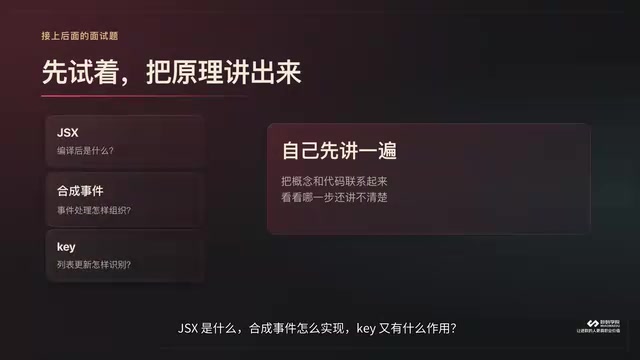
This "force output to drive input" method pinpoints your knowledge blind spots with precision — far more efficient than passively listening.
The course closes with a dedicated walkthrough of the React 18 source code. The path: start with the overall architecture, then follow the scheduling and update flow downward, with focused breakdowns of the scheduler and reconciler as the two core modules, tracing how they call into each other through the actual code. Source code is saved for last because the project practice and conceptual groundwork from earlier have already cleared the way for reading it.
The Logic Behind the Full Learning Path
Summing up the design logic behind these 91 lessons: Core APIs → React 19 + TypeScript patterns → Kanban project → Fiber/concurrent rendering principles → Interview questions → React 18 source code. The core philosophy is "learn by doing, then revisit the principles" — keeping abstract concepts anchored to concrete scenarios at every stage. Developers who still need to build foundations can start from lesson one; those with some experience can jump in wherever it makes sense.
scheduler and reconciler are the two most focused modules in the React source code. The scheduler handles task priority scheduling — it maintains a min-heap task queue sorted by expiration time, using MessageChannel to execute tasks in slices between browser frames, preventing long tasks from blocking user interaction. The reconciler is responsible for diffing the old and new Fiber trees — the well-known diff algorithm — marking which nodes need to be inserted, updated, or deleted, and producing a workInProgress tree annotated with effect markers. Their collaboration roughly works like this: when a state change triggers an update, the reconciler builds the new Fiber tree and stamps it with effect markers; the scheduler decides when to hand that work off to the commit phase, which actually writes changes to the DOM. Understanding this call chain is the central thread for making sense of the React 18 source code.
Conclusion
The greatest strength of this course isn't novelty of content — it's the deliberate sequencing. Scattered React knowledge points are connected along a "practice → reflection → principles → source code" axis. For developers looking to move from using React to understanding React, this approach of gradually increasing depth with practice and theory alternating genuinely helps bridge the knowledge gaps that make the journey feel so fragmented.
Related articles

Chain of Thought Isn't Just for AI: How Humans Can Use CoT to Improve Thinking Quality
Chain of Thought isn't just a prompt trick for large models. Starting from a Hacker News discussion, this article analyzes why CoT works for human thinking too, breaks down actionable ways to transfer it, and highlights the key differences between human CoT and machine CoT.
Cloudflare Teams Up with OpenAI: Closi…
Cloudflare Teams Up with OpenAI: Closing the Loop from Vulnerability Discovery to Defense with AI
Cloudflare uses OpenAI Daybreak to investigate security vulnerabilities and generate reviewable remediation plans, while developers use Codex to boost coding efficiency and quality.

Orca Multi-Agent Orchestration in Practice: A Guide to Parallel Collaboration with Claude and Codex
Orca is Stable AI's free open-source agent workbench supporting 34 agents like Claude Code and Codex in parallel. Learn its Git worktree isolation, multi-model orchestration, and mobile management.