Recalc: When Spreadsheet Cells Become AI Terminals
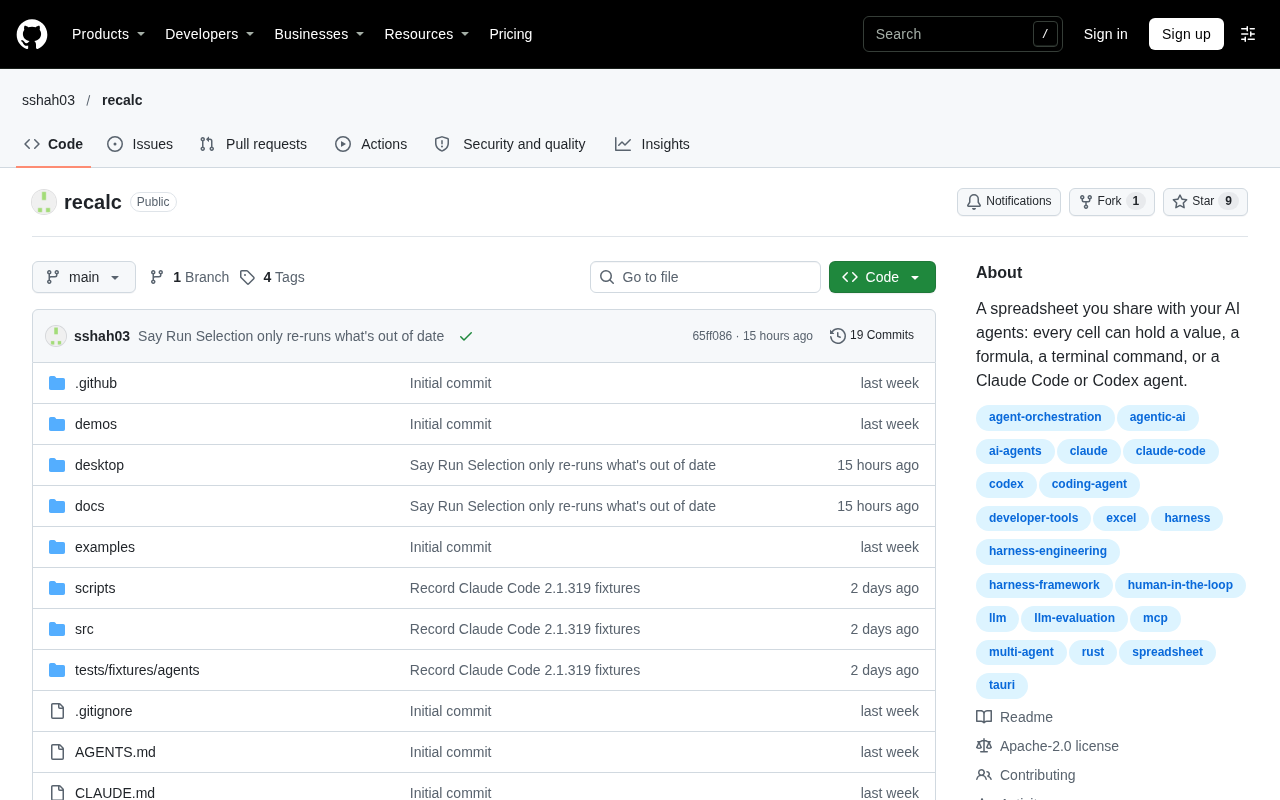
Recalc swaps spreadsheet cells for Claude Code or Codex terminal sessions, probing a new paradigm of agents as computational units.
Recalc is an experimental project posted in Hacker News' Show HN section that keeps the shell of a spreadsheet but replaces cells' execution units from formulas to Claude Code or Codex terminal sessions. The article argues this combination isn't purely a gimmick: a spreadsheet's row-column structure is naturally suited to hosting multiple parallel agent tasks, cell references can express data flow between tasks, offering a more intuitive visual interface for multi-agent collaboration that currently relies on scripts and orchestration frameworks, while terminal outputs pinned in cells also aid audit and traceability. But at launch the project had only 4 points and zero comments, with no public details on implementation, dependency declaration, concurrency models, or error handling, and terminal embedding plus dependency recalculation are engineering-wise no easy feat. Its real value lies in probing the underexplored interaction paradigm of "agents as computational units."
An Unusual Show HN Project
Every day, Hacker News' Show HN section surfaces all kinds of experimental tools, but Recalc's positioning is enough to make you stop and take a look: it's a spreadsheet where each cell doesn't run a formula—it runs a Claude Code or Codex terminal session.
The project didn't get much traction when it was posted on HN—just 4 points and no comments. That number alone tells you it's at a very early stage—more a proof of concept than a mature product. But it's precisely this "force two unrelated things together" approach that often hides a product logic worth unpacking.
What Recalc Actually Does
The core abstraction of a traditional spreadsheet is this: cells hold values or formulas, formulas depend on other cells, and the whole sheet forms a directed acyclic dependency graph where any input change triggers a recalculation. Recalc keeps that shell but swaps the cell's execution unit for an AI coding agent's terminal.
This means you no longer write =SUM(A1:A10); instead, you can have a cell launch a Claude Code or Codex session, hand it a task, and then wait for its output the way you'd wait for a formula result. For people familiar with command-line agents, it's an attempt to cram "conversational programming" into a grid structure.
Judging by the name, "Recalc" borrows directly from spreadsheet terminology, hinting at the project's ambition to reuse the recalculation semantics of spreadsheets: cells may have dependencies on each other, and an upstream agent's output becomes a downstream agent's input, forming a chained AI workflow.
Directed Acyclic Graphs (DAGs) and Recalculation Semantics
A traditional spreadsheet's dependency model is essentially a directed acyclic graph: each cell is a node, formula references to other cells form directed edges, and "acyclic" guarantees recalculation can proceed in topological order without getting stuck in circular dependencies. When an input changes, the spreadsheet engine only needs to start from that node, propagate downstream along the dependency edges, and recompute the affected subgraph rather than the entire sheet. This mechanism is highly mature in products like Excel and Google Sheets.
Recalc's claim to borrow "recalculation" semantics means that if it's to deliver on that promise, it must implement a similar dependency declaration and propagation mechanism—except the nodes execute time-consuming, non-deterministic, failure-prone AI agent sessions rather than pure-function formulas. The uncertainty of AI output makes determining "cache invalidation" and "recalculation triggers" far more complex than in a traditional spreadsheet: the same input won't necessarily produce the same output, which means incremental recalculation over the dependency graph requires additional versioning or snapshot concepts.
The Terminal Form of Claude Code and Codex
Claude Code is Anthropic's command-line coding agent, and Codex is OpenAI's code model and its CLI form. Both work by "accepting natural-language tasks in a terminal, autonomously reading and writing files, executing commands, and returning results"—they're interactive, multi-turn, stateful session tools rather than one-shot API calls.
This matters enormously for Recalc's implementation: embedding such terminals in cells isn't just calling a function—it means managing a persistently running pseudo-terminal (PTY) session, including startup, input injection, output stream capture, interruption, and teardown. Compared with calling a stateless API, terminal sessions have longer lifecycles, produce streaming output, and are harder to serialize state-wise, which means Recalc faces engineering challenges in concurrency and resource management far beyond those of an ordinary formula engine.
Why This Combination Isn't Just a Gimmick
Putting AI terminals into a spreadsheet looks like an odd combination on the surface, but it addresses a real pain point: orchestrating multiple AI agents currently relies mainly on scripts, orchestration frameworks, or manual copy-pasting, lacking an intuitive visual medium.
A spreadsheet happens to be a "parallel task panel" that humans have used for decades with an extremely low learning curve. The row-and-column structure is naturally suited to holding multiple independent tasks, and cell references are naturally suited to expressing data flow between tasks. If Recalc can make dependency tracking and recalculation triggers solid, it effectively offers a more approachable agent collaboration interface than YAML orchestration files.
Another angle is auditability. Terminal session outputs are pinned in cells, making them easier to trace back and compare than scrolling chat logs. For scenarios that require repeatedly iterating over the same batch of tasks, a spreadsheet's row-column positioning is more conducive to manual inspection than conversation history.
What to Keep a Cool Head About
It must be pointed out that the original information is extremely limited. Beyond the title and the one-line description that "cells can be Claude Code or Codex terminals," there are no further details on implementation, dependency mechanisms, concurrency models, or error handling. The data of 4 points and zero comments also doesn't support any inference about user recognition.
Several key questions can't be answered with the available material: How are dependencies between cells declared? Are multiple terminal sessions executed in parallel or serially? How does the spreadsheet handle agent execution failures? Are recalculation triggers manual or automatic? These are precisely the dividing lines between Recalc being "an interesting demo" and "a usable tool."
In terms of engineering difficulty, embedding interactive terminals into spreadsheet cells inherently involves complex trade-offs in PTY management, session lifecycle, and UI rendering, and adding dependency graphs and recalculation logic further amplifies the complexity. The technical risk in this direction is not low.
Engineering Constraints of PTYs and Terminal Embedding
A PTY (pseudo-terminal) is an operating system abstraction that makes a program believe it's connected to a real terminal; ssh, tmux, and terminal emulators all rely on it. Embedding an interactive terminal into a UI component typically requires allocating a PTY master-slave pair for each session, with a backend process reading and writing the slave end, the frontend forwarding byte streams over channels like WebSocket, and rendering with a terminal emulator such as xterm.js.
The difficulty lies in: each session occupies its own process and PTY resources, so dozens or hundreds of cells running in parallel means a large number of resident processes; output is a byte stream mixed with ANSI escape sequences that needs correct parsing; and when a session crashes, hangs, or waits for input, the spreadsheet needs to sense it and respond. These constraints make "one agent terminal per cell" increasingly costly at scale, and they're also the key engineering threshold for judging whether the project can become a product.
The Value of Such Experiments
Even if Recalc never grows into a product, the question it raises is worth attention: what should an AI agent orchestration interface look like? Current answers cluster around chat windows and code editors, and Recalc hints at a third possibility—treating agents as computational units in a spreadsheet, organizing work by data flow rather than conversation flow.
For developers watching the evolution of AI coding tool forms, this is a small project worth adding to a watchlist. Its value isn't in how usable it is today, but in its probing of an interaction paradigm that hasn't been fully explored.
Frequently Asked Questions
Which AI agents does Recalc support? According to the project title, it currently involves two terminals: Claude Code and Codex.
How is it different from an ordinary spreadsheet? In an ordinary spreadsheet, cells hold values or formulas; in Recalc, cells can host AI agent terminal sessions.
Can I use it now? The project was released as a Show HN, is at an early stage, and public information is very limited.
Related articles

Gemini 4 Neon Released: A Balance Between Frontier Intelligence and Efficient Task Execution
Google DeepMind releases Gemini 4 Neon, focused on frontier intelligence and fast end-to-end task execution. This article breaks down its benchmark performance in coding, enterprise analysis, scientific reasoning, and cybersecurity, its four thinking levels, pricing, and safety alignment data.

Is AI the Culprit Behind Global Outages? The Trust Crisis Behind the NSA and FAA Failures
Fourth major failure in five days hits NSA classified network. Microsoft blames a software bug, FAA denies its new AI system, NSA says routine maintenance. Senator Warner suggests AI accelerates vulnerability discovery, leading to rushed fixes — while 39% of Americans already view AI negatively, exposing a deepening trust crisis.

Robot Developer Builds Custom B-rep Kernel with 3,487 Tests
A robot developer builds a custom B-rep geometry kernel with 3,487 tests, exploring why robotics needs dedicated CAD tools and the barriers to building one.