Refusing a Microsoft Account: Why I Installed Linux on My RTX Spark Laptop

Developer abandons Windows for Linux after Win11 forces Microsoft account login.
After buying an RTX Spark laptop, a developer found Windows 11's OOBE forces an internet connection and Microsoft account binding—and with no Microsoft account, they chose to abandon Windows entirely for Linux. The post earned 212 points and 99 comments on Hacker News, showing broad resonance. The author notes RTX machines carry NVIDIA discrete GPUs, requiring driver signing, Secure Boot, and Wayland/X11 decisions under Linux, with laptop compatibility heavily model-dependent. The community splits into principled and pragmatic camps on bypassing login vs. switching systems. The takeaway: check Linux compatibility before buying, consider dual-boot or VMs for Windows-dependent software, and note that migration is easier than expected for developers—though Linux desktop still requires active maintenance.
When Unboxing Becomes a Login Trap
After buying an RTX Spark laptop, one developer found that the first boot couldn't skip the Microsoft account login—so they chose to abandon Windows entirely and install Linux. The article, published on a personal blog, earned 212 points and 99 comments on Hacker News, showing it struck a shared nerve for many.
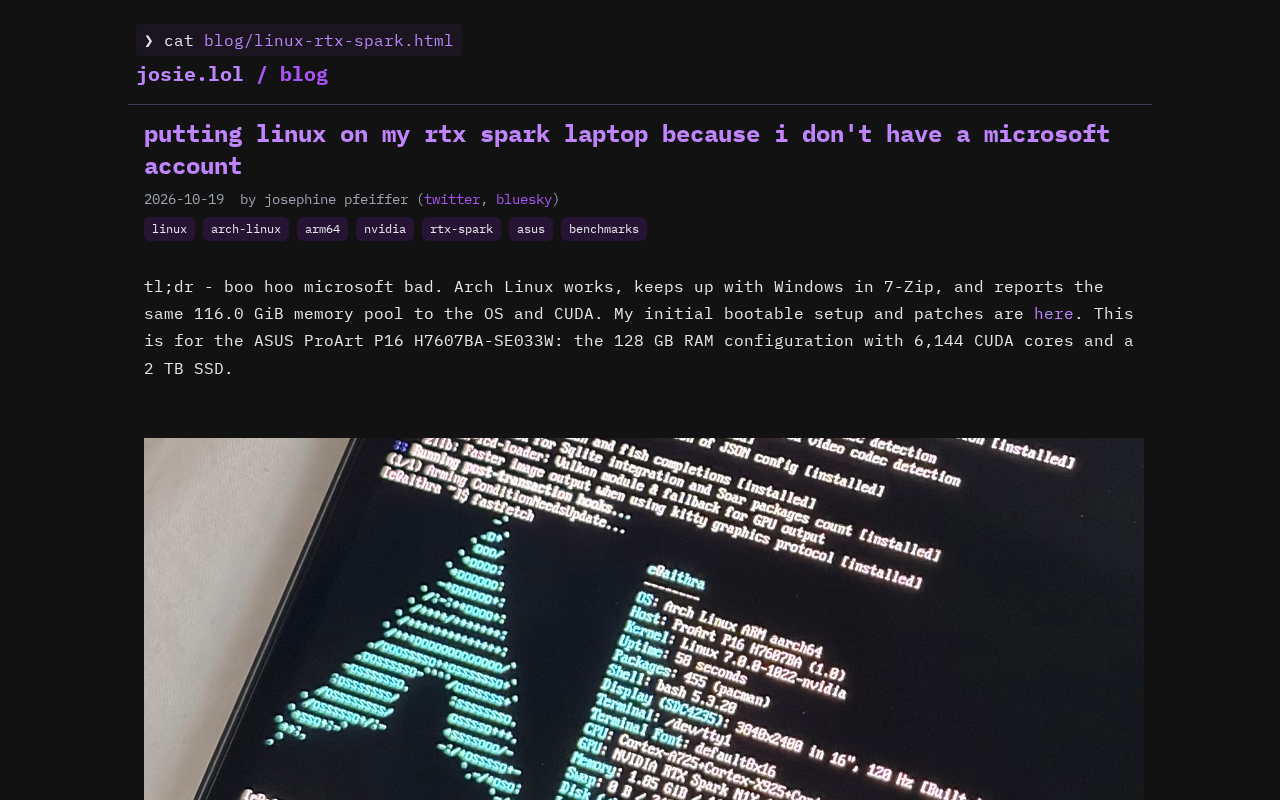
The situation itself isn't complicated: Windows 11's OOBE (Out-of-Box Experience) forces an internet connection and Microsoft account binding across multiple editions, with Home users finding it especially hard to bypass. For users who don't have a Microsoft account and don't want to register one on the spot, switching systems became the easiest form of protest. Behind this lies a years-long controversy: should users have to surrender an account identity just to use hardware they purchased?
OOBE (Out-of-Box Experience) is the process that guides users through region, language, network, and account setup on first Windows startup. In Windows 11, Microsoft has gradually tightened this step: Home edition has required an internet connection and Microsoft account sign-in to proceed since 22H2, while Pro retains a limited local option but hides the entry point deliberately. Early users could bypass it by disconnecting the network, entering an invalid email, or using the OOBE\BYPASSNRO command, but later versions closed off these paths one by one. This design binds system activation to a cloud identity and makes "account first, device second" the default logic—exactly the institutional backdrop of the login predicament described in the article.
The Real Barriers to Installing Linux on an RTX Spark
The "RTX Spark" in the title is the key variable here. These machines typically carry NVIDIA discrete GPUs, and installing NVIDIA drivers under Linux has historically been trickier than integrated-graphics setups: you need to handle kernel modules, Secure Boot signing, and the choice between Wayland and X11 compatibility. The author documented the full process on their blog, showing this is no friction-free path.
Setting that aside,
NVIDIA Drivers and Display Protocols
NVIDIA's proprietary drivers have matured noticeably on Linux in recent years, but laptop platforms still have details to iron out—hybrid GPU switching, suspend/resume, and so on. For RTX machines, installing the OS is only step one; getting the discrete GPU to work reliably in the desktop environment and with external displays is the real test.
Secure Boot is a security mechanism in UEFI firmware that only allows signed bootloaders and kernel modules to load, blocking low-level malware such as rootkits. Its impact on Linux users: NVIDIA's proprietary driver ships as a closed-source kernel module that isn't in the trusted signature list by default. With Secure Boot enabled, users must register their own Machine Owner Key via mokutil and sign the module, or the driver won't load and the discrete GPU won't work. Some distributions offer automated tools to simplify this, but in dual-boot setups you also need to coordinate with Windows' BitLocker recovery key management—often the first hurdle when installing Linux on a laptop.
Wayland and X11 are the two display protocols for Linux desktop environments. X11 has a long history and good compatibility but an aging architecture with firmware-level flaws like tearing and difficult multi-monitor scaling; Wayland uses a more modern compositor model and is better at fractional scaling, multi-display, and high refresh rates, and has become the default in mainstream distributions. However, NVIDIA's proprietary driver lagged in Wayland support for a long time, only gradually adding features like explicit sync and hardware cursors in recent driver versions. For RTX laptop users, choosing Wayland delivers a smoother desktop experience but may run into black screens on resume or external display detection issues; falling back to X11 is more stable but sacrifices some new features.
Hardware Compatibility Uncertainty
A laptop's Linux friendliness depends heavily on the specific model: Wi-Fi cards, card readers, fingerprint readers, and keyboard backlight controls can all be stragglers. Performance-oriented machines like the RTX Spark often need extra tuning for power management and fan curves. In community discussions, many commenters shared compatibility checklists for their own models and reminded newcomers to research before buying.
Linux hardware compatibility has no unified certification system; real-world performance depends on the combination of kernel version, distribution, and specific hardware. Wi-Fi cards are the most common pain point: Intel and some MediaTek chips usually work out of the box, while certain Realtek models require manually compiling third-party drivers. Fingerprint readers mostly rely on the libfprint project, with a limited support list; keyboard backlights, fan curves, and power management often need vendor ACPI interfaces or community reverse-engineered patches. For performance machines, hybrid GPU switching (NVIDIA Optimus) also involves PRIME render offload configuration. That's why the community widely recommends checking the Arch Wiki, Ubuntu certification lists, or Linux compatibility reports for your laptop model before buying.
Why Switch Systems Instead of Bypassing the Login
A fair follow-up question: there are plenty of ways around the Microsoft account requirement, so why switch to Linux outright? Judging from the HN comment section, the answers fall into two camps.
The first is the principled camp: they see forced account binding as an infringement on device ownership itself, and bypassing is merely a stopgap. The second is the pragmatic camp: since daily development work relies heavily on the command line and open-source toolchains, Linux was already the more comfortable production environment—Windows' login restriction was just the last straw.
This divide also shows up in community discussions: some insist "if you can edit the registry, don't switch systems," while others believe migration costs less in the long run. Both positions have merit, but they share the same premise—the default experience is pushing some users away.
What This Means for Ordinary Users
The value of this article isn't in tutorial details but in the decision sample. It suggests a few things: checking Linux compatibility reports before buying saves more time than tinkering afterward; for users who depend on specific Windows software, dual-boot or virtual machines remain safe options; and for development-focused users, the migration barrier is lower than imagined.
It's worth emphasizing that Linux desktop progress is real, but it remains a choice that requires active maintenance from the user. The author's experience resonates precisely because more and more people are willing to pay that maintenance cost for control.
Related articles

Chain of Thought Isn't Just for AI: How Humans Can Use CoT to Improve Thinking Quality
Chain of Thought isn't just a prompt trick for large models. Starting from a Hacker News discussion, this article analyzes why CoT works for human thinking too, breaks down actionable ways to transfer it, and highlights the key differences between human CoT and machine CoT.
Cloudflare Teams Up with OpenAI: Closi…
Cloudflare Teams Up with OpenAI: Closing the Loop from Vulnerability Discovery to Defense with AI
Cloudflare uses OpenAI Daybreak to investigate security vulnerabilities and generate reviewable remediation plans, while developers use Codex to boost coding efficiency and quality.

Orca Multi-Agent Orchestration in Practice: A Guide to Parallel Collaboration with Claude and Codex
Orca is Stable AI's free open-source agent workbench supporting 34 agents like Claude Code and Codex in parallel. Learn its Git worktree isolation, multi-model orchestration, and mobile management.