Replay: A Local Mac Meeting Recorder with No Bots and a One-Time Purchase
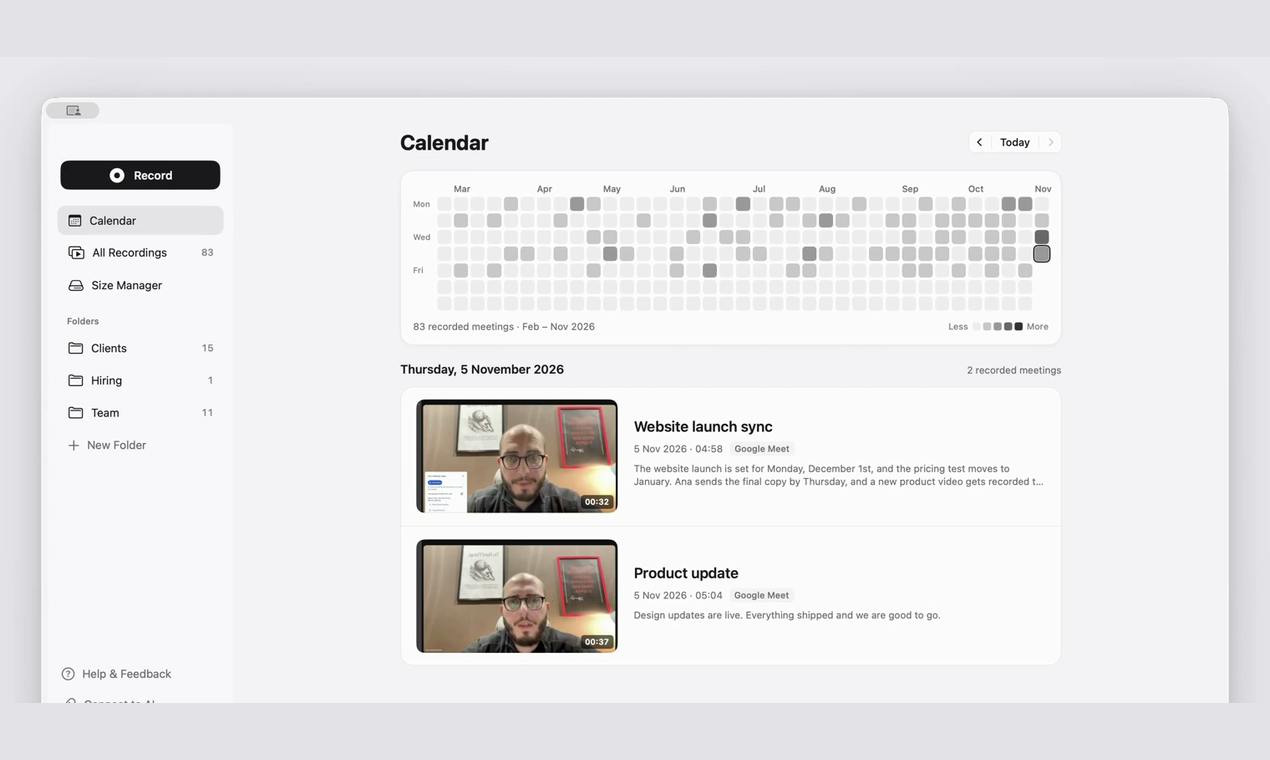
Replay records, transcribes, and summarizes meetings locally on the Mac, with no bots joining and a one-time purchase.
Replay is a Mac meeting recording tool ranked No. 11 on Product Hunt, emphasizing localization and privacy. It captures Google Meet, Zoom, and Teams call audio directly on the Mac with no bots and no extra steps for participants, storing each party's voice on separate tracks to distinguish speakers. Transcription, summaries, and action items are all generated locally, recordings are saved as ordinary searchable files, and data leakage risk is greatly reduced. Pricing is a one-time fee with no subscription, activating two Macs. It requires Apple silicon and macOS 26 or later, so older Intel Macs cannot run it. It suits privacy-conscious professional users who dislike subscriptions and use newer Macs, but cross-platform teams will find uniform deployment difficult.
Meeting recording tools increasingly rely on cloud-based AI assistants, but the attendant privacy concerns and subscription fees give many users pause. Replay, ranked No. 11 on Product Hunt, offers a different approach: it handles recording, transcription, and summarization locally on the Mac, sends no bots into meetings, and requires only a one-time payment for long-term use.
Key Selling Point: No Bots Joining the Meeting
Most meeting recording tools work like this: a bot account called a "recorder" is invited into a Google Meet, Zoom, or Teams call, and then it records and transcribes. The problem with this approach is that other people in the meeting can see the bot, and sometimes they have to manually admit it—which can feel intrusive in certain formal settings.
Replay does things very differently. It captures audio directly from the Mac, so it does not send any bot and requires no extra action from the host or participants. According to its Product Hunt page, Replay can record Google Meet, Zoom, and Teams calls, and it places "your voice" and "the other party's voice" on separate audio tracks. This is extremely valuable for putting together meeting notes afterward: who said what is naturally distinguishable.
Meeting bots are a common way cloud-based meeting recording tools are implemented: the developer registers a bot account, adds it to a meeting via the meeting platform's API or calendar integration, and the bot receives audio and video streams as a participant and uploads them to the cloud for transcription. This approach requires no local software installation, but it has clear drawbacks—the bot appears in the participant list, and some platforms require the host to manually admit it; in external-facing meetings or formal settings, an unfamiliar bot account may raise concerns about privacy. In addition, a bot joining depends on the meeting platform's open interfaces, and changes in platform policy can render the tool unusable. Replay bypasses this model and captures audio directly at the system audio layer, thereby avoiding the social awkwardness and platform dependency that come with a bot joining the meeting.
Transcription and Summarization Done Locally
Another key design choice of Replay is local processing. Transcription, summaries, and action items are all generated by the Mac itself rather than uploaded to cloud servers. For meetings that involve sensitive business discussions or personal information, this architecture can significantly reduce the risk of data leakage.
Recording files are likewise kept locally and stored as ordinary files. This means users can manage these recordings directly with Finder or other tools, without depending on a proprietary platform to export them. Replay also supports searching all past meetings—which is far more direct than digging through chat logs or emails when you need to revisit the details of a particular discussion.
Local AI processing refers to speech recognition (ASR) and natural language processing (NLP) models running directly on the user's device rather than calling cloud APIs. Such solutions typically rely on the neural engine in the device's chip (such as the Neural Engine in Apple Silicon) to accelerate inference. Compared with cloud processing, local processing prevents audio data from leaving the device, but it is also constrained by local compute power; models are usually smaller, and accuracy may fall short of large cloud models in noisy environments or scenarios dense with specialized terminology. Replay can complete transcription and summarization locally precisely because it leverages the dedicated AI acceleration capabilities of Apple silicon, which is one reason it requires relatively new hardware.
Pricing Model: One-Time Purchase, Activates Two Macs
At a time when SaaS subscriptions prevail, Replay adopts a one-time payment, no subscription model. According to the page information, a purchase activates two Macs. For users who dislike ongoing payments, this pricing strategy has clear appeal.
However, a free trial or refund policy is not mentioned in the original information, so potential users may need to check the official website for further confirmation.
Hardware and System Requirements
Replay has clear requirements for the runtime environment: it needs an Apple silicon chip and macOS 26 or later. These two conditions exclude quite a few older Macs. If you use a Mac with an Intel chip, or your system version is older, Replay cannot run. This also indirectly suggests that the product's local AI processing capabilities may depend on newer chip architectures and system frameworks.
Judging from the Product Hunt data, Replay received 72 votes and 2 comments, ranking No. 11. Its level of attention is not explosive, but its combination of "no bots + local processing + one-time purchase" hits the needs of a segment of professional users who are sensitive to privacy and cost.
Apple silicon is the series of self-designed chips (M1, M2, M3, M4, etc.) with which Apple has progressively replaced Intel processors in its Mac lineup since 2020. Based on the ARM architecture, it integrates the CPU, GPU, and neural engine into a single chip. Its neural engine is designed specifically for machine learning inference, providing the necessary compute foundation for local speech recognition and summary generation. By contrast, Intel-based Macs lack this dedicated AI acceleration unit, and Apple has gradually stopped supporting system updates for Intel models, which is why Replay lists Apple silicon as a hard requirement. macOS 26 is the system version after Apple adjusted its version numbering rules in recent years; new system frameworks often include more complete local AI interfaces, which is the technical background for Replay's requirement of a relatively high system version.
Who It's For
Replay's positioning is quite clear: Mac users who frequently attend online meetings, value privacy, and are unwilling to pay ongoing fees for a meeting recording tool. It is especially suited to teams that need to handle sensitive information or feel uncomfortable with third-party bots appearing in meetings.
Its limitations are equally obvious: Mac only, and it requires relatively new hardware and system versions. Cross-platform teams with members using Windows or older versions of macOS cannot deploy it uniformly.
At a time when AI meeting assistants are generally moving toward the cloud and subscription models, Replay has chosen a more restrained, more localized path. Whether this trade-off is worthwhile depends on how you weigh data sovereignty against long-term costs.
One-line Summary
Replay records, transcribes, and summarizes meetings locally on the Mac, with no bots joining and a one-time purchase.
Paragraph Summary
Replay is a Mac meeting recording tool ranked No. 11 on Product Hunt, focused on localization and privacy protection. It captures audio from Google Meet, Zoom, and Teams calls directly on the Mac, sends no bots into meetings, requires no extra action from participants, and stores each party's voice on separate tracks to distinguish speakers. Transcription, summaries, and action items are all generated locally on the Mac, recordings are saved as ordinary files, and past meetings are searchable, significantly reducing the risk of data leakage. Pricing is a one-time payment with no subscription, activating two Macs. The runtime requirements are an Apple silicon chip and macOS 26 or later; older Intel Macs cannot run it. Its positioning is clear: it suits professional users who value privacy, dislike subscriptions, and use a relatively new Mac, but cross-platform teams will find uniform deployment difficult.
Related articles

Anthropic's IPO: Is a $1.4 Trillion Valuation AI's Future or the Peak of a Bubble?
Anthropic is about to list on Nasdaq with a valuation of up to $1.4 trillion, potentially raising over $60 billion to become the second-largest IPO in history. This article breaks down its revenue, the truth behind its hundred-billion-dollar book loss, compute costs, control design, and lock-up pressure, and analyzes the IPO's chain effects on the AI sector.

Anthropic Races Toward Nasdaq: Ticker ANT, Can a Trillion-Dollar Valuation Hold?
Anthropic files its S1 for a Nasdaq IPO under ticker ANT, led by Goldman Sachs and Morgan Stanley. We break down revenue, massive compute lease commitments, founder voting control, and the valuation debate.

How Anthropic Uses a Four-Layer Narrative to Prop Up a $2 Trillion Valuation
Anthropic's estimated $2 trillion valuation: a breakdown of its positioning theory and four-layer narrative — civilization-level fear, identity, product, and business — and how founder essays, technical docs, and opinion leaders support the AI safety guardian valuation story.