RomM 5.0 Released: Open-Source ROM Manager Gets a Brand-New UI and Cloud Save Sync

RomM 5.0 launches with a rebuilt UI, cloud save sync, and a thriving multi-platform client ecosystem.
RomM 5.0 delivers a complete UI overhaul with gamepad and touch support, CRT shaders, and 3D box art display. The new cloud save sync engine enables cross-device game progress sharing, while server-side ROM patching and playtime tracking round out the feature set. With GitHub Stars surpassing 10,000 and third-party clients spanning Android, iOS, desktop, Steam Deck, and Linux handhelds, RomM has cemented itself as the leading open-source ROM management platform.
In the self-hosted and retro gaming enthusiast community, RomM has long been a highly regarded open-source ROM management tool. The project team has now officially released version 5.0, bringing a completely rebuilt user interface, a cross-device save sync engine, and announcing that GitHub Stars have surpassed 10,000—marking a new chapter for this community-driven project.
Self-hosted refers to running services on your own hardware (such as a home server, NAS, or Raspberry Pi) rather than relying on cloud providers. This philosophy emphasizes data sovereignty and privacy control, and has flourished in recent years with the proliferation of container technologies like Docker. ROM management tools are essential for retro gaming enthusiasts—when players own hundreds or even thousands of game ROM files, efficiently categorizing, searching, and matching cover art and metadata becomes a core challenge. RomM's positioning is similar to Jellyfin for movies or Navidrome for music, but focused specifically on game ROM management and distribution.
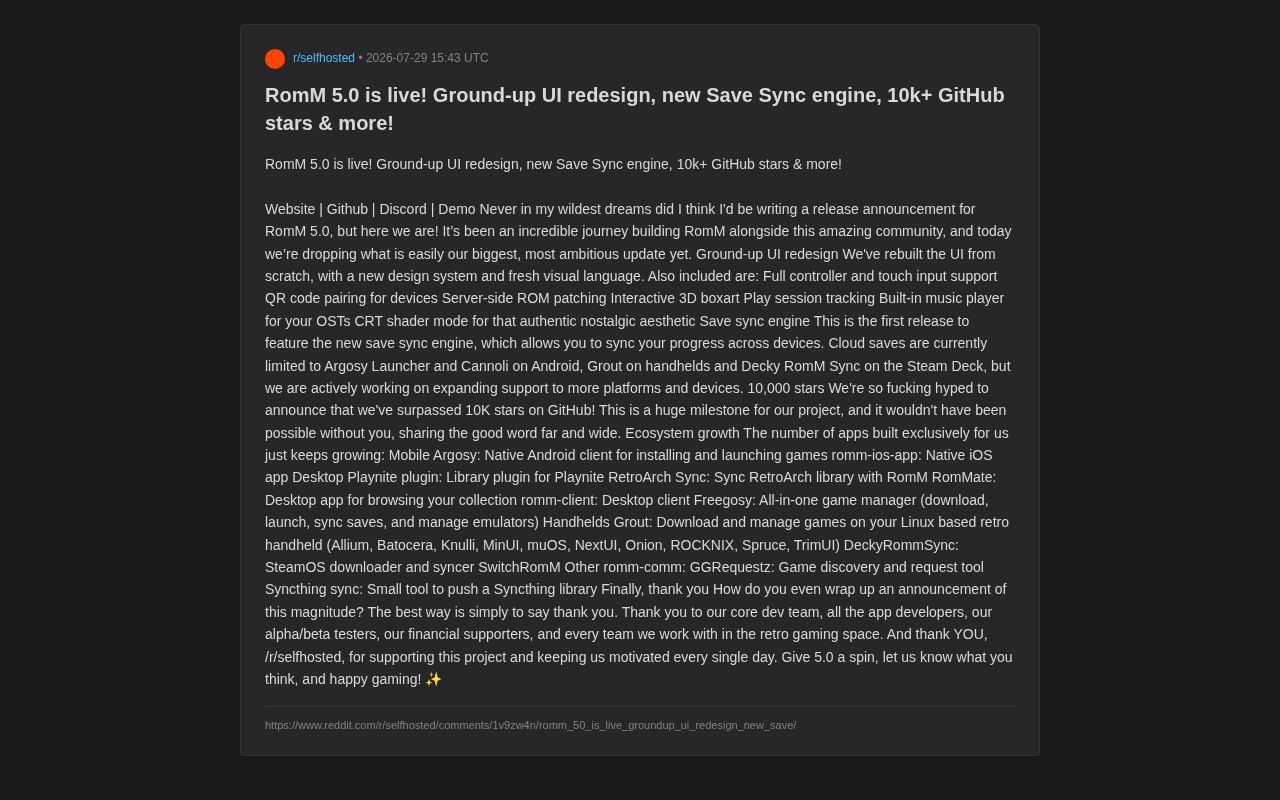
A User Interface Rebuilt from Scratch
The most visible change in version 5.0 is the team's completely rewritten user interface. The developers introduced an entirely new design system and visual language, giving the entire application a fresh look and feel.
The new interface isn't a simple skin swap—it's a systematic rebuild designed around diverse usage scenarios. It now offers full gamepad and touch input support, meaning whether you're sitting in your living room navigating with a controller or browsing on a tablet with touch, the experience is much smoother. This is particularly important for a retro gaming-focused application, as many users interact with it on TVs, handhelds, tablets, and other non-mouse-and-keyboard devices.
Additionally, the team has added several features that appeal to retro gaming aesthetics: interactive 3D game box art display makes browsing collections more immersive, while CRT shader mode recreates the visual texture of old cathode-ray tube monitors, providing an authentic nostalgic experience. CRT (Cathode Ray Tube) shaders are a GPU post-processing technique that simulates the visual characteristics of vintage CRT displays. Real CRT monitors had distinctive scanlines, pixel gaps (shadow mask or aperture grille), color bloom, and slight screen curvature. Many retro games' pixel art was actually designed with these CRT characteristics in mind, and displaying them directly on modern LCD screens can actually lose the original visual intent. CRT shaders mathematically reconstruct these optical properties, making the image appear closer to what players would have seen in arcades or on home TVs back in the day. The built-in music player also lets users listen to game original soundtracks (OSTs) directly.
Practical Details for Multi-Device Use
Worth highlighting is the new QR code pairing feature, which allows users to quickly connect mobile devices to the server by scanning a code, eliminating tedious manual configuration. Meanwhile, server-side ROM patching enables patches to be applied directly on the server. This relates to common patch formats in the retro gaming community such as IPS/BPS/UPS—these patch files record binary differences between original ROMs and modified versions, commonly used for fan translations, bug fixes, difficulty adjustments, or creating entirely new ROM Hack works. The traditional approach requires players to manually apply patches locally using specialized tools, which presents a significant barrier. RomM's server-side patching automates this process—users simply upload patch files and associate them with target ROMs, and the server automatically merges them during distribution. Downstream clients receive pre-patched game files directly, greatly simplifying the workflow. There's also playtime tracking to help players log their gaming data. Together, these features form a more complete game library management ecosystem.
A Brand-New Save Sync Engine
If the UI rebuild represents external evolution, then the new Save Sync engine represents a major breakthrough in RomM 5.0's underlying capabilities.
For a long time, one of the biggest pain points of cross-device gaming has been the difficulty of syncing saves—progress made halfway through a game on a handheld is hard to seamlessly transfer to a PC or phone. Cross-device save synchronization faces unique challenges in the retro gaming space: different emulators (such as RetroArch, Dolphin, PPSSPP, etc.) use varying save formats, and even different emulators for the same platform may use incompatible save structures. Additionally, save file storage locations, naming conventions, and the distinction between save states and battery saves (SRAM saves) all add complexity to synchronization. Cloud save systems also need to handle conflict resolution (when two devices modify a save simultaneously), version management, and compatibility mapping between different emulator cores.
The cloud save mechanism introduced for the first time in RomM 5.0 was built specifically to solve this problem. Players' game progress can now automatically sync across different devices.
However, it should be noted objectively that the current cloud save support scope remains limited. According to official documentation, it currently covers only the following clients: Argosy Launcher and Cannoli on Android, Grout on handhelds, and Decky RomM Sync on Steam Deck. The team states they are actively expanding support for more platforms and devices. This also explains why the current coverage is limited—each client requires specific integration work tailored to its particular save handling approach. This means save sync is currently better viewed as an "early but directionally correct" feature.
10,000 GitHub Stars and a Thriving Third-Party Ecosystem
With the release of 5.0, RomM has also reached a symbolic milestone—surpassing 10,000 GitHub Stars. For an open-source project focused on a niche domain, this number clearly demonstrates the community's engagement and recognition.
What better reflects the project's health is the third-party application ecosystem built around RomM. Clients developed specifically for RomM now cover virtually all major platforms:
Mobile Clients
- Argosy: Native Android client with support for installing and launching games
- romm-ios-app: Native iOS application
Desktop Clients
- Playnite Plugin: Provides game library integration for Playnite. Playnite is an open-source PC game library manager whose core value lies in unifying libraries from Steam, Epic Games Store, GOG, EA App, and other gaming platforms into a single interface. Through its plugin system, Playnite can extend support to virtually any game source. The RomM Playnite plugin means users can browse their Steam games and retro game collections on their RomM server in the same interface, achieving a truly unified "all-platform game library" management experience.
- RetroArch Sync: Syncs RetroArch game libraries with RomM
- RomMate, romm-client: Desktop browsing and management clients
- Freegosy: An all-in-one tool combining downloading, launching, save syncing, and emulator management
Handheld Clients
- Grout: A game download and management tool for Linux-based retro handhelds (supporting Batocera, Knulli, MinUI, muOS, NextUI, Onion, ROCKNIX, and other firmware). These firmware options represent the thriving open-source retro gaming handheld ecosystem that has developed in recent years: Batocera and ROCKNIX are full Linux-based gaming operating systems typically running on Raspberry Pi or x86 devices; muOS and Onion are lightweight custom firmware targeting affordable ARM handhelds like those from Anbernic; MinUI pursues a minimalist design philosophy. What these firmware options share is packaging Linux systems into out-of-the-box gaming experiences with integrated emulator frontends like RetroArch. Grout serves as a bridge connecting these devices to RomM servers, letting users manage their game libraries without manually copying ROM files.
- DeckyRommSync: SteamOS download and sync solution
- SwitchRomM
This "one core service + multi-platform clients" ecosystem pattern is key to how open-source projects can sustain growth. It lowers the barrier for users to access RomM on any device and creates a positive feedback loop for the entire project.
Summary
The release of RomM 5.0 is a comprehensive upgrade spanning interface, functionality, and ecosystem. The rebuilt-from-scratch UI enhances the cross-device experience, the new save sync engine fills a critical gap for cross-platform gaming, and surpassing 10,000 stars alongside a thriving third-party app ecosystem validates the vitality of the community-driven model.
For retro game collectors and self-hosting enthusiasts, RomM 5.0 is undoubtedly worth trying. Of course, new features like save sync are still in a gradual expansion phase, and the actual experience may vary by device. But judging from the overall quality of this update, RomM has steadily grown into one of the most noteworthy open-source projects in its field.
Related articles

GLEE Competition: A Detailed Guide to the NeurIPS 2026 Official Negotiation AI Challenge
NeurIPS 2026 GLEE Competition challenges AI agents to negotiate in real-time via natural language, covering bargaining, persuasion, and game strategies. Full guide on rules, approaches, and prizes.

Revolut Drops Perplexity for ChatGPT Go — Is This an Upgrade or a Downgrade?
Revolut replaced Perplexity Pro with ChatGPT Go for premium members. We compare both AI products' positioning and value to help you decide if it's an upgrade or downgrade.

Glasp MCP Connector: Let AI Directly Access Your Knowledge Base
Glasp MCP Connector links your personal highlights to Claude and ChatGPT via MCP protocol for natural language knowledge retrieval. Learn about its features, privacy design, and the MCP ecosystem trend.