Row-Bot 5.3.0 Released: Built-in Browser and Security Approval Redefine AI Agents
Row-Bot 5.3.0 reshapes AI agent safety with an embedded browser, real input control, and tiered approvals.
Row-Bot 5.3.0 lands on Windows, macOS, and Linux, focusing on how agents safely act in the real world: a live in-app browser with take-over/hand-back and persistent sessions, computer control rebuilt on real mouse and keyboard events with per-step validation and a Stop bar, sandboxed interactive pages, and tiered approvals (model-reviewed Auto, new Hands-off, and a hard rule that posting to X always needs human confirmation). Context before the first message is cut ~40%, tool guides load on demand, and background dev servers, video editing, and multi-account connections are supported.
Row-Bot 5.3.0 is now officially available on Windows, macOS, and Linux. The focus of this release is not on model capabilities themselves, but on "how agents safely operate in the real world"—a built-in browser, reworked computer control, tiered approval mechanisms, and a lighter context load at startup together outline an AI agent form factor that is closer to production-ready.
Core Update: The Browser Moves Directly Into the App
The most visible change is the in-app browser. A live page panel now sits beside the chat window, supports multiple tabs, and provides a "Take control / Give back" button—users can take over operations at any time and then hand control back to the agent. Browser sessions remain logged in after the app restarts, saving the hassle of repeatedly scanning QR codes or entering passwords.
Security boundaries are explicitly written into the interaction design: the agent proactively asks before making payments, sending, posting, deleting, or uploading; it never enters passwords, verification codes, or bank card numbers. This restriction may seem conservative, but it is in fact the prerequisite for making automation genuinely usable—by returning irreversible high-risk actions to humans for confirmation, the agent can be trusted with everyday web tasks.
Microsoft Entra applications are Microsoft's identity and access management platform (formerly Azure AD), commonly used by enterprises for single sign-on and permission control. The article's mention of "connecting to Outlook through the user's own Microsoft Entra application (no client secret required)" refers to the OAuth 2.0 authorization code flow with PKCE: the application is registered as a public client, holds no client secret, authorization is completed by the user in the browser, and the token is returned directly to the client. Compared with the traditional client secret model, this approach avoids storing long-term keys locally, has lower leakage risk, and is better suited to desktop agents—software distributed to end users. The trade-off is that the application must be registered in the Entra backend in advance and a redirect URI configured, which imposes some setup cost on users when connecting for the first time.
Reworked Computer Control: Every Step Is Checked
The new version carries out a底层-overhaul of the "Computer use" capability. The agent now uses real mouse and keyboard events instead of simulated interfaces; after each operation step, a validation is performed to confirm that the page state matches expectations. A Stop bar is always present on screen, and pressing Esc can also terminate the task immediately.
This "operate-validate-interruptible" design approach targets a long-criticized problem of agent automation: once the page structure changes or loading is delayed, the agent tends to continue executing in an erroneous state, causing misoperations. Adding step-by-step checks and an explicit interrupt exit is the key to turning uncontrollable automation into a predictable process.
The distinction between simulated interfaces and real input events deserves elaboration. Early "Computer use" implementations often directly call browser DOM interfaces or operating system APIs to "click" elements; they are fast but bypass the real input pipeline, and many pages that depend on focus, hover, pointer events, or anti-automation detection behave abnormally. Switching to real mouse movements and key events is equivalent to making the agent follow the same input path as humans: the signals received by the page are consistent and compatibility is better, but each step must wait for rendering and event processing to complete. This also explains why "post-operation validation" is necessary: the timing of real input is harder to predict, and only by reading back the page state can you confirm that the action actually took effect, rather than continuing to the next step on a stale interface that is still loading.
Sandbox Pages and Question Cards
Interactive pages running alongside the chat are in a sandboxed environment with no network access and no access to the user's chat history, files, or tools. This provides an isolation layer for "letting the agent operate an unfamiliar web page for you": even if the page contains malicious scripts, the impact is confined to the sandbox.
Question cards connect the in-app and external messaging channels, and are also available in Telegram, Discord, Slack, and WhatsApp. When the agent needs clarification, it asks through structured cards, and users can answer directly in the chat tools they already use without returning to the main app.
Approval Tiers: Auto, Hands-off, and X's Special Rule
The approval mechanism is split into multiple tiers. Auto mode is now reviewed by the model used in the current chat, which decides whether to allow an action; Hands-off is a newly added proactive opt-in tier that further reduces the number of manual confirmations. But there is one hard rule: anything posted to X always requires the user's personal confirmation.
This design reflects the trade-off agent products make between autonomy and safety—letting users and the model jointly decide "what can be let go," while retaining a human gate for high-impact actions such as public posting. For scenarios requiring multi-account operation, the new version also supports binding multiple X accounts, connecting to Outlook through the user's own Microsoft Entra application (no client secret required), and connecting Claude through its own Claude Code.
Claude Code is a command-line coding agent tool provided by Anthropic that can read and write code, execute commands, and complete multi-step development tasks in the terminal. The statement "Claude can be connected through its own Claude Code" means that Row-Bot does not implement its own call chain to Claude; instead, it reuses Claude Code's existing authentication and runtime environment, treating Claude as one of the callable agent backends. The benefit is low integration cost and following upstream updates, while key management and quota control remain on the Claude Code side. For users, Claude Code must first be installed and logged in on the local machine before Row-Bot can recognize and use that channel; this is a "borrowed path" integration rather than deep binding.
Lighter Context and Background Tasks
On the performance side, the content sent to the model before the first message is reduced by about 40%, and tool guides are loaded on demand. For long conversations and complex workflows, this directly lowers token costs and first-response latency.
Background capabilities are enhanced as well: development servers and long-running tasks can run in the background, and video editing and sending files to any device are also supported. This means the agent is no longer just a chat box but is beginning to take on continuous workloads.
How to Upgrade
Upgrading from 5.2.1 requires no manual download; the update arrives automatically in the background. Afterward, go to Settings › Updates › Restart now to complete the restart.
Key Takeaways
The update logic of Row-Bot 5.3.0 is clear: expand the agent's radius of action with a built-in browser and real input control, constrain risk with sandboxes, tiered approvals, and hard rules, and improve practical usability with lighter context and background tasks. For those following the deployment of AI agents, what is noteworthy about this version is not any single feature, but how it systematically answers the three questions: "what can an agent do, what can it not do, and who approves it?"
One-line Summary
Row-Bot 5.3.0 reshapes the security boundaries of AI agents with an embedded browser, real input control, and tiered approvals.
Paragraph Summary
Row-Bot 5.3.0 arrives on Windows, macOS, and Linux, shifting the focus from model capabilities to how agents safely operate in the real world. The app adds a live browser panel with multi-tab support and take-over/hand-back, keeps sessions logged in after restart, and has the agent proactively ask before irreversible actions such as payments, sending, and deleting, while never entering passwords or verification codes. Computer control is rebuilt on real mouse and keyboard events, validates state after each step, and provides an always-present Stop bar and Esc interrupt. Interactive pages run in a sandbox with no network and no access to chats or files. Approvals are split into Auto reviewed by the chat model, the new Hands-off tier, and a hard rule that posting to X always requires manual confirmation. On performance, pre-first-message context is reduced by about 40%, tool guides load on demand, and background dev servers, video editing, and multi-account connections are supported.
Related articles
REA: Reverse Engineering Any Software with AI Agents
REA is an MCP server and skill pack for AI coding agents like Claude Code and Cursor that reverse engineers JavaScript, Electron, binaries, Android apps, and firmware. This article covers its workflow, supported platforms, local analysis benefits, limitations, and lawful use.

The Five Permission Levels of AI Agents: From ChatGPT Q&A to Fully Autonomous Agents
Break down AI agent permissions into five levels: from ChatGPT pure conversation, project documents, MCP connectors, Computer Use automated clicking, to unattended agents—analyzing capability boundaries, prompt injection risks, and approval fatigue level by level, with three practical rules: read-only by default, manual confirmation for irreversible operations, and per-project isolation.
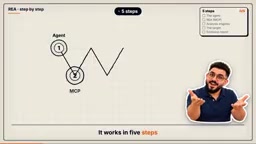
REA: Five-Step Reverse Engineering of Any App with AI Agents
REA is an open-source tool that lets AI agents like ClaudeCode connect to and drive reverse engineering tools such as Ghidra and IDA via MCP, completing analysis of binaries, Electron apps, .NET programs, or websites in five steps with evidence-backed reports—all running locally.