Running AI Models Locally Doesn't Mean You're Safe: How It Can Become a Hacker's Entry Point

Local AI models aren't inherently safe — malicious model files and runner vulnerabilities can give attackers full control of your machine.
This article summarizes a content creator's core arguments about the security risks of running local LLMs. Running a local AI model involves three components: neural network weights, runner software (like llama.cpp/Ollama), and configuration scripts bundled in the model files. Any of these can become an attack vector — attackers can plant malicious commands in config scripts or exploit runner vulnerabilities like "Llama Drama" (CVE-2024-34359) to achieve arbitrary code execution and steal local credentials. Open-weight models like DeepSeek also carry hidden bias risks due to undisclosed training data. The recommendation: avoid running unverified models directly on your host machine; use sandbox isolation or trusted cloud platforms like AWS Bedrock or Azure instead.
Many people assume that running AI models locally on their own computer is completely safe — after all, data never leaves the machine, and a model is just a bunch of numbers in a matrix. But a content creator recently put forward a counterintuitive warning: downloading the wrong model or runner software could actually open a backdoor that gives hackers full control of your computer. This article breaks down the creator's core arguments to help you understand the often-overlooked security risks behind running local LLMs.
What Is a Local AI Model, Exactly?
A local AI model refers to tools like Ollama that you can install on your laptop to run open models such as DeepSeekAd or Qwen. These models run efficiently, can rival the performance of OpenAI's commercial offerings, and are completely free.
The most appealing aspect is data sovereignty: you don't need to send anything to a cloud provider, and the model works offline — even on a plane. For companies that want full control over their data without sharing it externally, this approach is growing increasingly popular.
Because everything runs locally, many people assume it's bulletproof — no data leaves the machine, so everything must be safe. The creator points out that this assumption isn't entirely correct.
Three Components, Three Layers of Risk
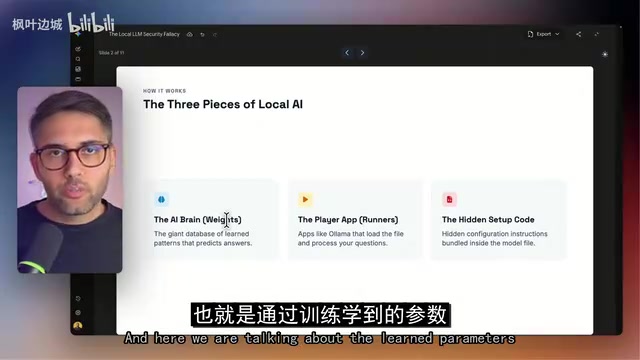
The creator emphasizes that when we talk about running a local AI model, we're actually dealing with three things simultaneously:
- The brain (neural network): A model trained on massive datasets — essentially a collection of numbers (tensors) that take input and produce output.
- The runner software: To interact with this "brain," you need software to run it, such as Ollama or the still-popular llama.cpp.
- Hidden configuration code: Configuration scripts bundled inside the model files.
The critical issue: when you download these three elements, there is no 100% guarantee that these files won't execute code on your machine. And "execute code" here doesn't mean helpful automation — it means malicious code that could give someone else access to your data, API keys, and credentials.
The creator calls this the "Trojan horse trap": you download a popular free model from a forum, and you may have unknowingly downloaded malicious content hidden inside it.
Tensors are a key concept for understanding model file structure. The "weights" of a neural network are essentially multi-dimensional arrays stored in file formats like
.safetensors,.gguf, or.bin. These numbers are static on their own and cannot self-execute. The real danger lies in the configuration scripts that accompany them — such asconfig.json,tokenizer_config.jsoncommonly found in Hugging Face repositories, and Python scripts likemodeling_xxx.pysupported by certain frameworks. Some frameworks automatically execute these scripts when loading a model (known as "arbitrary code execution"), which is the primary injection point for attackers. The GGUF format improves on raw PyTorch format by bundling metadata and weights into a single binary file, theoretically reducing reliance on external scripts — but it doesn't eliminate the risk entirely.
Hidden Dangers on Hugging Face and the "Llama Drama"
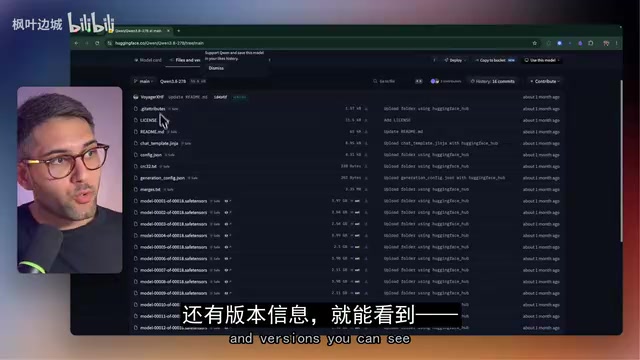
The most common model-sharing platform in the industry is Hugging Face, which hosts thousands of free models covering speech, image recognition, and even video generation. When you browse a model's "Files and versions" tab, you'll notice that you're not just downloading tensor files full of numbers — you're also getting configuration files and scripts that describe how to interact with those numbers.
That's where the problem lies. Because model files are often enormous, attackers can hide malicious commands inside configuration scripts. When you start chatting with the model, those hidden commands activate and give the attacker the ability to run programs on your machine.
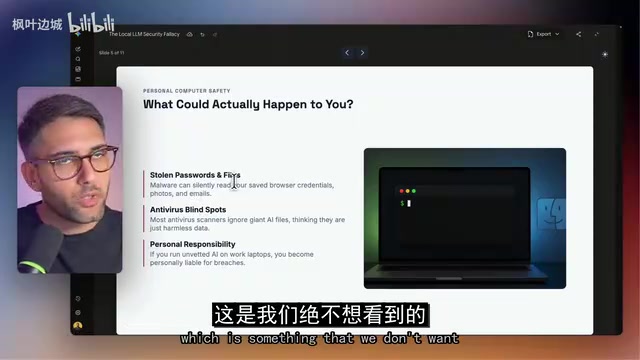
The creator cites a real-world example — a vulnerability known as "Llama Drama" found in the llama.cpp runner. After downloading the runner and installing a model, attackers could exploit the vulnerability to execute arbitrary code on a victim's machine. Over 6,000 models on Hugging Face were reportedly potentially affected. Once compromised, browser credentials, photos, and emails stored locally could be read and exfiltrated.
"Llama Drama" refers specifically to CVE-2024-34359, disclosed in 2024 in the widely used llama.cpp inference engine. An attacker could craft a malicious GGUF model file with a malformed metadata header, triggering a buffer overflow in llama.cpp during parsing and achieving Remote Code Execution (RCE). A buffer overflow is a classic vulnerability type: a program writes more data to a memory buffer than it can hold, and the overflow overwrites adjacent memory regions — attackers can carefully craft the overflow content to hijack program execution. Since llama.cpp serves as the underlying engine for many front-end tools like Ollama and LM Studio, the blast radius of this vulnerability was enormous. Users who never directly touched llama.cpp were still at risk as long as they used an upper-layer tool to load external models.
Open-Weight vs. Open-Source Models
The creator also clarifies two concepts that are frequently confused:
Open-weight models: You can download and use them — examples include DeepSeek, Qwen, and Mistral. However, their training datasets and training scripts remain proprietary. You have no way of knowing what data DeepSeek was trained on, and you can't reproduce a new model from scratch based on that information.
Open-source models: The provider releases everything, including training data and training scripts. A canonical example is OpenAI's Whisper — both the code and data are publicly available and can be used for speech-to-text tasks. Truly open-source models in this sense are relatively rare.
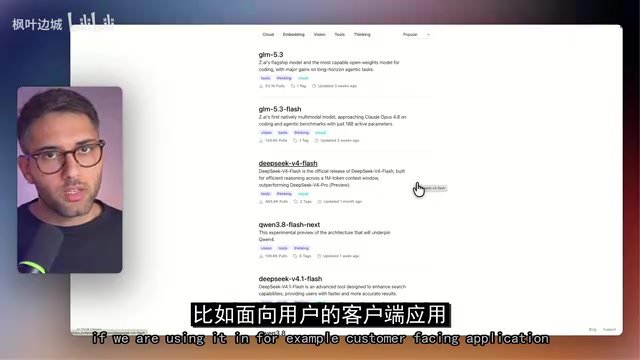
Why does this distinction matter? Open-weight models carry a different category of risk: because the training data is unknown, a model may carry hidden biases — gender bias (e.g., differential treatment of male vs. female job applicants), political slant (data trained in certain regions may embed particular political agendas), or cultural blind spots. These risks won't hack your computer, but they can quietly undermine your application — especially in customer-facing scenarios.
Safer Ways to Use Local Models
In response to these risks, the creator's recommendation is: don't install model runners directly on your primary machine. A safer approach is to deploy these open-weight models to the cloud and let providers like AWS, Azure, or Google Cloud handle security patches and vulnerability fixes.
The creator observes that most enterprises already lean toward the cloud anyway — because running more complex models requires local GPUs, which many organizations simply don't have. Running models through trusted cloud platforms like AWS Bedrock or Azure lets you access open-weight models while delegating security responsibilities to a professional team.
If you're determined to experiment locally, the creator's core principle is: treat AI files the same way you'd treat any downloaded application — they may contain vulnerabilities and malware, and you should never run unverified models directly on your host machine. The recommended approach is to use sandbox tools (such as sandboxes designed for AI agents): install the sandbox software first, then launch Ollama or Claude Code from within it. The sandbox automatically adds guardrails that prevent the AI from taking dangerous actions.
A sandbox is an OS-level isolation mechanism that confines a target process to a controlled environment, preventing it from accessing the host machine's file system, network, or other processes. Common implementations include Docker containers, virtual machines (VMs), and lightweight sandbox tools designed specifically for AI agents (such as E2B and Daytona). The core value of running Ollama inside a sandbox is that even if a model file triggers malicious code, the attacker's activity is contained within the sandbox and cannot reach browser credentials, SSH keys, or business data on the host. It's worth noting that sandboxes themselves have "escape" vulnerabilities, so container images and the host kernel still need to be kept up to date. A sandbox is an effective risk-reduction measure — not an absolute guarantee. AWS Bedrock is Amazon's managed LLM API service. Users call open-weight models like Llama and Mistral via API without managing the runtime environment themselves; security patches are handled by the cloud provider. It's well-suited for enterprises that want both model flexibility and security compliance.
Final Thoughts
Local LLMs offer data sovereignty and the freedom of zero cost, but they also hide security risks that are widely underestimated. The core conclusion isn't complicated: model files are not harmless numbers, runners can have vulnerabilities, and models from unknown sources can become attack vectors. Whether you choose local sandbox isolation or a trusted cloud platform, establishing a clear security boundary is the right way to work with open-source and open-weight models.
Related articles

How Big Can Stars Really Get? The Physical Limits of the Largest Stars
Red supergiants are the largest stars by volume, with radii up to 2,000 times the Sun, engulfing the inner solar system. But there is no precise upper limit on stellar size—models predict up to 15,000 solar radii. The most massive blue stars are far smaller than red supergiants—biggest and heaviest are two different things.

Apple HomeView Smart Display Full Feature Breakdown: Wall-Mount or Desktop, $299
Apple launches HomeView, a $299 smart display with wall-mount and desktop options, 12MP camera for facial recognition, smart home control, music playback, and recipe step-by-step cooking. Full breakdown of watch faces, apps, privacy, and cooking integration.

Where Did the Promised New Studio Go? Craft Computing Answers After Five Years
Craft Computing's host responds to viewer questions: the new studio promised five years ago was shelved as construction costs soared from $30,000 to $75,000, and was replaced by a 168-square-foot garage conversion.