Running Claude Code and Codex in Parallel: A Practical git worktree Guide

Use git worktree, cross-vendor model review, and config isolation to let Claude Code and Codex develop safely in parallel.
A complete workflow for running Claude Code and Codex in parallel on the same repository, addressing three common problems: file conflicts, usage limits, and self-review blind spots. Solutions include git worktree per agent with pitfalls to avoid, cross-vendor model review of uncommitted diffs (with `git add -N .`), and login isolation via `CLAUDE_CONFIG_DIR` and `CODEX_HOME` plus HANDOFF.md for cross-session handoff.
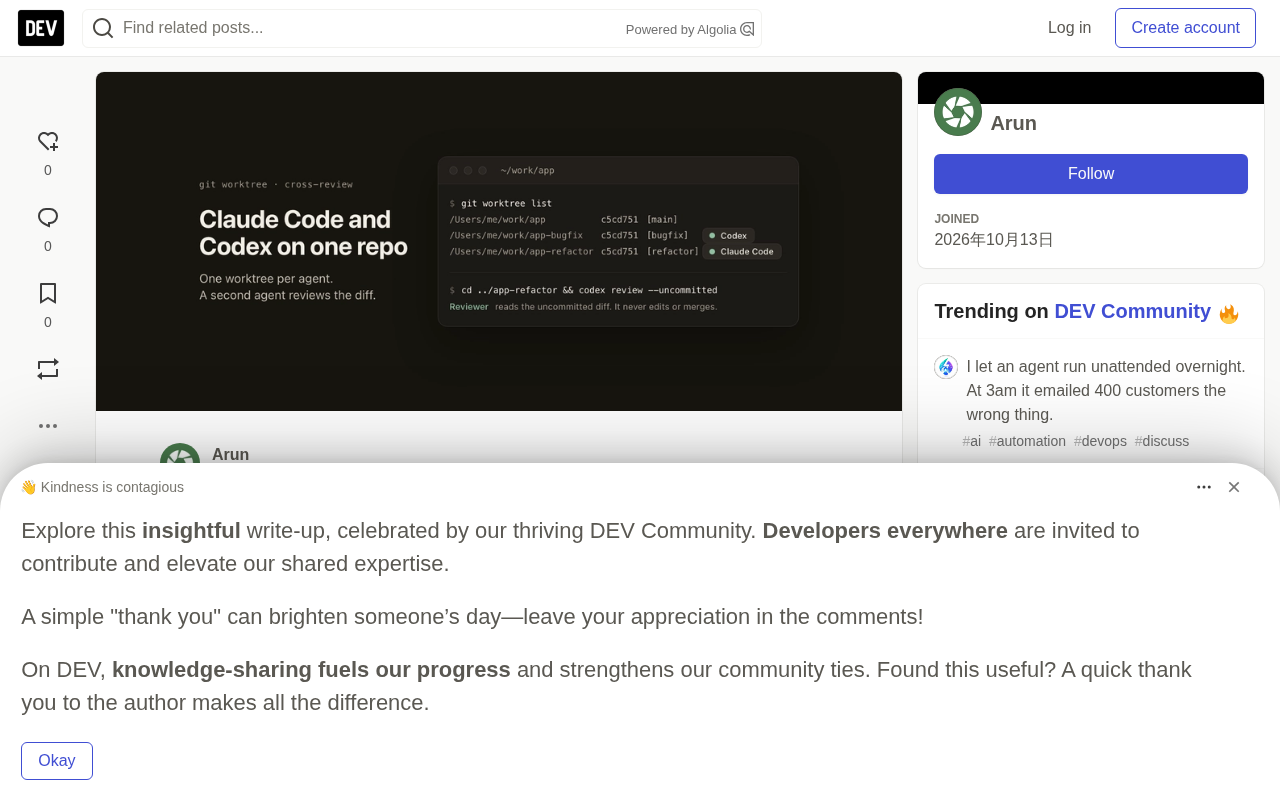
Why Run Two AI Agents in Parallel
Letting Claude Code and Codex work on the same repository at the same time quickly runs into three walls: both agents edit the same files and one side's changes break the other's working tree; one account hits its usage limit and a task stalls halfway; and when you ask the coding agent to review its own diff, it tends to miss exactly the problems it already overlooked while writing the code.
One developer systematically solved these three problems while building the Mac app Offrun and documented the full approach. The core idea: give each agent its own git worktree, use a different agent to review uncommitted diffs, and bypass usage limits through separate login configs. The author tested this on macOS with git 2.50.1, Claude Code 2.1.296, and Codex CLI 0.162.1.
Below we break down each step and the details that are easy to trip over.
One worktree per agent
git worktree is an additional working directory attached to the same repository (the same .git). Each branch gets its own folder, and agents edit freely in their own folders without interfering with each other.
cd ~/work/app
git worktree add ../app-refactor -b refactor
git worktree add ../app-bugfix   -b bugfix
Then launch one agent per folder:
cd ../app-refactor && claude      # first terminal
cd ../app-bugfix   && codex       # second terminal
Claude Code offers a -w / --worktree [name] option that creates a worktree directly for the session. Codex has no equivalent, so the author chose plain git commands that work for both agents.
One practical tip: put worktrees next to the repository rather than inside it. If you must put them inside, remember to add the folders to .gitignore, otherwise the main working tree will show them as untracked files.
What git worktree is
git worktree is a mechanism introduced in Git 2.5 that allows the same repository (sharing one .git directory) to check out multiple working directories simultaneously, each bound to its own branch. It solves exactly the inefficiency of "switching back and forth between branches, repeatedly stashing and rebuilding": the traditional approach requires git checkout to switch branches, which replaces the entire working tree and invalidates build caches and dependencies; worktree instead gives each branch its own independent file tree, index, and HEAD without interference.
Internally, the main repository's .git directory gains a worktrees/<name> subdirectory recording each extra working directory's HEAD, index, and lock state. As a result, branches, commit objects, stash, and reflog are shared, while working tree files and the staging area are isolated — understanding this lets you predict every pitfall mentioned in the following sections.
git worktree pitfalls to watch out for
worktree is handy, but a few behaviors can easily derail parallel agents.
The same branch cannot be checked out in two worktrees
git worktree add ../dup refactor
# fatal: 'refactor' is already used by worktree at '/tmp/.../app-refactor'
Git refuses to let two worktrees share a branch, which is effectively a safety net. If you want two agents to try different approaches from the same starting point, just create a second branch with -b.
.env and node_modules don't come along
A new worktree only checks out tracked files. The .env listed in .gitignore doesn't exist, and the node_modules generated by the last npm install doesn't either. When an agent's first action reports "missing environment variable" or "module not found," this is usually why.
The author wrote a small function in ~/.zshrc that copies .env when creating a worktree:
wt() {
  local name=$1 root dest
  root=$(git rev-parse --show-toplevel) || return
  dest="${root}-${name}"
  git worktree add "$dest" -b "$name" || return
  [ -f "$root/.env" ] && cp "$root/.env" "$dest/.env"
  echo "$dest"
}
Dependency installation wasn't included because projects vary too much. Package managers with shared storage, like pnpm, can control disk usage when adding worktrees.
stash is shared across worktrees
There's only one .git, so there's only one stash. A git stash executed in another worktree will show up in the main worktree's git stash list.
Agents use git stash and git stash pop more often than you'd think. To prevent one session from popping another session's stash, the author suggests adding a rule to the agent instruction files (CLAUDE.md, AGENTS.md) during parallel work: don't use stash, use temporary commits to save work in progress.
A worktree with uncommitted changes can't be removed directly
$ git worktree remove ../app-refactor
# fatal: '../app-refactor' contains modified or untracked files, use --force to delete it
--force can delete it, but it also discards uncommitted changes. Run git -C ../app-refactor status to confirm before doing so. After the work is done, merge first, then git worktree remove and git branch -d.
The author also mentions an issue not tested in the article but common: multiple agents starting dev servers will fight over the same port (e.g., 3000). If the port comes from a PORT environment variable, assign a different port per worktree, like PORT=3001.
Review uncommitted diffs with another agent
Letting the coding agent review its own diff carries the assumptions it made while writing the code into the review. The author's observation is that models from different companies notice different problems, which is precisely their value as reviewers.
Codex as reviewer
The Codex CLI has a review subcommand. According to its help documentation, --uncommitted reviews staged, unstaged, and untracked changes together:
cd ../app-refactor
codex review --uncommitted
You can also use --base main to review against a base branch, or --commit <SHA> to review a single commit.
Claude Code as reviewer
Claude Code runs non-interactively via -p (--print), so you can pipe a diff into it:
git add -N .                # make untracked files appear in the diff
git diff HEAD | claude -p "Review this diff. Point out bugs, missing tests and type mismatches. Don't change any code."
git add -N . (intent-to-add) is required because git diff HEAD ignores untracked files. The author verified this with a new file new.ts and a modification to package.json: without add -N, all new files are silently omitted from the diff.
What to do with review results
Have the reviewer only point out problems and do nothing else. Hand fixes back to the original agent, or do them yourself. If the reviewer edits code directly, you're back to the first problem: two agents touching the same files. Read the review first, pick out what's worth addressing, then pass it along, to avoid one off-base comment derailing the work.
Why cross-vendor model review works better
The root of self-review failure is the cognitive homology of "generation—validation": while writing code, the same model has already implicitly accepted its own assumptions (e.g., a parameter is never null, a branch is always reachable), and during review it follows the same reasoning path to reach "no problem" again. Such errors are called blind spots rather than oversights. Bringing in a model from a different vendor with different training data and different alignment strategies means its prior distribution differs, making it more likely to question what the original model takes for granted. In practice this shows up as: code written by Claude often gets flagged by Codex for boundary conditions and concurrency assumptions, while Codex output often gets flagged by Claude for type and readability issues. It's worth emphasizing that cross-vendor review improves the "detection rate," not the "accuracy rate" — review comments can still be false positives, which is why the article recommends the reviewer only output problems and let the original author decide whether to fix them.
Planning for usage limits
Both Claude and Codex cap usage over a period, and running in parallel hits the ceiling faster. If you have multiple login accounts, you can switch to another when one runs out.
Separate config folders, separate logins
Both CLIs support relocating config and credentials via environment variables: CLAUDE_CONFIG_DIR for Claude Code, CODEX_HOME for Codex. Point them at empty folders and confirm the login states are independent:
$ CLAUDE_CONFIG_DIR=/tmp/cfgA claude auth status
{ "loggedIn": false, ... }
$ CODEX_HOME=/tmp/cfgB codex login status
Not logged in
So you can create an alias per login:
alias claude-b='CLAUDE_CONFIG_DIR=$HOME/.claude-b claude'
alias codex-b='CODEX_HOME=$HOME/.codex-b codex'

claude-b auth login      # log in with the second account
Session history is also stored separately per config folder, so claude-b has no idea what claude did — which leads to the next issue.
Why config directory isolation bypasses limits
Usage limits are usually tied to the account (subscription) rather than an API key or device, and the CLI persists OAuth tokens, session records, and caches in a local config directory. Claude Code reads ~/.claude by default (overridable via CLAUDE_CONFIG_DIR), and Codex reads ~/.codex by default (overridable via CODEX_HOME). Point the environment variables at an empty directory and the CLI treats it as a fresh install, requiring a new login — this is why login states are isolated and you can burn through multiple account quotas in parallel.
Keep in mind: this approach relies on the terms of service allowing you to use the multiple accounts you hold, and sharing session data across accounts (e.g., copying history files) is both unstable and potentially a violation, which is why the article recommends using an "explicit state file" like HANDOFF.md for handoff instead of copying config directories.
Leave a handoff doc manually when switching mid-task
After a limit triggers a switch, the new session doesn't know what the old session tried. The author hasn't tested copying session history files between different config folders, so that approach isn't recommended. The reliable way is to have the agent write its state to a file before the limit hits:
<!-- HANDOFF.md -->

**What makes HANDOFF.md effective**

A handoff doc must be directly digestible by a completely uninformed new session, and four things are key: goal (what the current task must achieve), done (down to specific files and verified results), failed attempts (to avoid the new session repeating mistakes), and next steps (action items with clear priorities). The example's "Tried and failed" section is especially important — AI agents tend to retry plausible-looking approaches, and writing down paths already proven not to work significantly reduces wasted tokens and context.

A more structured but costlier alternative is using `PROGRESS.md` with checklist-style ticks, but the article's practice shows that as long as the agent is asked to update `HANDOFF.md` after each unit of work, a plain-text four-section structure is sufficient for smooth cross-account, cross-model continuation.
## Goal
Move the auth middleware to TypeScript

## Done
- Migrated src/auth/session.ts, 0 type errors

## Tried and failed
- Staying on jose v4 breaks the ESM import. Needs v5

## Next
- Migrate src/auth/token.ts
Add a line to CLAUDE.md (or a similar file) requiring the agent to update HANDOFF.md after each completed unit of work. Then tell the newly logged-in session "read HANDOFF.md and continue," and it can pick up where the previous session left off.
What still needs to be done manually
The above approach enables parallel agents, but some things still must be done by hand: opening each terminal tab to see which agent is working and which is waiting for you; checking each CLI to see which login is nearing its limit; manually typing the commands to create worktrees, copy .env, run reviews, and clean up every time.
The author built a Mac app, Offrun, to centralize these operations into one interface, running Claude Code, Codex, and Antigravity CLI with existing logins, each chat getting its own git worktree. But even without Offrun, everything in the article can be done with plain git — try it with plain git first; this may be the most pragmatic advice.
Credibility notes
At the end of the article, the author includes a verification checklist distinguishing what he actually ran from what he only checked the shape of the command for. Same-branch conflict, .env not coming along, shared stash, dirty worktrees that can't be removed, and git diff HEAD missing untracked files — all of these were verified in a test repository. The wt function was run in zsh, and login isolation with CLAUDE_CONFIG_DIR and CODEX_HOME was checked with empty folders. codex review --uncommitted and claude -w were confirmed to exist via --help. However, the actual output content when models review and the port conflict were not tested. This transparent boundary of verification is far more reliable than content that claims "personally tested, works great" throughout without saying what was tested.
One-line Summary
Use git worktree, cross-vendor model review, and config isolation to let Claude Code and Codex develop safely in parallel on the same repository.
Paragraph Summary
The article presents a complete approach for running Claude Code and Codex in parallel on the same repository, built around three common problems: file conflicts, usage limits, and self-review blind spots. The corresponding solutions are: use git worktree to give each agent an independent working directory while avoiding pitfalls like .env not coming along, stash shared across worktrees, and dirty worktrees that can't be removed directly; have models from different vendors review each other's uncommitted diffs, where git add -N . is the key to getting untracked files into the diff; and separate login configs via CLAUDE_CONFIG_DIR and CODEX_HOME to switch to a backup account, with HANDOFF.md for cross-session handoff. The author also clearly distinguishes tested from untested items, keeping the verification boundary transparent.
Related articles

How Big Can Stars Really Get? The Physical Limits of the Largest Stars
Red supergiants are the largest stars by volume, with radii up to 2,000 times the Sun, engulfing the inner solar system. But there is no precise upper limit on stellar size—models predict up to 15,000 solar radii. The most massive blue stars are far smaller than red supergiants—biggest and heaviest are two different things.

Apple HomeView Smart Display Full Feature Breakdown: Wall-Mount or Desktop, $299
Apple launches HomeView, a $299 smart display with wall-mount and desktop options, 12MP camera for facial recognition, smart home control, music playback, and recipe step-by-step cooking. Full breakdown of watch faces, apps, privacy, and cooking integration.

Where Did the Promised New Studio Go? Craft Computing Answers After Five Years
Craft Computing's host responds to viewer questions: the new studio promised five years ago was shelved as construction costs soared from $30,000 to $75,000, and was replaced by a 168-square-foot garage conversion.