Running Local LLMs on 24GB VRAM? Your Actual Usable Memory Is Less Than You Think

Your 24GB GPU has far less usable VRAM for local LLMs than you think — here's how to plan properly.
When running local LLMs, your GPU's advertised 24GB VRAM doesn't equal 24GB usable. This article breaks down VRAM consumption into three buckets — model weights, KV cache, and runtime headroom — explaining why you should plan with only ~90% of nominal capacity. It covers quantization format differences, KV cache scaling with context length and concurrency, and why fitting a model into VRAM doesn't guarantee good performance due to CPU offload penalties.
Why 24GB of VRAM Doesn't Mean 24GB Usable
Many people deploying local large language models (LLMs) instinctively compare the model file size against the VRAM number printed on the graphics card box: model file is 12GB, card has 24GB — looks like plenty of headroom. But this naive calculation ignores several invisible "memory buckets" in VRAM, leading to frequent OOM (out-of-memory) errors or sudden performance drops during actual operation.
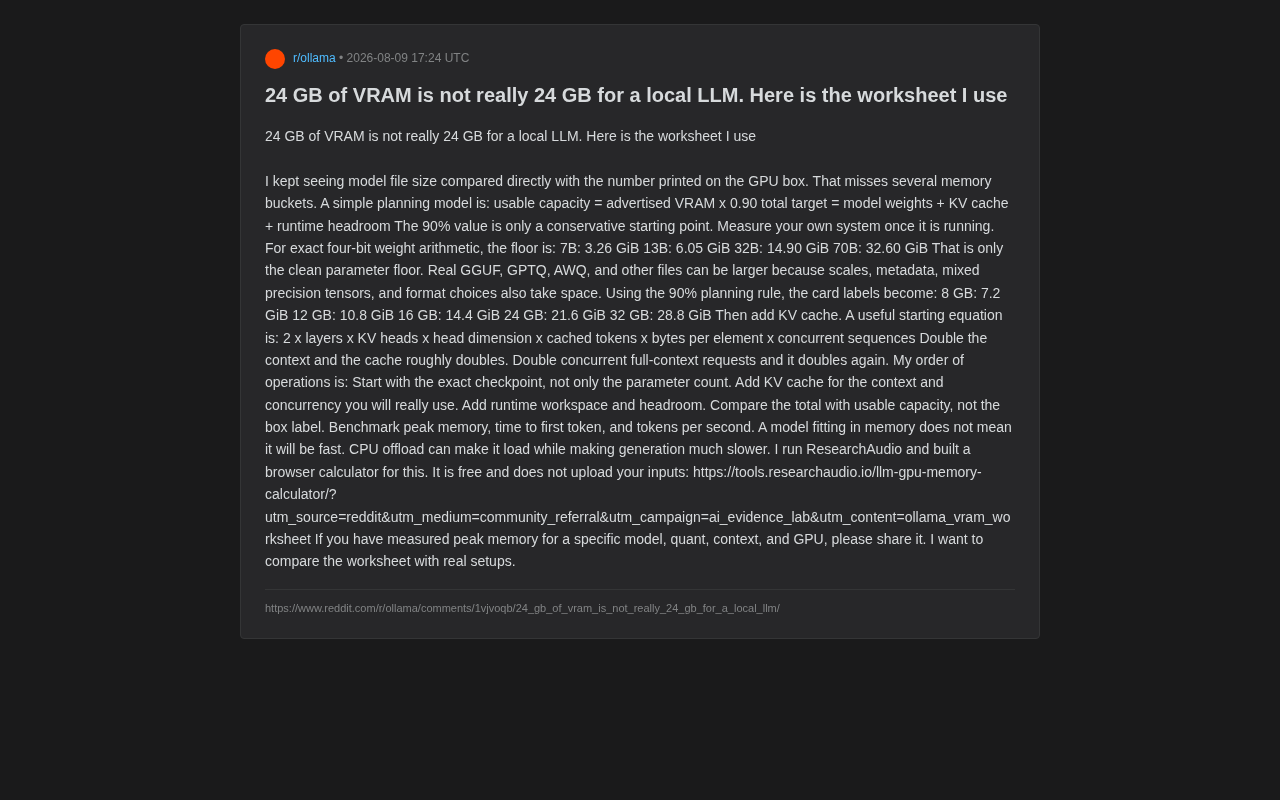
A Reddit user (who runs the ResearchAudio project) shared a VRAM planning methodology he uses daily. The core idea is simple: you need to plan based on usable capacity, not the box label. His basic planning model is:
Usable Capacity = Nominal VRAM × 0.90
Total Requirement = Model Weights + KV Cache + Runtime Headroom
The 90% figure is just a conservative starting point — after your system is actually running, you should measure the real ratio for your own environment. The reason it's not 100% is that the GPU driver, CUDA runtime context, display output (if not a headless server), and the OS graphics compositor all pre-allocate a portion of VRAM. On Windows, this overhead is typically larger than on Linux — the desktop environment alone can consume 300MB–1GB of VRAM.
The Three VRAM Consumption Buckets
Bucket One: The "Floor Price" of Model Weights
Using 4-bit quantization as an example, the theoretical minimum footprint for raw parameters is:
| Model Size | Weight Floor |
|---|---|
| 7B | 3.26 GiB |
| 13B | 6.05 GiB |
| 32B | 14.90 GiB |
| 70B | 32.60 GiB |
The author specifically emphasizes that this is only the bare parameter floor. Actual files in GGUF, GPTQ, AWQ, and other formats are often larger because quantization scales, metadata, mixed-precision tensors, and format-specific choices all add overhead. In other words, two different "4-bit 7B" implementations in different formats can have noticeably different actual sizes.
It's worth elaborating on the differences between these mainstream quantization formats. GGUF (GPT-Generated Unified Format) is the standard format for the llama.cpp ecosystem, featuring single-file packaging and support for mixed quantization precision — for example, critical layers that significantly impact model quality can retain higher precision (like Q6_K or Q8_0), while other layers use more aggressive low precision (like Q4_K_M). GPTQ (GPT Quantization) is a post-training quantization method based on approximate second-order information that requires a calibration dataset to minimize quantization error, and typically performs well in pure GPU inference scenarios. AWQ (Activation-aware Weight Quantization) analyzes activation value distributions to identify "important" weight channels and gives them higher precision protection, often achieving better output quality at the same bit count. Even when all three formats claim 4-bit quantization, actual file sizes can differ significantly — by 10%–20% — due to factors like scale storage precision, group size (commonly 128 or 32; smaller groups mean higher precision but more overhead), and whether additional metadata is included.
Applying the 90% planning rule, here's how the actual usable capacity looks for different VRAM tiers:
| Nominal VRAM | Planned Usable Value |
|---|---|
| 8 GB | 7.2 GiB |
| 12 GB | 10.8 GiB |
| 16 GB | 14.4 GiB |
| 24 GB | 21.6 GiB |
| 32 GB | 28.8 GiB |
Bucket Two: KV Cache — The Easily Underestimated Silent Killer
The KV cache (Key-Value Cache) is something many beginners completely overlook, yet it grows extremely fast. To understand why KV cache is needed, we need to look at the autoregressive generation mechanism of the Transformer architecture. In standard self-attention computation, generating each new token requires attention operations with the Key and Value vectors of all preceding tokens. Without caching, every step would need to recompute the KV projections for all previous tokens, resulting in O(n²) computational complexity. The KV cache approach stores previously computed Key and Value tensors, so new tokens only need to compute their own Q/K/V and concatenate with the cache, reducing incremental computation per step to O(n) — a classic space-for-time tradeoff.
The author provides this estimation formula:
KV Cache = 2 × num_layers × num_KV_heads × head_dim × cached_tokens × bytes_per_element × concurrent_sequences
This formula reveals two key patterns: doubling context length roughly doubles the cache; doubling concurrent full-context requests doubles it again. This means if you want to handle multiple long-context conversations simultaneously, KV cache usage can easily exceed the model weights themselves. This also explains why many people see everything working fine during small-batch testing, only to immediately blow up VRAM once they go to production with concurrent requests.
It's worth noting that the industry is actively developing various KV cache compression techniques to alleviate this bottleneck. Quantized KV cache (storing KV vectors in FP8 or even INT4 precision instead of the default FP16) can compress cache size to 1/2 or even 1/4 of the original. PagedAttention, pioneered by vLLM, borrows the paging concept from OS virtual memory, splitting the KV cache into fixed-size "pages" allocated on demand rather than pre-allocated, dramatically reducing fragmentation waste. At the model architecture level, GQA (Grouped Query Attention, used in Llama 2 70B and Llama 3 series) and MQA (Multi-Query Attention, used in the Falcon series) fundamentally reduce the number of KV vectors that need caching by having multiple query heads share the same set of KV heads. These techniques can significantly lower actual KV cache usage, but for end users, the key is knowing whether your inference framework has these optimizations enabled.
Bucket Three: Runtime Workspace and Headroom
Beyond weights and KV cache, the inference framework itself needs workspace memory (activations, temporary tensors, etc.) and safety margins. This includes intermediate activation tensors during attention computation, temporary buffers for layer normalization and residual connections, and logits vectors during the sampling phase (vocabulary size × batch size × FP32 — for a model with a 128K vocabulary, that's about 512KB per sequence). This is precisely the buffer space that the 90% planning coefficient is meant to cover.
The Correct Order of Operations for VRAM Planning
The author summarizes a clear "order of operations" that every local LLM enthusiast should bookmark:
- Start from the specific checkpoint, not just the parameter count — for the same 32B model, different quantized files can vary significantly in actual size. For example, a 32B model's Q4_K_M quantized version might be 18.5GB, while Q4_0 might be 17.2GB, and Q5_K_M could reach 21GB.
- Add the KV cache for your real usage scenario, calculated based on the context length and concurrency you'll actually use, not theoretical peaks.
- Add runtime workspace and headroom.
- Compare total requirements against "usable capacity," not the box label.
- Benchmark peak VRAM usage, time to first token (TTFT), and tokens per second (TPS).
TTFT and TPS are the two core metrics for evaluating LLM inference performance, reflecting two fundamentally different phases of the inference process. TTFT measures the latency of the prefill phase — the model needs to process the entire input prompt at once. This is a compute-intensive operation involving parallel attention computation across all input tokens and filling the KV cache; the longer the input, the higher the TTFT. TPS measures the speed of the decode phase — autoregressively generating output tokens one by one. This phase is primarily limited by memory bandwidth (repeatedly reading all model weights and the ever-growing KV cache), making it a memory bandwidth-intensive operation. For interactive conversation scenarios, TTFT directly determines how long users wait for the first character to appear (beyond 2–3 seconds feels noticeably laggy), while TPS determines how fast subsequent text streams out (generally, 6–8 tokens/s or above approaches human reading speed and provides a good experience). When VRAM is tight, both metrics deteriorate significantly.
Fitting in VRAM ≠ Running Fast
The final insight in the article is particularly important: a model fitting into VRAM doesn't mean it runs fast. When VRAM is insufficient, many frameworks automatically enable CPU offload (moving some layers to system RAM/CPU). This does allow the model to "load successfully," but generation speed drops dramatically.
The CPU offload mechanism works by placing some of the model's Transformer layers in system RAM, with the CPU handling forward computation for those layers. Only layers residing in GPU VRAM can leverage GPU parallel computation acceleration. During inference, data transfers back and forth between GPU and CPU via the PCIe bus (consumer platforms typically use PCIe 4.0 x16, with theoretical bandwidth of about 32GB/s and lower effective bandwidth in practice), while GPU memory bandwidth is typically hundreds of GB/s to over a thousand GB/s — this order-of-magnitude bandwidth gap is the fundamental cause of the performance bottleneck. In practical experience, if only a few layers are offloaded to CPU, the speed drop might still be acceptable (e.g., from 30 tokens/s down to 15–20 tokens/s), but if most layers are on CPU, generation speed can drop to 1–3 tokens/s, essentially losing any meaning for interactive use. In llama.cpp, the -ngl (number of GPU layers) parameter allows precise control over how many layers stay on GPU, letting users incrementally adjust to find the optimal balance between speed and model size.
Therefore, merely asking "can it fit" is not enough — you must also pay attention to actual inference throughput.
The author developed a free browser-based calculator (LLM GPU Memory Calculator) that, according to its description, doesn't upload user input data and can locally estimate VRAM requirements for different model, quantization, context, and GPU combinations. He also calls on the community to share their measured peak VRAM data to calibrate the gap between this planning framework and real-world environments.
Practical Advice for Local LLM Enthusiasts
Overall, the value of this methodology lies in transforming "back-of-napkin guessing" into "structured planning." For users who are planning to buy or are already using consumer GPUs to run local models, here are some pragmatic recommendations:
- Reserve 20%+ headroom when buying a card: If your target model weights plus KV cache need 18GB, don't expect a 20GB card to run comfortably.
- Calculate KV cache first: In long-context and multi-concurrent scenarios, it's the decisive factor.
- Always validate with real benchmarks: 90% is just a starting point. Different frameworks (llama.cpp, vLLM, Ollama, etc.) have notably different overhead characteristics, and you need to actually run tests to know for sure. Different inference frameworks have distinct positioning and VRAM overhead profiles: llama.cpp is a lightweight C/C++ inference engine centered on the GGUF format, supporting CPU+GPU hybrid inference with minimal and finely controllable VRAM overhead, ideal for single-user scenarios on consumer hardware; vLLM is a Python framework designed for high-throughput serving deployment, with its core innovation PagedAttention dramatically improving batch processing efficiency and VRAM utilization, though the framework's own CUDA context and scheduler also consume extra VRAM (typically hundreds of MB to 1GB+), making it better suited for multi-user concurrent server scenarios; Ollama is essentially a high-level wrapper around llama.cpp, providing friendlier model management and API interfaces but introducing slight additional memory overhead. Other options include ExLlamaV2 (focused on high-performance inference with the EXL2 format) and TensorRT-LLM (NVIDIA's official deeply-optimized framework with extreme performance but complex configuration). Choosing different frameworks means different VRAM overhead — this is the core reason why real-world testing is essential.
For local deployment, understanding the true composition of VRAM usage will help you avoid pitfalls far more than staring at the number on the box.
Related articles

Felix Rieseberg Personal Homepage
Felix Rieseberg's personal homepage sparks attention on Hacker News. This article covers the Slack engineer's technical background, the rise and fall of nativefier, and the value of a developer homepage as a tech calling card.

@ai-sdk/vue 3.0.306 Patch Release Syncs with [email protected] Update
@ai-sdk/vue 3.0.306 released, synced with [email protected]. A routine patch release for the Vercel AI SDK ecosystem with no public API changes; the Vue adapter layer stays version-aligned with the core package.

Gemini 4 Argon API Launches: The Era of Million-Token Output Begins
Google launches Gemini 4 Argon with sparse MoE architecture, up to 1M output tokens, and a 68.90% Vals Index score, available across API, AI Studio, and the Gemini app.