Running RAG on 8GB RAM with Frequent OOM? A Practical Guide to Optimizing Docling's Memory Usage for PDF Processing

How to fix Docling OOM errors in RAG pipelines with smarter batching, lighter config, and decoupled cloud deployment.
A developer building a RAG system with Docling kept hitting OOM errors on 8GB RAM. The article explains that page-batching is the right instinct, but the real issue is per-page content complexity, not page count. Solutions include single-page batching, disabling unused Docling features like OCR and table extraction, lowering render DPI, and using lighter libraries like PyMuPDF for simple documents. On the deployment side, don't assume AWS will solve the problem — profile memory locally first, then decouple heavy offline PDF parsing from lightweight online retrieval using async batch jobs for a stable, cost-controlled architecture.
The Problem: Out-of-Memory Errors When Processing PDFs with Docling
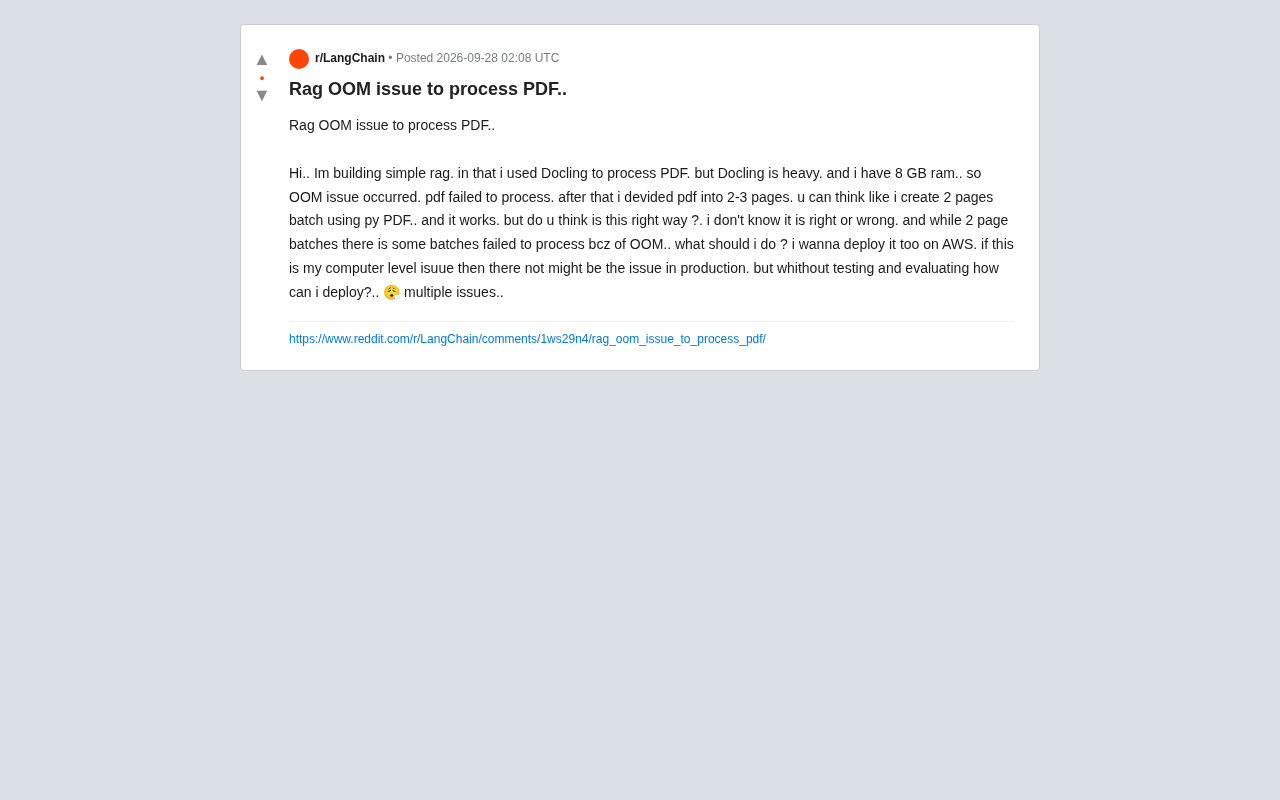
A developer shared on Reddit a classic predicament encountered while building a RAG (Retrieval-Augmented Generation) system: using Docling to parse PDF documents, but running into frequent OOM (Out of Memory) errors on a machine with only 8GB of RAM, making it impossible to fully process PDFs.
To work around the issue, they tried splitting PDFs into small batches of 2–3 pages using PyPDF, which worked for most batches — but some still failed due to insufficient memory. What made things worse was uncertainty about production deployment: if this was simply a local hardware limitation, maybe the production environment would be fine — but without proper testing and evaluation, how could they confidently deploy to AWS?
This case, though small in scale, reflects a common engineering challenge for RAG beginners: the resource overhead of document parsing tools, the validity of batching strategies, and the gap between local development and cloud deployment.
Docling is an open-source document parsing framework from IBM. Its core strength lies in deep structural understanding of PDFs — it doesn't just extract text, but also recognizes table structures, charts, heading hierarchies, and page layouts, outputting results in structured formats like Markdown and JSON. Achieving this relies on multiple AI models, including layout detection models (the LayoutLM family) and table recognition models. These models need to be loaded into memory on first run, and combined with page rasterization and intermediate data structures, peak memory usage can easily reach 4–6GB. On an 8GB machine competing with the OS and Python runtime, OOM becomes almost inevitable. This is fundamentally different from lightweight libraries like PyPDF or pdfplumber that simply read text streams — those don't load neural network models and typically consume only tens of megabytes of memory.
Is Page-Batching the Right Approach?
The short answer: splitting large PDFs into smaller batches is a reasonable and common engineering technique — it's not wrong. Document parsing (especially for PDFs with tables, images, and complex layouts) is inherently memory-intensive. Docling loads models, renders pages, and runs layout analysis during parsing, and peak memory usage can easily exceed 8GB.
The core value of batching is controlling peak memory per run, which follows the same logic as database pagination or streaming reads for large files. So the developer's instinct was correct.
However, if batches of 2–3 pages still fail, the root cause isn't just page count — it's the complexity of individual page content. A dense table, a high-resolution scanned image, or a complex vector graphic can cost dozens of times more memory to parse than a plain text page. Simply splitting by page count is a "coarse-grained" solution — it will still crash on heavy pages.
More Robust Batching Strategies
- Drop to single-page processing: Reduce batch size to 1 page, trading some throughput for stability.
- Fallback retry for failed batches: Catch OOM exceptions and re-run failed batches through a lighter parsing path.
- Differentiate by content type: Route scanned documents through a lightweight OCR pipeline, and native-text PDFs through plain text extraction — avoid running every page through the heavy pipeline.
Reducing Docling's Memory Footprint at the Tool Level
Docling is powerful, but with all features enabled, it's expensive. If local resources are tight, you can trim unnecessary processing through configuration:
- Disable unused parsing capabilities: If documents don't contain tables or you don't need table structure recognition, turn it off. Disabling OCR when not needed also helps — these two features are typically the biggest memory consumers.
- Lower image rendering resolution: Docling rasterizes pages during layout analysis. Reducing DPI can significantly cut memory usage.
- Explicitly release objects and trigger GC: In Python, after each batch, explicitly delete large objects and call
gc.collect()to prevent memory fragmentation from accumulating. - Evaluate lighter alternatives: For documents with simple structure, libraries like PyMuPDF (fitz) or pdfplumber have far lower memory footprints than Docling. Consider using them as the primary tool and reserving Docling only for complex pages.
The key to tool selection is matching the actual complexity of your documents, not defaulting to the heaviest available option.
Bridging Local Testing and AWS Deployment
The developer's other concern is representative: if it doesn't run locally, does that mean production won't work either? How do you evaluate this before deploying?
This involves two distinct questions:
1. Memory Issues Will Exist in Production Too
Don't assume "it'll be fine on AWS." Cloud instances can indeed be configured with more memory (16GB, 32GB, etc.), which can alleviate OOM — but costs increase accordingly. And if the parsing logic itself is uncontrolled, larger documents will still exhaust memory. The right approach is to first bring memory usage within a predictable range locally, then use that data to select instance types.
2. Decouple Document Processing from Online Services
For production-grade RAG, it's strongly recommended to separate PDF parsing (offline, heavyweight) from retrieval and QA (online, lightweight) into two distinct pipelines:
- Document parsing runs as an async task or batch job, using larger-memory instances or services like AWS Batch or Lambda (note Lambda's memory cap) for one-time ingestion. Once processed, vectors are written to a vector store.
- The online QA service only handles retrieval and LLM calls — low memory requirements, horizontally scalable.
This way, even if the parsing step occasionally fails, it doesn't affect the stability of the live service, and failed documents can be retried independently.
3. A Practical Path for Testing and Evaluation
- Use a representative sample of documents (covering plain text, tables, scanned documents, etc.) to run end-to-end locally, recording peak memory usage per document type.
- Categorize failed samples to identify which page types trigger OOM.
- Use this data to estimate memory requirements for production instances, and build in fallback and retry logic.
Summary
What this developer encountered is a classic "triple hit" in RAG deployment: a heavy parsing tool, batching granularity that's not fine enough, and a lack of a clear path from local development to cloud deployment.
The approach can be summarized as: batching is the right direction, but refine it to split by content complexity rather than page count; actively reduce load through Docling configuration and tool selection; decouple heavy parsing from online services, and deploy using async batch jobs plus an elastic retrieval architecture. Only once memory usage becomes predictable does deploying to AWS become something you can do with confidence.
Background
RAG (Retrieval-Augmented Generation) is an architectural paradigm that combines external knowledge bases with large language models. The basic flow is: documents are parsed, chunked, and vectorized, then stored in a vector database (the offline ingestion phase). When a user asks a question, semantically similar text chunks are retrieved and sent along with the question to the LLM to generate an answer. The quality of PDF parsing directly determines the accuracy of downstream retrieval — if table content is parsed into garbled text or document structure is lost, retrieval results will be distorted, ultimately affecting the LLM's answer quality. This is why document parsing, while being the "first step" in a RAG pipeline, is often one of the bottlenecks for overall performance, and deserves serious engineering attention rather than being handled with whatever tool happens to work.
AWS Batch is Amazon's fully managed batch computing service, designed for time-consuming, memory-intensive offline tasks. It spins up EC2 instances on demand, runs jobs, and automatically terminates them — billing only for actual runtime with no persistent servers required. AWS Lambda is serverless function compute, suited for lightweight, short-lived tasks, but its current memory ceiling is 10GB with a 15-minute timeout limit, which may not be sufficient for deep parsing of a single large PDF. A common real-world document ingestion pipeline looks like this: a PDF upload to S3 triggers Lambda for pre-checks and routing; complex documents are handed off to AWS Batch (or ECS tasks) for heavy-duty parsing; results are written to vector stores like OpenSearch or Pinecone — all completely isolated from the online QA API. This decoupling ensures that parsing failures only affect the ingestion queue, without impacting the user-facing retrieval service.
Related articles

Chain of Thought Isn't Just for AI: How Humans Can Use CoT to Improve Thinking Quality
Chain of Thought isn't just a prompt trick for large models. Starting from a Hacker News discussion, this article analyzes why CoT works for human thinking too, breaks down actionable ways to transfer it, and highlights the key differences between human CoT and machine CoT.
Cloudflare Teams Up with OpenAI: Closi…
Cloudflare Teams Up with OpenAI: Closing the Loop from Vulnerability Discovery to Defense with AI
Cloudflare uses OpenAI Daybreak to investigate security vulnerabilities and generate reviewable remediation plans, while developers use Codex to boost coding efficiency and quality.

Orca Multi-Agent Orchestration in Practice: A Guide to Parallel Collaboration with Claude and Codex
Orca is Stable AI's free open-source agent workbench supporting 34 agents like Claude Code and Codex in parallel. Learn its Git worktree isolation, multi-model orchestration, and mobile management.