Running TensorFlow on M1 MacBook: Is GPU Acceleration Worth Enabling?

A practical guide to whether and how to enable TensorFlow GPU acceleration on M1 MacBooks.
This article explores whether M1 MacBook users should enable TensorFlow GPU acceleration via the tensorflow-metal plugin. It covers Apple Silicon's unified memory architecture, step-by-step setup instructions, realistic performance expectations compared to NVIDIA GPUs, known compatibility pitfalls, and practical advice for deep learning beginners on when to enable GPU and when to stick with CPU.
Introduction: A Common Beginner's Dilemma
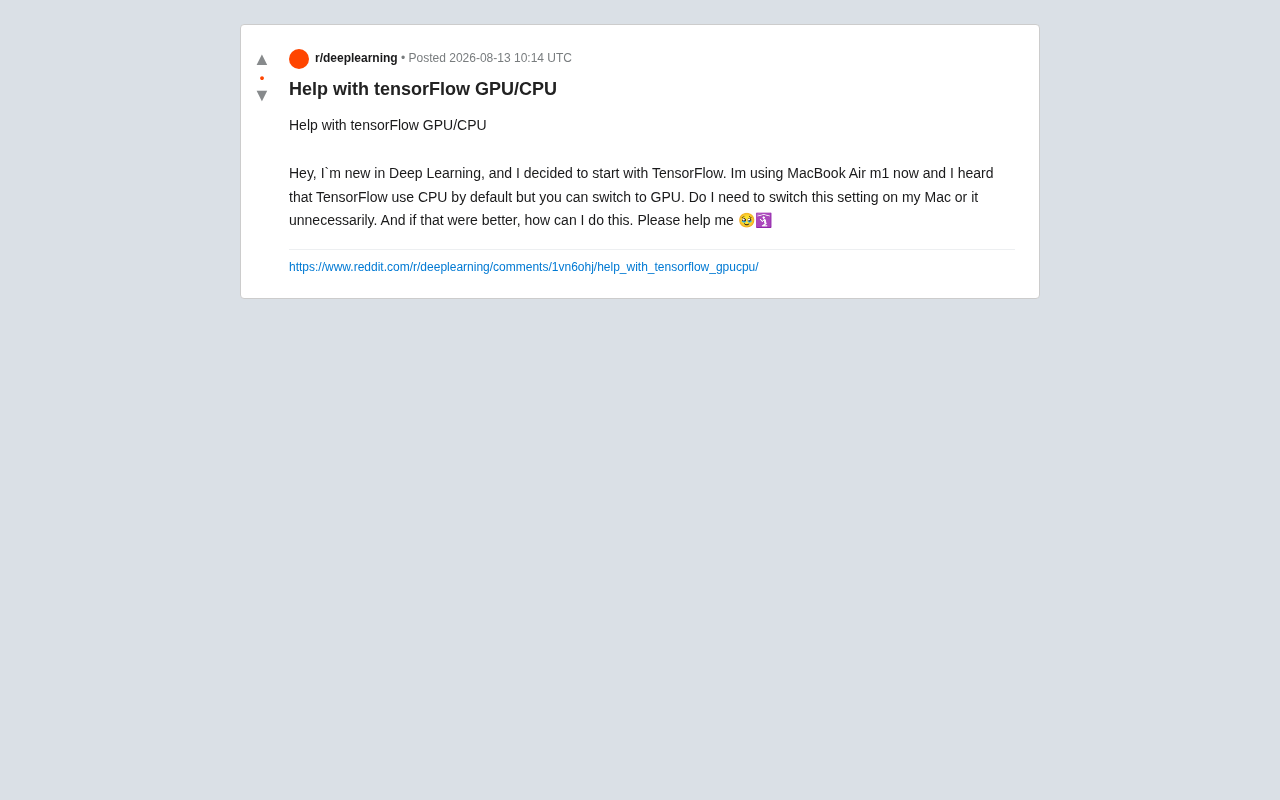
For developers just stepping into the world of deep learning, hardware acceleration is often the first unavoidable topic. Recently, a beginner using a MacBook Air M1 posted a highly representative question on Reddit: TensorFlow defaults to CPU, so on Apple Silicon chips, do you need to manually switch to GPU? If so, how much performance improvement can you expect? And how do you actually do it?
The question seems simple, but it touches on the unique nature of Apple Silicon architecture, TensorFlow's current adaptation status, and the underlying logic of how CPUs and GPUs divide labor in deep learning training. This article will explore the topic in depth.
The Current State of Apple Silicon and TensorFlow Compatibility
M1's Unified Memory Architecture
Unlike the traditional Intel + discrete GPU combination, Apple's M1 series uses a SoC (System on a Chip) design, where the CPU, GPU, and Neural Engine share the same Unified Memory. SoC, or System on a Chip, is a design philosophy that integrates functional modules—processor cores, graphics processing units, memory controllers, I/O controllers, and more—that were traditionally distributed across multiple independent chips on a motherboard into a single chip package. This design is already well-established in mobile devices (such as Qualcomm Snapdragon and Huawei Kirin series in smartphones), and Apple's introduction of it to desktop and laptop platforms represents a significant architectural paradigm shift.
In traditional PC architectures, the CPU uses system memory (RAM) while the discrete GPU has its own video memory (VRAM), and data exchange between them must go through the PCIe bus. PCIe (Peripheral Component Interconnect Express) is a high-speed serial bus standard connecting the motherboard to external devices, with the current mainstream PCIe 4.0 x16 providing approximately 32GB/s of bidirectional bandwidth. While this number seems substantial, during deep learning training, model parameters, gradients, and intermediate activation values need to be frequently transferred between CPU and GPU, making this bus bandwidth a common bottleneck—especially in scenarios where data preprocessing and model inference alternate. M1's unified memory architecture fundamentally eliminates this bottleneck: the CPU and GPU can directly access the same physical memory address space, enabling "zero-copy" data flow that theoretically reduces significant latency overhead.
However, the standard version of TensorFlow cannot directly detect and utilize the M1's GPU. Apple officially provides the tensorflow-metal plugin for this purpose, which maps computation tasks to the Apple GPU through the Metal Performance Shaders (MPS) backend. Metal is a low-level graphics and compute API that Apple introduced in 2014, playing a role similar to CUDA in the NVIDIA ecosystem, though it was initially focused on graphics rendering. Metal Performance Shaders is a high-performance compute shader library built on top of Metal, providing optimized implementations of fundamental deep learning operations such as matrix multiplication and convolution. The tensorflow-metal plugin essentially translates TensorFlow's operations into MPS-executable compute kernels, allowing the Apple GPU to participate in neural network training and inference. In other words, M1 users who want to enable GPU acceleration need to install this additional plugin—it's not as simple as flipping a switch in your code.
Clarifying Default Behavior
The original poster mentioned that "TensorFlow defaults to CPU," which needs to be clarified in the M1 context. Understanding this requires knowledge of TensorFlow's device scheduling mechanism: when TensorFlow starts, it performs a device enumeration process, scanning all available compute devices in the system and registering them as "Physical Devices." In the NVIDIA GPU scenario, TensorFlow automatically discovers GPU devices through the CUDA runtime library; on Apple Silicon platforms, this discovery process relies on the tensorflow-metal plugin registering the Metal backend with TensorFlow. If only the base tensorflow-macos is installed, no GPU device will appear during device enumeration, and computation will naturally run only on the CPU. Only after correctly installing tensorflow-metal will TensorFlow detect the Metal GPU device during the enumeration phase and, according to its built-in device priority strategy (GPU preferred by default), automatically place supported operations on the GPU for execution—no additional manual specification in your training script required.
How to Enable TensorFlow GPU Acceleration on M1 Mac
Environment Configuration Steps
It's recommended to use Miniforge or Conda to manage your Python environment to avoid dependency conflicts on the ARM architecture. The reason for specifically recommending Miniforge over the system Python or Homebrew-installed Python is that M1 uses the ARM64 (also known as AArch64) instruction set architecture, which differs from the x86_64 architecture used by traditional Macs. During the early transition to Apple Silicon, many Python scientific computing packages (such as NumPy and SciPy) did not yet offer natively compiled ARM versions and could only run in x86 mode through the Rosetta 2 translation layer, causing performance loss and compatibility issues. Miniforge is a Conda distribution maintained by the conda-forge community that has provided native ARM64 support from the start, ensuring all installed dependency packages are natively compiled for Apple Silicon, thus avoiding the various problems caused by mixing architectures. The core installation process is roughly as follows:
# Create and activate a virtual environment
conda create -n tf python=3.10
conda activate tf

# Install Apple-optimized TensorFlow
pip install tensorflow-macos

# Install the Metal GPU acceleration plugin
pip install tensorflow-metal
After installation, you can verify whether the GPU is recognized with the following code:
import tensorflow as tf
print(tf.config.list_physical_devices('GPU'))
If the output includes something like [PhysicalDevice(name='/physical_device:GPU:0', device_type='GPU')], the GPU is ready to go. TensorFlow will then automatically schedule computations, usually requiring no manual intervention.
Is GPU "Mandatory"?
Returning to the original poster's primary concern: is GPU acceleration necessary? The answer depends on the specific scenario.
To understand this, you first need to know why GPUs excel at deep learning computation. GPUs were originally designed for graphics rendering, and their core advantage lies in having thousands of small compute cores that can simultaneously execute large numbers of identical operations—which is precisely the characteristic of matrix multiplication and convolution operations in deep learning. For example, the M1's 8-core GPU has 128 Execution Units, while an NVIDIA RTX 3090 has 10,496 CUDA cores—both excel at splitting a large matrix operation into thousands of small tasks for parallel processing. However, the GPU's advantage isn't unconditional: each time a task is submitted to the GPU for execution, there's a fixed overhead called "kernel launch overhead," which includes task scheduling, memory allocation, and synchronization steps. When the computation task itself is very small (such as forward propagation for a 28×28 MNIST image), these fixed overheads account for a disproportionately high share of total time, causing the GPU to actually perform worse than the CPU.
- Small models and beginner exercises: If you're just running MNIST classification, linear regression, or similar small tasks, the CPU is perfectly sufficient. In fact, due to the aforementioned GPU scheduling and data transfer overhead, some extremely small-batch tasks actually run faster on the CPU. The M1's CPU already delivers impressive single-core performance, more than enough for handling lightweight tasks like these.
- Medium to large convolutional network training: Once you're dealing with image classification (classic networks like ResNet, VGG), CNNs, or larger batch sizes (batch size reaching 32, 64, or higher), the GPU's parallel computing advantage becomes apparent, potentially delivering several times the training speed improvement. This is because each kernel execution involves enough computation to fully leverage the GPU's massive parallelism, making the fixed overhead negligible as a proportion of total time.
Therefore, for purely learning purposes, not enabling GPU doesn't hinder getting started; but if you plan to train models of any meaningful scale, configuring tensorflow-metal is worthwhile.
Pitfalls to Watch Out for with tensorflow-metal
Metal Backend Compatibility Issues
It's important to note that tensorflow-metal is far from perfect. The community has reported numerous issues regarding numerical precision, unsupported operations, and abnormal training results with certain version combinations.
The root cause of these issues is that developing a GPU backend for a deep learning framework is an extremely complex systems engineering effort. NVIDIA's CUDA ecosystem has accumulated over a decade of development, featuring highly mature components such as cuDNN (Deep Neural Network acceleration library), cuBLAS (Basic Linear Algebra library), and TensorRT (inference optimization engine) that cover virtually all common deep learning operations and have been validated by a massive user base in production environments. By comparison, Apple's Metal ecosystem started relatively late in the general-purpose computing (GPGPU) space, and the deep learning operator library within MPS is still being continuously expanded. When certain TensorFlow operations have no corresponding implementation in the Metal backend, the framework automatically falls back to CPU execution. This CPU-GPU mixed execution not only affects performance but can sometimes introduce numerical consistency issues.
When choosing versions, it's advisable to refer to the tensorflow-macos and tensorflow-metal version compatibility chart provided in Apple's official documentation, rather than blindly using the latest versions. If you encounter NaN values or abnormal loss during training, try forcing specific layers to execute on the CPU as a temporary workaround.
M1 GPU Performance Isn't a Linear Improvement
The entry-level M1 (such as the MacBook Air's 8-core GPU) still falls significantly short of desktop-class NVIDIA GPUs in deep learning performance. In concrete numbers, the M1's GPU delivers approximately 2.6 TFLOPS of half-precision (FP16) floating-point performance, while the entry-level NVIDIA RTX 3060 reaches approximately 12.7 TFLOPS, and the RTX 4090 hits a massive 82.6 TFLOPS. Even the later M1 Pro (16-core GPU, approximately 5.2 TFLOPS) and M1 Max (32-core GPU, approximately 10.4 TFLOPS) only approach mid-range NVIDIA GPU levels from several years ago in raw compute power. More critically, beyond raw compute, cuDNN in the CUDA ecosystem provides deep operator fusion and memory layout optimizations for common network architectures (such as ResNet and Transformer)—software-level optimizations that the Metal ecosystem hasn't yet matched.
GPU acceleration can deliver improvements, but don't expect it to rival RTX series GPUs under the CUDA ecosystem. For serious large-scale training, cloud GPUs or professional workstations remain the more practical choice.
Advice for Deep Learning Beginners
For those just getting started, the most important thing isn't obsessing over hardware acceleration—it's first getting a solid grasp of fundamental deep learning concepts and learning how to use TensorFlow's API. Here's a recommended progression:
- Start with a basic environment to run through several introductory examples and get familiar with the Keras high-level API;
- When training speed becomes a bottleneck, install
tensorflow-metalto enable GPU; - If your project scale grows further, consider migrating to cloud platforms like Google Colab that offer free GPUs, or adopt PyTorch (whose Apple MPS backend support is also continuously improving).
The third point deserves further elaboration: Google Colab's free tier typically provides an NVIDIA T4 GPU (16GB VRAM, approximately 65 TFLOPS FP16), whose deep learning performance already far exceeds the entire M1 chip lineup. For learners who need to train medium-scale models (such as fine-tuning pretrained BERT or ResNet-50), this is a zero-cost way to access powerful compute resources. On the PyTorch front, official support for the Apple MPS backend was introduced starting with version 1.12 (invoked via torch.device('mps')), and due to PyTorch's widespread use in academia and the open-source community, its MPS backend iteration speed and community bug-fix efficiency currently even slightly outpace TensorFlow's Metal plugin. If you haven't yet committed to a framework, PyTorch + MPS is also a combination worth considering on Apple Silicon.
Conclusion
As a deep learning entry-level device, the M1 MacBook already offers quite good usability thanks to its unified memory architecture and Apple's software optimizations. For the beginner mentioned in this article, GPU acceleration isn't mandatory—it's a performance option that you enable when you actually need it. Understanding this is more valuable than blindly chasing configuration. The deep learning curve ultimately comes down to understanding models and data themselves.
Related articles

Chain of Thought Isn't Just for AI: How Humans Can Use CoT to Improve Thinking Quality
Chain of Thought isn't just a prompt trick for large models. Starting from a Hacker News discussion, this article analyzes why CoT works for human thinking too, breaks down actionable ways to transfer it, and highlights the key differences between human CoT and machine CoT.
Cloudflare Teams Up with OpenAI: Closi…
Cloudflare Teams Up with OpenAI: Closing the Loop from Vulnerability Discovery to Defense with AI
Cloudflare uses OpenAI Daybreak to investigate security vulnerabilities and generate reviewable remediation plans, while developers use Codex to boost coding efficiency and quality.

Orca Multi-Agent Orchestration in Practice: A Guide to Parallel Collaboration with Claude and Codex
Orca is Stable AI's free open-source agent workbench supporting 34 agents like Claude Code and Codex in parallel. Learn its Git worktree isolation, multi-model orchestration, and mobile management.