Screen Memory Without Screenshots: A Lightweight Text-to-Markdown Approach

A screen memory tool that captures text instead of screenshots, saving it as searchable Markdown files.
A new project proposes replacing continuous screenshots with direct text extraction saved as Markdown for screen memory. This approach dramatically reduces storage costs, improves privacy by avoiding indiscriminate visual recording, and produces AI-friendly structured text. While it can't capture non-text content like images or canvas-rendered UIs, it offers a compelling lightweight alternative for text-heavy workflows in the LLM era.
A Lightweight Screen Memory Approach
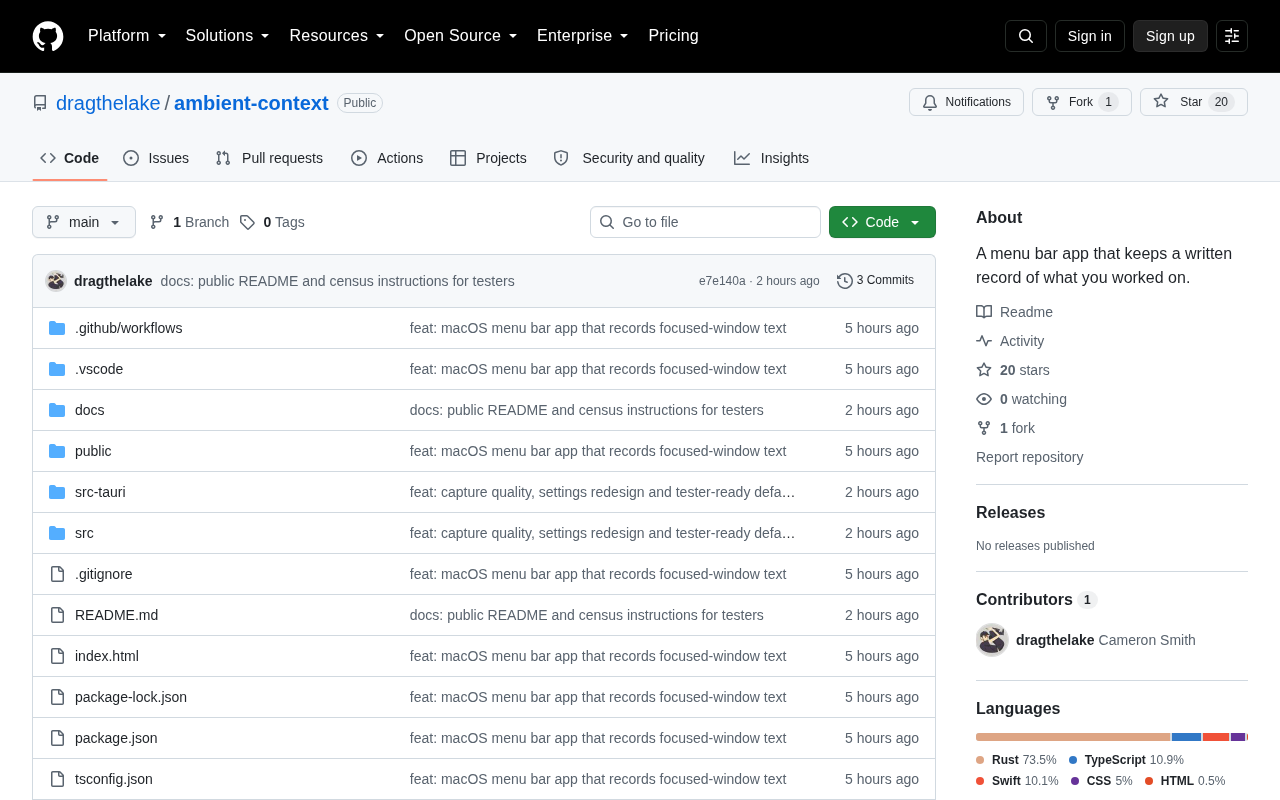
On Hacker News' Show HN section, a project titled "Screen memory without screenshots, just text to Markdown" has attracted attention. It proposes a fundamentally different approach from mainstream screen memory tools: instead of relying on screenshots, it directly extracts on-screen text content and saves it in Markdown format.
In recent years, with the rise of personal memory assistant products like Microsoft Recall and Rewind, screen memory has become a hot space. Microsoft Recall is a feature released in 2024 alongside Copilot+ PC that takes screenshots every few seconds and uses local AI models to build a semantic index, allowing users to trace back anything that appeared on their screen using natural language—the feature was delayed after launch due to privacy controversies. Rewind (later renamed Limitless) is a third-party personal AI assistant that similarly uses continuous screenshots plus OCR to record user activity, combining meeting recordings and other multimodal data to build a personal knowledge base. These products represent the "total recall for personal computing" product paradigm, built on the core assumption that if you can record everything, AI can help you recall everything.
The core goal of these tools is to record everything users see and do on their computers, making it searchable via natural language later. However, mainstream solutions almost universally adopt a "continuous screenshot" technical path—taking screenshots every few seconds, then using OCR or multimodal models for content recognition. OCR (Optical Character Recognition) is a technology that converts text in images into editable text; traditional engines like Tesseract rely on rules and pattern matching, while modern approaches increasingly use deep learning models. Multimodal models (such as GPT-4V, Gemini) go further, understanding not just text but also layout, charts, UI elements, and other semantic information within images. In screen memory scenarios, screenshot-based approaches depend on these technologies to convert pixel-level information into searchable semantic data—a process that inherently introduces additional computational costs and recognition errors.
This project takes the opposite approach, advocating pure text capture over image capture, seeking breakthroughs in storage efficiency, privacy security, and searchability.
Why Choose Plain Text Over Screenshots?
Practical Considerations for Storage and Performance
The most immediate problem with continuous screenshots is storage cost. A single full-screen screenshot can range from several hundred KB to several MB; recorded at a frequency of every few seconds over the long term, disk usage quickly balloons to tens or even hundreds of GB. Plain text, by contrast, has negligible storage footprint—for the same amount of information, Markdown text might occupy only one-thousandth the space of a screenshot.
Moreover, screenshot-based approaches require continuous OCR or vision model calls to "read" image content, creating significant CPU/GPU overhead and even impacting battery life. Directly capturing text bypasses this step entirely, obtaining structured information from the source with a shorter, more resource-efficient processing pipeline.
Privacy Protection and Data Control
Screenshots are essentially indiscriminate recordings of the screen, containing vast amounts of visual redundancy and making it easy to inadvertently capture sensitive content. Text extraction, by comparison, makes fine-grained filtering and anonymization much easier—users can clearly know exactly what the system is recording and can more conveniently edit, delete, or categorize content.
Markdown, as an open, human-readable plain text format, inherently offers portability and long-term maintainability, avoiding the data lock-in that proprietary image databases can create.
The Unique Value of Markdown as a Memory Medium
Choosing Markdown over plain TXT or JSON is a noteworthy design decision in this project. Markdown was created by John Gruber in 2004 as a lightweight markup language that uses plain text symbols (such as #, *, -, etc.) to represent document structure. Its greatest advantage lies in balancing human readability with machine parsability—it can be read and edited directly in any text editor while also being parsed by programs into a structured document tree.
Markdown retains basic structural information—headings, lists, links, code blocks—while maintaining plain text's lightweight nature. This means extracted screen content isn't just a mass of text, but structured memory with semantic hierarchy.
This is particularly critical for subsequent retrieval and AI processing. In the LLM era, Markdown has become the de facto standard format for model training data and output; virtually all mainstream large language models have excellent comprehension and generation capabilities with Markdown, making it an ideal intermediate representation format in AI processing pipelines. Structured text can significantly improve retrieval and Q&A accuracy. Compared to performing visual reasoning on a screenshot, directly inputting a clean Markdown passage offers advantages in both cost and effectiveness.
One could say this project is betting on a trend judgment: in the era of large language models, text is the most universal and efficient memory medium, while images serve more as a supplement for cases that text cannot cover.
Limitations and Challenges of the Plain Text Approach
The plain text approach is not without trade-offs. Not all on-screen information can be extracted as text—charts, images, video frames, and content from applications using Canvas or custom-rendered UIs often cannot be captured through conventional text extraction. Canvas is a bitmap drawing interface provided by HTML5, allowing web applications to draw content directly at the pixel level via JavaScript, bypassing DOM text nodes. Similarly, many desktop applications (such as game engines, some design tools, and custom UI frameworks) render interfaces directly via GPU without going through the operating system's standard control system. In these cases, the "text" visible on screen is actually just pixel patterns that cannot be obtained through Accessibility APIs or DOM parsing, requiring a fallback to the screenshot-plus-OCR path. This is the most fundamental coverage blind spot of pure text screen memory approaches. In these scenarios, screenshot-based approaches have an inherent advantage.
From a technical implementation perspective, stably capturing screen text across applications and platforms is itself a major challenge. The project's text extraction likely relies on Accessibility APIs provided by the operating system—programming interfaces that operating systems offer for assistive technologies (such as screen readers), allowing third-party programs to read the text content, hierarchy, and state information of current UI elements. macOS's AX API, Windows' UI Automation, and Linux's AT-SPI are the three major implementations. Through these interfaces, programs can directly obtain text within windows without needing to screenshot and OCR. However, implementations differ significantly across platforms, and some applications (particularly games using custom rendering engines, certain components of Electron apps, and Canvas-bound web applications) may not expose complete text information, leading to unstable capture coverage. Therefore, the actual coverage and reliability of such tools largely depends on the engineering quality of the underlying implementation.
The project currently has modest attention on Hacker News, with the community still observing its specific implementation details and coverage scope. The idea is novel, but whether it can materialize into a practical, user-friendly product remains to be validated over time.
Summary: Another Possibility for Screen Memory
This project offers a thought-provoking contrarian perspective: at a time when screen memory is almost monopolized by screenshot-based approaches, returning to plain text may be a lighter, faster, and more privacy-friendly path. It may not replace screenshot-based solutions, but it could well become the better choice for developers, writers, and others whose primary work medium is text.
As AI memory assistants become increasingly prevalent, the questions of "what to record" and "how to record it" become ever more important. The text-to-Markdown approach is a valuable exploration of this challenge.
Related articles

Chain of Thought Isn't Just for AI: How Humans Can Use CoT to Improve Thinking Quality
Chain of Thought isn't just a prompt trick for large models. Starting from a Hacker News discussion, this article analyzes why CoT works for human thinking too, breaks down actionable ways to transfer it, and highlights the key differences between human CoT and machine CoT.
Cloudflare Teams Up with OpenAI: Closi…
Cloudflare Teams Up with OpenAI: Closing the Loop from Vulnerability Discovery to Defense with AI
Cloudflare uses OpenAI Daybreak to investigate security vulnerabilities and generate reviewable remediation plans, while developers use Codex to boost coding efficiency and quality.

Orca Multi-Agent Orchestration in Practice: A Guide to Parallel Collaboration with Claude and Codex
Orca is Stable AI's free open-source agent workbench supporting 34 agents like Claude Code and Codex in parallel. Learn its Git worktree isolation, multi-model orchestration, and mobile management.