Screen Record with Clippy to Feed AI Coding Assistants: A Faster Development Workflow
Use Clippy screen recordings to narrate requirements and feed structured context directly to AI coding agents like Claude or Codex.
A developer shares a workflow replacing text prompts with screen recordings: use Clippy to narrate requirements while demoing the UI, and it packages key frames, transcripts, chapter summaries, and full Markdown into a single link. Hand that link to an AI agent like Claude or Codex, and it gets complete visual and semantic context without costly frame-by-frame screenshotting. You can even narrate ten requirements at once and the agent auto-splits them into independent issues to execute sequentially — ideal for UI-heavy front-end work.
As AI coding assistants grow increasingly powerful, efficiently communicating requirements to them has become a critical bottleneck for developer productivity. A YouTuber recently shared a new workflow: using a screen recording tool called Clippy to "speak" requirements out loud, then dropping the generated link directly into AI agents like Claude or Codex to automatically handle code changes. This approach sidesteps the inefficiency of frame-by-frame screenshots and repeated server calls — something the author describes as "like handing off work to a programmer the old-fashioned way."
From Text Descriptions to Screen Recording Demos
The author is building an app called Key Bumps, which supports search launching, clipboard access, screenshot editing, voice dictation, and more. He wanted to modify the app's update mechanism in two ways: first, display a red indicator button on the interface when an update is available; second, replace the behavior of clicking "Version History" — which currently opens an external webpage — with a new "Changelog" side tab inside the settings panel.
Rather than spelling out these requirements line by line in text, he chose to record his screen instead — opening Clippy, starting a recording, and narrating as he operated the interface: "First do this, then do that." This approach of demonstrating while explaining naturally combines visual context with intent, carrying far more information than a plain-text prompt.
What Clippy Actually Gives the Agent
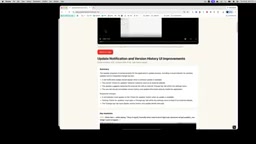
Once the recording is done, Clippy generates a URL. The author emphasizes that this processing happens "very fast," and the link contains a substantial amount of information: screenshots taken every few seconds, chapter markers, a content summary, a full transcript, and a Markdown version that ties everything together.
The key is that all of this is presented in a structure that AI agents can directly "read and consume." The author simply hands the link to the agent, which can then access the complete recording, frame-by-frame screenshots, transcript, and key moments. Crucially, if you narrate your requirements in order — "first, second" — the transcript and summary preserve that structure clearly, allowing the agent to identify each editing task that needs to be completed.
The reason Clippy's generated Markdown structure is so agent-friendly is directly tied to how large language models consume input. Today's mainstream agents (like Claude and GPT-4o) work with context as sequences of text tokens — video files can't be fed in directly and must first be converted into a form the model can process. Clippy effectively performs a kind of "multimodal preprocessing": it breaks a time-based video into discrete screenshot frames (visual information), a speech transcript (semantic information), and a structured summary (navigational information), then merges all three into a single Markdown document. This lets the agent load the full task picture in one context pass, without having to drive a browser or call a video parsing API to extract information incrementally. This is also why "chapter markers" and "key moments" matter so much — they act as a pre-built timeline index for the agent, allowing it to quickly locate the action clip corresponding to each requirement rather than linearly scanning every frame from start to finish.
Why This Is More Efficient Than Feeding Video Directly
The author ran through an efficiency calculation that gets at the core value of this workflow. If you let an AI tool process video directly or control a browser, it must capture screenshots frame by frame — each one requiring a server request to generate the screenshot, another call to fetch it, then analysis, and so on in a loop. That process is both time-consuming and burns through a huge number of tokens.
Cliffy does all that work upfront: screenshots, transcription, summary, and key moments are all packaged together in one pass. What the agent receives is already-processed context. The savings aren't just in waiting time — they also include the token costs that would otherwise be burned. The author sums it up as "faster, better, and more efficient."

Token cost is the central dimension for understanding this workflow's advantage. Take Claude 3.5 Sonnet as an example: processing a single screenshot consumes roughly 1,000–2,000 visual tokens. If an agent captures frames at one per second from a 3-minute demo video, the image portion alone could accumulate over 100,000 tokens, costing several dollars. After Clippy's preprocessing, only "key frames" are kept (one every few seconds), paired with the text transcript — compressing total token usage to less than one-tenth of the naive approach. On top of that, each tool call to take a screenshot introduces network round-trip latency (typically hundreds of milliseconds to several seconds), and with many iterations in a loop, total wait time can easily exceed a minute. The preprocessing approach shifts that latency from "inference time" to a one-time "post-recording" phase, making the agent's actual execution flow much smoother.
What It Looks Like in Practice
A few minutes after sending the link, the author showed the agent in action: it used tools to watch the video, reviewed the extracted frames, created an issue, and began working through each item. Drilling in, you can see the agent using the Clippy tool (installable directly), receiving the full agent context, transcript, key moments, and more.
The author also shared a practical tip: sometimes he'll record a single Clippy video and rattle off ten requirements at once. The agent will create a separate, independent issue for each one and complete them in a controlled, sequential manner. This pipeline of "narrate requirements → auto-decompose into tasks → batch execution" lets developers focus their energy on expressing ideas rather than manually organizing prompts.

The mechanism of "agent creating a separate issue per requirement" reflects the mainstream task management pattern in today's AI coding agents. Tools like GitHub Copilot Workspace, Devin, and OpenAI Codex CLI broadly follow an "issue → plan → execute" three-stage flow: first, convert user requirements into a trackable unit of work (an issue); then generate an execution plan (including which files to modify and how); and finally complete the code changes step by step and submit a PR. Automatically decomposing multiple narrated requirements from a single recording into independent issues means the agent performs requirement granularity segmentation during the parsing phase. Each issue has its own isolated context boundary, which is both convenient for parallel processing and makes it easier for developers to review and accept changes one by one — reducing the risk associated with large-scale changes all at once.
What This Means for Development Workflows
At its core, this approach reveals a broader trend: in AI-assisted development, the "efficiency of context transfer" is becoming just as important as the capability of the agent itself. Text prompts excel at precise instructions, but struggle when describing visual interactions, UI layouts, and multi-step operations — and structured screen recording information fills exactly that gap.
Of course, the author's account comes from a single source and represents personal hands-on experience. Claims about Clippy's processing speed and token savings still lack independent verification. But from a methodological standpoint, "replacing lengthy text descriptions with screen recordings" is genuinely worth exploring — especially for front-end development scenarios involving lots of UI adjustments. For developers who are used to repeatedly typing out interface requirements in text, it's worth trying a combination of talking and demonstrating, and letting the AI agent directly see what you want.
Related articles

Google's AMIE Clinical Study Published in The Lancet: First Real-Clinic Validation of AI-Powered Medical History Taking
Google's AMIE conversational diagnostic AI study is published in The Lancet, marking the first prospective real-clinic validation of a patient-facing AI system, with 90% DDx alignment.

UstaWork: A Workflow Control Plane for Multi-Agent AI Coding Collaboration
UstaWork is a multi-agent AI workflow control plane that splits coding into plan, implement, review, and merge stages with flexible human approval and context cost controls.

Claude Opus 5.5 Builds a Retro J2ME Shooter From a Single Prompt
A Reddit user used one prompt to have Claude Opus 5.5 build a complete 3D J2ME shooter — integer engine, procedural art, MIDI music, TTS audio, and a 500KB JAR that runs on a 20-year-old phone.