Self-Hosted GitHub: Take Control of Your Code and AI Agents with Gitea
Deploy Gitea with Docker for self-hosted Git and let AI agents operate repos directly via MCP.
The article covers tech blogger NetworkChuck's Gitea self-hosting approach: break free from GitHub and Microsoft while giving AI agents proper code management. It installs Docker and Compose on an Ubuntu VPS, starts Gitea and PostgreSQL via .env and override configs, auto-obtains Let's Encrypt certificates, and completes initial security setup. It then shows creating repos, pushing code, and renaming remotes. For AI integration, the official Gitea MCP server lets Claude Code query issues, commit branches, and create PRs as a bot account, with a local Gemma model completing the same workflow. It also covers GitHub mirroring and three hardening measures: SSH key auth, UFW firewall, and two-factor authentication.
Article Content
Amid frequent GitHub outages and Microsoft's grip on the code lifeline, more and more developers are starting to consider self-hosted code hosting platforms. In his latest video, well-known tech blogger NetworkChuck demonstrates in detail how to build a private Git service with the open-source tool Gitea and let AI agents plug directly into the workflow. This approach not only puts code entirely under your ownership but also lets you build a development hub—locally or in the cloud—that never goes offline.
Why Self-Host a Code Hosting Platform
NetworkChuck gives two core reasons: first, to break free from dependence on GitHub—when GitHub goes down, you're still online, and Microsoft no longer controls your code; second, AI agents need proper code management, and many people coding with AI don't use Git to organize their code, leading to messy projects. Once self-hosted, you can have a fully private code repository, and AI agents can even open Pull Requests directly on a server you own.
"When you use a local AI agent, everything stays local—that's the ideal situation," Chuck emphasizes in the video. He has used Gitea for six months and considers it free, open-source, easy to deploy, and a reliable GitHub alternative.
Deployment Preparation: VPS and Docker Environment
The video uses a fresh VPS running Ubuntu for the demo, and the whole process applies equally to a local server in a home lab. The core dependencies are Docker and Docker Compose; as long as the system can run Docker, Gitea can theoretically run.
Chuck chooses to create a KVM2-tier VPS through a hosting provider, selects Ubuntu 26.04 as the OS, and uses a coupon code to reduce costs. After creation, he logs into the server via SSH and first installs Docker and Docker Compose. He notes in the video that the server is not yet hardened at this point, and security configuration will be handled separately later.
Docker Compose is Docker's official multi-container orchestration tool. It declares services, networks, volumes, and environment variables in a single YAML file, then brings up the entire application stack with one command. Its override mechanism allows multiple Compose files to be layered and merged: fields in later-loaded files override same-named fields in earlier-loaded files. This article leverages exactly that—treating the official docker-compose.yml as an unmodifiable upstream template and writing personalized settings like passwords and domains into docker-compose.override.yml, so custom settings aren't lost when upgrading the official file. In addition, Compose automatically creates an isolated network, letting the Gitea container reach the PostgreSQL container directly by service name without exposing the database port to the public internet—a recommended practice in self-hosted scenarios.
Configuring Gitea: Environment Variables and Compose Files
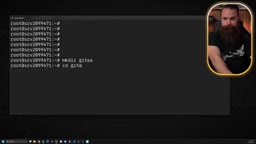
The deployment centers on a few key files. First, create the directory with mkdir gitea && cd gitea, then generate a database password with openssl rand -hex 24. Next, create a .env file with three variables: DB_PASSWORD (the password just generated), GITEA_DOMAIN (the DNS name provided by the VPS or the LAN IP), and ACME_EMAIL (the email used for Let's Encrypt certificates).
Then fetch the official docker-compose.yml from the Gitea website (using a PostgreSQL database), and create docker-compose.override.yml to override settings such as the database password, domain, and port. This separated configuration keeps the official file clean while custom parts are managed independently.
After creating the files, run docker-compose up -d to start the services in the background. Use docker-compose logs -f server to watch the logs and confirm that the Let's Encrypt certificate was obtained automatically.
Let's Encrypt and the ACME protocol are the core mechanism for free TLS certificate issuance. The ACME protocol requires the client to prove control over the domain, commonly via HTTP-01 (placing a verification file on port 80) or TLS-ALPN-01. Gitea has a built-in ACME client: once ACME_EMAIL is configured and the domain correctly resolves to the server, it automatically requests a certificate from Let's Encrypt and renews it periodically. Note that ACME issuance requires the domain to be publicly reachable; if you're using an IP address on a LAN, verification cannot complete, and you should switch to a self-signed certificate or disable ACME. Certificates are typically valid for 90 days, and automatic renewal saves you the hassle of manual maintenance—provided ports 80/443 remain reachable and firewall rules are correct.
Initialization and First Repository Creation
Visit the VPS's HTTPS address to reach the initialization page. Since most configuration is already done through the environment files, you only need to adjust a few security settings: disable self-registration (only admins can create accounts), require login to view new pages, and create an admin account. After clicking install, a private GitHub is born.
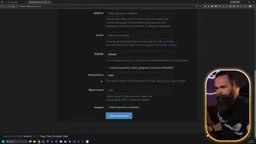
Creating the first repository is very similar to GitHub. Chuck creates a repository named "git-good" and keeps it publicly visible—since it's a private server, no one can access it unless invited. He then pushes existing code from his local Mac: first authenticating via SSH key by adding the public key in Gitea's SSH/GPG key settings, then completing signature verification as prompted.
The key step is renaming the existing GitHub remote: git remote rename origin github, then adding a new remote: git remote add origin plus the SSH address of the Gitea repository. After running git push -u origin main, the code successfully appears on the self-hosted server.
Bringing in AI Agents: MCP and Permission Management
The most exciting part of the video is letting AI agents operate Gitea directly. First, in Gitea's Site Administration → Identity & Access → User Accounts, create a bot account (Chuck names it Leon and selects the bot type), then generate an access token. Next, download the official Gitea MCP server release package, add the MCP configuration in Claude Code, and pass in the GITEA_HOST and GITEA_ACCESS_TOKEN environment variables.
After configuration, Chuck asks Claude Code to query "how many open issues does the git-good repository have," and the agent successfully returns the result as Leon. He then creates an issue (requesting a funny segment be added to a zombie story) and instructs the AI to "work on issue #1, commit on a new branch, and create a PR."
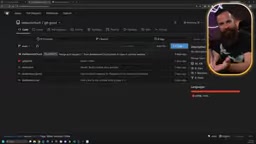
On the first attempt, Leon can't create a PR because it isn't a collaborator. After adding Leon as a repository collaborator, the PR is successfully created, and Chuck merges it directly in the web UI. Even more exciting, he then processes another issue using a locally running Gemma 4 31B model, completing the code changes, branch commit, and PR creation entirely with local compute.
MCP (Model Context Protocol) is an open protocol proposed by Anthropic in late 2024 to standardize communication between large language models and external tools and data sources. It decouples AI applications (clients) from servers that provide capabilities: the server declares available tools, resources, and prompt templates in a uniform way, and the client doesn't need to write separate adapter code for each integration. In this article's scenario, the official Gitea MCP server wraps repository queries, issue creation, branch commits, PR creation, and other operations as standardized tools; Claude Code, as an MCP client, reads these tool definitions and calls them as needed. Compared to calling the REST API directly, MCP's advantage is that tool descriptions can be automatically discovered and understood by the model, and permission boundaries are clear—the agent can only perform operations explicitly exposed by the server. This greatly reduces the configuration cost of connecting AI agents to any platform that supports MCP.
Mirroring to GitHub: Balancing Public and Private
If you still want your project to be public on GitHub (for example, as a resume showcase or for open-source distribution), Gitea offers a mirroring feature. Generate a personal access token on GitHub (classic type, no expiration), then in the Gitea repository settings → Basic Settings → Mirror Settings, fill in the GitHub repository URL, username, and token, check "Sync when commits are pushed," add the push mirror, and click Sync Now.
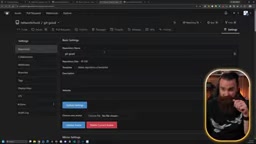
After verifying, Chuck finds that the latest content committed by the local AI has been synced to the GitHub repository, achieving "the best of both worlds"—the private server serves as the primary development environment, and GitHub serves as a public mirror.
Security Hardening: SSH, Firewall, and Two-Factor Authentication
A VPS exposed to the public internet must be hardened. Chuck demonstrates three steps:
- Disable password login: After uploading the public key via
ssh-copy-id, create a configuration file to disable password authentication and root password login, allowing only SSH key authentication, then reload the SSH service. - Configure the UFW firewall: Use
ufw limit 22/tcpto rate-limit the SSH port, then allow ports 80, 443, 22, and 222 (222 is Gitea's SSH port), enable the firewall, and check its status. - Enable two-factor authentication: Register a TOTP app in the Security tab of Gitea's account settings, save the recovery keys, and verify the login flow. Chuck also mentions that a Passkey can be added, but two-factor authentication is already a good starting point.
The Real Value of Self-Hosting
The core value of this approach lies in control and AI integration. Code is no longer affected by third-party platform outages, AI agents can work autonomously on a server you own, and running local models consumes no cloud resources at all. At the end of the video, Chuck says he chose Gitea because of the trust built through long-term use, and encourages viewers to try it and share how it feels to have that freedom.
For developers who want to break free from platform dependence while building a standardized workflow for AI agents, the Gitea self-hosting approach offers a low-barrier, high-autonomy starting point.
One-line Summary
Deploy Gitea with Docker for self-hosted Git, and let AI agents operate repositories directly via MCP.
Paragraph Summary
The article introduces tech blogger NetworkChuck's Gitea self-hosting approach. The core reasons are breaking free from dependence on GitHub and Microsoft and providing a standardized code management environment for AI agents. On the deployment side, it installs Docker and Compose on an Ubuntu VPS, starts Gitea and PostgreSQL via an .env file and override configuration, automatically obtains Let's Encrypt certificates, and completes initial security settings. It then demonstrates creating a repository, pushing local code, and renaming remotes. For AI integration, it uses the official Gitea MCP server to let Claude Code query issues, commit branches, and create PRs as a bot account, and a local Gemma model can independently complete the same workflow. The article also covers pushing a mirror to GitHub to balance public distribution, plus three security hardening measures: SSH key authentication, the UFW firewall, and two-factor authentication.
Related articles

Can AI Crack the Riemann Hypothesis? Starting from an Interdisciplinary Encounter
Grant Sanderson recounts how Montgomery and Dyson's chance encounter over a formula linked number theory and random matrix theory, and uses it to analyze why LLMs have a structural edge in cross-domain analogy—and the limits of that breadth in mathematical research.
The US Government Is Facing AI Cyberattack Threats
The US government faces AI-driven cyberattack threats. This article analyzes how AI is reshaping the attack-defense balance, the unique challenges for government agencies, and response strategies and future outlook.
How Clay Uses AI Agents to Rebuild GTM: Qualifying Global Customers for $1,500?
Clay AI lead Jeff Barg shares GTM Agent insights: $1,500 to qualify every company globally, users hate model selectors, and Clay builds GTM infrastructure for every Agent.