Servor: One Console to Handle All Your Server Ops and Monitoring

Servor merges web terminal, file editing, batch commands, and monitoring alerts into one console for small ops teams.
Servor is a server management console debuting on Product Hunt that combines web terminal, file editor, scheduled jobs, fleet-wide commands, and 150+ installation recipes into one interface. Its security design emphasizes no inbound ports and browser-side command signing. Monitoring, mobile alerts, and status pages are built in. It targets small teams managing multiple servers. Currently at an early stage with 82 upvotes on day one.
Developers and ops teams face dozens or even hundreds of servers every day — switching back and forth between SSH sessions, juggling scattered monitoring dashboards, and wrestling with tedious alert configurations. These trivial but high-frequency tasks are devouring huge amounts of time. Servor, which just debuted on Product Hunt, aims to solve this problem with a single unified console: web terminal, file editor, scheduled jobs, fleet-wide commands, 150+ installation recipes, plus monitoring, mobile alerts, and status pages — all packed into one interface. It earned 82 upvotes on its first day, landing at #15 for the day.
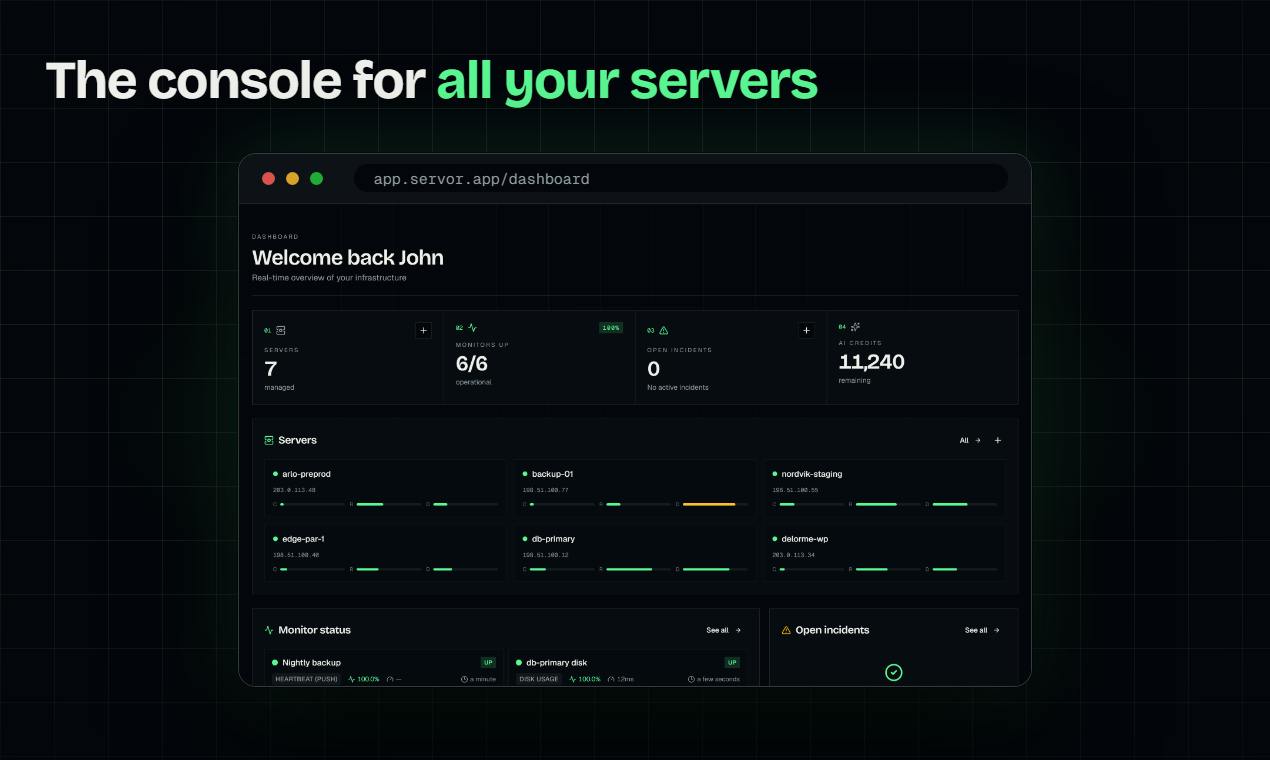
Core Capabilities: Full Coverage from Login to Batch Execution
Servor isn't positioned as a single-function ops tool — it merges all the entry points for everyday server operations into one console. According to the official description, its features cover a web terminal, file editor, scheduled jobs, fleet-wide commands, and 150+ installation recipes. This means deploying a new machine, editing a config file, or running a batch update no longer requires opening multiple terminal windows or switching between different admin panels.
For small and mid-sized teams, this "one console to manage everything" approach lowers the maintenance cost of the toolchain. There's no need to procure and integrate separate products for terminal access, file management, task scheduling, and monitoring/alerts — Servor bundles these capabilities into a single product.
What does "150+ installation recipes" actually mean?
An installation recipe is essentially a set of predefined scripts or configuration templates used to quickly deploy common software stacks on a server — things like Nginx, PostgreSQL, Docker, Node.js, and so on. This kind of feature isn't unique to Servor; Ansible Playbooks, Docker Compose, and various "one-click deploy" panels all follow similar ideas. Servor's differentiator is that these recipes are integrated directly into the console, so users don't need to maintain a separate configuration management tool. But the quality, customizability, and update frequency of the recipes are critical: if they're just simple shell script collections, they may break when facing different distributions or versions; if they're well-tested and allow users to customize parameters, they can genuinely save time on environment initialization. When evaluating, pay attention to whether the recipes are open source, whether they support idempotent execution, and whether they can roll back on failure.
Security Design: No Open Ports, Commands Signed in the Browser
Two aspects of Servor's security design are worth noting. The first is "No open port" — users don't need to open additional inbound ports on their servers for the console to connect, which reduces the attack surface. Traditional approaches often require exposing SSH ports or deploying an agent with a listening port, whereas Servor uses a different connection method to avoid this.
The second design is "every command is signed in your browser" — each command is signed on the browser side. This differs from the common server-side relay model: signing happens on the user's side, which theoretically reduces the risk of commands being tampered with or forged in transit. For teams that have concerns about handing server control to a third-party SaaS product, these two designs provide additional grounds for trust.
What is "in-browser signing"?
In traditional web-based ops tools, commands are typically sent to the server first, then relayed by the server to the target machine. In this model, the server becomes a man-in-the-middle and can theoretically read, modify, or even replay any command, creating a high trust cost for users toward the service provider. In-browser signing means: the user's private key is stored locally in the browser (e.g., generated or imported via WebCrypto), and each command to be executed is signed by the browser before execution. The server only verifies the signature and forwards it. This way, even if the server is compromised, an attacker cannot forge a legitimately signed command. Similar designs have been practiced in SSH certificate authentication, Sigstore, and other scenarios, but bringing it directly into a web terminal is uncommon — it requires the browser to have reliable key storage capabilities while balancing user experience and security (e.g., how to sync keys across devices, how to prevent XSS from stealing private keys). Servor hasn't disclosed its specific key management approach, which is a detail that needs further confirmation during evaluation.
Possible implementation paths for "no open port"
Traditionally, letting an external console connect to internal servers usually requires opening SSH ports or deploying a listening agent. Servor's claim of "No open port" suggests it likely uses a reverse tunnel or polling mechanism: a lightweight component on the server actively establishes an outbound connection to Servor's cloud, and the console sends instructions through this established channel. This way, the server doesn't need to expose any inbound ports, and the attack surface is indeed reduced. But reverse connections introduce new dependencies — outbound connections must be allowed, and if the cloud becomes unavailable, the management channel may be interrupted. Understanding these trade-offs helps determine whether Servor fits your network environment.
Monitoring and Alerts: From Server Status to Mobile Notifications
Beyond operational features, Servor also has built-in monitoring, mobile alerts, and status pages. Monitoring data is presented directly in the same console, so there's no need to jump to a separate monitoring system. Alerts are pushed to mobile, meaning on-call staff can receive anomaly notifications immediately without being tied to their desks. Status pages can be used to show service availability externally or internally.
This approach of merging "operations" and "observability" is especially friendly to small teams. When manpower is limited, being able to troubleshoot and fix issues within a single interface is far more efficient than switching back and forth between two systems.
Use Cases and Selection Considerations
Servor's core user profile is fairly clear: developers and ops staff who manage multiple servers, work in small teams, and want to reduce the number of tools they use. The 150+ installation recipes appeal to teams that frequently initialize environments, while fleet-wide commands suit scenarios that require synchronized operations across multiple machines.
One thing to keep in mind: any product that centralizes server management into a third-party SaaS requires teams to weigh convenience against control. Servor mitigates security concerns through no open ports and browser-side signing, but whether it meets a team's compliance requirements still needs to be evaluated against the actual environment. Currently, the product has 82 upvotes and 5 comments on Product Hunt, putting it at an early stage — its feature completeness and stability await validation from more users.
One-line Summary
Servor整合网页终端、文件编辑、批量命令和监控告警到一个控制台,面向中小运维团队。
Paragraph Summary
Servor is a server management console that just debuted on Product Hunt, aiming to merge web terminal, file editor, scheduled jobs, fleet-wide commands, and 150+ installation recipes into a single interface to reduce the cost of switching between tools for developers and ops staff. Its security design emphasizes no inbound port exposure and browser-side command signing to reduce the attack surface and enhance the trustworthiness of command transmission. Monitoring, mobile alerts, and status pages are also built in, merging operations and observability into one interface. The target users are small and mid-sized teams managing multiple servers who want to streamline their toolchain. The product is at an early stage, earning 82 upvotes and 5 comments on Product Hunt on its first day, with feature completeness and stability still to be validated by more users.
Related articles

How Big Can Stars Really Get? The Physical Limits of the Largest Stars
Red supergiants are the largest stars by volume, with radii up to 2,000 times the Sun, engulfing the inner solar system. But there is no precise upper limit on stellar size—models predict up to 15,000 solar radii. The most massive blue stars are far smaller than red supergiants—biggest and heaviest are two different things.

Apple HomeView Smart Display Full Feature Breakdown: Wall-Mount or Desktop, $299
Apple launches HomeView, a $299 smart display with wall-mount and desktop options, 12MP camera for facial recognition, smart home control, music playback, and recipe step-by-step cooking. Full breakdown of watch faces, apps, privacy, and cooking integration.

Where Did the Promised New Studio Go? Craft Computing Answers After Five Years
Craft Computing's host responds to viewer questions: the new studio promised five years ago was shelved as construction costs soared from $30,000 to $75,000, and was replaced by a 168-square-foot garage conversion.