Setting Up Live Preview Environments for Every AI Agent PR: A Railway Practical Guide

Railway auto-spins full-stack preview environments for every PR, turning AI agent output into clickable, verifiable running instances.
AI coding assistants can open Pull Requests at high speed, but PRs only show code diffs — they can't prove the changes work in a real environment. Railway addresses this by automatically spinning up an isolated, full-stack replica (app, database, and dependent services) for every PR, front-loading verification and letting reviewers click a preview link instead of checking out branches locally. This is especially critical for AI agent workflows, where generation speed far outpaces manual review bandwidth, and an interactive running instance builds trust far more effectively than any diff or test report. The setup reportedly takes six steps and under an hour.
From "Knowing What Changed" to "Verifying It Actually Works"
AI coding assistants can now open Pull Requests automatically — but a fundamental problem remains: PRs submitted by agents can only tell you what changed in the code, not whether those changes actually work.
Code review is good at catching logic bugs and style issues, but many defects only surface in a real runtime environment — failed database migrations, missing environment variables, third-party dependency conflicts. When PRs are written by humans, these risks are manageable. But when agents generate PRs in bulk at speeds far exceeding any human developer, manually checking out each branch and verifying it locally becomes completely impractical.
Preview environments exist precisely to fill this gap. They automatically spin up a complete, isolated running instance for every PR, letting reviewers click a link and experience the real behavior — rather than mentally simulating what the code might do.
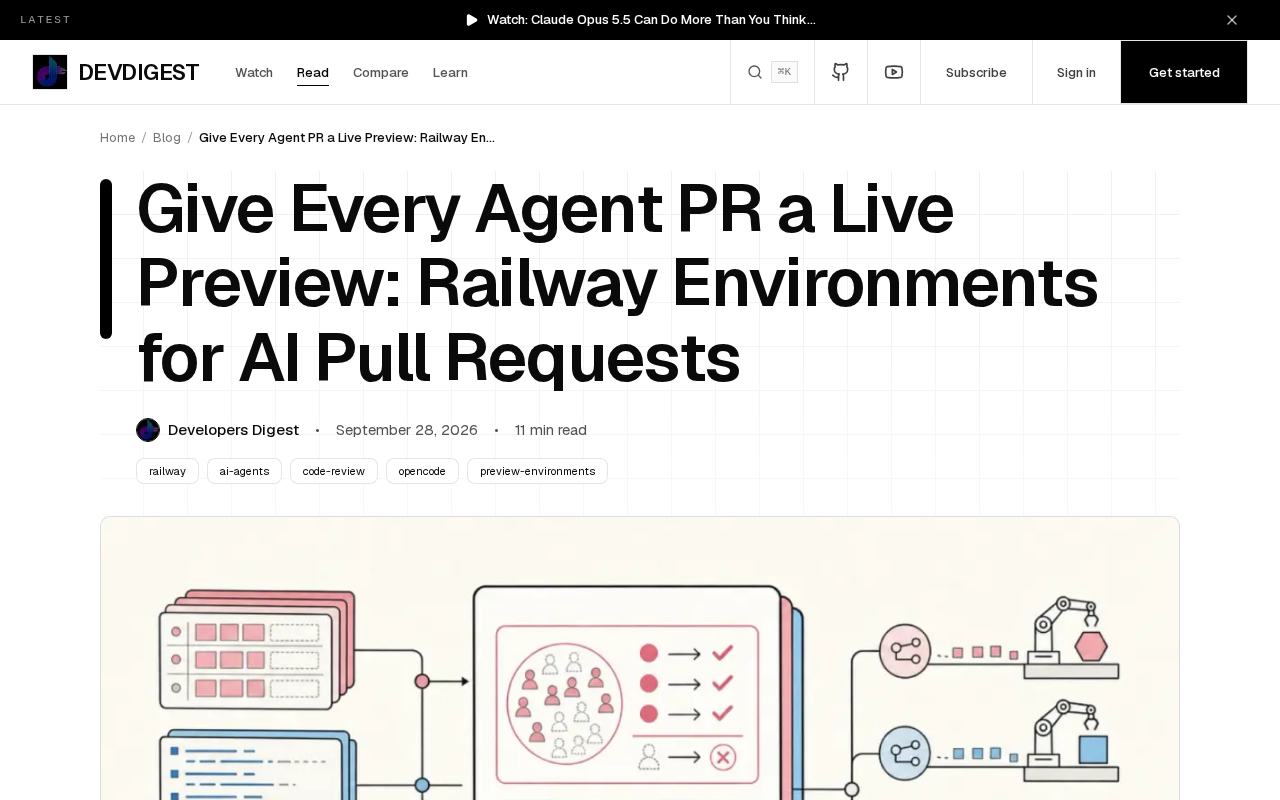
Preview environments aren't a new concept — frontend deployment platforms like Netlify and Vercel popularized them long ago. Whenever a developer pushes a branch or opens a PR, the platform automatically builds a standalone deployment and generates a temporary URL for the team to access. Unlike traditional "staging environments," preview environments are on-demand and short-lived: they're automatically destroyed when a PR is merged or closed, with no need to maintain a permanent pre-production server. This capability originally served frontend static sites primarily. Platforms like Railway have extended it to full application stacks — including backend services and databases — making it equally useful for backend-heavy projects.
Railway's Core Approach: A Full Stack per PR
Railway's approach is to automatically spin up an isolated, full-stack replica for every Pull Request — not just the frontend or a single microservice, but the complete environment including the application, database, and dependent services. This means PRs opened by agents and PRs opened by humans receive the same treatment: both get an accessible, live preview URL.
This "full-stack isolation" design delivers two critical benefits:
- Authenticity: The preview environment mirrors production as closely as possible, avoiding the classic "works locally, crashes in production" trap.
- Isolation: Each PR's environment is completely independent. When agents submit PRs in bulk, shared resources don't cause data or state contamination between environments.
For AI agent workflows, this is especially important. When an automated system can generate dozens of PRs in a single day, a stable, reproducible, and self-cleaning environment orchestration mechanism is what allows human reviewers to keep pace.
At the implementation level, "full-stack replicas" typically rely on container orchestration technology (such as Kubernetes Namespace isolation or Docker Compose project isolation). Each replica has its own network, storage volumes, and environment variables, with no cross-access or data tampering possible between them. At the database layer, platforms generally provide preview environments with a temporary database instance — either restored from a production snapshot or freshly initialized from migration scripts — rather than connecting to a shared test database. This is the key to making "isolation" actually work in practice. Stateful services like message queues and caches also need to be spun up separately for each replica, which is why full-stack preview environments cost more than pure frontend previews — and why this capability was long exclusive to large engineering organizations.
Why AI Agent Scenarios Need Preview Environments Even More
In traditional development, developers have a reasonable mental model of the code they write, and PR volume is constrained by human bandwidth. Agents change this balance:
The Mismatch Between Generation Speed and Verification Speed
An agent can produce a complete feature change in minutes, but the human review bandwidth hasn't scaled proportionally. If every verification requires manually checking out a branch, configuring the environment, and starting services, the verification step becomes the bottleneck of the entire pipeline. Preview environments automate and front-load the "verification" step — reviewers open a link and immediately judge whether the feature meets expectations.
Building Trust Requires Visible Results
One of the biggest obstacles to AI-generated code is trust. A diff that looks reasonable doesn't necessarily work correctly. An actual running instance you can click and interact with answers the question "does it actually work?" more directly than any test report. Preview environments are, at their core, providing interactive evidence for what an agent has produced.
Deployment Cost: Six Steps, Under One Hour
According to the original documentation, setting up preview environments for PRs on Railway takes only six steps, completable in under an hour. This low barrier means teams don't need to invest heavily in infrastructure engineering to enjoy the benefits of automated previews.
While the original text doesn't detail every step, the core flow can be inferred to involve: connecting a code repository, configuring the full-stack services, setting PR trigger rules, binding environment variables, generating preview URLs, and automatic cleanup when PRs close. This kind of "configure and go" experience is exactly what has brought preview environments down from "capability exclusive to large companies" to "standard tooling for small teams."
Implications for AI Engineering Practice
The deeper signal from this Railway practice is that as AI agents gradually become part of the software delivery process, the supporting infrastructure around them needs to evolve in kind.
Code generation capability is no longer the bottleneck. The real bottleneck is how to efficiently verify, review, and trust these automatically generated changes. Tools like preview environments, automated testing, and isolated sandboxes are upgrading from "optional best practices" to necessities of the agent era.
For teams exploring AI-assisted development, the question worth asking is: is your CI/CD pipeline ready to handle the flood of PRs that agents bring? If the answer is no, then filling in verification infrastructure like preview environments may deliver more value than continuing to optimize the agents themselves.
CI/CD (Continuous Integration/Continuous Delivery) pipelines are the automated backbone of modern software delivery: after code is pushed, the pipeline sequentially executes build, test, and deployment steps, minimizing manual operations. Traditional CI/CD design assumes PR frequency is governed by human development rhythm — perhaps a few to a few dozen per day. When AI agents enter the picture, PR frequency can jump by one or two orders of magnitude, putting pressure on the pipeline's concurrent resource allocation, queue scheduling, and environment isolation. This means "agent-ready CI/CD" isn't just about adding a preview environment plugin — it involves reassessing the overall concurrency capacity and resource elasticity of the entire pipeline.
Related articles

ChatGPT Space Launches: Team Collaboration and New Pages Features Explained
ChatGPT Space is OpenAI's new team collaboration feature with Pages, real-time collaboration, and Slack/Google Drive sync. We break down its privacy design, multi-platform integration, and the full workflow from conversation to document.

Migrating Apache Spark UDFs to GPU Acceleration with AI Agents
NVIDIA developer blog explains how AI Agents rewrite Apache Spark UDFs for GPU acceleration, covering migration criteria, agent rewriting and verification workflows, plus pitfalls like result consistency and CPU-GPU transfer overhead.

Zed Editor v0.40.4-rc2 Released: Usage Credits Now Available Without Upgrading
Zed editor releases v0.40.4-rc2, allowing users to use usage credits for AI features without upgrading to a paid plan, lowering the trial barrier.