Shotcandy: A Free Browser-Based Tool for Beautifying Screenshots in One Click

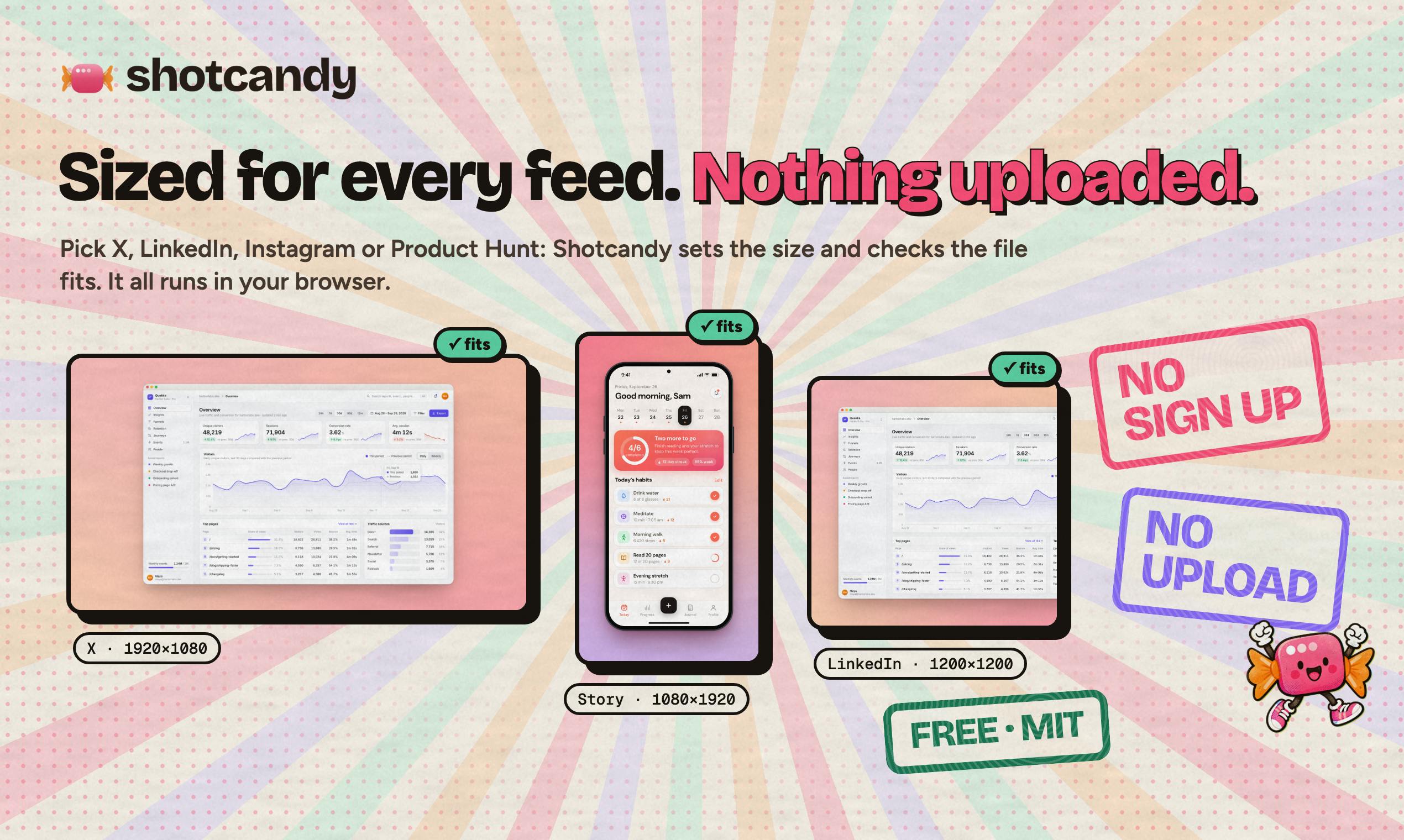
Shotcandy lets you paste a screenshot and instantly get a polished image or video, free and fully in-browser.
Shotcandy is a free screenshot beautifier built by indie developer Bilal Tahir. Paste any screenshot into the browser and instantly get a polished result with rounded corners, shadows, and backgrounds — including video export — no sign-up or install needed. Targeting developers, social media managers, and tech bloggers, it counters competitors like Ray.so and Pika with a fully free, frictionless model. It launched on Product Hunt with 92 upvotes and ranked 9th, validating the appeal of focused, "small but mighty" tools in the developer community.
How to Turn an Ordinary Screenshot into Something Worth Sharing
Whether you're launching a product, sharing on social media, writing documentation, or creating tutorials, screenshots are one of the most essential visual assets. But raw screenshots often fall flat — plain white backgrounds, jagged edges, no depth — and dropping them straight into a tweet or landing page never quite looks right. That's exactly the problem Shotcandy is built to solve.
The tool has a very focused pitch: paste a screenshot, get a polished result instantly. It's a free screenshot beautifier that transforms ordinary screenshots into share-ready images — and even videos — entirely within the browser, with no client software to download or install. On Product Hunt, it earned 92 upvotes and 6 comments, ranking 9th on its launch day across categories including Design Tools, Social Media, and Marketing.
The Core Appeal: A Zero-Friction, Browser-First Experience
The most notable thing about Shotcandy is its lightweight delivery model. There's no lengthy sign-up process, no desktop app to install — just open the page, paste your screenshot, and you immediately get a finished image complete with background, rounded corners, drop shadows, and other visual enhancements. This "open and use" approach dramatically lowers the barrier to entry, making it especially well-suited for indie developers, marketers, and content creators who need to produce visual assets on a regular basis.
Beyond static images, Shotcandy can also output video-format shareable content. For anyone who wants to showcase product interactions on social platforms or put together quick demos, this feature eliminates the need to reach for a separate screen recording or video editing tool.
The ability to process images entirely in the browser without any installation is made possible by modern browser support for the Canvas API and WebAssembly. The Canvas API allows pixel-level image manipulation directly on the web page — adding rounded corners, shadows, and gradient backgrounds — while WebAssembly enables high-performance image codec libraries compiled from C/C++ or Rust to run natively in the browser at significantly improved speeds. When a user pastes a screenshot, the image data is rendered in local memory, theoretically never needing to be uploaded to a server. This makes it friendlier for privacy-sensitive use cases, such as internal product screenshots. Video export is typically handled via the MediaRecorder API or a WebAssembly port of FFmpeg, though output formats are generally limited to WebM or MP4, with frame rate and resolution caps varying by browser.
The Product Logic Behind Going Free
Built by indie developer Bilal Tahir, Shotcandy has made a deliberate bet on the free tier. The screenshot beautification niche already has a number of competitors — Screenshot, Pika, Ray.so, and others — but most of them put their more powerful features behind a paywall. Shotcandy's choice to enter the market as a free, browser-native tool is fundamentally a play for attention through a frictionless experience.
Its product categorization — spanning Design Tools, Social Media, Marketing, and GitHub — makes its target audience clear: people who need to quickly turn technical interfaces, code snippets, or product screenshots into content worth sharing. For the developer community in particular, a lightweight tool that can polish a GitHub project screenshot before promotion can deliver outsized value at exactly the right moment.
It's worth briefly mapping out the competitive landscape in screenshot beautification. Ray.so, from the Raycast team, focuses on syntax-highlighted code snippet beautification and is deeply rooted in the developer community. Pika specializes in placing screenshots inside device mockups — phones, browsers, and more. Screenshot.rocks offers browser window framing and rounded corner treatment. Most of these tools follow a freemium model: core features are free, but high-resolution exports, batch processing, or watermark removal require a paid upgrade. Shotcandy positions itself with "fully free + video output" as its differentiator, aiming to reduce decision-making friction and rely on word-of-mouth for early-stage growth — a classic Product-Led Growth (PLG) playbook for indie developers.
Who It's For — and What to Watch Out For
Shotcandy is a natural fit for several use cases:
- Indie developers and Indie Hackers: Quickly generate eye-catching promotional images when launching a new product
- Social media managers: Create visually consistent assets for tweets and posts
- Tech bloggers and tutorial writers: Make code screenshots and UI demos more readable and polished
- Marketing teams: Elevate the professional quality of screenshots used in landing pages and ad creatives
One caveat worth noting: the value of tools like this depends heavily on the variety of templates and styling options available. At this point, publicly available information doesn't specify exactly how many background styles, border options, or video export formats and resolution limits Shotcandy offers. For power users with precise requirements, it's worth running a test export before committing to it as a regular part of your workflow.
Wrapping Up
Shotcandy represents a classic "small but mighty" tool — laser-focused on a single pain point, with a minimal interface and a free pricing strategy designed to win users quickly. It doesn't try to be an all-purpose design suite; it just makes screenshots look good, and makes that process as effortless as possible. For developers and creators who deal with screenshots every day, adding it to your bookmarks might save you a meaningful amount of time the next time you need to share something.
Related articles

Chain of Thought Isn't Just for AI: How Humans Can Use CoT to Improve Thinking Quality
Chain of Thought isn't just a prompt trick for large models. Starting from a Hacker News discussion, this article analyzes why CoT works for human thinking too, breaks down actionable ways to transfer it, and highlights the key differences between human CoT and machine CoT.
Cloudflare Teams Up with OpenAI: Closi…
Cloudflare Teams Up with OpenAI: Closing the Loop from Vulnerability Discovery to Defense with AI
Cloudflare uses OpenAI Daybreak to investigate security vulnerabilities and generate reviewable remediation plans, while developers use Codex to boost coding efficiency and quality.

Orca Multi-Agent Orchestration in Practice: A Guide to Parallel Collaboration with Claude and Codex
Orca is Stable AI's free open-source agent workbench supporting 34 agents like Claude Code and Codex in parallel. Learn its Git worktree isolation, multi-model orchestration, and mobile management.