Shrine: The macOS App That Quietly Keeps Your Coding Agents in Place

Shrine is a macOS menu-bar tool that manages multiple coding agents with glowing sprites, a pixel room, and a secrets proxy.
Shrine is a lightweight app that lives at the top of the macOS screen, designed to solve the problem of scattered, hard-to-track states when running multiple coding agents simultaneously. It groups agent sessions by project, presenting each agent as a glowing sprite that lights up when working and dims when idle, reducing cognitive load during parallel multitasking. The interface also includes a pixel room that grows with pushes and merged PRs, turning development activity into a visible progress log; the treasure chest in the corner acts as a secrets proxy, with real secrets stored in 1Password and agents seeing only placeholders, thereby reducing the risk of secret leakage. Shrine is currently free, requires no account, and needs macOS 14 or higher; the developer acknowledges it's still in early stages.
When running multiple coding agents at once becomes the norm, a practical problem follows: which one is working, which one has finished, and which project does each belong to — this information scatters across terminals and becomes a hidden burden. A small macOS tool called Shrine attempts to solve this pain point by tucking all agent sessions into a quiet space at the top of your screen.
What Is Shrine
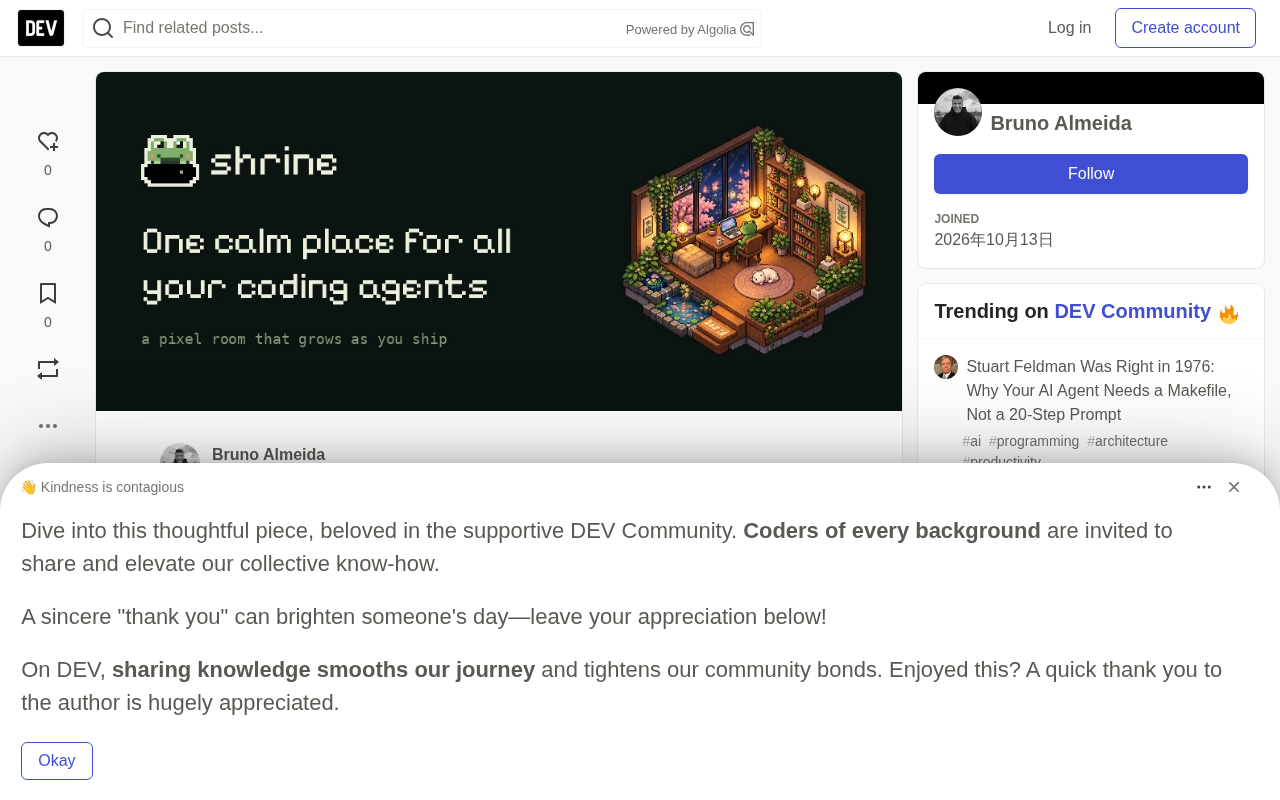
According to its developer, Shrine is a lightweight app that lives at the top of the macOS screen. It groups agent sessions by project, with each running agent floating in the form of a "glowing sprite" — lighting up when working, dimming when idle.
This visual language deliberately avoids the number-crunching of traditional dashboards. The developer writes: "Your agents appear as glowing sprites, hovering while they work and fading when they're idle." Compared to switching back and forth between terminal tabs, this at-a-glance presentation genuinely reduces cognitive load during parallel multitasking.
What is a coding agent?
A coding agent refers to an AI system capable of autonomously executing programming tasks, such as Claude Code, Cursor, GitHub Copilot's agent mode, and similar tools. Unlike traditional code completion, they can read and write files, run commands, commit code, create PRs, and even independently complete a small feature module. Developers simply provide a task description, and the agent works continuously in the background for minutes to tens of minutes. Precisely because a single agent can handle an entire task stream, many developers have started launching multiple agents in parallel to handle different projects or modules simultaneously. This creates a management problem — each agent's status, progress, and associated project are scattered across their own terminal windows, and the cost of switching and checking becomes high. Understanding this is essential to understanding why tools like Shrine emerged: what it solves isn't the agent's own capability problem, but rather the observability and attention allocation problem when running multiple agents in parallel.
Gamified Work Log: The Pixel Room
Behind Shrine's interface hides a pixel room that grows with your development progress. Every code push and merged PR adds a new object to the room — starting with a lantern, a bookshelf, and eventually even a cherry blossom tree.
The developer's explanation for this design: "It gives you a small but visible record of your work, records that would otherwise just scroll past in the terminal without leaving a trace."
This approach of mapping actual development activity to spatial decoration is essentially a lightweight form of progress visualization. For long-term projects, the pixel room becomes a non-intrusive source of accomplishment, without requiring any extra check-ins or logging actions.
The Treasure Chest: A Secrets Proxy
The treasure chest in the corner of the interface isn't decorative — it's a secrets proxy. According to the original description, it works like this: your secrets always stay in 1Password, agents only see placeholders like {GITHUB_TOKEN}, and the real value is only substituted in when a request points to a host you've authorized.
This design targets the increasingly prominent risk of secret leakage as AI coding tools become widespread. Isolating real credentials from what agents can access, while keeping the workflow transparent, is a practical security solution Shrine offers.
What is a secrets proxy?
A secrets proxy is a middle layer between an application and real credentials. The traditional approach writes sensitive information like API keys and tokens directly into environment variables or config files, and any process that can read that environment can obtain the plaintext. Once AI agents are given the ability to execute commands and access the network, the risk of this approach is significantly amplified: agents may accidentally leak secrets in debug output, logs, or code. The idea behind a secrets proxy is to let agents only touch placeholders (such as {GITHUB_TOKEN}), and only when a request is actually sent to an authorized host does the proxy layer replace the placeholder with the real value retrieved from secure storage (such as 1Password, Vault). This way, even if the agent's context is leaked, an attacker only obtains meaningless placeholders. This pattern already has mature practices in enterprise-grade secret management (such as HashiCorp Vault's dynamic secrets), and Shrine brings it in a lightweight form to individual developers' agent workflows.
How to Get It and Current Status
Shrine is currently free, requires no account, and needs macOS 14 or higher. The developer candidly admits it's "still early, with plenty of rough edges" and invites users to give feedback on missing features.
The product launch address is agentshrine.com, and updates can be followed on X (@agentshrine).
A Design Approach Worth Noting
Shrine's value isn't in how complex its features are, but in how it responds to a real need that's emerging: when agents go from one to a crowd, the attention cost of managing them starts to exceed the benefit of using them.
Visualizing status, gamifying progress, proxying secrets — none of these three directions is new, but combined in a minimalist interface residing at the top of the screen, they constitute an exploration of a "desktop companion for the agent era." For developers running multiple AI coding assistants simultaneously, the emergence of tools like this itself signals that agent workflows are moving from experimentation to daily routine.
Related articles

How Big Can Stars Really Get? The Physical Limits of the Largest Stars
Red supergiants are the largest stars by volume, with radii up to 2,000 times the Sun, engulfing the inner solar system. But there is no precise upper limit on stellar size—models predict up to 15,000 solar radii. The most massive blue stars are far smaller than red supergiants—biggest and heaviest are two different things.

Apple HomeView Smart Display Full Feature Breakdown: Wall-Mount or Desktop, $299
Apple launches HomeView, a $299 smart display with wall-mount and desktop options, 12MP camera for facial recognition, smart home control, music playback, and recipe step-by-step cooking. Full breakdown of watch faces, apps, privacy, and cooking integration.

Where Did the Promised New Studio Go? Craft Computing Answers After Five Years
Craft Computing's host responds to viewer questions: the new studio promised five years ago was shelved as construction costs soared from $30,000 to $75,000, and was replaced by a 168-square-foot garage conversion.