Smorza: Independent Volume and Output Control for Every Mac App
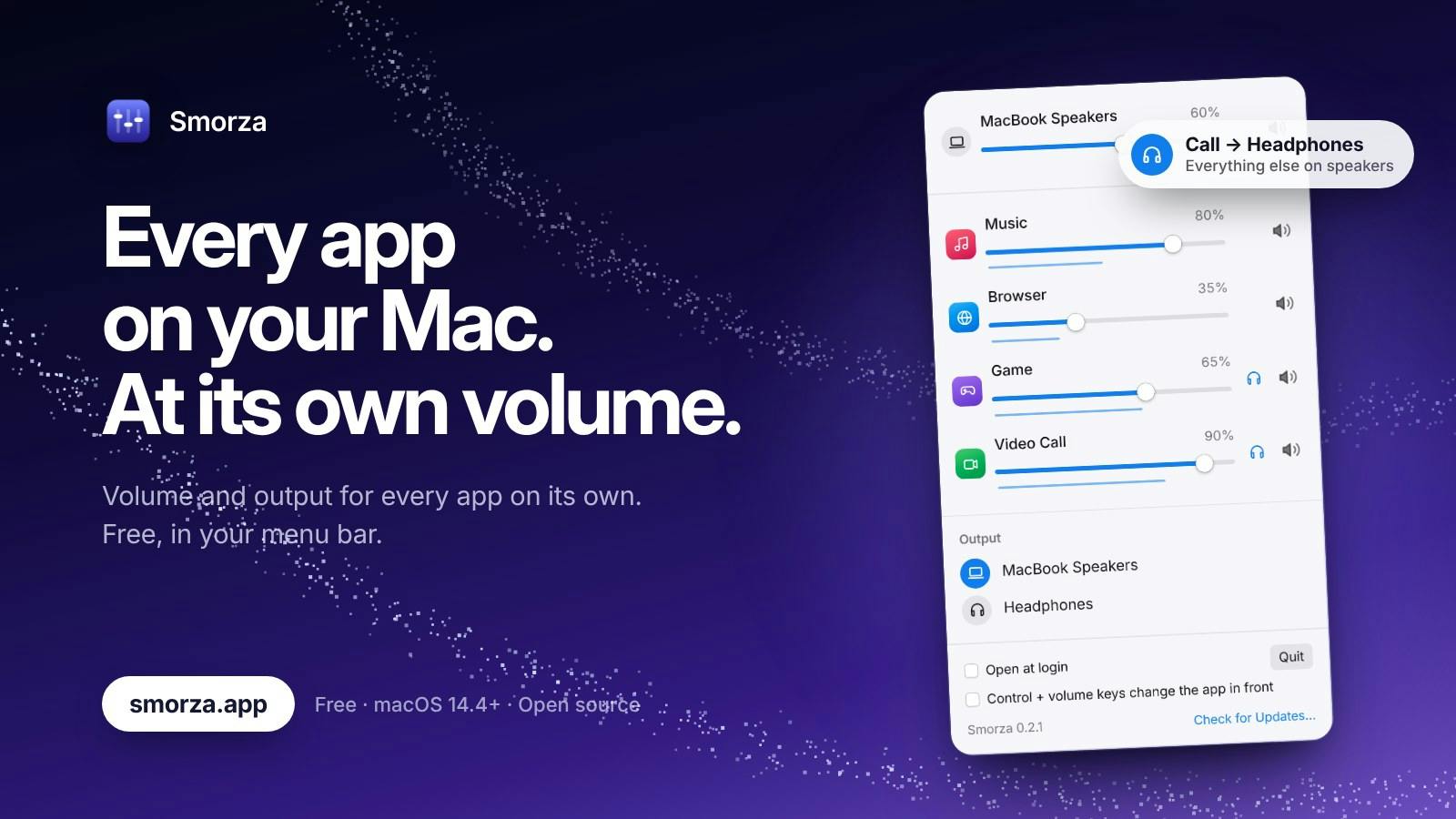
Smorza is an open-source macOS menu bar tool that gives each app its own volume and output device.
Smorza is a free, open-source macOS menu bar app designed to solve the pain point of global system volume control by letting users set volume, mute status, and audio output device individually for each app. Its technical highlight is that it requires no audio driver, instead leveraging macOS 14.4+ system capabilities for audio routing, lowering installation barriers and system conflict risks. Typical scenarios include routing meeting calls to headphones while music continues on speakers and adjusting browser volume independently. Launched on Product Hunt, it received 64 votes and 1 comment, ranking 15th for the day, targeting remote workers, content creators, and other users who need fine-grained audio management.
Mac users have long faced a pain point: system volume is global, making it impossible to adjust the volume of a single app or designate an audio output device. For example, during a video conference, you might want call audio routed to AirPods while background music continues playing through the speakers; or you may simply want to lower the volume of a noisy browser tab without affecting other apps. The open-source menu bar tool Smorza was created precisely to solve this problem.
Core Features: Independent Volume and Output per App
Smorza is a free, open-source macOS menu bar app that lets users set volume, mute status, and audio output device individually for each Mac app. According to its Product Hunt description, its core value is "giving every Mac app its own volume and output."
This means you can route a calling app to AirPods while keeping a music player on the speakers; or you can lower the volume of a single browser without affecting other apps. This granular control is especially useful for multitasking scenarios, such as keeping background music playing during a remote meeting or isolating a specific app's sound during voice transcription.
Technical Implementation: No Audio Driver Required
Unlike solutions that require installing kernel extensions or audio drivers, Smorza emphasizes that it does not need an audio driver. According to the product information, the app leverages system capabilities in macOS 14.4+ to achieve audio routing, which lowers the installation barrier and reduces the risk of potential system conflicts.
For users who care about system stability and security, the lack of a driver requirement is a significant advantage. It also means Smorza can integrate into the system more lightweightly, reducing its footprint on system resources.
macOS's audio system has long relied on the Core Audio framework, through which apps access audio hardware. Traditionally, implementing app-level audio routing required installing virtual audio devices (such as BlackHole or Soundflower) or kernel extensions (kexts), the latter of which became restricted after macOS Catalina due to System Integrity Protection (SIP) and the trend toward user-space drivers. Starting with macOS 14.4, Apple introduced finer-grained audio control APIs that allow apps to manage audio stream routing directly in user space without additional drivers. This explains why Smorza can integrate lightweightly: it leverages native system capabilities rather than intrusively modifying the audio stack, thereby reducing compatibility risks and installation complexity.
Use Cases and Target Users
Smorza is aimed at Mac users who need fine-grained audio management, including remote workers, content creators, podcast producers, and any ordinary user who wants to isolate audio output across different apps. Typical scenarios include:
- Meetings and entertainment in parallel: Send Zoom or Teams call audio to headphones while letting a music app play through the speakers.
- Browser volume control: Lower the volume of a specific tab or browser independently without affecting other system sounds.
- Multi-device output: Assign different output devices to different apps, for example sending a podcast to a Bluetooth speaker while keeping notification sounds on the built-in speakers.
Smorza exists as a menu bar app, meaning users can quickly access controls without opening complex settings panels.
Open Source and Community Feedback
Smorza was released as free and open source on Product Hunt, receiving 64 votes and 1 comment, ranking 15th for the day. Although the comment count is low, the vote count indicates a certain level of community interest. Its open-source nature may attract advanced users who want to review the code or modify it themselves.
The developer Roko positions Smorza as a productivity tool, and its clean menu bar interface and driver-free characteristics align with the macOS ecosystem's demand for lightweight tools.
Product Hunt is a platform for product launches and discovery, where users can vote on, comment on, and share new products. Rankings are dynamically calculated based on the day's vote count, and 15th place means it received moderately above-average attention among products launched that day. 64 votes and 1 comment are early-stage figures, typically reflecting initial recognition of a niche tool within a vertical community. Open-source projects launched on such platforms often attract developers to review the code, contribute improvements, or fork based on their own needs, thereby accelerating iteration.
Conclusion
Smorza fills a gap in macOS's app-level audio control. By providing independent volume, mute, and output settings for each app, it solves a common pain point in multitasking audio management. Its free and open-source nature, lack of an audio driver requirement, and support for macOS 14.4+ make it a practical tool worth watching. For Mac users who need fine-grained control over audio routing, Smorza offers a simple and effective solution.
Related articles

Prospero: A Lightweight Native AI Coding Tool Built with ImGui
Prospero is a bloat-free native AI coding tool built with ImGui, emphasizing lightweight design, high performance, and low dependencies. This article analyzes its design philosophy, technical choices, and the divergence between platformization and toolization in AI coding tools.

WebRTC Abused: New Variant of Credit Card Skimming Scripts on Shopping Sites
Security researchers found skimming scripts on popular shopping sites using WebRTC data channels to exfiltrate credit card data. This article analyzes the technical原理, differences from traditional Magecart attacks, and defense strategies for e-commerce platforms in third-party script governance and CSP policies.

Single GB10 Card Hits 101 tok/s: Inkling 2 Mini Performance Tested on vLLM
A developer shared on Hacker News running Inkling 2 Mini with vLLM on a single GB10 at 101 tok/s. This article analyzes the technical context, the significance of vLLM with small models on single cards, and caveats for interpreting tok/s metrics.