Spotify's AI Coding Tool, Tested: Is This Agent Development Environment Worth Using?
Spotify's ADE shines in session forking and cross-model switching, but it's built for large engineering orgs, not solo developers.
Spotify has launched an Agent Development Environment (ADE) already used by ~1,300 internal engineers. It doesn't replace coding agents like Codex or Gemini — it manages sessions with them, acting essentially as a polished tmux alternative. Standout features include session forking (cloning full context for parallel exploration) and mid-session agent switching with full chat history preserved, both rare in comparable tools. However, the required separate account registration and lack of a true killer feature for solo developers make it better suited to large engineering teams, especially when paired with Spotify's Portal platform for organization-level context management.
Spotify building an AI coding tool sounds like a stretch. But it's real — the company best known for music streaming has quietly launched an Agent Development Environment (ADE) for engineers. According to an in-depth hands-on test by a Chinese tech content creator, the tool is already being used by roughly 1,300 engineers inside Spotify. Is it actually a "killer tool"? The honest answer after testing is: it's complicated.
What It Is: An Agent Manager, Not a Replacement
First, a key clarification on positioning: this tool does not replace coding agents like Codex or Gemini. It's fundamentally a place to manage sessions with those agents. If you've used tools like Cmux, Conductor, or T3 Code, you'll immediately understand the concept — a development environment that centralizes multiple AI coding sessions in one place.
You'll need to register a Spotify base account before using it. Importantly, this is not your everyday Spotify music account — it's a completely separate technical account. The reviewer was blunt: the requirement to register a separate account alone is already a strike against it. For individual developers, signing up for a closed-ecosystem account just to use a coding tool is a non-trivial barrier.
After logging in, the homepage is remarkably sparse — essentially a prompt input box where you choose which project to send it to, or create a new one. The reviewer admitted this homepage is "not something you'll use much," and the real value is buried inside individual projects.
tmux (Terminal Multiplexer) is a widely used terminal multiplexing tool that lets you create and manage multiple terminal sessions within a single window, with session persistence — background tasks keep running even after you disconnect from SSH. Tools like Cmux and Conductor build on top of tmux to provide friendlier interfaces for managing parallel AI coding agent sessions. Spotify's tool occupies a nearly identical niche: it wraps underlying Claude Code terminal instances in a graphical interface, so developers don't need to manually configure tmux split-panes, keybindings, and other tedious setup steps to monitor and orchestrate multiple AI tasks simultaneously. Understanding this context helps you assess its value — if you're already proficient with tmux or similar tools, the incremental experience this product offers centers on a handful of unique features rather than a revolutionary workflow overhaul.
Core Highlight: Session Management and Grid View
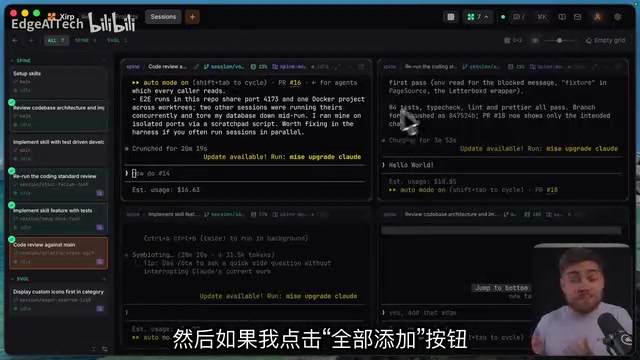
The tool's value only becomes apparent once you're inside a specific project. The central concept is the session. During testing, the reviewer had six active sessions simultaneously; clicking into any one opens a session view — essentially a tmux with a polished UI, running an ordinary terminal Claude Code instance under the hood.
The sidebar lets you quickly switch between all active sessions within a project. To observe multiple sessions at once, clicking the grid button enters grid view, where you can manage up to four agents side by side (customizable for larger displays). The grid layout supports drag handles for free resizing. Beyond agent sessions, you can also open a standalone terminal in the grid to write code yourself while watching and managing other agents.
None of this is "new" — you can achieve the same thing with a tmux configuration or a tool like Cmux. But for users who don't want to fiddle with config files, it offers a relatively easy on-ramp.
The Genuinely Unique Features: Forking and Agent Switching
If session management is merely "passing grade," two features genuinely impressed the reviewer — and are rare among comparable tools.
The first is session forking. It clones the entire session along with all its context, after which you can send different messages to each fork, because they become fully independent sessions. This is incredibly useful when you "want to test something without losing your existing conversation context."
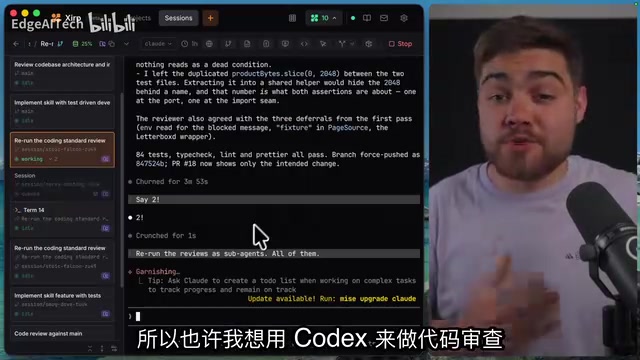
Even more striking is mid-session agent switching. Say a session is running a code review with Claude, and you realize the coding is all done and want to switch to Codex for the review — you can simply swap out the agent the session is using and fully preserve the context and chat history. Migrating seamlessly from Claude to Codex just requires saying "continue here" and it keeps running. The reviewer said this is a feature he hasn't seen in any other application.
He did admit he wouldn't use it often, though — because he's already built a workflow around Claude Code's skills system, relying on extensive documentation and Markdown files to describe the codebase, so starting a new agent doesn't require carrying over an old session's full context. This is more a matter of workflow preference than a flaw in the feature.
The concept of session forking borrows from version control's branching philosophy: creating a complete copy for exploratory experimentation without disrupting the current state. In AI coding contexts, this means you can simultaneously try "have the agent refactor module A" and "have the agent rewrite module B" from the same conversation baseline, see which result is better, then decide which branch to keep. Mid-session agent switching with preserved context, meanwhile, addresses the real-world reality that "different models excel at different tasks" — for example, Claude has advantages in long-document comprehension and code review, while Codex performs stronger in certain code completion scenarios. Being able to hand off across models without losing conversation history theoretically lets you use the best model for each phase, which is genuinely rare among mainstream AI coding tools today.
Dependent Sessions and Git Integration
Another relatively unique concept is dependent sessions. Clicking the corresponding button lets you create a sub-worktree from the current working tree; this child session waits for the first session to complete before starting, chaining tasks together sequentially. You can also choose to start immediately and skip the wait.

More practically useful is the dependent terminal session — the terminal connects to the same worktree the agent is using, neatly organized in the sidebar, making it easy to collaborate with the agent in the same environment.
There's also a Git button on the right that opens a sidebar showing all changed files, with a diff view on click for reviewing agent-written code. The interface quality is "absolutely usable," but the reviewer's only complaint was disliking the full-screen presentation — he prefers how Codex and T3 Code show diffs in a sidebar for quick scanning. The toolbar also has a browser button, but the reviewer couldn't determine whether the agent can actually control the browser or read console logs, and couldn't access developer tools — so he concluded he wouldn't use this feature.
Project View: Somewhat Underwhelming
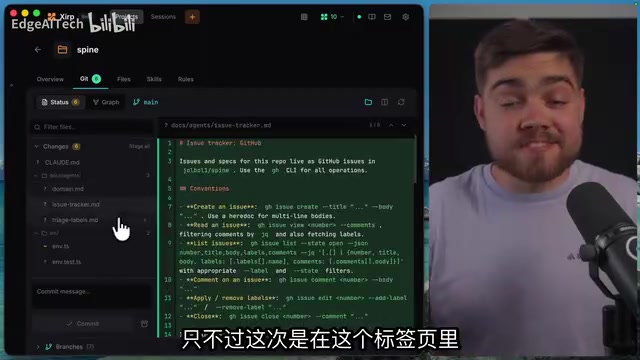
By contrast, the project view was assessed as "not particularly useful." The prompt input box on the overview page can't tag project skills or reference project files; the Files tab amounts to a built-in editor that works for small edits but sends you back to your own editor for anything substantial. The Skills tab didn't even recognize skills already present in the project during testing (possibly a symlink issue), with only the Rules tab correctly picking up the global CLAUDE.md and project rules.
Verdict: Good Tool, But Not for Everyone
Taking the full hands-on experience together, this tool is "well built" — almost no bugs were encountered aside from the skill recognition issue, and the session management features do have genuine highlights. But the core question remains: it doesn't deliver a killer feature compelling enough to make individual developers want to register a Spotify technical account and commit to a closed-source application. The reviewer personally leans toward the open-source T3 Code, finding its experience more polished and its interface cleaner.
What's worth reflecting on is the business logic behind the product. Reading the official announcement carefully reveals that Spotify is simultaneously pushing another product called Portal — a tool designed for very large organizations managing multiple projects and tasks simultaneously — and integrating this agent environment with Portal to pull in all relevant context for the current project. This explains why Spotify built this toolchain for its own needs: it's fundamentally built to serve organizational collaboration and context management at scale, not as a standalone product for individual developers.
In other words: if you're part of a large engineering team, or a Spotify ecosystem user who doesn't want to wrestle with tmux configuration, this might be a great fit. But for independent developers who value open source and prefer handling tasks one at a time, it may not be the optimal choice.
Portal is Spotify's project collaboration platform aimed at large engineering organizations, designed to solve context management challenges for multi-team, multi-task parallelism in massive codebases. When an engineering organization has hundreds of engineers simultaneously working on different subsystems, the core challenge is ensuring each AI agent session can accurately access "the relevant background for the current project" — including architecture docs, dependency maps, team conventions, and more. Spotify built this agent development environment and deeply integrated it with Portal so that AI sessions can automatically inject project context from Portal, maintaining consistency and collaboration efficiency at the scale of 1,300 internal engineers. This also explains why certain features (like skill recognition and project overview) feel underwhelming to individual developers — they're designed with the assumption of organization-level context supply, not a personally maintained local documentation system.
Related articles
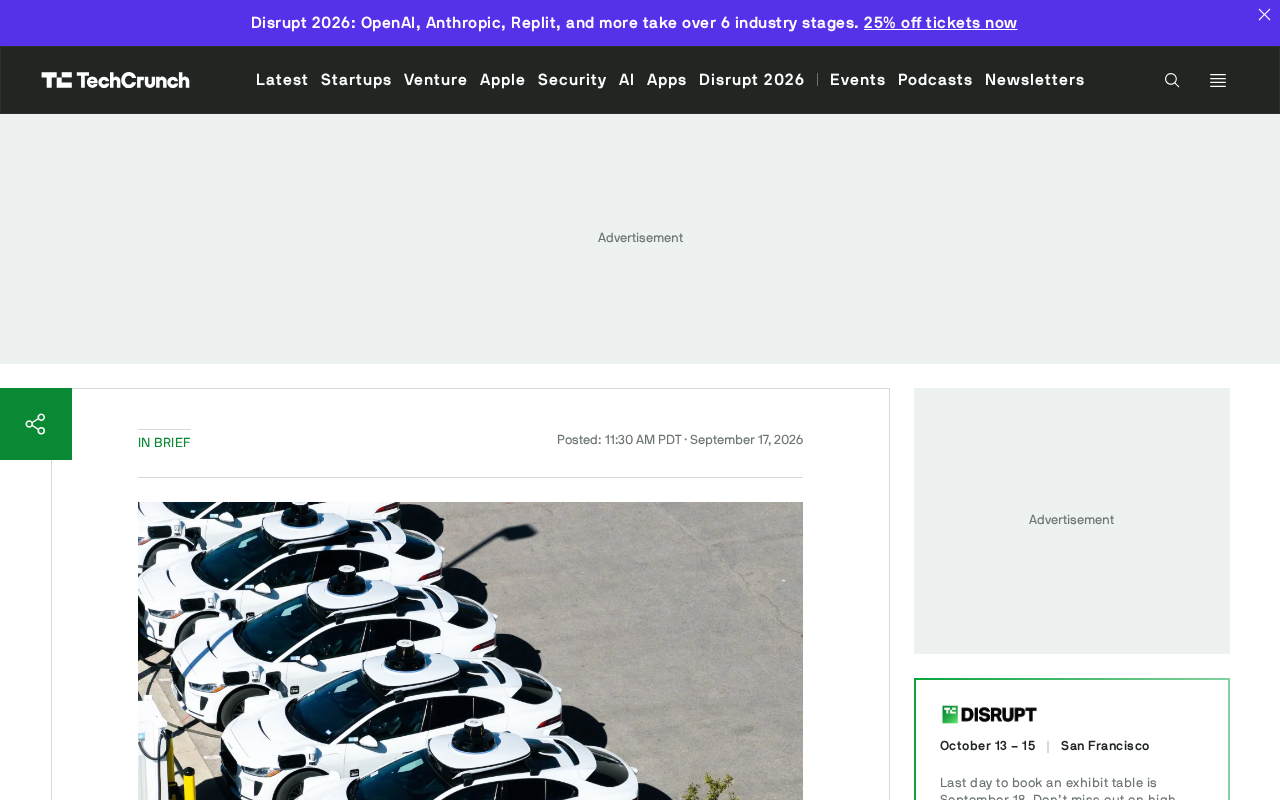
Waymo Restarts San Antonio Operations: Back on the Road Five Months After Flood Incident
Waymo resumes San Antonio Robotaxi service ~5 months after a vehicle was swept away in flooding. A look at what happened, why it took so long, and what it means for AV safety in extreme weather.
What Is AIOps? How AI Is Reshaping IT Operations
AIOps applies AI and machine learning to IT operations for anomaly detection, alert noise reduction, and root cause analysis — shifting teams from reactive to proactive.
CCC Sends Its Invitation: 40C3 Hacker Congress Themed "Model Citizens"
CCC announces its 40th Chaos Communication Congress (40C3) under the theme "Model Citizens," inviting hackers worldwide to examine surveillance and algorithmic governance.