StableBar: A Native Open-Source macOS Menu Bar That Replaces Scripts with JSON

StableBar is an open-source macOS menu bar tool written in Swift that replaces scripts with JSON configuration.
StableBar is a macOS menu bar tool debuting on Product Hunt, positioned as native, open-source, Swift-written, and completely free. Its core differentiator is configuration via a graphical settings window or a single JSON file—replacing shell scripts—making settings versionable, backupable, and syncable. It displays AeroSpace, yabai, and OmniWM workspace states, offers widgets with popovers and seven themes, and supports direct in-bar editing. However, with only 68 votes and 1 comment on Product Hunt, its stability and long-term maintenance still need more validation.
Why macOS Users Need Better Menu Bar Tools
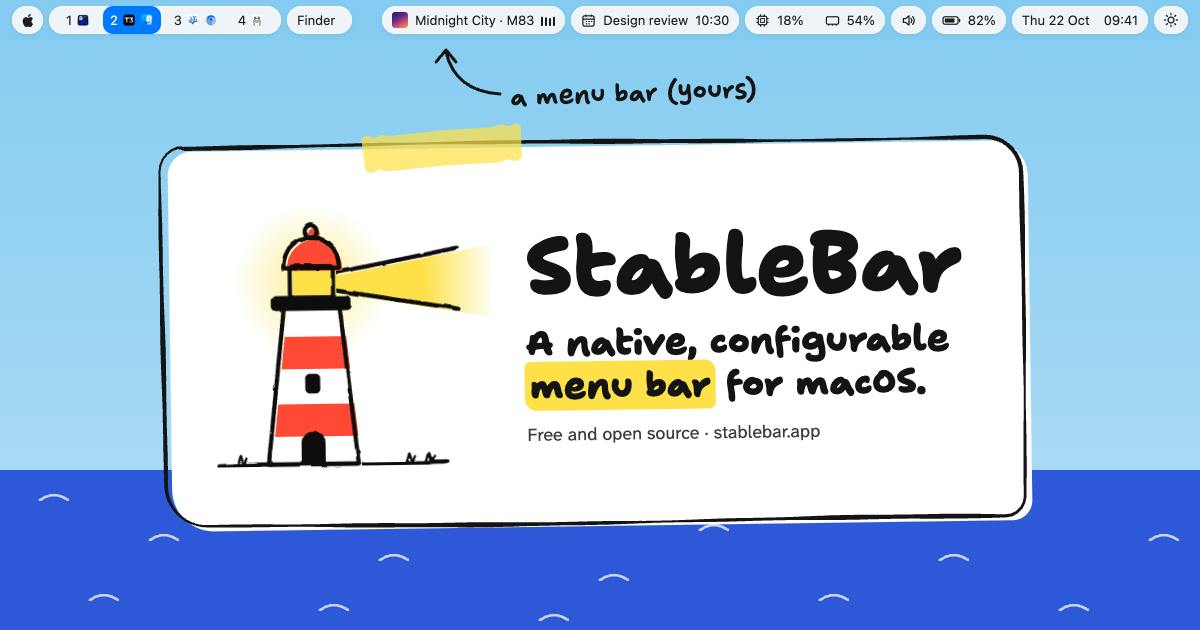
macOS's menu bar has long been contested territory for all kinds of tools: system monitors, window managers, clipboard history, quick launchers... But most of these tools are either closed-source commercial software or rely on complex shell scripts for configuration, making them hard for ordinary users to master. StableBar debuted on Product Hunt, positioning itself as "native, open-source, written in Swift," attempting to replace the script-heavy configuration of the past with a single JSON file or a graphical settings window.
According to its Product Hunt page, the project received 68 votes and ranked #20, categorized under Productivity, Open Source, GitHub, and Menu Bar Apps. The vote count isn't particularly impressive, but it targets a group of advanced users who care about both system tidiness and configurability.
StableBar's Core Design: Configuration as a File, Editing in the Bar
Configure via a Settings Window or a Single JSON File
StableBar's most direct differentiator is its configuration approach. Traditional menu bar tools often require users to write shell scripts and maintain multiple configuration files, with high troubleshooting costs when things go wrong. StableBar consolidates configuration into a single Settings window or a single JSON file—meaning configuration can be version-controlled, backed up, and synced across multiple Macs without relying on familiarity with scripts.
For developers accustomed to dotfiles workflows, a single JSON file is a friendly interface; for users who don't want to touch the terminal, the settings window lowers the barrier. The two paths coexist, covering both groups.
JSON (JavaScript Object Notation) is a lightweight data interchange format that describes structured data using key-value pairs and arrays. Its syntax is concise and human-readable, and almost every programming language has built-in parsing support. In developer tools, JSON is often used as a configuration file format because it's clearly structured, easy for programs to read, and easy to include in version control systems like Git for diffing and rollback. For menu bar tools, adopting a single JSON configuration file means users can manage configuration like code: copy it to a new machine, commit it to a dotfiles repository, share templates with others. Compared to shell scripts scattered across multiple locations, a single-file configuration offers a shorter troubleshooting path—when something goes wrong, you only need to check one file to locate the problem.
Edit Directly in the Menu Bar
StableBar supports editing content directly in the menu bar. This design reduces the back-and-forth of "open settings—find option—modify—save," compressing adjustments into the place of use. For a high-frequency interaction area like the menu bar, reducing context switching is itself an experience improvement.
Integrating Window Managers and Widgets
Display AeroSpace, yabai, and OmniWM Workspaces
StableBar can display workspace states from AeroSpace, yabai, or OmniWM. All three are hardcore tiling window management solutions on macOS, and their user base is typically comfortable with the command line—but precisely because of this, they need an intuitive workspace indicator even more. Putting workspace information in the menu bar is like completing a visual puzzle piece for these tools.
Tiling window managers are a class of tools that arrange windows by automatically dividing screen space rather than using floating windows. Users split the screen into regions via keyboard commands, with each window occupying one region, avoiding manual dragging to resize and reposition windows. macOS doesn't natively offer this capability, hence third-party solutions like yabai, AeroSpace, and OmniWM. They are typically driven by command line or configuration files and support the concept of multiple workspaces—workspaces can be understood as virtual desktops, where users switch between them to organize tasks. These tools are extremely efficient, but status information often exists only in the terminal or keyboard shortcut feedback, lacking a persistent visual indicator—exactly the gap StableBar aims to fill.
Widgets with Popovers and Seven Themes
Beyond workspaces, StableBar offers widgets with popovers and includes seven built-in themes. The combination of widgets and popovers lets the menu bar serve not just as a status display area but also as a carrier for lightweight interaction. The seven themes address a real pain point of menu bar tools: third-party tools often clash with the system's visual style, and theming at least offers the possibility of blending into the desktop.
The Trust Dividend of Open Source and Native
StableBar is written in Swift, is a native app, and is completely free and open source. Menu bar tools need to run persistently and read window states, so users are naturally sensitive about permissions and privacy. Open source means the code is auditable; native means fewer compatibility surprises and lower expected resource usage. Together, these two points constitute the appeal for users who care about privacy and system tidiness.
It should be noted that the Product Hunt page has only 1 comment, and community discussion is still insufficient. Actual stability and long-term maintenance still need more user validation.
Swift is a programming language introduced by Apple in 2014 for developing apps on iOS, macOS, watchOS, and other platforms. Its syntax is modern and emphasizes safety and performance. Apps written in Swift can directly call macOS system frameworks (such as AppKit and SwiftUI), which is why they're called "native" apps. Compared to apps packaged with cross-platform frameworks like Electron, native apps typically launch faster, use less memory, and are more consistent with system visual and interaction guidelines. Menu bar tools need to run persistently in the background and frequently read system states, making resource usage and compatibility particularly critical—which is why "written in Swift, native app" is emphasized as a selling point.
Who Should Try StableBar
If you use any of AeroSpace, yabai, or OmniWM and want your menu bar to reflect workspace states, StableBar is worth watching. If you prefer managing configuration with JSON and are used to putting dotfiles under version control, its single-file design fits well. Conversely, if you just need a simple system monitoring indicator, StableBar's feature set may exceed what you need.
From a product positioning standpoint, StableBar takes a restrained approach: not pursuing breadth, but solidly implementing configuration, display, and editing in the menu bar. The open-source menu bar tool space isn't crowded, and whether it can go far on community maintenance is the question it needs to answer next.
One-line Summary
StableBar is an open-source macOS menu bar tool written in Swift that replaces scripts with JSON configuration.
Paragraph Summary
StableBar is a macOS menu bar tool that debuted on Product Hunt, positioning itself as native, open-source, written in Swift, and completely free. Its core differentiator is its configuration approach: users can configure it through a graphical settings window or a single JSON file, replacing the shell scripts that traditional menu bar tools rely on, making configuration versionable, backupable, and syncable across devices. In terms of features, it can display workspace states from tiling window managers like AeroSpace, yabai, and OmniWM, offers widgets with popovers and seven themes, and supports editing content directly in the menu bar to reduce trips to settings. The combination of open source and native brings auditability and lower expected resource usage, appealing to advanced users who care about privacy and system tidiness. However, the product received only 68 votes on Product Hunt, ranked #20, and has just 1 comment—actual stability and long-term maintenance still require more validation.
Related articles

From 0 to 1: Vibe Coding an AI Knowledge Base — A Practical Retrospective and Tech Stack Breakdown
A retrospective on building the AI knowledge base OilBook from scratch with Vibe Coding: Next.js+Neon stack, Oil Dev Skill workflow, Stripe paywall security, interview-style writing, AI-flavor control, and Vercel deployment.

GLM-5.4 Hands-On: Native Vision Meets a New Vibe Coding Workflow
Hands-on with Zhipu GLM-5.4: native vision tested across a 3D product demo, pure-code video generation, and remote-control Vibe Coding, compared with GPT-6.2 and Gemini Neon.

AI and Humans Claim to Prove the Riemann Hypothesis: Machine-Verified, Yet Nobody Can Understand It
Anthropic mathematician and AI Claude claim to prove the Riemann Hypothesis with 17 million lines of Lean code, machine-verified but unreadable by humans. This article analyzes the event, the zero proportion record from 41.6% to 67.2%, and the gap between machine verification and human understanding.