StepFun's Step 5 Preview Launches on AI Gateway with 1M Token Context Support

StepFun's Step 5 Preview launches on Vercel AI Gateway with 1M token context and multimodal input.
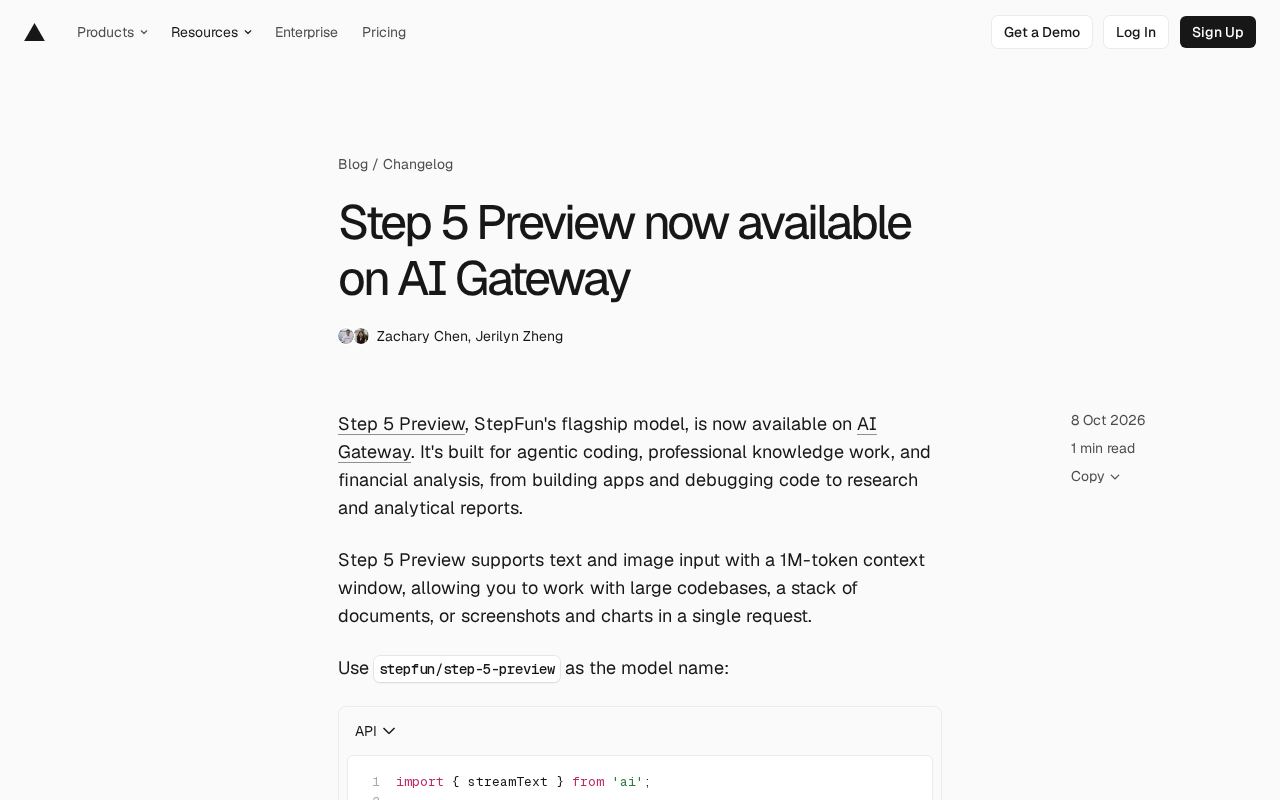
StepFun's flagship model Step 5 Preview has officially landed on Vercel AI Gateway, targeting agentic programming, professional knowledge work, and financial analysis. It supports text and image input with a 1M token context window, enabling processing of large codebases, stacks of documents, or multiple charts in a single request. Developers can access it via the model name stepfun/step-5-preview through the Vercel AI SDK or programming agents like Claude Code, Codex, and Cursor. AI Gateway offers a unified API layer with retry, failover, budget management, and zero data retention, billing at vendor prices without markup, with BYOK equally applicable. While adding Step 5 Preview enriches model choices, actual performance still requires validation in specific scenarios—reasoning quality and task completion are the deciding factors.
StepFun's flagship model Step 5 Preview has officially landed on Vercel AI Gateway, offering developers a new high-performance option. The model has a clear positioning—targeting three major scenarios: agentic programming, professional knowledge work, and financial analysis.
Three Core Scenarios: From Writing Code to Producing Research Reports
Step 5 Preview's capabilities cover a remarkably wide range. According to the official description, it spans everything from building applications and debugging code to writing research reports and analyzing financial statements. This "full-chain" positioning means it's not just a code completion tool, but more like a general-purpose assistant that understands business context and handles complex tasks.
For financial analysis scenarios, the model needs to understand numbers, charts, and industry terminology, which places higher demands on context length and reasoning ability. Step 5 Preview's adaptation in this area is worth watching.
1M Token Context and Multimodal Input
Step 5 Preview supports text and image input, with a context window reaching 1 million tokens. This scale means developers can process large codebases, stacks of documents, or analyze multiple screenshots and charts simultaneously in a single request.
A 1 million token context is at the top tier of today's model competition. For programming tasks that require cross-file understanding of code structure, or analytical work that needs to synthesize multiple materials before reaching conclusions, this capacity can significantly reduce the problems caused by information truncation.
What is a Token? A token is the basic unit that large language models use to process text, and it's not strictly equivalent to a "character" or a "word." In English, one token roughly corresponds to 3-4 characters or 0.75 words; in Chinese, one character typically takes 1-2 tokens. Therefore, a 1 million token context can roughly hold about 700,000-750,000 English words, or hundreds of thousands of characters of mixed Chinese-English content.
Why does the context window matter? The context window determines the total amount of information the model can "see" in a single request, including user input, uploaded documents and images, and the model's own generated output. The larger the window, the better the model can reason across files and materials without losing early information. Traditional models are limited to tens of thousands of tokens, and processing large codebases often requires manual splitting and summarization, which easily causes information loss; but the 1 million token level makes repository-level understanding and horizontal comparison of multiple research reports possible. It's worth noting that ultra-long contexts also bring increased inference costs and latency, so trade-offs are still needed in practical use.
How to Access: Model Name and Code Examples
To use Step 5 Preview on AI Gateway, the model name is stepfun/step-5-preview.
If using the Vercel AI SDK, here's a code example:
import { streamText } from 'ai';

const result = streamText({
  model: 'stepfun/step-5-preview',
  prompt: 'Plan a dashboard for analyzing quarterly financial results.',
});

for await (const text of result.textStream) {
  process.stdout.write(text);
}
For programming agent tools like Claude Code, Codex, and Cursor, you need to first install the latest version of Vercel CLI and run the configuration command:
npm i -g vercel@latest
vercel ai-gateway setup
After configuration is complete, simply select stepfun/step-5-preview in the agent to use it.
AI Gateway's Platform Capabilities
AI Gateway itself provides a unified API layer that developers can use to call models from different vendors while tracking usage and costs. The platform also supports retry, failover, and performance optimization configurations, which the company claims can deliver higher availability than a single provider.
Other features include custom reporting, zero data retention support, API key budget management, and routing rules. On pricing, AI Gateway charges at the vendor's original price—no markup, no platform fees—and this rule applies equally to BYOK (Bring Your Own Key) requests.
For teams that need to flexibly switch models and control costs, this transparent pricing strategy has some appeal.
BYOK (Bring Your Own Key) means developers use their own API keys obtained from model vendors to forward requests through AI Gateway. With this approach, billing and quotas remain governed by the agreement between the developer and the vendor, with the platform serving only as a proxy layer, so it typically doesn't charge extra fees. For teams that already have enterprise agreements or discounts with a vendor, BYOK preserves the original price advantage while still benefiting from the gateway's retry, failover, and unified usage statistics.
Routing rules and failover are among the gateway's core values. Developers can configure automatic switching to a backup model when a certain model times out, is rate-limited, or returns an error, thereby reducing the impact of single points of failure. Combined with budget management, teams can also set spending caps for different projects and different keys to avoid unexpected overspending. These capabilities elevate multi-model strategies from "manual switching" to "policy-driven," which is especially important for production environment stability.
A New Variable in Model Competition
The addition of Step 5 Preview makes model choices on AI Gateway even richer. The 1 million token context plus multimodal capabilities give it certain advantages when handling complex tasks. However, the model's actual performance still needs to be verified by developers in specific scenarios—after all, context length is just one dimension of capability, and reasoning quality and task completion are the deciding factors.
Interested developers can try Step 5 Preview in AI Gateway's model playground, or view its detailed information in the complete model list.
How do you evaluate whether a model suits your scenario? Context length and multimodality are just the entry threshold—what really determines the experience is reasoning quality, instruction following, tool-calling ability, and response speed. Developers can first use AI Gateway's model playground to run small-sample comparison experiments: take the same complex task (for example, locating a bug across three files, or extracting key metrics from a ten-page financial report) and run it separately on Step 5 Preview and existing models, comparing output accuracy and token consumption. For programming agent scenarios, you should also pay attention to whether the model tends to "go off track" or hallucinate during multi-turn tool calls. Only through repeated verification in real workflows can you determine whether this new option is worth replacing your existing solution.
One-line Summary
StepFun's Step 5 Preview launches on Vercel AI Gateway, supporting 1M token context and multimodal input.
Paragraph Summary
StepFun's flagship model Step 5 Preview has officially landed on Vercel AI Gateway, targeting three major scenarios: agentic programming, professional knowledge work, and financial analysis. The model supports text and image input, with a context window reaching 1 million tokens, enabling processing of large codebases, stacks of documents, or multiple charts in a single request. Developers can access it via the model name stepfun/step-5-preview, using either the Vercel AI SDK or configured in programming agents like Claude Code, Codex, and Cursor. AI Gateway provides a unified API layer with retry, failover, budget management, and zero data retention, billing at the vendor's original price with no markup or platform fees, and BYOK is equally applicable. Step 5 Preview's addition enriches model choices, but actual performance still needs verification by developers in specific scenarios—reasoning quality and task completion are the deciding factors.
Related articles

Chain of Thought Isn't Just for AI: How Humans Can Use CoT to Improve Thinking Quality
Chain of Thought isn't just a prompt trick for large models. Starting from a Hacker News discussion, this article analyzes why CoT works for human thinking too, breaks down actionable ways to transfer it, and highlights the key differences between human CoT and machine CoT.
Cloudflare Teams Up with OpenAI: Closi…
Cloudflare Teams Up with OpenAI: Closing the Loop from Vulnerability Discovery to Defense with AI
Cloudflare uses OpenAI Daybreak to investigate security vulnerabilities and generate reviewable remediation plans, while developers use Codex to boost coding efficiency and quality.

Orca Multi-Agent Orchestration in Practice: A Guide to Parallel Collaboration with Claude and Codex
Orca is Stable AI's free open-source agent workbench supporting 34 agents like Claude Code and Codex in parallel. Learn its Git worktree isolation, multi-model orchestration, and mobile management.